
Minecraft Wrapped
Spotify Wrapped, but for Minecraft. A cinematic monthly recap of your play time, top blocks, mobs, archetype and more.
Screenshots
About this Mod
Minecraft Wrapped
Spotify Wrapped, but for Minecraft. Every 1st of the month, a button appears on your title screen — click it to relive your month with a cinematic animated recap.
A Fabric client-side mod for Minecraft 1.21.11. Zero server changes, zero account, zero network calls. Your data never leaves your machine.
Features
A cinematic monthly recap
12+ animated cards that reveal in sequence, each with its own visual signature:
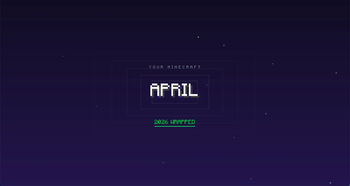
- Intro — the month name fades in with a green accent sweep and dropping letters.
- Time Spent — a clock dial spins toward your total play time.
- Longest Session — your single longest play streak, broken down across sessions in the month.
- When You Play — a 24-bar histogram of your peak hours (night owl? lunch raider?).
- Top World — your most-played world or server, with a traced gold frame and share bar.
- Dimensions Explored — Overworld vs Nether vs End, ranked by ticks.
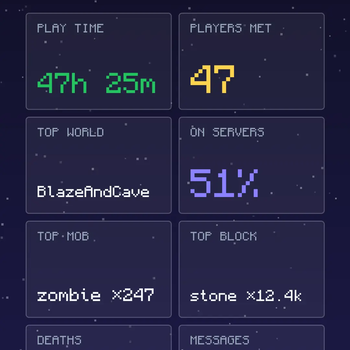
- Social — players met, messages sent, solo-vs-server split bar.
- Distance Covered — total kilometres + breakdown by walking, elytra, boat, horse, swim, fly.
- Top Blocks Mined — top 3 with real block textures.
- Top Mob Killed — spawn-egg of your most-killed enemy, rotating.
- Top Crafted — top 3 items you crafted.
- Death Recap — your deaths and the most embarrassing cause (or Perfect Streak if zero).
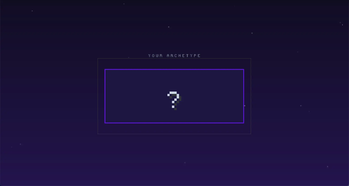
- Archetype — drumroll then card flip reveals your personality among 15 archetypes.
- Final — recap tiles + Save Image / Copy / Close buttons.
Multiplayer-aware
The mod tracks your time on each server (client-side tick counter + vanilla server stats via REQUEST_STATS), counts unique players you cross paths with, chat messages sent, and servers visited. The recap mixes solo worlds and servers in one timeline — because that's what playing Minecraft actually looks like.
Image export
Hit Save Image in the final card and the mod renders a 1080×1920 PNG (story format) into screenshots/wrapped/. Or Copy to put it directly on your clipboard.
Smart filtering
The recap only includes cards that are relevant to your data. Played 5 minutes? Just the basics. Spent 100 hours on three servers and crafted 600 items? You get the full ride.
Privacy first
- 100% client-side. No telemetry, no analytics, no remote calls.
- Your data lives in
<game>/wrapped/. Delete it any time.
Install
- Install Fabric Loader for Minecraft 1.21.11.
- Drop Fabric API into your
mods/folder. - Drop the
minecraft-wrapped-*.jarfrom the latest release into the samemods/folder. - Launch the game.
The mod runs silently in the background. On the first day of every month, when you launch the game, a Your X Wrapped is ready button appears on the title screen.
Commands
| Command | What it does |
|---|---|
/wrapped |
Replay the latest finalized Wrapped |
/wrapped history |
Browse all your past Wrappeds |
How it works
- At every game launch, the mod scans
saves/*/stats/<uuid>.json(your singleplayer worlds), pulls server-side vanilla stats via theREQUEST_STATSpacket, and aggregates them into a cumulative monthly snapshot atwrapped/snapshot-YYYY-MM.json. - When the calendar rolls over, the mod computes the delta against last month's snapshot and writes a finalized
wrapped-YYYY-MM.json. - That finalized file drives every card in the sequence.
Side trackers persist in wrapped/:
server-play-time.json— ticks per server you connect toserver-stats.json— full vanilla stats from servers that respond to REQUEST_STATSmultiplayer-data.json— UUIDs of players seen, chat counter, commands countersessions.json— start/end timestamps of every sessionplay-by-hour.json— ticks per hour of day, per monthplay-by-dimension.json— ticks per dimension, per month
Build from source
./gradlew build
The jar lands in build/libs/.
Run in dev
./gradlew runClient
License
MIT — see LICENSE.
Made by Zeffut.
Available Versions
How to Install Minecraft Wrapped on Your Server
Order Server
Order a Minecraft Java server with at least 3 GB RAM (4 GB recommended).
Set fabric Loader
In the panel under "Egg", select the fabric loader and matching Minecraft version (1.21.11).
Install Mod
Open the mod browser in the dashboard and search for "Minecraft Wrapped". Click "Install" – done! Alternatively, upload the .jar via SFTP to the /mods folder.
Compatibility
Mod Loaders
Minecraft Versions
1.21.11, 1.21.10, 1.21.8 (+8 more)
Server-side
✗ UnsupportedRecommended RAM
4 GB(min. 3 GB)Frequently Asked Questions
Minecraft Wrapped server crashes on startup – what to do?
Most common cause: wrong fabric version or insufficient RAM. Check the server log (latest.log) for "OutOfMemoryError" or "Mixin" errors. With Mado Hosting: ensure at least 3 GB RAM is allocated and the loader matches the mod version (1.21.11). You can switch loaders with one click in the panel.
Is Minecraft Wrapped compatible with fabric and quilt?
Minecraft Wrapped officially supports fabric, quilt for Minecraft 1.21.11, 1.21.10, 1.21.8. The Mado dashboard automatically detects incompatible loader combinations.
Server lagging with Minecraft Wrapped – how to optimize performance?
Recommended RAM: 4 GB (per 8 players). Use /spark profiler to check if Minecraft Wrapped consumes the most tick time. Common fixes: reduce server view-distance to 8-10, install "performant" or "starlight" as supplementary mods on Forge. With Mado Hosting, your server runs on NVMe SSDs with dedicated CPU cores for minimal latency.
Similar Mods

![[ETF] Entity Texture Features](https://cdn.modrinth.com/data/BVzZfTc1/af683d206d50b05258d865b0d6e4aa2f2cee12f2_96.webp)
![[EMF] Entity Model Features](https://cdn.modrinth.com/data/4I1XuqiY/6e5bbd0d06b1741bfdab6c0cfab6de8fdaf0064c_96.webp)



Rent Modded Server
Install Minecraft Wrapped with just one click on your server.