
Minihex
A Hexcasting addon with minigame oriented spells.
Screenshots
About this Mod
minihex
A Hexcasting addon with minigame oriented spells.
Requires: Hex Casting, Cardinal Components API
Recommended, to enable all minihex features: MoreIotas or Hexpose, Hexical, Xaero's Minimap and World Map
Also has interop with Hierophantics.
Current features:
- Spell to damage self (in a manner similar to overcasting)
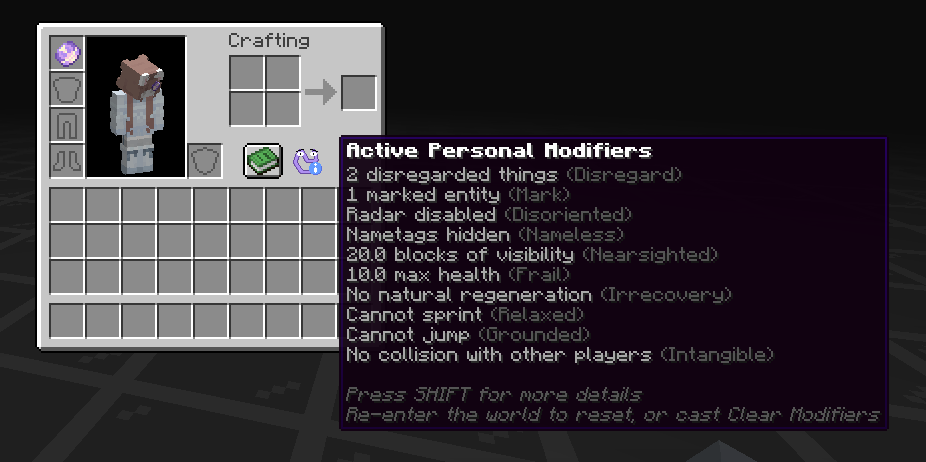
- Personal Modifiers system. These are self-debuffs and can only be applied by the caster to themselves. Persists until
a relog or the Clear Modifiers pattern is used. Currently active modifiers can be viewed by hovering over an icon in the inventory.
Personal Modifiers can also be managed via commands.- Disregard: hide certain entity types or specific entities (latter capped to 128)
- Disoriented: hide entity radar on Xaeros maps or disable the maps entirely
- Nameless: tweak nametag rendering on your screen to fully hide, or only show with direct line of sight
- Nearsighted: blindness, but with controllable distance. does not disable sprinting
- Frail: reduce max health
- Irrecovery: disable natural/food-based regeneration
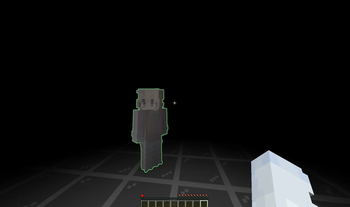
- Mark: client side glowing for certain entities (capped to 128), with configurable color - fixed and pigment-based
- Relaxed: disable sprinting
- Grounded: disable jumping
- Intangible: disable collision with other players
- Busy: simply a flag that resets on re-login. can be read by any casting environment
Upcoming features:
- None confirmed yet!
Possible future features:
- Proper gradients when marking with a pigment
- Displaying custom markers on maps/editing map markers via hex
- More nadirs for blindness, nausea, etc.
Available Versions
How to Install Minihex on Your Server
Order Server
Order a Minecraft Java server with at least 3 GB RAM (4 GB recommended).
Set fabric Loader
In the panel under "Egg", select the fabric loader and matching Minecraft version (1.20.1).
Install Mod
Open the mod browser in the dashboard and search for "Minihex". Click "Install" – done! Alternatively, upload the .jar via SFTP to the /mods folder.
Compatibility
Mod Loaders
Minecraft Versions
1.20.1
Server-side
✓ RequiredRecommended RAM
4 GB(min. 3 GB)Frequently Asked Questions
Minihex server crashes on startup – what to do?
Most common cause: wrong fabric version or insufficient RAM. Check the server log (latest.log) for "OutOfMemoryError" or "Mixin" errors. With Mado Hosting: ensure at least 3 GB RAM is allocated and the loader matches the mod version (1.20.1). You can switch loaders with one click in the panel.
Is Minihex compatible with fabric?
Minihex officially supports fabric for Minecraft 1.20.1. The Mado dashboard automatically detects incompatible loader combinations.
Server lagging with Minihex – how to optimize performance?
Recommended RAM: 4 GB (per 8 players). Use /spark profiler to check if Minihex consumes the most tick time. Common fixes: reduce server view-distance to 8-10, install "performant" or "starlight" as supplementary mods on Forge. With Mado Hosting, your server runs on NVMe SSDs with dedicated CPU cores for minimal latency.
Similar Mods





Rent Modded Server
Install Minihex with just one click on your server.
Details
- License
- Creative Commons Attribution Non Commercial Share Alike 4.0 International
- Server-side
- Required