
Minimal Coords HUD
Gives a clean and functional coordinates display with keybinds to copy your coordinates!
Screenshots
About this Mod
Minimal Coords HUD v1.1.2
A simple, clean coordinates mod, with a readable-as-ever position display
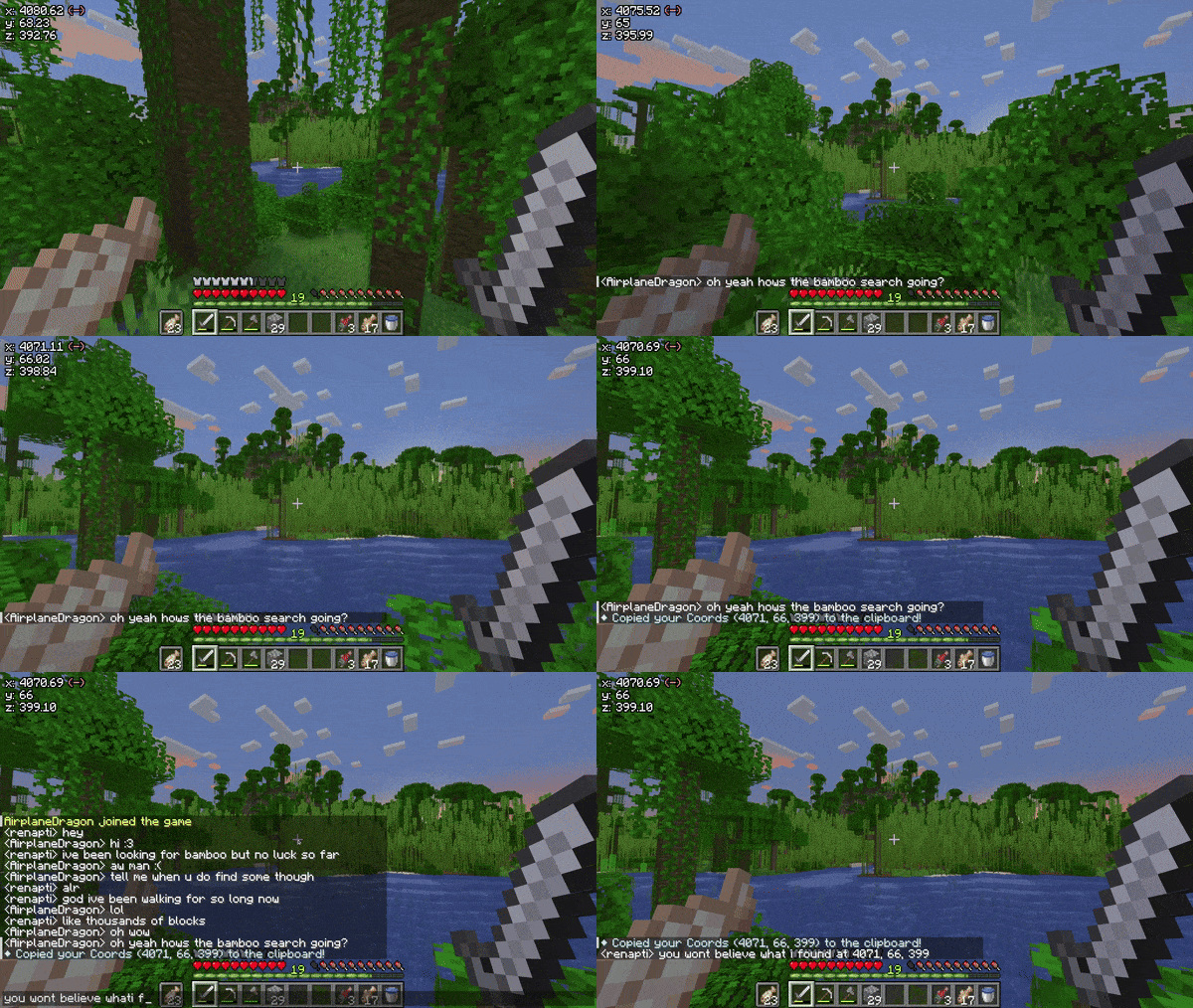
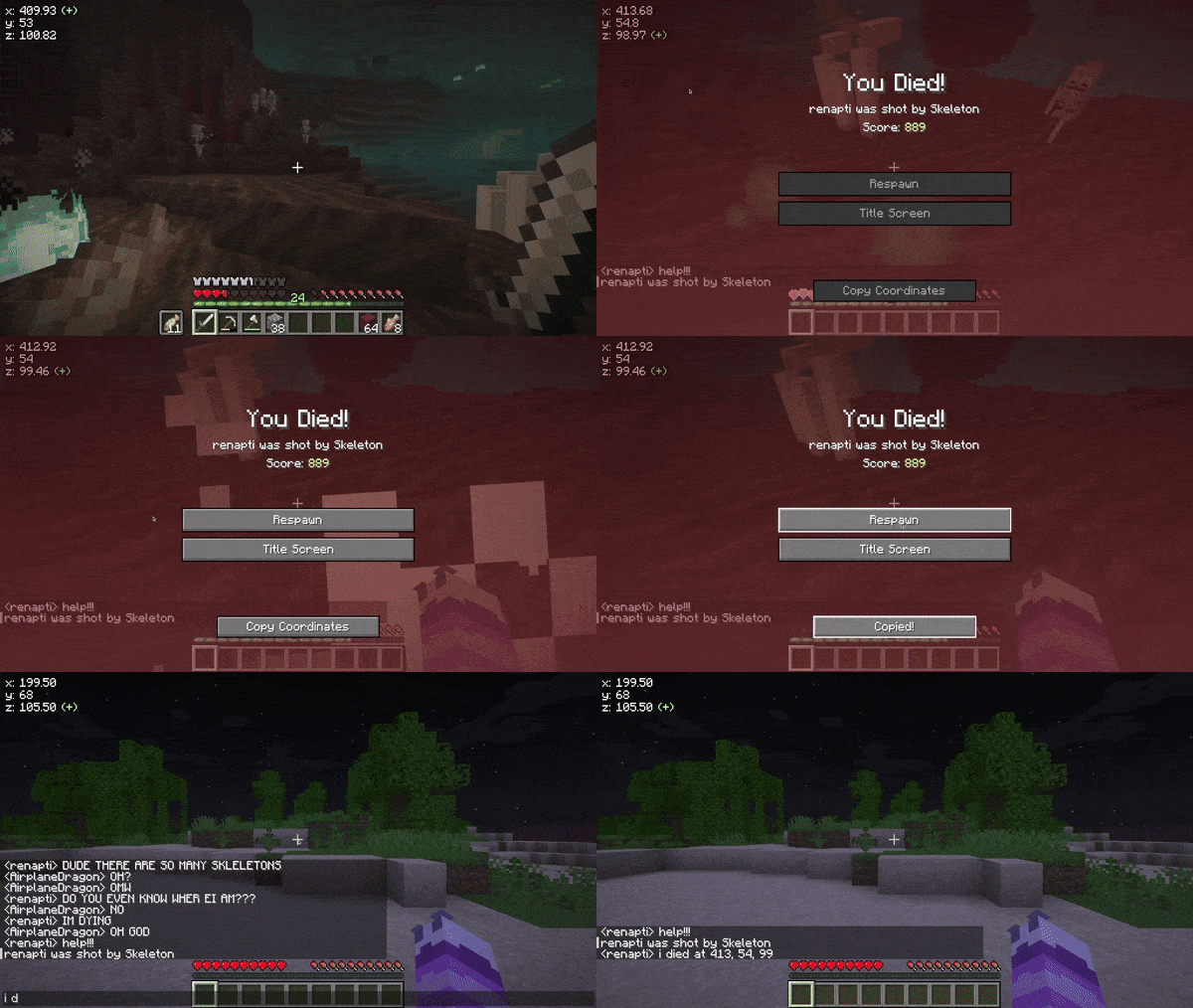
This neat little mod displays your coordinates in bright, clean numbers anywhere you choose. But, that's not all - with the press of a key, you can copy your current coordinates to share them with friends, save them for later, or even copy your interdimensional coordinates to quickly figure out approximately where you'll end up out the other end of a Nether portal, all without a calculator. If you die and need to recover your gear, you can even copy your death coordinates as soon as you die. No more screenshots or typing required! As a nice little bonus, you can also tell which direction you're facing in order to easily go to the place you want, without the trial and error.
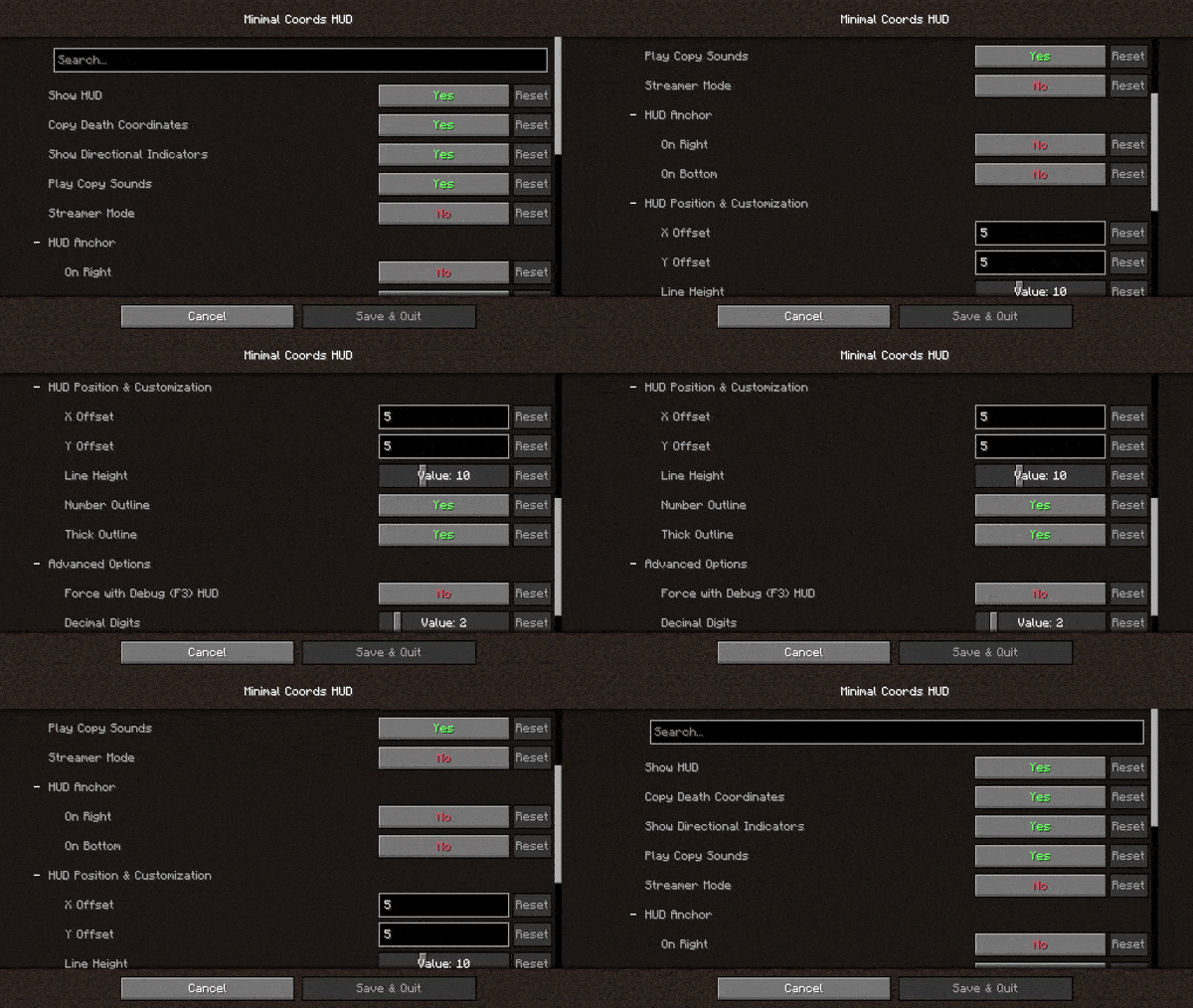
I developed this mod both out of a curiosity to learn, and out of necessity for a mod that does as much as this one - no more, no less. This mod lets you see your coordinates, conveniently copy them, and that's it. It's also ready to use out of the box, and you can customize it any way you want. Even more configuration options are planned in future versions.
Copy Regular and Interdimensional Coords, Save your Death Location, Customize Many Options, and More
A quick look at this mod's features
✨ Here's what's new in the latest version, v1.1!
- New Configuration Screen and Options
- New Directional Indicators
- Colorful Chat Messages for more contrast
- Sound Cues whenever you copy coordinates
- Position the HUD anywhere you want
- Change the spacing of the HUD to your liking
- Turn up the decimal digits for some extra precision
- Better coords copying logic - copy with up to 16 decimal digits
- Better stability to prevent some previously pesky crashes
💮 Here's the biggest features that this mod provides!
- Clean, Readable, and Customizable Coordinates Display
- Quickly check which direction you're facing at a glance
- Copy Current Coordinates with a key (Default
Period) - Copy Overworld-to-Nether or Nether-to-Overworld Coords with a key (Default
Comma) - Copy your Death Coordinates with a button before you respawn
- Hide the HUD at any time, with just a single key (Default
M) - Hide the Copied Coords in chat with Streamer Mode to prevent stream snipers
This mod requires Cloth Config to work properly!
This mod requires Mod Menu to customize the options easily!
⚠️ This mod is not compatible with interdimensional copying for non-vanilla dimensions. You can still display and copy current coordinates in those dimensions.
Version Compatibility
Some versions of this mod have compatibility with multiple versions of Minecraft due to minimal API changes.
If your Minecraft is crashing upon launch instead, try these steps:
- Make sure you downloaded a version listed to be compatible with your Minecraft version, like using
1.20.2-1.20.41.1.2withMC 1.20.3, for example. (Instance managers like Prism Launcher make this easier!) - Make sure your dependencies are up to date. If you use Mod Menu, it will alert you to new updates in-game - disable my mod temporarily to check. If you use Prism Launcher, it has an automatic updater in the mods list to update your mods for you. Common causes of version incompatibility crashes are due to outdated versions of Fabric API and Cloth Config.
- If that didn't fix it, try using ONLY the required mods needed alongside Minimal Coords HUD. This includes Fabric API, Cloth Config, and optionally, Mod Menu.
- If all else fails, report an issue on the GitHub Issue Tracker with an attached
.logfrom the crash. This tells me some basic information, like what mods you were using and what versions they were. This is useful for me to debug and update the mod to be more stable!
Available Versions
How to Install Minimal Coords HUD on Your Server
Order Server
Order a Minecraft Java server with at least 3 GB RAM (4 GB recommended).
Set fabric Loader
In the panel under "Egg", select the fabric loader and matching Minecraft version (1.20.6).
Install Mod
Open the mod browser in the dashboard and search for "Minimal Coords HUD". Click "Install" – done! Alternatively, upload the .jar via SFTP to the /mods folder.
Compatibility
Mod Loaders
Minecraft Versions
1.20.6, 1.20.5, 1.20.4 (+3 more)
Server-side
✗ UnsupportedRecommended RAM
4 GB(min. 3 GB)Frequently Asked Questions
Minimal Coords HUD server crashes on startup – what to do?
Most common cause: wrong fabric version or insufficient RAM. Check the server log (latest.log) for "OutOfMemoryError" or "Mixin" errors. With Mado Hosting: ensure at least 3 GB RAM is allocated and the loader matches the mod version (1.20.6). You can switch loaders with one click in the panel.
Is Minimal Coords HUD compatible with fabric?
Minimal Coords HUD officially supports fabric for Minecraft 1.20.6, 1.20.5, 1.20.4. The Mado dashboard automatically detects incompatible loader combinations.
Server lagging with Minimal Coords HUD – how to optimize performance?
Recommended RAM: 4 GB (per 8 players). Use /spark profiler to check if Minimal Coords HUD consumes the most tick time. Common fixes: reduce server view-distance to 8-10, install "performant" or "starlight" as supplementary mods on Forge. With Mado Hosting, your server runs on NVMe SSDs with dedicated CPU cores for minimal latency.
Similar Mods




![[ETF] Entity Texture Features](https://cdn.modrinth.com/data/BVzZfTc1/af683d206d50b05258d865b0d6e4aa2f2cee12f2_96.webp)
![[EMF] Entity Model Features](https://cdn.modrinth.com/data/4I1XuqiY/6e5bbd0d06b1741bfdab6c0cfab6de8fdaf0064c_96.webp)
Rent Modded Server
Install Minimal Coords HUD with just one click on your server.