
Mining In Place
Move the farthest block of the vein/tree in front of you to dig the entire vein or tree in place.
Screenshots
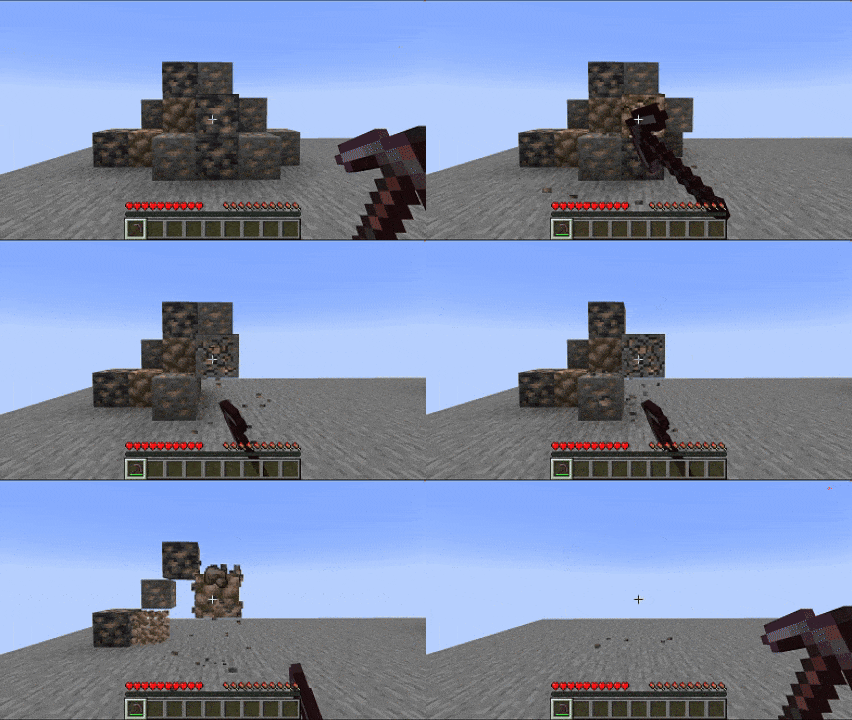
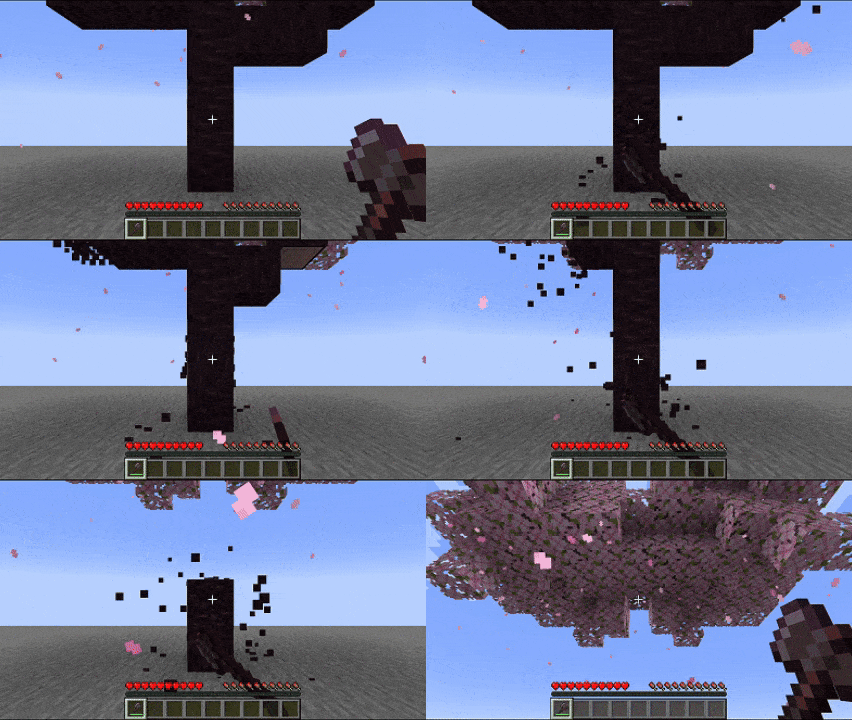
About this Mod
Mining in place
一个简单的模组,能够在挖掘成片的同类方块(比如砍树和采矿)时将这片方块中最远的方块不断移动至挖掘位置,使得无需移动位置,站在原地即可一次挖完整片方块。
最终效果类似于各种连锁挖掘,但效率更贴近原版。各项配置可通过游戏内配置界面或配置文件修改。
灵感来源以及Fabric下的同功能模组:一脉相挖
A simple mod that keeps moving the furthest square in the patch to the digging position while digging up patches of similar squares (such as cutting down trees and mining), making it possible to dig up the whole patch at once without moving the position, just by standing in place.
The end result is similar to the various chain digs, but more closely resembles the original in terms of efficiency. Configurations can be changed via the in-game configuration screen or configuration file.
Inspiration and same function mod under Fabric: Mine Pulse
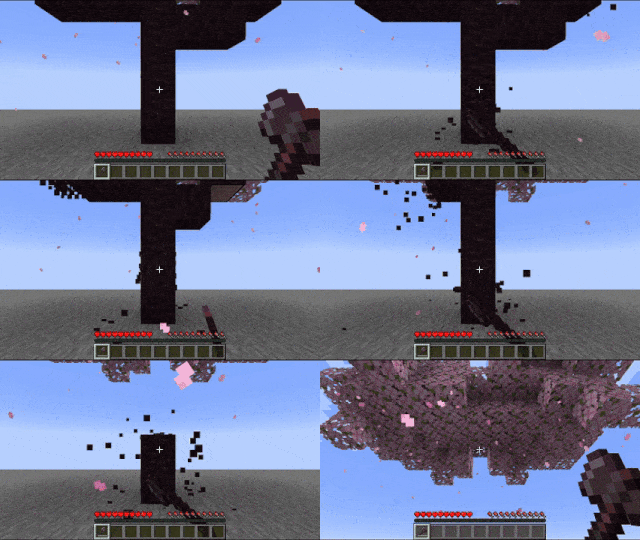
效果展示 Effect display

Available Versions
How to Install Mining In Place on Your Server
Order Server
Order a Minecraft Java server with at least 3 GB RAM (4 GB recommended).
Set neoforge Loader
In the panel under "Egg", select the neoforge loader and matching Minecraft version (1.21.5).
Install Mod
Open the mod browser in the dashboard and search for "Mining In Place". Click "Install" – done! Alternatively, upload the .jar via SFTP to the /mods folder.
Compatibility
Mod Loaders
Minecraft Versions
1.21.5, 1.21.4, 1.21.3 (+3 more)
Server-side
✓ RequiredRecommended RAM
4 GB(min. 3 GB)Frequently Asked Questions
Mining In Place server crashes on startup – what to do?
Most common cause: wrong neoforge version or insufficient RAM. Check the server log (latest.log) for "OutOfMemoryError" or "Mixin" errors. With Mado Hosting: ensure at least 3 GB RAM is allocated and the loader matches the mod version (1.21.5). You can switch loaders with one click in the panel.
Is Mining In Place compatible with neoforge?
Mining In Place officially supports neoforge for Minecraft 1.21.5, 1.21.4, 1.21.3. The Mado dashboard automatically detects incompatible loader combinations.
Server lagging with Mining In Place – how to optimize performance?
Recommended RAM: 4 GB (per 8 players). Use /spark profiler to check if Mining In Place consumes the most tick time. Common fixes: reduce server view-distance to 8-10, install "performant" or "starlight" as supplementary mods on Forge. With Mado Hosting, your server runs on NVMe SSDs with dedicated CPU cores for minimal latency.
Similar Mods




![[ETF] Entity Texture Features](https://cdn.modrinth.com/data/BVzZfTc1/af683d206d50b05258d865b0d6e4aa2f2cee12f2_96.webp)
![[EMF] Entity Model Features](https://cdn.modrinth.com/data/4I1XuqiY/6e5bbd0d06b1741bfdab6c0cfab6de8fdaf0064c_96.webp)
Rent Modded Server
Install Mining In Place with just one click on your server.