
Minions
Datapack that adds Minions to Minecraft while retaining the vanilla gameplay experience.
Screenshots
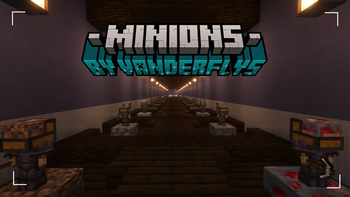
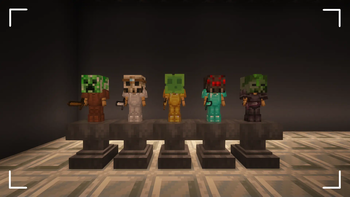
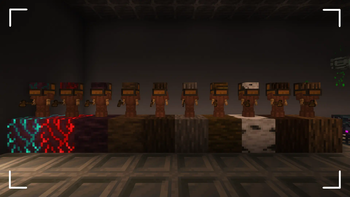
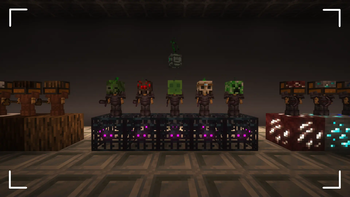
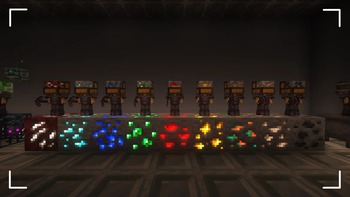
About this Mod





⚠ ATTENTION ⚠
As of September 27, 2025, TimeLib, the essential datapack/mod used for Minion, has been archived because Minecraft has removed the ability to obtain real-time timestamps. This means that Minions will no longer receive updates for newer versions of the game. However, the project itself is not fully archived; I will continue to address bugs for previous releases. The latest working release is for Minecraft version 1.21.8.
📖 Description
Datapack that adds Minions to Minecraft while retaining the vanilla gameplay experience.
Explore the seamless functionality in both single-player and multiplayer modes.
Has included resource-pack for invisible menu's.
⭐ Features
- Minions that gather resources for you.
- A fully interactive GUI menu.
- Minion Upgrade Items for storage and speed (includes external buff items).
- Minion Tier Upgrades.
- Offline resource calculations.
- Multiplayer compatible.
- 10 Minions per player.
⚡️IMPORTANT REMINDER
You need permission to use commands to be able to install this datapack!
This means that commands must be turned on in single-player and OP in multiplayer.
TimeLib, the library that Minions v3 uses, requires command blocks to be turned on when used for multiplayer servers.
⚙️ Installation
After installing it you need to restart your world with /reload and press the install button in the chat.
⛏️ How to obtain Minions
Minions are overpowered since they obtain resources for you while you don't have to do anything.
The Minions are specifically designed for mid to late-game use, requiring a significant amount of costly materials to craft. After defeating a Wither, you gain the ability to craft Minions and all the recipes for both the minions and their upgrade items will be displayed in the recipe book.
🔍 Minion Interactions
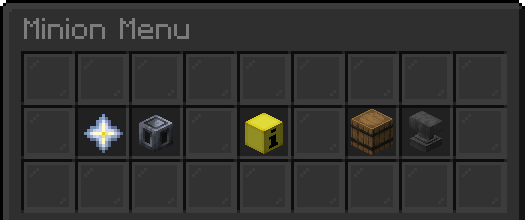
Look at the desired minion you want to interact with and follow it with a right-click to open its menu. The menu has the following items that each have their own function such as:
- Upgrade Module:
Place an Upgrade Module item in this specific slot to buff the minion's speed.
This Upgrade Module item can be removed by clicking it again. - Tier Upgrade:
Click to upgrade the minion's tier to the next level.
This requires the correct upgrade material, which is shown when hovering at this item. - Minion Information:
Displays the minion's speed, storage, and if it is placed on the correct block.
Click to remove this minion and convert it back into an item. - Minion Storage:
Displays how many items the minion has collected. Click to collect the items. - Storage Upgrade:
Place a Storage Upgrade item in this specific slot to increase the minion's storage.
This Storage Upgrade item can be removed by clicking it again.
🧮 How to upgrade Minions
Each minion can be upgraded by their respective upgrade items.
These upgrade items can be crafted from the drops of the minion.
They can also be found in the recipe book in the crafting table.
The recipe pattern is either 3x3 or the chest pattern.
The upgrade item requirement amount follows the following pattern;
T2: 16x, T3: 32x, T4: 64x and T5: 128x.
Available Versions
How to Install Minions on Your Server
Order Server
Order a Minecraft Java server with at least 3 GB RAM (4 GB recommended).
Set datapack Loader
In the panel under "Egg", select the datapack loader and matching Minecraft version (1.21.8).
Install Mod
Open the mod browser in the dashboard and search for "Minions". Click "Install" – done! Alternatively, upload the .jar via SFTP to the /mods folder.
Compatibility
Mod Loaders
Minecraft Versions
1.21.8, 1.21.7, 1.21.6 (+8 more)
Server-side
✓ RequiredRecommended RAM
4 GB(min. 3 GB)Frequently Asked Questions
Minions server crashes on startup – what to do?
Most common cause: wrong datapack version or insufficient RAM. Check the server log (latest.log) for "OutOfMemoryError" or "Mixin" errors. With Mado Hosting: ensure at least 3 GB RAM is allocated and the loader matches the mod version (1.21.8). You can switch loaders with one click in the panel.
Is Minions compatible with datapack and fabric and forge and neoforge and quilt?
Minions officially supports datapack, fabric, forge, neoforge, quilt for Minecraft 1.21.8, 1.21.7, 1.21.6. Note: Forge and Fabric mods are NOT cross-compatible – pick one loader and stick with it. The Mado dashboard automatically detects incompatible loader combinations.
Server lagging with Minions – how to optimize performance?
Recommended RAM: 4 GB (per 8 players). Use /spark profiler to check if Minions consumes the most tick time. Common fixes: reduce server view-distance to 8-10, install "performant" or "starlight" as supplementary mods on Forge. With Mado Hosting, your server runs on NVMe SSDs with dedicated CPU cores for minimal latency.
Similar Mods




Rent Modded Server
Install Minions with just one click on your server.