
Mob Farming Supplies
Automate your mob farm in fun and exciting ways!
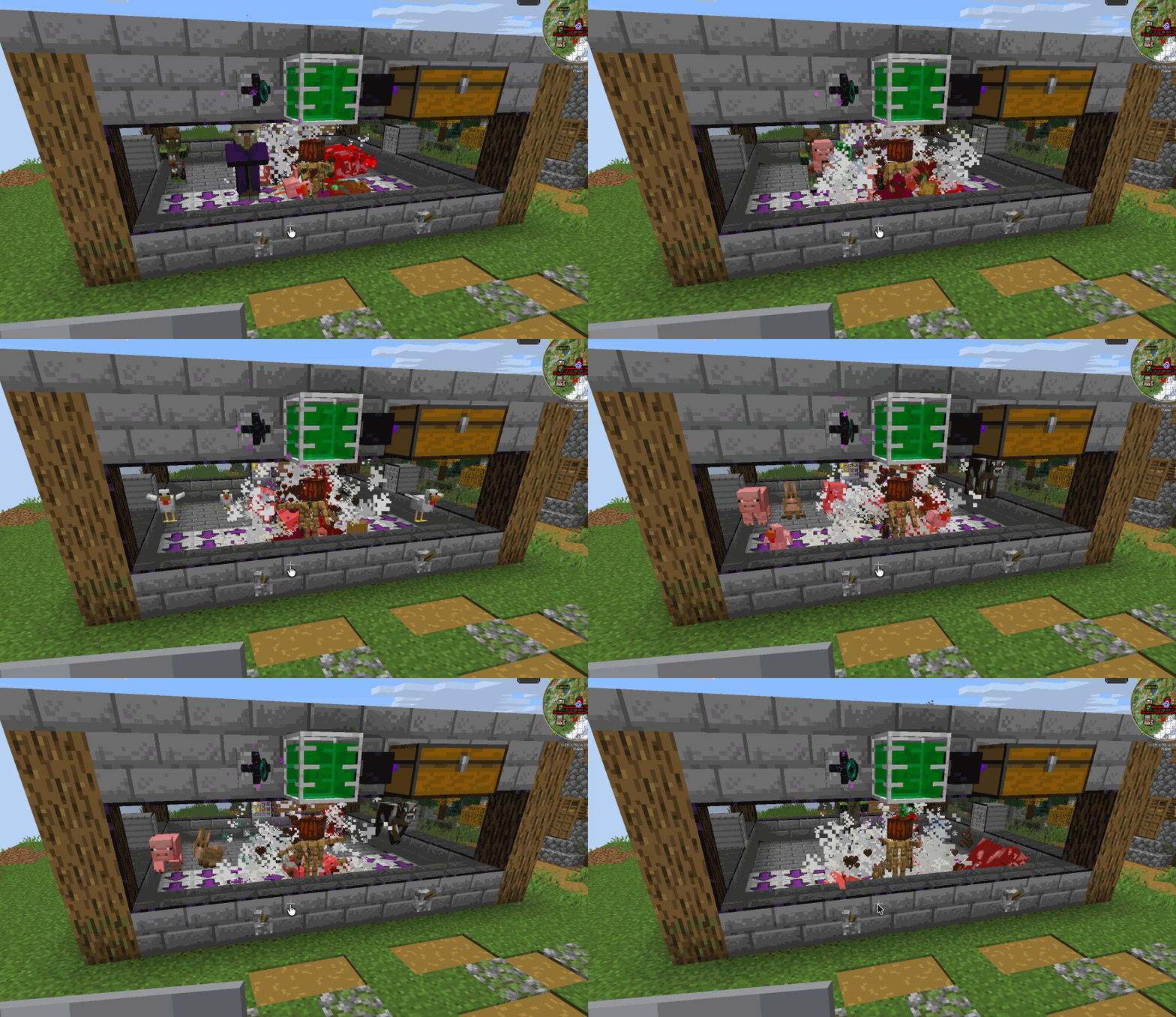
Screenshots
About this Mod
Mob Farming Supplies
Mob processing utilities for Minecraft — a toolkit of machines and items for building
automated mob farms: harvest mobs for drops and XP, vacuum up the loot, clone mobs from
DNA samples, and keep your farm contained and wither-proof.
Built with Architectury for NeoForge and Fabric.
Features
Mob Harvester
Place inside a mob grinder. When powered by redstone, it attacks everything in a 3×3×3 area.
Killed mobs drop items and XP orbs as normal — pair with an Absorption Hopper to collect
everything automatically.
Nine upgrade slots accept:
- Sharpness Upgrade — increases attack damage
- Looting Upgrade — increases drop rates
- Beheading Upgrade — chance to drop mob heads
Clone-O-Matic
A redstone-powered mob duplicator. Place DNA Samples or DNA Sample Packs into its nine
DNA slots; while continuously powered, it periodically attempts to spawn a clone of one
of the stored mobs in the space around the block. Spawn attempts respect block collisions, so the Clone-O-Matic won't jam
itself by trying to spawn a mob inside a wall — but it ignores nearby entities, so it
keeps working even in a crowded farm.
DNA Collector & DNA Samples
- DNA Collector — a single-use tool. Right-click any non-player mob to
capture its full save data (type, equipment, name, variant, etc.) into a DNA
Sample item. - DNA Sample — a unique item representing one specific captured mob. Feed it to a
Clone-O-Matic to spawn fresh copies of that exact mob (each clone gets its own
identity, so the mob cap isn't accidentally bypassed or blocked). - DNA Sample Packs / DNA Booster Packs — pre-rolled collections of common mobs
(Common Hostile, Common Passive, Aquatic, Nether, Baby, Rare Hostile/Passive, "Wrong
Mobs Only", and packs for supported mod-compat mobs) that can be found in dungeon
loot. Mob lists are configurable.
Absorption Hopper
A block that vacuums up nearby item entities and XP orbs into internal storage, then
automatically pushes collected items and XP fluid out to adjacent inventories and tanks.
Each of its six sides can be individually toggled on/off for output via the in-game UI —
handy for routing items to specific pipes/chests while keeping XP flowing elsewhere.
Tank
A fluid storage block (also usable as a large bucket) that holds XP Juice and other
fluids. Right-click with a bucket to fill/drain.
XP Juice & Experience Syringe
- XP Juice — a fluid representation of player experience. Produced by Absorption
Hoppers collecting XP orbs and stored in Tanks. - Experience Syringe — a portable XP container to store your player levels for future
use. Right-click to withdraw enough XP to complete your current level; shift+right-click to
deposit your current level's progress back into the syringe.
Ender Inhibitor
A torch-like block that mounts on any surface (floor, ceiling, or wall) and suppresses
all Enderman teleportation within an 8-block radius of itself.
Useful for keeping Endermen penned in a farm instead of teleporting away.
Fan
A directional block that, when powered by redstone, pushes entities away from its face
in a configurable column. Three upgrade slots (up to 5 each) extend the push width,
height, and distance of the airflow — useful for funneling mobs or items toward
a collection point.
Vector Plate
A thin, directional plate block. Any entity standing on it is continuously pushed
in the plate's facing direction and gently centered on the lane perpendicular to that
direction — useful for building mob-transport conveyors.
Wither-Proof Glass
A transparent glass block that is immune to all explosions and cannot be destroyed
directly by the Wither.
Mob Exclusion Glass
Behaves exactly like Wither-Proof Glass (explosion-proof, Wither-proof) except
players can walk straight through it, while it remains completely solid to every
other entity.
Credits
Inspired by "Mob Grinding Utils": https://github.com/vadis365/Mob-Grinding-Utils
License
MIT © 2026 BoboFraggins
Available Versions
How to Install Mob Farming Supplies on Your Server
Order Server
Order a Minecraft Java server with at least 3 GB RAM (4 GB recommended).
Set fabric Loader
In the panel under "Egg", select the fabric loader and matching Minecraft version (26.1.2).
Install Mod
Open the mod browser in the dashboard and search for "Mob Farming Supplies". Click "Install" – done! Alternatively, upload the .jar via SFTP to the /mods folder.
Compatibility
Mod Loaders
Minecraft Versions
26.1.2
Server-side
✓ RequiredRecommended RAM
4 GB(min. 3 GB)Frequently Asked Questions
Mob Farming Supplies server crashes on startup – what to do?
Most common cause: wrong fabric version or insufficient RAM. Check the server log (latest.log) for "OutOfMemoryError" or "Mixin" errors. With Mado Hosting: ensure at least 3 GB RAM is allocated and the loader matches the mod version (26.1.2). You can switch loaders with one click in the panel.
Is Mob Farming Supplies compatible with fabric and neoforge?
Mob Farming Supplies officially supports fabric, neoforge for Minecraft 26.1.2. The Mado dashboard automatically detects incompatible loader combinations.
Server lagging with Mob Farming Supplies – how to optimize performance?
Recommended RAM: 4 GB (per 8 players). Use /spark profiler to check if Mob Farming Supplies consumes the most tick time. Common fixes: reduce server view-distance to 8-10, install "performant" or "starlight" as supplementary mods on Forge. With Mado Hosting, your server runs on NVMe SSDs with dedicated CPU cores for minimal latency.
Similar Mods




![[ETF] Entity Texture Features](https://cdn.modrinth.com/data/BVzZfTc1/af683d206d50b05258d865b0d6e4aa2f2cee12f2_96.webp)
![[EMF] Entity Model Features](https://cdn.modrinth.com/data/4I1XuqiY/6e5bbd0d06b1741bfdab6c0cfab6de8fdaf0064c_96.webp)
Rent Modded Server
Install Mob Farming Supplies with just one click on your server.