
Mobs Banner
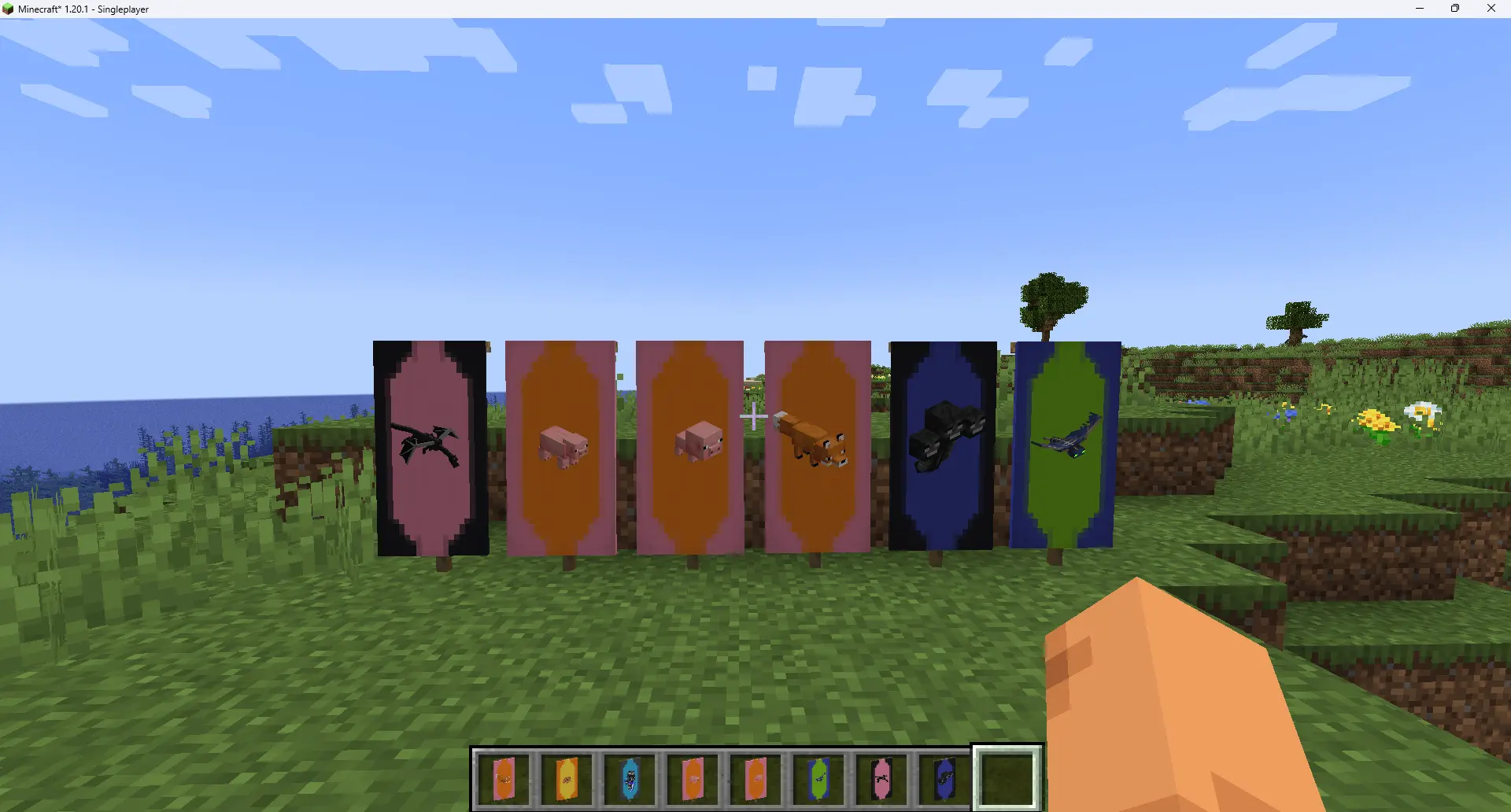
Add decorative banners for almost all mobs
About this Mod
Mobs Banner
This is a mod add various mobs banners for decoration purpose. You can also use them on shield.
How to use
Obtain
- Mob Drop: There is a chance to drop banner when a mob is killed(Include players). The chance can be set with
/gamerule mobs_banner:drop_chance. Also, this kind of banner will keep the mob's NBT. - Creative Tab: There is a tab contains all available banners.
- Command:
/mob_banner <players> <entity type>for mob banners./mob_banner <players> player <banner_item> <name> <uuid>for player banners.
Banner Configure
Sometimes the mobs may have a wrong rotation, unfit scale or just always changing variants. You need to make some
configurations. These configurations are powered by client resource pack system.
Firstly, create file assets/<entity mod id>/default_banner/<entity id>.json. Then write the contents below:
{
  //All keys are optional
  "data": [
    //IMPORTANT: These are only for creative tab! If you change things here they will only refresh after relaunch game!
    //Leave empty for default one.
    {},
    {
      //Leave blank for default spawn egg color
      "primary": -1,
      //Leave blank for default spawn egg color
      "secondary": -1,
      "nbt": {
        //Default NBT, will directly send to entity
      },
      "transform": {
        "scale": 1,
        //Y rotation
        "yaw": 0
      }
    }
    //You can add more for variants
  ],
  //Global transform
  "transform": {
    "scale": 1,
    "yaw": 0
  }
}
FAQ
I cannot find the banner I want?
Only mobs with a spawn egg (or player) have their banner.
The player banner don't render skin?
Fill both name and uuid field.
Any Questions?
Join our Discord: https://discord.gg/NDzz2upqAk
Available Versions
How to Install Mobs Banner on Your Server
Order Server
Order a Minecraft Java server with at least 3 GB RAM (4 GB recommended).
Set fabric Loader
In the panel under "Egg", select the fabric loader and matching Minecraft version (1.20.1).
Install Mod
Open the mod browser in the dashboard and search for "Mobs Banner". Click "Install" – done! Alternatively, upload the .jar via SFTP to the /mods folder.
Compatibility
Mod Loaders
Minecraft Versions
1.20.1
Server-side
✓ RequiredRecommended RAM
4 GB(min. 3 GB)Frequently Asked Questions
Mobs Banner server crashes on startup – what to do?
Most common cause: wrong fabric version or insufficient RAM. Check the server log (latest.log) for "OutOfMemoryError" or "Mixin" errors. With Mado Hosting: ensure at least 3 GB RAM is allocated and the loader matches the mod version (1.20.1). You can switch loaders with one click in the panel.
Is Mobs Banner compatible with fabric?
Mobs Banner officially supports fabric for Minecraft 1.20.1. The Mado dashboard automatically detects incompatible loader combinations.
Server lagging with Mobs Banner – how to optimize performance?
Recommended RAM: 4 GB (per 8 players). Use /spark profiler to check if Mobs Banner consumes the most tick time. Common fixes: reduce server view-distance to 8-10, install "performant" or "starlight" as supplementary mods on Forge. With Mado Hosting, your server runs on NVMe SSDs with dedicated CPU cores for minimal latency.
Similar Mods

![[ETF] Entity Texture Features](https://cdn.modrinth.com/data/BVzZfTc1/af683d206d50b05258d865b0d6e4aa2f2cee12f2_96.webp)
![[EMF] Entity Model Features](https://cdn.modrinth.com/data/4I1XuqiY/6e5bbd0d06b1741bfdab6c0cfab6de8fdaf0064c_96.webp)



Rent Modded Server
Install Mobs Banner with just one click on your server.