
BBS REFORGE
Animation studio and content creation tool
Screenshots

About this Mod
BBS Reforge Alpha
BBS Reforge is a reconverted and fully adapted version of the famous BBS Mod by McHorse and converted by Over and AxDev, specifically updated for Minecraft 1.21.1.
This mod stays true to the original goal: providing content creators with a complete set of tools to create animations, roleplay scenes, machinimas, and cinematic sequences directly inside Minecraft.
BBS Reforge brings the power of the original BBS Mod into modern versions of the game, while maintaining smooth and intuitive usability.
Feature Set BBS REFORGE
- Dynamic Lighting Support: Adds real-time dynamic light rendering during replay and camera scenes, greatly improving the visual quality of videos and cinematic recordings.
Feature Set BBS
Recording and playback of basic player actions.
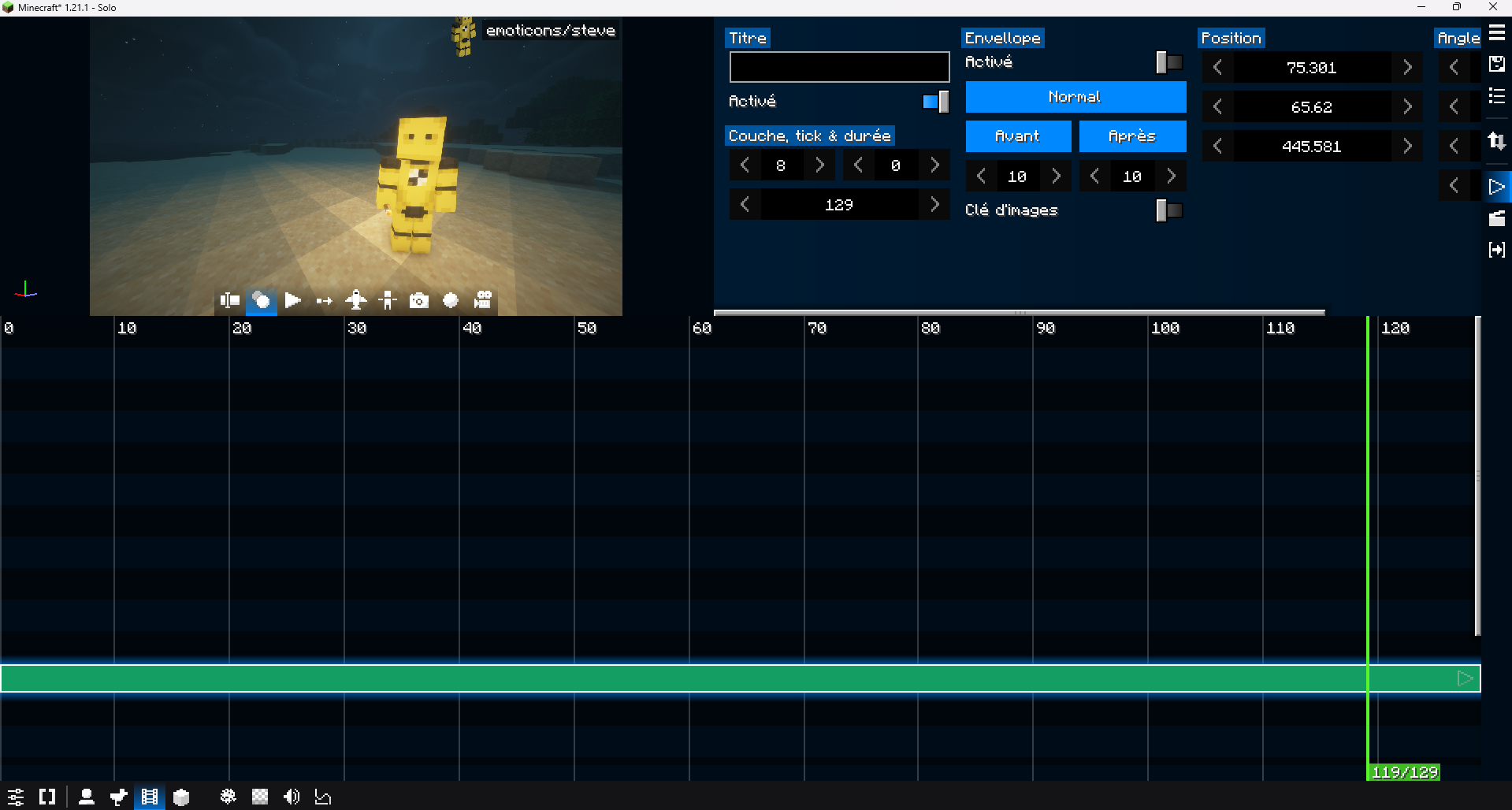
Keyframe-based replay editor.
Clip-based camera editor.
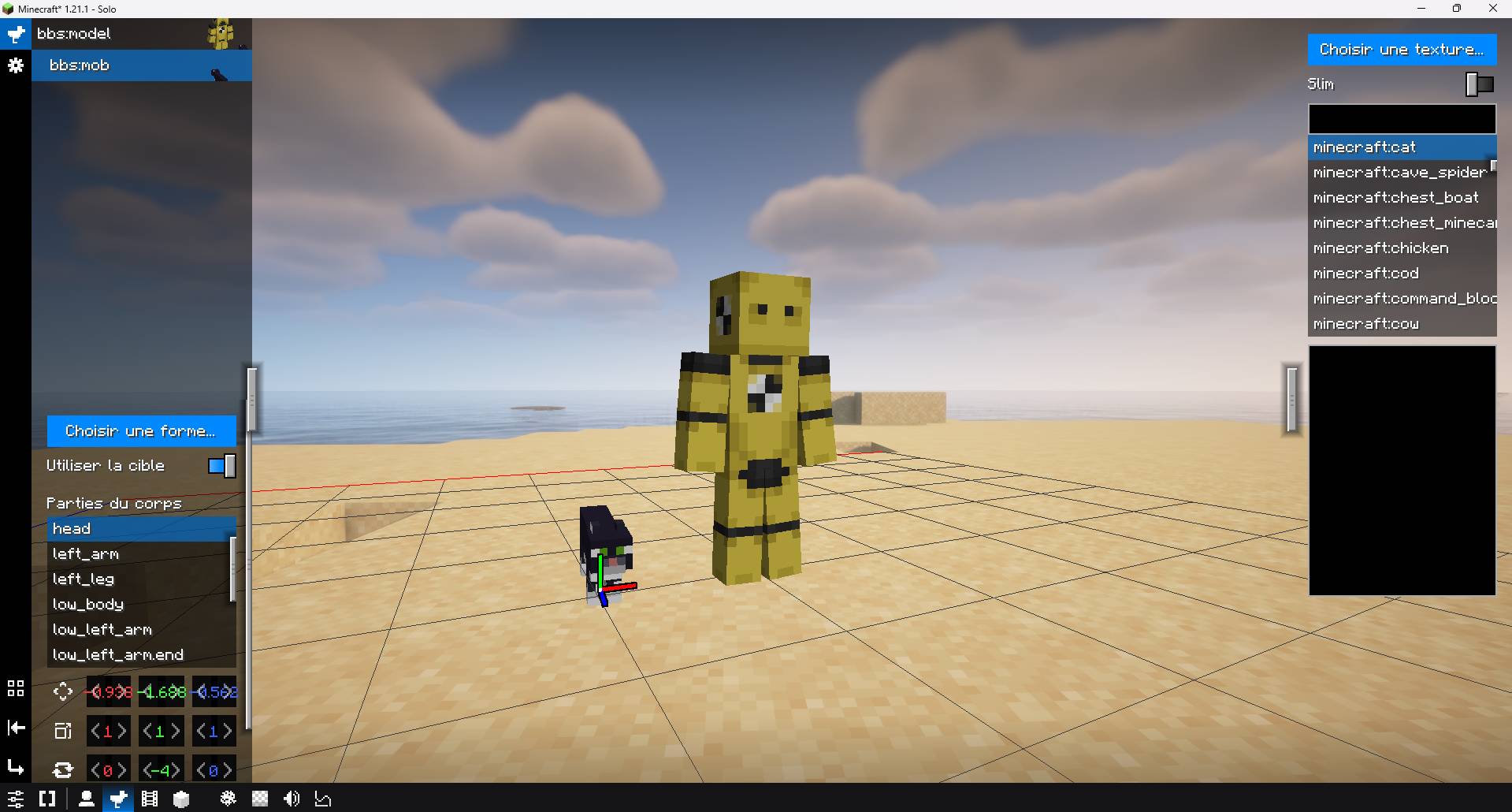
Support for Blockbench models (animations, meshes, variables, etc.).
Partial support for Snowstorm particle effects.
Model blocks that allow you to place and preserve custom models in the world.
Form system allowing you to combine animated models, blocks, items, images, particles, etc. to create appearances for actors and model blocks.
And many useful UI improvements…
Compared to the Blockbuster mod, the user experience of BBS has been significantly improved! However, in terms of raw features, it still remains below Blockbuster.
Examples
Available Versions
How to Install BBS REFORGE on Your Server
Order Server
Order a Minecraft Java server with at least 3 GB RAM (4 GB recommended).
Set fabric Loader
In the panel under "Egg", select the fabric loader and matching Minecraft version (1.21.1).
Install Mod
Open the mod browser in the dashboard and search for "BBS REFORGE". Click "Install" – done! Alternatively, upload the .jar via SFTP to the /mods folder.
Compatibility
Mod Loaders
Minecraft Versions
1.21.1
Server-side
~ OptionalRecommended RAM
4 GB(min. 3 GB)Frequently Asked Questions
BBS REFORGE server crashes on startup – what to do?
Most common cause: wrong fabric version or insufficient RAM. Check the server log (latest.log) for "OutOfMemoryError" or "Mixin" errors. With Mado Hosting: ensure at least 3 GB RAM is allocated and the loader matches the mod version (1.21.1). You can switch loaders with one click in the panel.
Is BBS REFORGE compatible with fabric?
BBS REFORGE officially supports fabric for Minecraft 1.21.1. The Mado dashboard automatically detects incompatible loader combinations.
Server lagging with BBS REFORGE – how to optimize performance?
Recommended RAM: 4 GB (per 8 players). Use /spark profiler to check if BBS REFORGE consumes the most tick time. Common fixes: reduce server view-distance to 8-10, install "performant" or "starlight" as supplementary mods on Forge. With Mado Hosting, your server runs on NVMe SSDs with dedicated CPU cores for minimal latency.
Similar Mods

![[ETF] Entity Texture Features](https://cdn.modrinth.com/data/BVzZfTc1/af683d206d50b05258d865b0d6e4aa2f2cee12f2_96.webp)
![[EMF] Entity Model Features](https://cdn.modrinth.com/data/4I1XuqiY/6e5bbd0d06b1741bfdab6c0cfab6de8fdaf0064c_96.webp)



Rent Modded Server
Install BBS REFORGE with just one click on your server.