Modular Materials
Dynamic and fully customizeable material-generation-system for Minecraft 1.12.2 and 1.17.1+
About this Mod
This mod requires Resource Loader by Lumien231 (only for 1.12.2!).
Features:
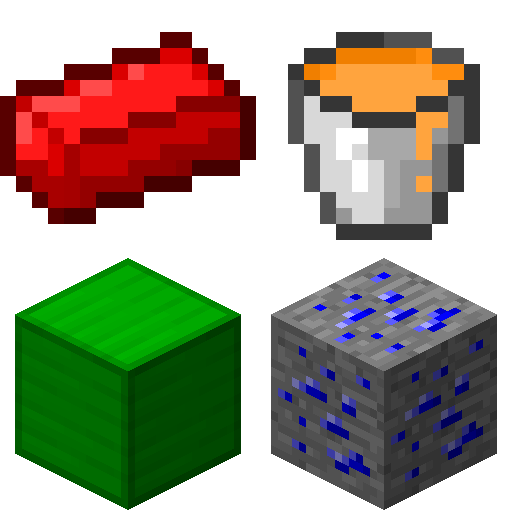
Modular Materials lets you create lots of items, blocks, ores and fluids at once. It is possible to customize each material individualy in many different aspects, including (but not limited to!) color, texture, oreDictionary-entry (tags in 1.17.1+), hardness, blast resistance, tooltip and more! Tooltips can not only be formatted with standard formatting codes, but also with new, custom formatting codes which let you define, that the targeted line should only be visible when pressing SHIFT, CTRL or ALT or even animate them! Finally, it is possible to have GregTech-like ore-veins and disable vanilla ore generation.
There are a few textures shipped with the mod, but you can always use your own textures via Resource Loader (1.12.2), the ./config/modularmaterials/resourcepack/-folder (1.17.1+) or a custom Resource Pack.
There are presets available to help you get started, inspire you or help to reduce your customization-work.
A custom config editor can be found here.
Please report issues on GitHub.
Available Versions
How to Install Modular Materials on Your Server
Order Server
Order a Minecraft Java server with at least 4 GB RAM (6 GB recommended).
Set forge Loader
In the panel under "Egg", select the forge loader and matching Minecraft version (1.20.4).
Install Mod
Open the mod browser in the dashboard and search for "Modular Materials". Click "Install" – done! Alternatively, upload the .jar via SFTP to the /mods folder.
Compatibility
Mod Loaders
Minecraft Versions
1.20.4, 1.20.2, 1.20.1 (+11 more)
Server-side
✓ RequiredRecommended RAM
6 GB(min. 4 GB)Frequently Asked Questions
Modular Materials server crashes on startup – what to do?
Most common cause: wrong forge version or insufficient RAM. Check the server log (latest.log) for "OutOfMemoryError" or "Mixin" errors. With Mado Hosting: ensure at least 4 GB RAM is allocated and the loader matches the mod version (1.20.4). You can switch loaders with one click in the panel.
Is Modular Materials compatible with forge and neoforge?
Modular Materials officially supports forge, neoforge for Minecraft 1.20.4, 1.20.2, 1.20.1. The Mado dashboard automatically detects incompatible loader combinations.
Server lagging with Modular Materials – how to optimize performance?
Recommended RAM: 6 GB (per 5 players). Use /spark profiler to check if Modular Materials consumes the most tick time. Common fixes: reduce server view-distance to 8-10, install "performant" or "starlight" as supplementary mods on Forge. With Mado Hosting, your server runs on NVMe SSDs with dedicated CPU cores for minimal latency.
Similar Mods



Rent Modded Server
Install Modular Materials with just one click on your server.