
Mogrul Gravestones
An alternative, simple standalone gravestone mod for keeping inventory with slot memory!
Screenshots
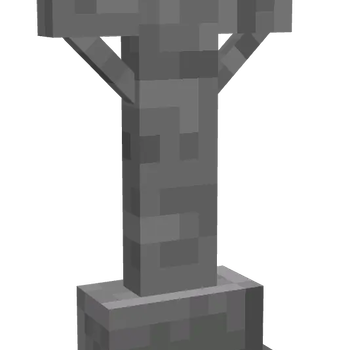
About this Mod
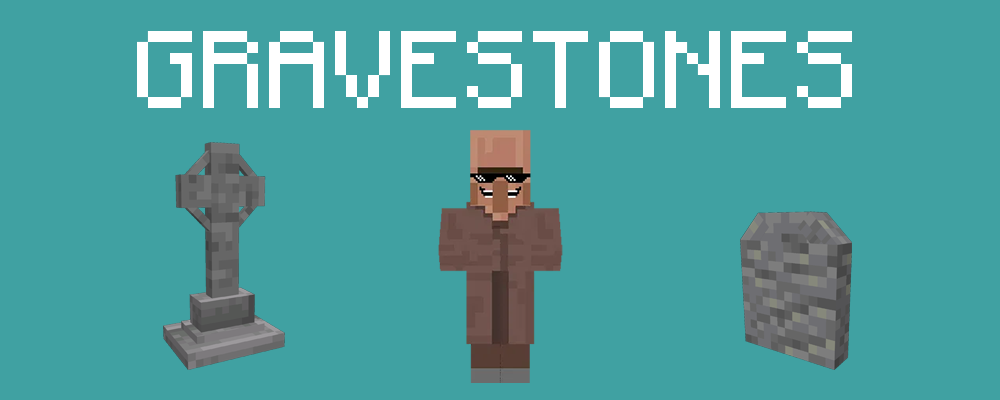
Description:
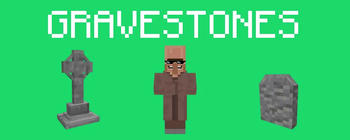
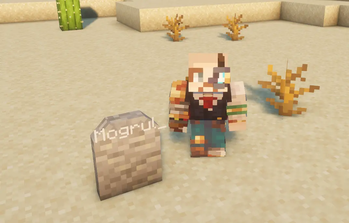
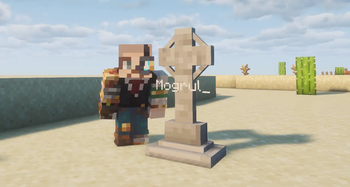
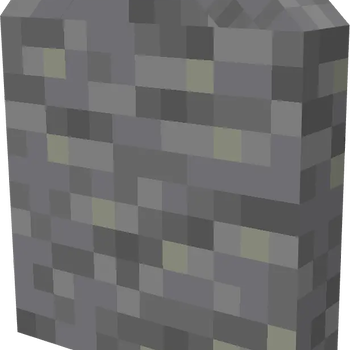
An alternative gravestones mod; tired of having to race back to your items when you die so they don't despawn? with this mod, a random gravestone block with your name inscribed is left behind when you die. Simply return back to where you died and right click the grave, the slots are saved to the block, so there's no need to sort your inventory again.
Configuration:
Mod configurations can be found in mogrulgravestones-common.toml, in your config directory.
- Enable / Disable creative gravestones.
- Enable / Disable players from breaking your gravestone.

Future Updates:
I'm looking forward to continue working on the mod while I'm studying at university, future updates would see better textures on existing gravestones and more alternatives to gravestones - I'm also planning on adding crafting recipes to the gravestones as well as the ability for you to select which gravestone spawns when you die.
Follow Along!
I have a public Discord server where I host a minecraft server as well as updates to a variety of other mods / software I've been working on, stop on by and enjoy the fun! https://mogrul.com/discord
Available Versions
How to Install Mogrul Gravestones on Your Server
Order Server
Order a Minecraft Java server with at least 3 GB RAM (4 GB recommended).
Set neoforge Loader
In the panel under "Egg", select the neoforge loader and matching Minecraft version (1.21.1).
Install Mod
Open the mod browser in the dashboard and search for "Mogrul Gravestones". Click "Install" – done! Alternatively, upload the .jar via SFTP to the /mods folder.
Compatibility
Mod Loaders
Minecraft Versions
1.21.1
Server-side
✓ RequiredRecommended RAM
4 GB(min. 3 GB)Frequently Asked Questions
Mogrul Gravestones server crashes on startup – what to do?
Most common cause: wrong neoforge version or insufficient RAM. Check the server log (latest.log) for "OutOfMemoryError" or "Mixin" errors. With Mado Hosting: ensure at least 3 GB RAM is allocated and the loader matches the mod version (1.21.1). You can switch loaders with one click in the panel.
Is Mogrul Gravestones compatible with neoforge?
Mogrul Gravestones officially supports neoforge for Minecraft 1.21.1. The Mado dashboard automatically detects incompatible loader combinations.
Server lagging with Mogrul Gravestones – how to optimize performance?
Recommended RAM: 4 GB (per 8 players). Use /spark profiler to check if Mogrul Gravestones consumes the most tick time. Common fixes: reduce server view-distance to 8-10, install "performant" or "starlight" as supplementary mods on Forge. With Mado Hosting, your server runs on NVMe SSDs with dedicated CPU cores for minimal latency.
Similar Mods

![[ETF] Entity Texture Features](https://cdn.modrinth.com/data/BVzZfTc1/af683d206d50b05258d865b0d6e4aa2f2cee12f2_96.webp)
![[EMF] Entity Model Features](https://cdn.modrinth.com/data/4I1XuqiY/6e5bbd0d06b1741bfdab6c0cfab6de8fdaf0064c_96.webp)



Rent Modded Server
Install Mogrul Gravestones with just one click on your server.