
MojangLogoAnimation
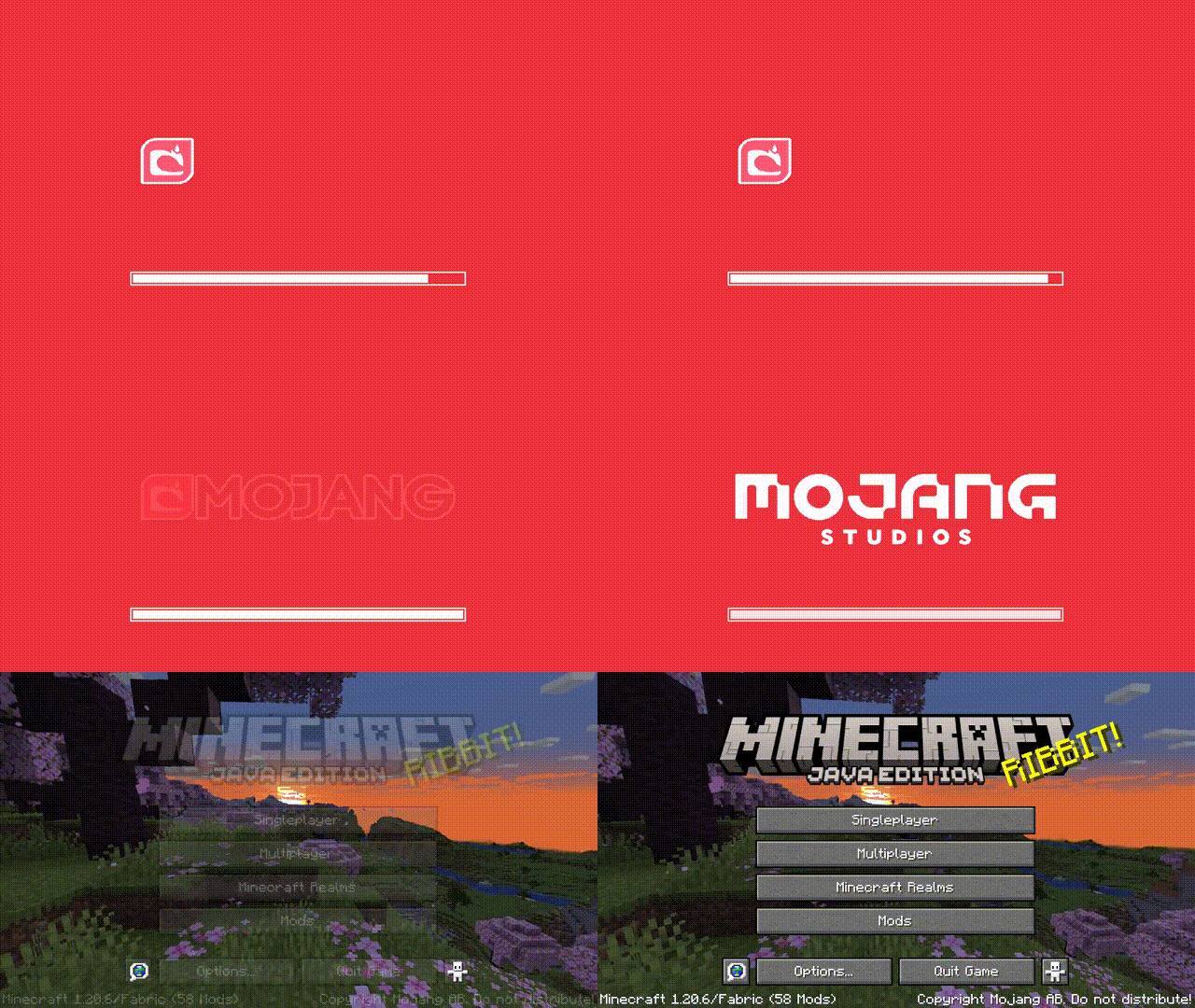
This mod changes loading screen.
About this Mod
MojangLogoAnimation
A Fabric mod that replaces the static Mojang Studios logo on the splash screen with a smooth frame-by-frame animation.
Dependencies
| Dependency | Required | Link |
|---|---|---|
| Fabric API | ✅ | Modrinth / CurseForge |
| Cloth Config | ✅ | Modrinth / CurseForge |
| Mod Menu | ❌ (optional) | Modrinth / CurseForge |
Architecture
This mod uses a data-driven animation system built around a clean separation of concerns:
ISplashScreenAnimationData— Interface defining animation metadata (frame count, timing, sound, textures). New animation types can be added by implementing this interface.FolderAnimationData— Arecordimplementation that resolves textures fromtextures/gui/title/{id}/and sound events via thegui.title.{id}naming convention.AnimationPlayer— Encapsulates all animation state (frame progression, sound playback, lifecycle). Runs animation on a daemon thread with thread-safe access viaAtomicInteger/AtomicBoolean.SplashLoader— Registry for animation data. Animations are pre-registered during client initialization since the splash screen renders during resource loading.SplashOverlayMixin— A thin Mixin layer that delegates all logic toAnimationPlayer. The Mixin itself holds no animation knowledge.
Adding a new animation requires only:
- Place frame textures in
textures/gui/title/{id}/ - Place sound in
sounds/gui/title/{id}.ogg - Register with
splashLoader.register(new FolderAnimationData("id", frameCount))
Preview

Available Versions
How to Install MojangLogoAnimation on Your Server
Order Server
Order a Minecraft Java server with at least 3 GB RAM (4 GB recommended).
Set fabric Loader
In the panel under "Egg", select the fabric loader and matching Minecraft version (1.21.11).
Install Mod
Open the mod browser in the dashboard and search for "MojangLogoAnimation". Click "Install" – done! Alternatively, upload the .jar via SFTP to the /mods folder.
Compatibility
Mod Loaders
Minecraft Versions
1.21.11, 1.21.10, 1.21.9 (+8 more)
Server-side
✗ UnsupportedRecommended RAM
4 GB(min. 3 GB)Frequently Asked Questions
MojangLogoAnimation server crashes on startup – what to do?
Most common cause: wrong fabric version or insufficient RAM. Check the server log (latest.log) for "OutOfMemoryError" or "Mixin" errors. With Mado Hosting: ensure at least 3 GB RAM is allocated and the loader matches the mod version (1.21.11). You can switch loaders with one click in the panel.
Is MojangLogoAnimation compatible with fabric?
MojangLogoAnimation officially supports fabric for Minecraft 1.21.11, 1.21.10, 1.21.9. The Mado dashboard automatically detects incompatible loader combinations.
Server lagging with MojangLogoAnimation – how to optimize performance?
Recommended RAM: 4 GB (per 8 players). Use /spark profiler to check if MojangLogoAnimation consumes the most tick time. Common fixes: reduce server view-distance to 8-10, install "performant" or "starlight" as supplementary mods on Forge. With Mado Hosting, your server runs on NVMe SSDs with dedicated CPU cores for minimal latency.
Similar Mods




![[ETF] Entity Texture Features](https://cdn.modrinth.com/data/BVzZfTc1/af683d206d50b05258d865b0d6e4aa2f2cee12f2_96.webp)
![[EMF] Entity Model Features](https://cdn.modrinth.com/data/4I1XuqiY/6e5bbd0d06b1741bfdab6c0cfab6de8fdaf0064c_96.webp)
Rent Modded Server
Install MojangLogoAnimation with just one click on your server.