
MoonClient
Moon Client is now a feature-complete, stable, and highly polished platform ready for both casual play and high-stakes PvP!
Screenshots
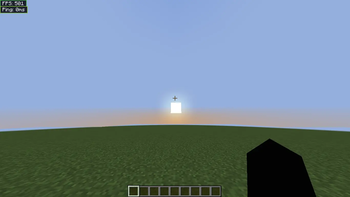
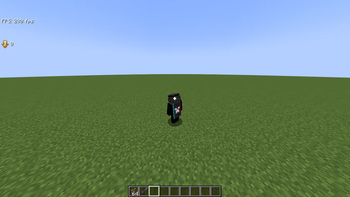
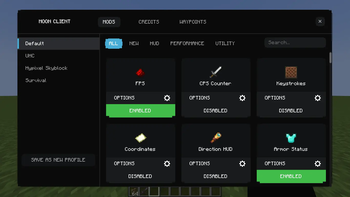
About this Mod
The Moon Client is an advanced Fabric 1.21.11 client that combines top-tier aesthetic quality with best-in-class performance features. The heart of the project is its Smoothest UI that offers double layer mod menu as well as full interactive HUD editor complete with drag-and-drop placement and module label customization.
The client includes over 40 integrated mods divided into four groups: Performance, Visual, Utility, and Information. Performance in combat gets a boost through custom crosshair pixel editor with coloring according to reach distance and the amazing 360° Freelook mod built around the body of the player. Exploring the world will be easier than ever with the advanced 3D Waypoints functionality that includes beacon beams, distance labels, filter by dimension feature, and adjustable tiers of the Zoom mod.
Real-life information will be displayed using information HUD mods dedicated to tracking FPS, CPS, coordinates, keystrokes, and armor status. Visually, the client features such premium features as 3D item physics, HitColors customization, and enchantment glint effect refinement. Technical features include JSON configuration system, entity culling optimization, and Mixins with minimum latency.
Available Versions
How to Install MoonClient on Your Server
Order Server
Order a Minecraft Java server with at least 3 GB RAM (4 GB recommended).
Set fabric Loader
In the panel under "Egg", select the fabric loader and matching Minecraft version (1.21.11).
Install Mod
Open the mod browser in the dashboard and search for "MoonClient". Click "Install" – done! Alternatively, upload the .jar via SFTP to the /mods folder.
Compatibility
Mod Loaders
Minecraft Versions
1.21.11, 1.21.8, 1.21.4 (+2 more)
Server-side
✗ UnsupportedRecommended RAM
4 GB(min. 3 GB)Frequently Asked Questions
MoonClient server crashes on startup – what to do?
Most common cause: wrong fabric version or insufficient RAM. Check the server log (latest.log) for "OutOfMemoryError" or "Mixin" errors. With Mado Hosting: ensure at least 3 GB RAM is allocated and the loader matches the mod version (1.21.11). You can switch loaders with one click in the panel.
Is MoonClient compatible with fabric?
MoonClient officially supports fabric for Minecraft 1.21.11, 1.21.8, 1.21.4. The Mado dashboard automatically detects incompatible loader combinations.
Server lagging with MoonClient – how to optimize performance?
Recommended RAM: 4 GB (per 8 players). Use /spark profiler to check if MoonClient consumes the most tick time. Common fixes: reduce server view-distance to 8-10, install "performant" or "starlight" as supplementary mods on Forge. With Mado Hosting, your server runs on NVMe SSDs with dedicated CPU cores for minimal latency.
Similar Mods


Rent Modded Server
Install MoonClient with just one click on your server.