
More Commands
This mod adds 20 handy commands that weren't included in the original Minecraft.
Screenshots
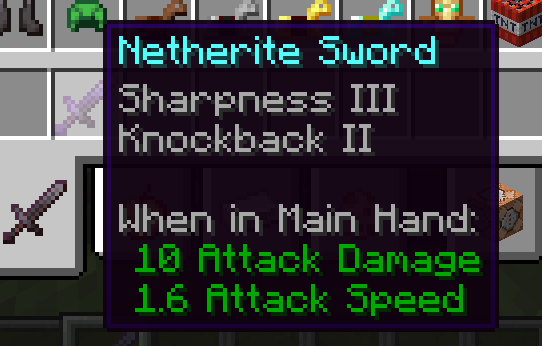
About this Mod
This mod adds commands that I have found useful.(Some commands need more permissions levels.)
There may be a command you need.
List of commands to be added.
- /repeat --- Repeat the command for the specified number of times.
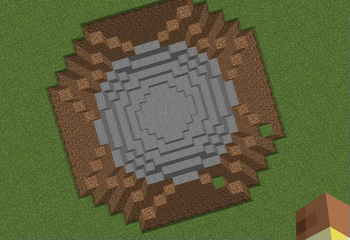
- /shape --- The specified command is executed at each coordinate that enters the specified sphere.
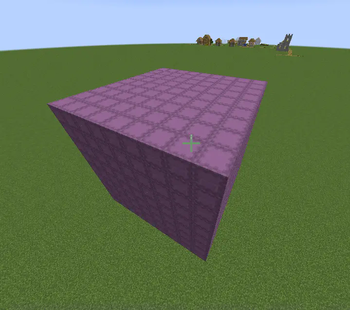
- /cube --- Rectangular version of the above.
- /health --- Set the health of the entity.
- /attack --- Sets the attack target for the specified entity.
- /flight --- Allows or prohibits the specified players to fly.
- /build --- Allows or prohibits the specified players to build.
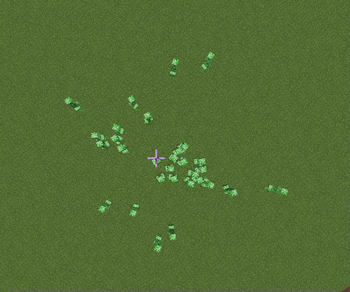
- /explode --- Causes an explosion of specified power.
- /drop --- Summons specified items. (with the item being dropped)
- /exporb --- Summons a specified amount of experience orbs.
- /lightning --- Throw down the thunder.
- /falling_block --- Summons the designated block as a falling block. (as sand or gravel)
- /light_level --- Obtains the light source level at the specified coordinates.
- /cooldown --- Sets the cooldown of the item for the specified player..
- /items_damage --- Damages items held by the specified entity. (Negative values will restore the durability value.)
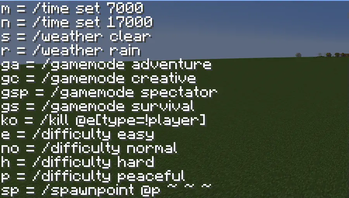
- /abb ---You can use abbreviations of some of the existing commands.
- /abbhelp --- Display of a list of abbreviations for the above commands.
- /as --- The specified command is executed from the specified entity.
- /clearitems --- Erase dropped items that exist in the dimension.
- /randomenchant --- Attach a random enchantment to an item held by the specified entity. (Same as the enchantment table.)
Available Versions
How to Install More Commands on Your Server
Order Server
Order a Minecraft Java server with at least 3 GB RAM (4 GB recommended).
Set forge Loader
In the panel under "Egg", select the forge loader and matching Minecraft version (1.20.1).
Install Mod
Open the mod browser in the dashboard and search for "More Commands". Click "Install" – done! Alternatively, upload the .jar via SFTP to the /mods folder.
Compatibility
Mod Loaders
Minecraft Versions
1.20.1
Server-side
✓ RequiredRecommended RAM
4 GB(min. 3 GB)Frequently Asked Questions
More Commands server crashes on startup – what to do?
Most common cause: wrong forge version or insufficient RAM. Check the server log (latest.log) for "OutOfMemoryError" or "Mixin" errors. With Mado Hosting: ensure at least 3 GB RAM is allocated and the loader matches the mod version (1.20.1). You can switch loaders with one click in the panel.
Is More Commands compatible with forge?
More Commands officially supports forge for Minecraft 1.20.1. The Mado dashboard automatically detects incompatible loader combinations.
Server lagging with More Commands – how to optimize performance?
Recommended RAM: 4 GB (per 8 players). Use /spark profiler to check if More Commands consumes the most tick time. Common fixes: reduce server view-distance to 8-10, install "performant" or "starlight" as supplementary mods on Forge. With Mado Hosting, your server runs on NVMe SSDs with dedicated CPU cores for minimal latency.
Similar Mods




Rent Modded Server
Install More Commands with just one click on your server.