
More Sponge
Adds compressed sponges and new lava, snow, and fire sponge variants — each with 5 compression tiers, passive biome-based drying, and a Freezer machine.
Screenshots
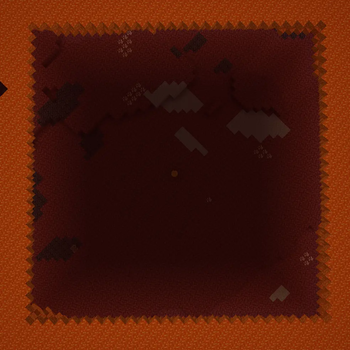
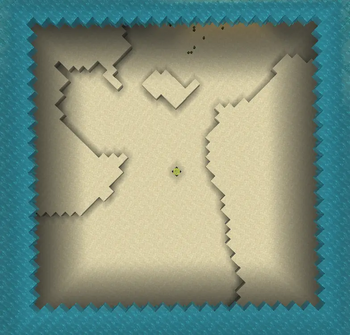
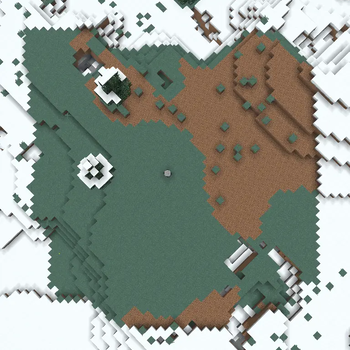
About this Mod
More Sponge
More Sponge expands on the vanilla sponge by adding new variants that absorb different elements, each available in 5 compression tiers for increasingly large absorption areas.
Features
Compressed Water Sponge
Compressed versions of the vanilla sponge that absorb a much larger area of water.
- Compressed Sponge (1x – 5x)
- Wet Compressed Sponge (1x – 5x) — Dries when placed in the Nether, or in a furnace.
Lava Sponge
Absorbs lava from the world instead of water.
- Lava Sponge / Compressed Lava Sponge (1x – 5x)
- Hot Lava Sponge / Hot Compressed Lava Sponge (1x – 5x) — Dries when placed in a cold or snowy biome (e.g. Snowy Taiga, Taiga).
Snow Sponge
Absorbs snow layers and ice from the world.
- Snow Sponge / Compressed Snow Sponge (1x – 5x)
- Frozen Snow Sponge / Frozen Compressed Snow Sponge (1x – 5x) — Melts back when placed in any Nether biome.
Fire Sponge
Absorbs fire from the world.
- Fire Sponge / Compressed Fire Sponge (1x – 5x)
- Burnt Fire Sponge / Burnt Compressed Fire Sponge (1x – 5x) — Resets when placed in a cold/snowy biome, an ocean biome, or next to water.
Freezer
A new machine that handles freezing recipes — used to process sponges and convert saturated forms back to their dry state.
Loot
Sponges can also be found as loot.
Chest Loot (0–4)
| Sponge | Found In |
|---|---|
| Sponge (vanilla) | Buried Treasure, Shipwreck (map, supply, treasure) |
| Lava Sponge | Bastion Remnant (all chests), Nether Fortress |
| Snow Sponge | Ancient City Ice Box, Igloo, Snowy Village House |
| Fire Sponge | Ruined Portal, Desert Pyramid, Desert Village House |
Mob Drops (1–2)
| Sponge | Dropped By |
|---|---|
| Compressed Sponge 2x | Elder Guardian |
| Compressed Lava Sponge 2x | Ender Dragon |
| Compressed Snow Sponge 2x | Warden |
| Compressed Fire Sponge 2x | Wither |
Crafting
| Result | Recipe |
|---|---|
| Lava Sponge | Surround a sponge with ice |
| Snow Sponge | Surround a sponge with magma blocks |
| Fire Sponge | Surround a sponge with snow blocks |
| Freezer | Crafted from stone and packed ice |
Compressed tiers are crafted in a 2×2 pattern from the previous tier. All compression recipes are reversible.
Sponge Traders
Four new trader mobs that spawn naturally in the world, similar to the Wandering Trader. Each trader specializes in one sponge type and only appears in biomes matching their element.
| Trader | Spawns In |
|---|---|
| Water Sponge Trader | Ocean, river, and beach biomes |
| Lava Sponge Trader | Nether biomes |
| Fire Sponge Trader | Badlands and desert biomes |
| Snow Sponge Trader | Cold and snowy biomes |
Trades
Each trader offers three tiers of trades:
- Buying — The trader buys your sponges in exchange for emeralds.
- Common — Buy base and compressed (1x) sponges with emeralds.
- Uncommon — Buy higher-tier compressed sponges (2x–5x) with emeralds or emerald blocks.
Traders despawn after roughly 2.5 in-game days. They can also be spawned manually using their respective spawn eggs.
Game Rule
| Rule | Default | Description |
|---|---|---|
moresponge:spawn_sponge_traders |
true |
Controls whether Sponge Traders spawn naturally in the world. |
Available Versions
How to Install More Sponge on Your Server
Order Server
Order a Minecraft Java server with at least 3 GB RAM (4 GB recommended).
Set fabric Loader
In the panel under "Egg", select the fabric loader and matching Minecraft version (26.1.2).
Install Mod
Open the mod browser in the dashboard and search for "More Sponge". Click "Install" – done! Alternatively, upload the .jar via SFTP to the /mods folder.
Compatibility
Mod Loaders
Minecraft Versions
26.1.2
Server-side
✓ RequiredRecommended RAM
4 GB(min. 3 GB)Frequently Asked Questions
More Sponge server crashes on startup – what to do?
Most common cause: wrong fabric version or insufficient RAM. Check the server log (latest.log) for "OutOfMemoryError" or "Mixin" errors. With Mado Hosting: ensure at least 3 GB RAM is allocated and the loader matches the mod version (26.1.2). You can switch loaders with one click in the panel.
Is More Sponge compatible with fabric and neoforge?
More Sponge officially supports fabric, neoforge for Minecraft 26.1.2. The Mado dashboard automatically detects incompatible loader combinations.
Server lagging with More Sponge – how to optimize performance?
Recommended RAM: 4 GB (per 8 players). Use /spark profiler to check if More Sponge consumes the most tick time. Common fixes: reduce server view-distance to 8-10, install "performant" or "starlight" as supplementary mods on Forge. With Mado Hosting, your server runs on NVMe SSDs with dedicated CPU cores for minimal latency.
Similar Mods




Rent Modded Server
Install More Sponge with just one click on your server.