
mpdCraft
Control MPD (Music Player Daemon) inside of Minecraft!
Screenshots

About this Mod
MPDCraft 🎵
Ever wanted to control your music without Alt-Tabbing out of Minecraft? Me too.
MPDCraft is a simple mod for Fabric that connects to your Music Player Daemon (MPD) instance. It shows you what's currently playing, displays album art right in your HUD, and adds keybinds for pretty much everything you'd need during a mining session.
Features
- HUD Overlay: Shows track name, artist, and playback status.
- Album Art: Fetches and displays cover art directly from MPD.
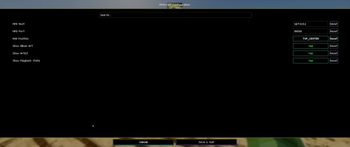
- Configurable Connection: Change your MPD host and port via ModMenu (defaulting to localhost:6600).
- In-game Controls: Standard keybinds for Play/Pause, Skip, and Previous track.
⚙️ How to Configure
Everything is configurable through ModMenu!
- Go to the "Mods" screen in Minecraft.
- Find MPDCraft.
- Click the "Configure" button.
- From here, you can set your MPD Host (e.g.,
127.0.0.1) and Port (e.g.,6600).
⌨️ Keybindings
The mod adds a new category called MPDCraft in the standard Minecraft controls menu.
- Play/Pause:
Numpad 5(default) - Next Track:
Numpad 6(default) - Previous Track:
Numpad 4(default) - Cycle Overlay Position:
Numpad 8(default)
Note: You can rebind these to whatever keys you prefer in Options > Controls > Key Binds.
Why did I make this?
Mostly because I use MPD for everything and wanted a "cleaner" way to skip tracks while playing. It's still a work in progress, but it works for me!
Feel free to open an issue or a PR if you have ideas on how to make it better.
License: CC0
Available Versions
How to Install mpdCraft on Your Server
Order Server
Order a Minecraft Java server with at least 3 GB RAM (4 GB recommended).
Set fabric Loader
In the panel under "Egg", select the fabric loader and matching Minecraft version (1.21.11).
Install Mod
Open the mod browser in the dashboard and search for "mpdCraft". Click "Install" – done! Alternatively, upload the .jar via SFTP to the /mods folder.
Compatibility
Mod Loaders
Minecraft Versions
1.21.11
Server-side
✗ UnsupportedRecommended RAM
4 GB(min. 3 GB)Frequently Asked Questions
mpdCraft server crashes on startup – what to do?
Most common cause: wrong fabric version or insufficient RAM. Check the server log (latest.log) for "OutOfMemoryError" or "Mixin" errors. With Mado Hosting: ensure at least 3 GB RAM is allocated and the loader matches the mod version (1.21.11). You can switch loaders with one click in the panel.
Is mpdCraft compatible with fabric?
mpdCraft officially supports fabric for Minecraft 1.21.11. The Mado dashboard automatically detects incompatible loader combinations.
Server lagging with mpdCraft – how to optimize performance?
Recommended RAM: 4 GB (per 8 players). Use /spark profiler to check if mpdCraft consumes the most tick time. Common fixes: reduce server view-distance to 8-10, install "performant" or "starlight" as supplementary mods on Forge. With Mado Hosting, your server runs on NVMe SSDs with dedicated CPU cores for minimal latency.
Similar Mods




![[ETF] Entity Texture Features](https://cdn.modrinth.com/data/BVzZfTc1/af683d206d50b05258d865b0d6e4aa2f2cee12f2_96.webp)
![[EMF] Entity Model Features](https://cdn.modrinth.com/data/4I1XuqiY/6e5bbd0d06b1741bfdab6c0cfab6de8fdaf0064c_96.webp)
Rent Modded Server
Install mpdCraft with just one click on your server.