
Multi Summon (Multisummon command)
Adds an alternative /summon command taking in a number of entities to spawn, plus allowing for spreading
Screenshots
About this Mod
MULTI SUMMON
A very simple and useful mod that adds a similar variant of the standard /summon command allowing for multiple mobs. Should work on client or server with permission level 1 minimum, and should be compatible with virtually any other forge mods. Feel free to use with any modpacks or servers. The command works exactly like a regular /summon command after the extra parameters, so it will work with any mod and specific options.
As of version 2.0, there is now an extra "spread" option added.
Includes a configuration file where you can choose the maximum amount of mobs you want to allow to be summoned at once by a multisummon. This could prevent overuse on servers. Or you could even use the mod for stress-testing, alternatively.
The command is: /multisummon
Syntax:
/multisummon
OR
Spread syntax:
/multisummon spread
Example:
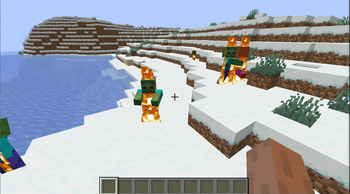
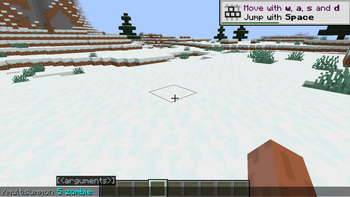
/multisummon 5 zombie
Spawns five zombies at your position.
Example 2:
/multisummon 5 arphex:spider_moth 5 5 5 {CustomName:'{"text":"Super Moth"}'}
Spawns five spider moths from my other mod, Arthropod Phobia Expansions (if installed), each with a name label "Super Moth". They all spawn at coordinates x=5, y=5, z=5.
Example 3:
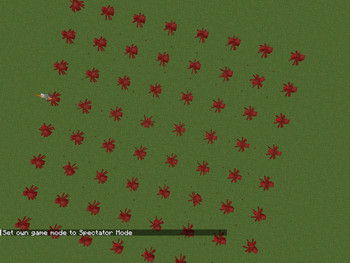
/multisummon spread 3 3 4 zombie
This command would summon 9 zombies, spread out in a 3x3 grid centred around your approximate execution position, each spaced out 4 blocks away from each other. The number to spawn in spread mode is determined by the X value multiplied by the Z value.
Example 4:
/multisummon spread 50 2 2 wither ~ ~10 ~ {CustomName:'{"text":"Wither Lord"}'}
This command would summon 100 withers, spread out in a 50x2 line 10 blocks above and centred around your approximate execution position, each spaced out 2 blocks away from each other and given the name "Wither Lord". Perfect for creating an army of any mob.
Available Versions
How to Install Multi Summon (Multisummon command) on Your Server
Order Server
Order a Minecraft Java server with at least 3 GB RAM (4 GB recommended).
Set forge Loader
In the panel under "Egg", select the forge loader and matching Minecraft version (1.21.10).
Install Mod
Open the mod browser in the dashboard and search for "Multi Summon (Multisummon command)". Click "Install" – done! Alternatively, upload the .jar via SFTP to the /mods folder.
Compatibility
Mod Loaders
Minecraft Versions
1.21.10, 1.21.1, 1.20.4 (+3 more)
Server-side
✓ RequiredRecommended RAM
4 GB(min. 3 GB)Frequently Asked Questions
Multi Summon (Multisummon command) server crashes on startup – what to do?
Most common cause: wrong forge version or insufficient RAM. Check the server log (latest.log) for "OutOfMemoryError" or "Mixin" errors. With Mado Hosting: ensure at least 3 GB RAM is allocated and the loader matches the mod version (1.21.10). You can switch loaders with one click in the panel.
Is Multi Summon (Multisummon command) compatible with forge and neoforge?
Multi Summon (Multisummon command) officially supports forge, neoforge for Minecraft 1.21.10, 1.21.1, 1.20.4. The Mado dashboard automatically detects incompatible loader combinations.
Server lagging with Multi Summon (Multisummon command) – how to optimize performance?
Recommended RAM: 4 GB (per 8 players). Use /spark profiler to check if Multi Summon (Multisummon command) consumes the most tick time. Common fixes: reduce server view-distance to 8-10, install "performant" or "starlight" as supplementary mods on Forge. With Mado Hosting, your server runs on NVMe SSDs with dedicated CPU cores for minimal latency.
Similar Mods




Rent Modded Server
Install Multi Summon (Multisummon command) with just one click on your server.