
Music Interface
A modern in-game music player for Minecraft with playlists, favorites, album covers and full control over custom music libraries.
Screenshots

About this Mod
Music Interface
Music Interface is a modern in-game music player for Minecraft that lets players manage custom music in a clean, immersive interface.
Browse tracks, view covers, create playlists, mark favorites, and control your music without leaving the game.
Features
- Modern in-game music player
- Open the GUI with
Kby default - Quick access from the title screen and pause menu
- Custom music library support
- Album cover display
- Search system
- Favorites
- Playlists
- Random and ordered playback
- Playback history
- Grid and list views
- Configurable Now Playing toast
- Advanced playback settings
- Vanilla music compatibility options
- Track disabling and filtering
- Uses Minecraft's native Music volume slider
- Template pack generation for custom music packs
- Cobblemon-friendly support
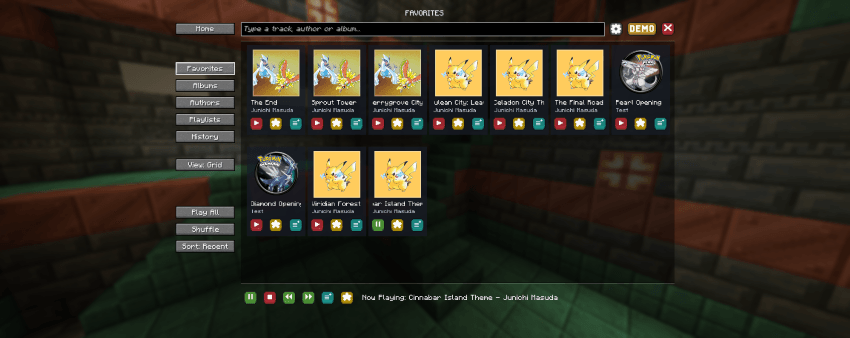
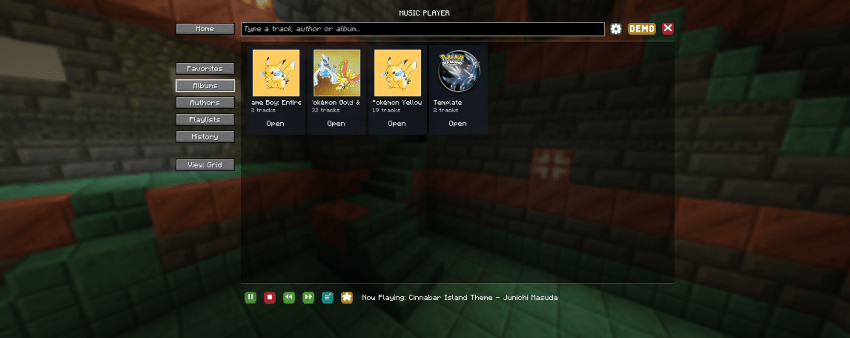
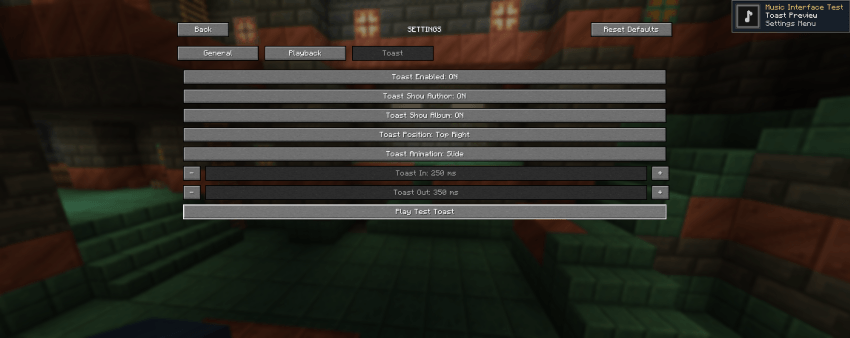
Custom Music Support
Music Interface lets players and modpack creators build fully custom music libraries for Minecraft.
Supported content includes:
- Audio files
- Album covers
- Track title
- Artist name
- Album name
The mod also includes a template system to help create and organize custom music packs more easily.
Feedback
Feedback, suggestions, and bug reports are welcome.
Discord: Our Story Network
Patreon: Our Story Collection
License
This mod may be used freely in public or private modpacks.
You may also create and distribute resource packs, music packs, or other content made for Music Interface.
Please do not reupload the mod itself or claim the project as your own. When possible, link to the official project page.
Available Versions
How to Install Music Interface on Your Server
Order Server
Order a Minecraft Java server with at least 3 GB RAM (4 GB recommended).
Set fabric Loader
In the panel under "Egg", select the fabric loader and matching Minecraft version (1.21.1).
Install Mod
Open the mod browser in the dashboard and search for "Music Interface". Click "Install" – done! Alternatively, upload the .jar via SFTP to the /mods folder.
Compatibility
Mod Loaders
Minecraft Versions
1.21.1
Server-side
✗ UnsupportedRecommended RAM
4 GB(min. 3 GB)Frequently Asked Questions
Music Interface server crashes on startup – what to do?
Most common cause: wrong fabric version or insufficient RAM. Check the server log (latest.log) for "OutOfMemoryError" or "Mixin" errors. With Mado Hosting: ensure at least 3 GB RAM is allocated and the loader matches the mod version (1.21.1). You can switch loaders with one click in the panel.
Is Music Interface compatible with fabric and neoforge?
Music Interface officially supports fabric, neoforge for Minecraft 1.21.1. The Mado dashboard automatically detects incompatible loader combinations.
Server lagging with Music Interface – how to optimize performance?
Recommended RAM: 4 GB (per 8 players). Use /spark profiler to check if Music Interface consumes the most tick time. Common fixes: reduce server view-distance to 8-10, install "performant" or "starlight" as supplementary mods on Forge. With Mado Hosting, your server runs on NVMe SSDs with dedicated CPU cores for minimal latency.
Similar Mods




Rent Modded Server
Install Music Interface with just one click on your server.