
MusicPlayerMod
A sleek, modern music player overlay for Minecraft that displays your currently playing media from Spotify, YouTube Music, and other Windows media sources directly in-game.
Screenshots
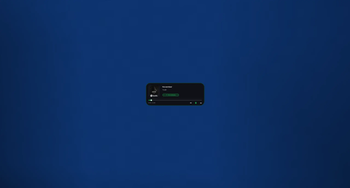
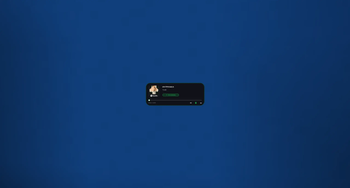
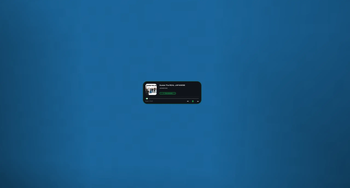
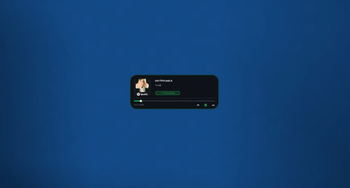
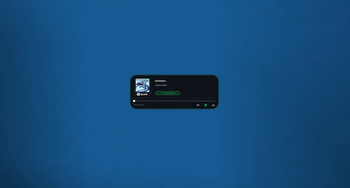
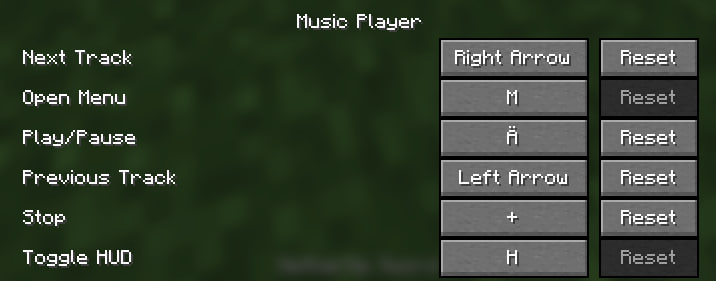
About this Mod
Music Player Mod (HUD)
A sleek, modern music player overlay for Minecraft that displays your currently playing media from Spotify, YouTube Music, and other Windows media sources directly in-game.
✨ Features
- Real-time Media Display - Shows current song title, artist, album art, and playback progress
- Beautiful UI - Glassmorphism design with smooth animations, blur effects, and rounded corners
- Customizable Position - Drag the HUD anywhere on screen while chat is open
- Size Modes - Toggle between small and big display sizes
- Non-intrusive - Transparent overlay that doesn't pause your game
- Windows Media Integration - Works with any media player that uses Windows Media API (Spotify, YouTube Music, Apple Music, etc.)
- Smart Animations - Smooth progress bar transitions and playback state indicators
🎮 How to Use
- Press M (default keybind) to open the settings menu
- Click "Enable Player" to activate the HUD
- Open chat and click and drag the HUD to reposition it
- Toggle between small/big sizes in the settings menu
- The HUD automatically updates with your currently playing media
🎨 Design Features
- Frosted glass background with dynamic blur
- Smooth progress bar with animated thumb indicator
- "Now Playing" badge with pulse animation
- Dynamic accent colors - Green when playing, gray when paused
- Ambient glow effect around the panel
- Album art display with automatic cropping and fallback icon
📋 Requirements
- Fabric Loader
- Minecraft 1.21
- Windows OS (for media integration)
- Fabric API (if required by dependencies)
🔧 Configuration
- Position: Drag while chat is open
- Size: Toggle in settings menu (M key)
- Enable/Disable: Settings menu or keybind
📝 Notes
- This mod only displays media information and does not control playback
- It reads from Windows Media API to show what's currently playing on your system
- The HUD is draggable only when chat is open to prevent accidental movement during gameplay
- Position and settings are automatically saved when changed
🐛 Known Limitations
- Windows only - Media integration requires Windows Media API
- Display only - Cannot control playback (play/pause/skip)
- Media information depends on what the media player reports to Windows
💡 Tips
- If the HUD doesn't show media, make sure your media player is running and playing something
- The album art may take a moment to load when switching songs
- Long song titles will be automatically trimmed with "…"
Enjoy your music while playing Minecraft! 🎵
Available Versions
How to Install MusicPlayerMod on Your Server
Order Server
Order a Minecraft Java server with at least 3 GB RAM (4 GB recommended).
Set fabric Loader
In the panel under "Egg", select the fabric loader and matching Minecraft version (1.21.11).
Install Mod
Open the mod browser in the dashboard and search for "MusicPlayerMod". Click "Install" – done! Alternatively, upload the .jar via SFTP to the /mods folder.
Compatibility
Mod Loaders
Minecraft Versions
1.21.11, 1.21.10, 1.21.9 (+5 more)
Server-side
✗ UnsupportedRecommended RAM
4 GB(min. 3 GB)Frequently Asked Questions
MusicPlayerMod server crashes on startup – what to do?
Most common cause: wrong fabric version or insufficient RAM. Check the server log (latest.log) for "OutOfMemoryError" or "Mixin" errors. With Mado Hosting: ensure at least 3 GB RAM is allocated and the loader matches the mod version (1.21.11). You can switch loaders with one click in the panel.
Is MusicPlayerMod compatible with fabric?
MusicPlayerMod officially supports fabric for Minecraft 1.21.11, 1.21.10, 1.21.9. The Mado dashboard automatically detects incompatible loader combinations.
Server lagging with MusicPlayerMod – how to optimize performance?
Recommended RAM: 4 GB (per 8 players). Use /spark profiler to check if MusicPlayerMod consumes the most tick time. Common fixes: reduce server view-distance to 8-10, install "performant" or "starlight" as supplementary mods on Forge. With Mado Hosting, your server runs on NVMe SSDs with dedicated CPU cores for minimal latency.
Similar Mods




Rent Modded Server
Install MusicPlayerMod with just one click on your server.