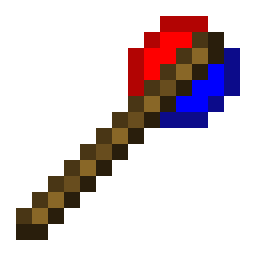
My battle mod
This mod lets you turn mobs from different mods into rival teams, manage their alliances, move them around, and track their health – all with simple wands and commands.
Screenshots


About this Mod
My Battle Mod
Three wands, endless battles.
My Battle Mod adds three simple yet powerful items to Minecraft 1.20.1 (Forge).
No dependencies – works with any Forge mod's mobs.
Features
Battle Wand – Make mobs from different mods fight each other
- Right-click any mob to create a team for its mod (team name = mod ID).
- Right-click the same leader mob again to disband that mod's team.
- Sneak + right-click to disband all teams.
- Right-click air to change modes.
- When a team is created, all existing mobs of that mod are automatically added to the team.
- Newly spawned mobs automatically join their mod's team.
- Mobs from different teams become hostile to each other (no range limit).
- Leader mobs receive a glowing effect while their team is active.
Boss Wand – Add a real-time health bar to any mob
- Right-click a mob to display a BossBar above the screen, showing its health.
- The bar updates automatically as the mob takes damage or heals.
- Right-click the same mob again to remove the BossBar.
- Right-click air to change the bossbar's color.
- Works on any living entity (including modded bosses).
- The BossBar is visible to all nearby players.
Move Wand – Move the mob
- Right-click mobs to select/deselect them (multiple selection allowed).
- Right-click the ground to move all selected mobs to that location.
- Right-click air to toggle between Teleport and Walk mode.
- Sneak + right-click air to clear all selections.
Multi-language support
All in-game messages are fully translatable via language files (English and Chinese included).
How to get the items
In Creative mode, find them under the Tools & Utilities tab.
Example commands:
- /give @p mybattlemod:battle_wand
- /give @p mybattlemod:boss_wand
- /give @p mybattlemod:move_wand
Commands (/mybattlemod)
/mybattlemod team– Manage teams (add, remove, list, members, join, leave, friendly fire)/mybattlemod move– Move mobs (teleport, walk, manage selection)/mybattlemod ally– Manage alliances (add, remove, list, delete alliance)/mybattlemod information– Control mob head display (mod ID, alliance icon, both, clear all)/mybattlemod targetmode– Switch target selector mode (replace vanilla or merge)/mybattlemod sightrange– Set or get mob detection range
Compatibility
- Minecraft 1.20.1
- Forge 47.x
- Works with any Forge mod – no extra libraries needed.
Available Versions
How to Install My battle mod on Your Server
Order Server
Order a Minecraft Java server with at least 3 GB RAM (4 GB recommended).
Set forge Loader
In the panel under "Egg", select the forge loader and matching Minecraft version (1.20.1).
Install Mod
Open the mod browser in the dashboard and search for "My battle mod". Click "Install" – done! Alternatively, upload the .jar via SFTP to the /mods folder.
Compatibility
Mod Loaders
Minecraft Versions
1.20.1
Server-side
✓ RequiredRecommended RAM
4 GB(min. 3 GB)Frequently Asked Questions
My battle mod server crashes on startup – what to do?
Most common cause: wrong forge version or insufficient RAM. Check the server log (latest.log) for "OutOfMemoryError" or "Mixin" errors. With Mado Hosting: ensure at least 3 GB RAM is allocated and the loader matches the mod version (1.20.1). You can switch loaders with one click in the panel.
Is My battle mod compatible with forge?
My battle mod officially supports forge for Minecraft 1.20.1. The Mado dashboard automatically detects incompatible loader combinations.
Server lagging with My battle mod – how to optimize performance?
Recommended RAM: 4 GB (per 8 players). Use /spark profiler to check if My battle mod consumes the most tick time. Common fixes: reduce server view-distance to 8-10, install "performant" or "starlight" as supplementary mods on Forge. With Mado Hosting, your server runs on NVMe SSDs with dedicated CPU cores for minimal latency.
Similar Mods
![[EMF] Entity Model Features](https://cdn.modrinth.com/data/4I1XuqiY/6e5bbd0d06b1741bfdab6c0cfab6de8fdaf0064c_96.webp)


Rent Modded Server
Install My battle mod with just one click on your server.