
Name Tag Upgrade
Smarter name tags with renaming on the go and handy quality-of-life improvements.
Screenshots

About this Mod








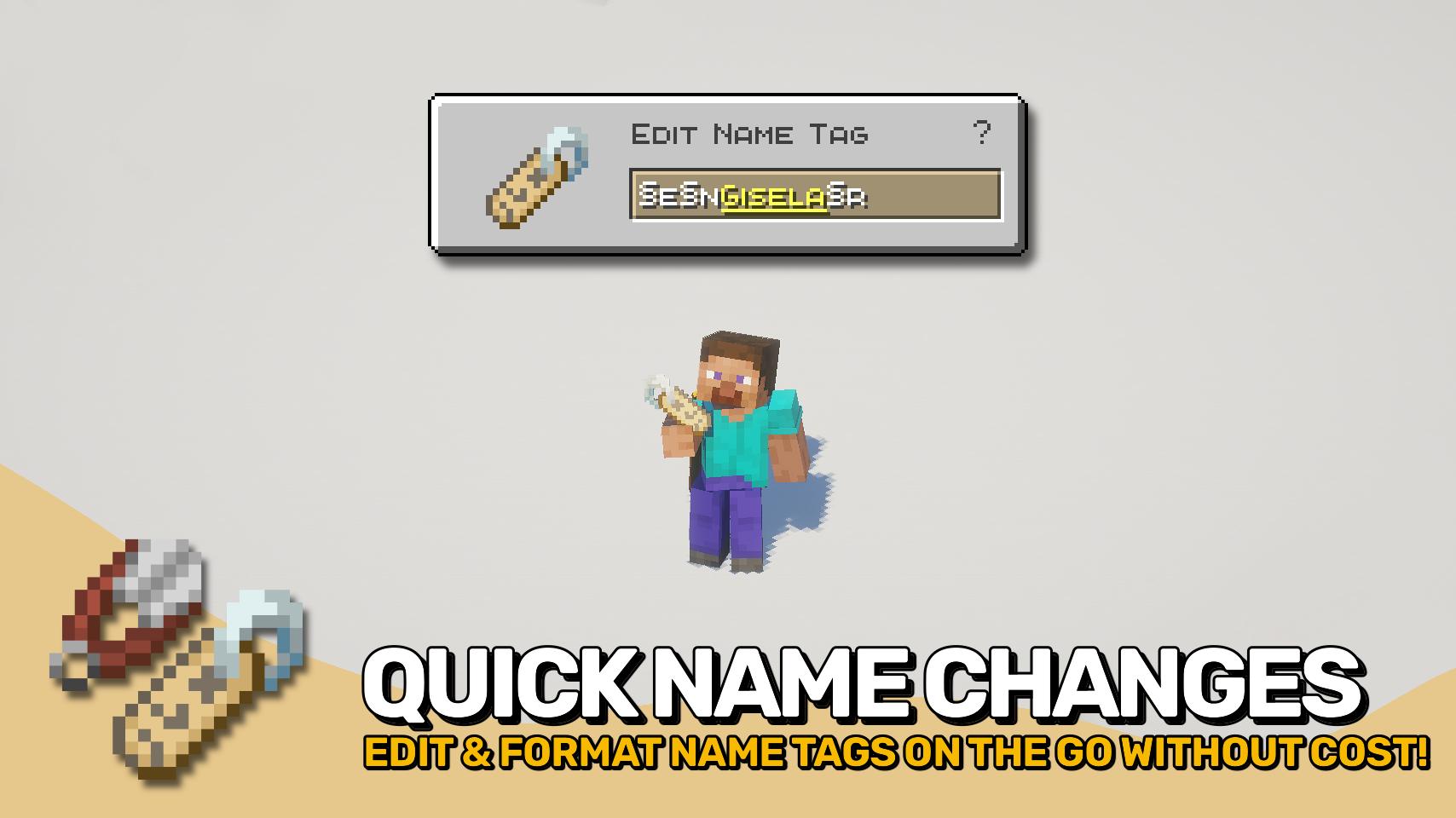
Name Tag Upgrade gives name tags the improvements they have always deserved. 🏷️ Rename them instantly from your hotbar, no anvil and no experience cost required.
A handy edit screen lets you change names on the fly simply by using the item, making mob naming faster and far more convenient. Want colorful or stylized text? The editor supports formatting codes, allowing custom colors, bold text, italics, and more. ✨
Beyond easier renaming, Name Tag Upgrade also improves how named mobs and name tags behave, making every tag feel more useful and less wasteful.

- 🏷️ Instant Name Tag Editing: Rename name tags directly and on the go from a dedicated screen without anvils or experience costs.
- ✨ Formatting Support: Use formatting codes to add colors, bold text, italics, and other styling to names.
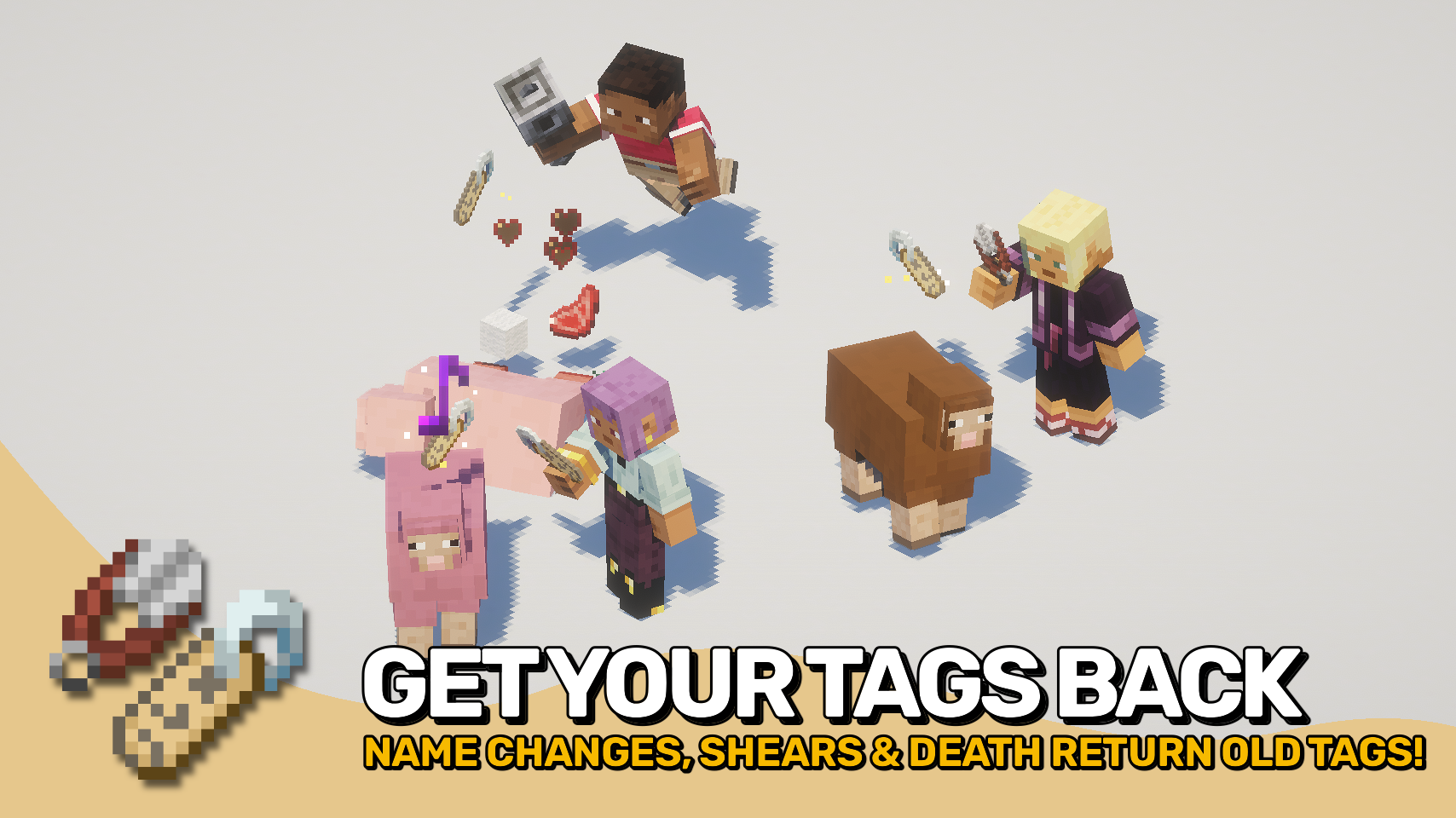
- ♻️ No More Wasted Name Tags: Using a tag with an identical name will no longer consume it.
- ✂️ Remove Custom Names: Use shears on named mobs to remove their custom name and recover the matching name tag.
- 💀 Named Mob Drops: Named mobs can drop their name tag when they die, preserving custom names.
- 🔁 Return Old Name Tags: Renaming an already named mob returns the previous name tag instead of deleting it.
- 🔊 Extra Feedback: Applying a name tag plays a satisfying sound effect.


⏩ INSTALLATION REQUIRED ON CLIENT & REQUIRED ON SERVER
⏩ REQUIRES PUZZLES LIB TO BE INSTALLED (FABRIC & NEOFORGE)
⏩ REQUIRES FABRIC API TO BE INSTALLED (FABRIC)
⏩ REQUIRES FORGE CONFIG API PORT TO BE INSTALLED (FABRIC)

If available for a mod, configuration is possible directly from in-game using the mod menu (requires Mod Menu by Prospector to be installed on Fabric).
For manual configuration using an external text editor all files are found at .minecraft/config, named as MOD_ID-client.toml, MOD_ID-common.toml, or MOD_ID-server.toml, depending on the type of config. Not all types might exist for a mod, if any at all.


Available Versions
How to Install Name Tag Upgrade on Your Server
Order Server
Order a Minecraft Java server with at least 3 GB RAM (4 GB recommended).
Set fabric Loader
In the panel under "Egg", select the fabric loader and matching Minecraft version (26.1.2).
Install Mod
Open the mod browser in the dashboard and search for "Name Tag Upgrade". Click "Install" – done! Alternatively, upload the .jar via SFTP to the /mods folder.
Compatibility
Mod Loaders
Minecraft Versions
26.1.2, 26.1.1, 26.1 (+1 more)
Server-side
✓ RequiredRecommended RAM
4 GB(min. 3 GB)Frequently Asked Questions
Name Tag Upgrade server crashes on startup – what to do?
Most common cause: wrong fabric version or insufficient RAM. Check the server log (latest.log) for "OutOfMemoryError" or "Mixin" errors. With Mado Hosting: ensure at least 3 GB RAM is allocated and the loader matches the mod version (26.1.2). You can switch loaders with one click in the panel.
Is Name Tag Upgrade compatible with fabric and neoforge?
Name Tag Upgrade officially supports fabric, neoforge for Minecraft 26.1.2, 26.1.1, 26.1. The Mado dashboard automatically detects incompatible loader combinations.
Server lagging with Name Tag Upgrade – how to optimize performance?
Recommended RAM: 4 GB (per 8 players). Use /spark profiler to check if Name Tag Upgrade consumes the most tick time. Common fixes: reduce server view-distance to 8-10, install "performant" or "starlight" as supplementary mods on Forge. With Mado Hosting, your server runs on NVMe SSDs with dedicated CPU cores for minimal latency.
Similar Mods




![[ETF] Entity Texture Features](https://cdn.modrinth.com/data/BVzZfTc1/af683d206d50b05258d865b0d6e4aa2f2cee12f2_96.webp)
![[EMF] Entity Model Features](https://cdn.modrinth.com/data/4I1XuqiY/6e5bbd0d06b1741bfdab6c0cfab6de8fdaf0064c_96.webp)
Rent Modded Server
Install Name Tag Upgrade with just one click on your server.