
Navigation Compasses
A Polymer mod which adds compasses that locate points of interest.
Screenshots
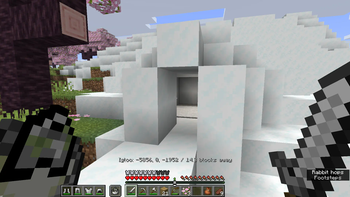
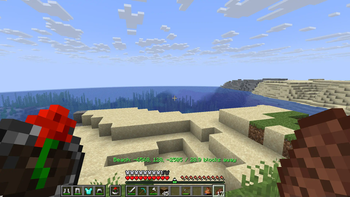
About this Mod
Navigation Compasses
A Polymer mod which adds compasses that locate points of interest.
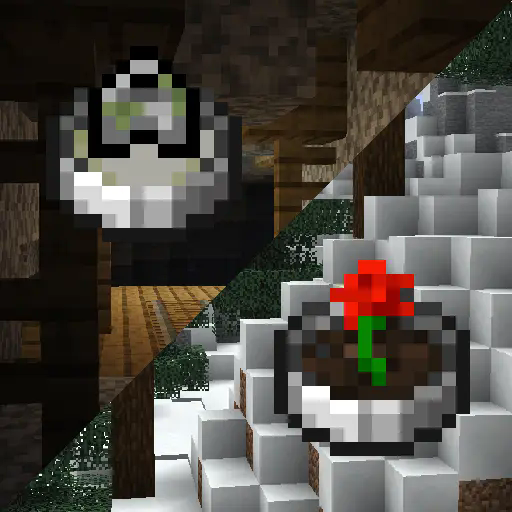
WARNING! This mod can cause extreme lag due to the nature of structure/biome location. This may be remedied in the future with async location but for now, be careful!
HEY! This mod is essentially a port of Nature's Compass and Explorer's Compass, and you should absolutely use them if you aren't targeting Bedrock or Vanilla clients.
Usage
For server owners
You can install the mod with Fabric API and it will work as intended. However, for the best experience I recommend you install Polymer and set up resource pack hosting.
There is a configuration file at config/navigation-compasses.json which lets you disable the compass items (ex. if you are running Terra you might want to disable biome locators due to the lag it causes), modify the search range (which will reduce the length lag spikes), and the search cooldown (in ticks, will probably reduce number of lag spikes).
It should work with any other structure/biome mods, though some may cause lag while locating depending on rarity.
Floodgate (Bedrock) players have special GUI handling, so it'll work great with them. (If you are concerned about item textures, you can try the heavily beta not-complete could-break no-warranty compatibility mod Bedframe, which adds Polymer textures to Geyser)
For players
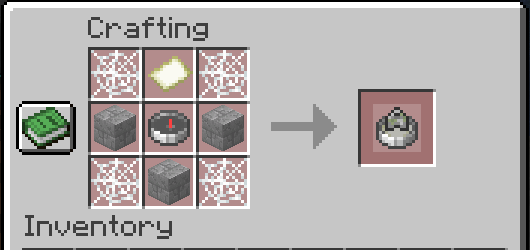
The Biome Locator does what it says on the tin, it opens a menu containing every biome and lets you select one to locate.
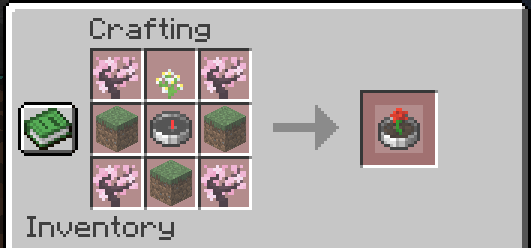
The saplings can be any kind of sapling, the dirt can be any dirt-like block, and the flower can be any short flower.
The Structure Locator works the same way but for structures.
The locators add a locator bar waypoint and action bar message to help assist with navigation.
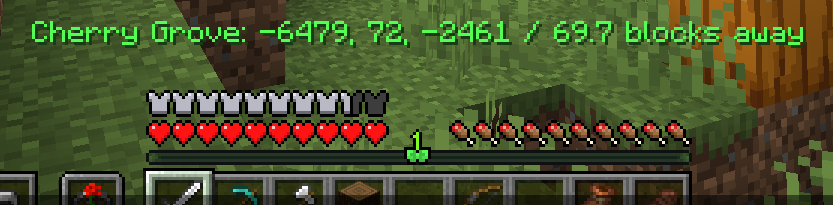
These elements are faked through some packet trickery and are only visible to the player locating.
Available Versions
How to Install Navigation Compasses on Your Server
Order Server
Order a Minecraft Java server with at least 3 GB RAM (4 GB recommended).
Set fabric Loader
In the panel under "Egg", select the fabric loader and matching Minecraft version (26.1.2).
Install Mod
Open the mod browser in the dashboard and search for "Navigation Compasses". Click "Install" – done! Alternatively, upload the .jar via SFTP to the /mods folder.
Compatibility
Mod Loaders
Minecraft Versions
26.1.2, 26.1.1, 26.1 (+6 more)
Server-side
✓ RequiredRecommended RAM
4 GB(min. 3 GB)Frequently Asked Questions
Navigation Compasses server crashes on startup – what to do?
Most common cause: wrong fabric version or insufficient RAM. Check the server log (latest.log) for "OutOfMemoryError" or "Mixin" errors. With Mado Hosting: ensure at least 3 GB RAM is allocated and the loader matches the mod version (26.1.2). You can switch loaders with one click in the panel.
Is Navigation Compasses compatible with fabric?
Navigation Compasses officially supports fabric for Minecraft 26.1.2, 26.1.1, 26.1. The Mado dashboard automatically detects incompatible loader combinations.
Server lagging with Navigation Compasses – how to optimize performance?
Recommended RAM: 4 GB (per 8 players). Use /spark profiler to check if Navigation Compasses consumes the most tick time. Common fixes: reduce server view-distance to 8-10, install "performant" or "starlight" as supplementary mods on Forge. With Mado Hosting, your server runs on NVMe SSDs with dedicated CPU cores for minimal latency.
Similar Mods




Rent Modded Server
Install Navigation Compasses with just one click on your server.