
Neutron
Make all mobs neutral, configurable per-player and per-mob!
Screenshots
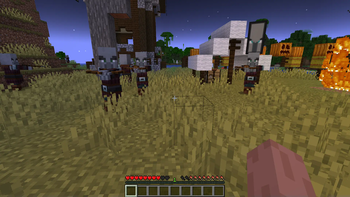
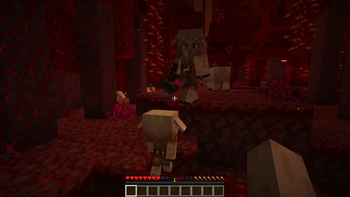
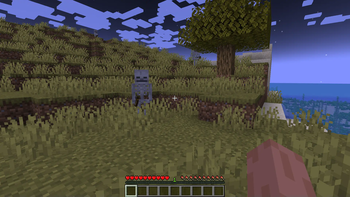
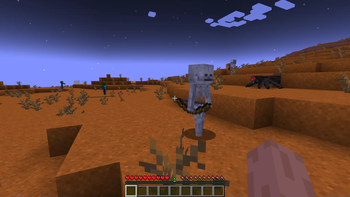
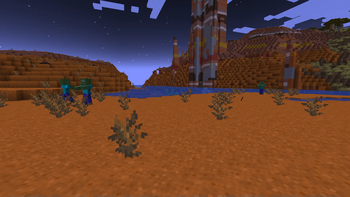
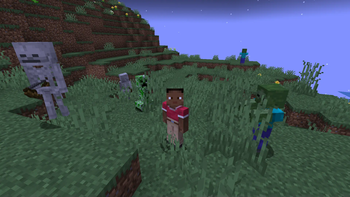
About this Mod
Make mobs neutral to all players or specific players!


Most actions that make neutral mobs angry will still be in effect, such as staring at enderman and breaking beehives. However, not wearing gold armor for piglins and darkness for spiders will no longer anger them.
Neutral mode is disabled by default and must be activated with commands.
Commands
/neutron global- Check if neutral mode is enabled globally/neutron global <enable | disable>- Enable or disable neutral mode globally/neutron player <username>- Check if neutral mode is enabled for a player/neutron player <username> <enable | disable>- Enable or disable neutral mode for a player/neutron resetall- Reset player overrides in both modes
Configuration
The mod's config file can be found in config/neutron.json.
exceptions: List of the mobs which ignore neutralitypreventEndermanEyeContact: If enderman should ignore eye contact from neutron'd players, default isfalseexcludePatrollers: If actively patrolling mobs should be neutral even if their types are listed inexceptions, default istrue
By default, boss mobs and certain structure-exclusive mobs are not turned neutral. This is to retain the challenge of certain bosses, events, and structures.
Default non-neutral mobs
- Wither
- Evoker
- Vindicator
- Pillagers
- Ravager
- Vex
- Piglin Brute
- Blaze
- Wither Skeleton
- Guardian
- Elder Guardian
- Warden
- Breeze
- Shulker
- Endermite
Note: Ender Dragon behavior is not affected by this mod, as they do not use the normal targeting system and do not have a concept of being neutral.
API
ShouldBeNeutralCallback
Is triggered whenever a mob's neutrality towards a certain entity is checked.
register(callback: (entity: LivingEntity, target: LivingEntity) -> Boolean):entityis the mob which will or will not be neutral,targetis the entity which the mob will aggro on. Returningtruewill make the mob be neutral towards the target.registerPlayers(callback: (entity: LivingEntity, target: PlayerEntity) -> Boolean)Same asregisterbut only considers player targets
The mob will be neutral towards the target if any listener returns true.
Note: Command completion and result messages will be broken if not installed on the client, but otherwise everything will work fine if only installed on the server
Available Versions
How to Install Neutron on Your Server
Order Server
Order a Minecraft Java server with at least 3 GB RAM (4 GB recommended).
Set fabric Loader
In the panel under "Egg", select the fabric loader and matching Minecraft version (1.21.1).
Install Mod
Open the mod browser in the dashboard and search for "Neutron". Click "Install" – done! Alternatively, upload the .jar via SFTP to the /mods folder.
Compatibility
Mod Loaders
Minecraft Versions
1.21.1, 1.21, 1.20.4 (+3 more)
Server-side
✓ RequiredRecommended RAM
4 GB(min. 3 GB)Frequently Asked Questions
Neutron server crashes on startup – what to do?
Most common cause: wrong fabric version or insufficient RAM. Check the server log (latest.log) for "OutOfMemoryError" or "Mixin" errors. With Mado Hosting: ensure at least 3 GB RAM is allocated and the loader matches the mod version (1.21.1). You can switch loaders with one click in the panel.
Is Neutron compatible with fabric and quilt?
Neutron officially supports fabric, quilt for Minecraft 1.21.1, 1.21, 1.20.4. The Mado dashboard automatically detects incompatible loader combinations.
Server lagging with Neutron – how to optimize performance?
Recommended RAM: 4 GB (per 8 players). Use /spark profiler to check if Neutron consumes the most tick time. Common fixes: reduce server view-distance to 8-10, install "performant" or "starlight" as supplementary mods on Forge. With Mado Hosting, your server runs on NVMe SSDs with dedicated CPU cores for minimal latency.
Similar Mods




Rent Modded Server
Install Neutron with just one click on your server.