
Health Bars
See every mob's health in style. In the HUD and in-world. Clean, colorful, and customizable!
Screenshots
About this Mod








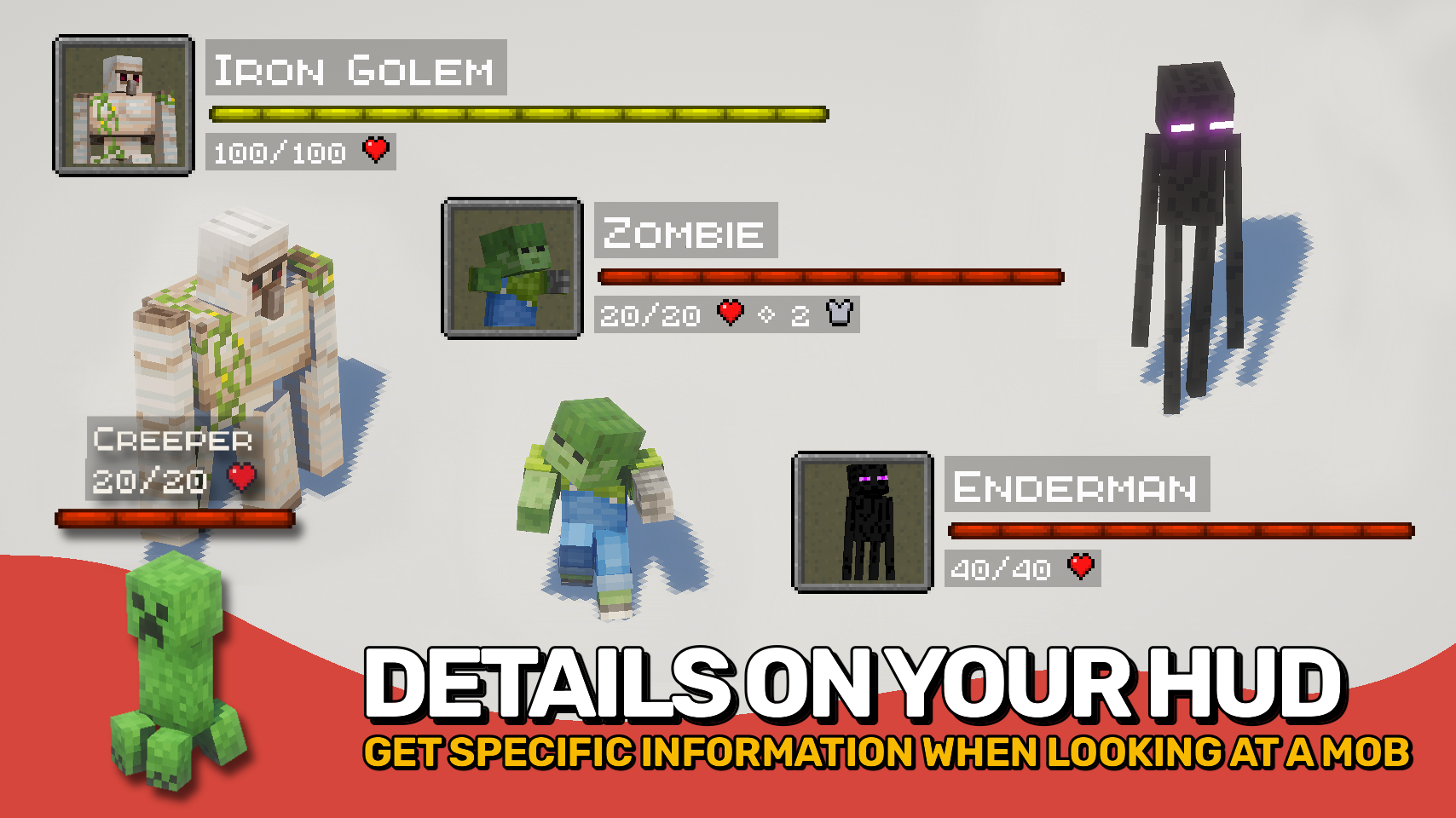
Health Bars adds smooth, colorful health displays that make it easy to track the condition of every mob around you. A clear, animated bar shows each mob's name, health, armor, and damage taken right on your screen, helping you stay informed during combat and exploration. ❤️
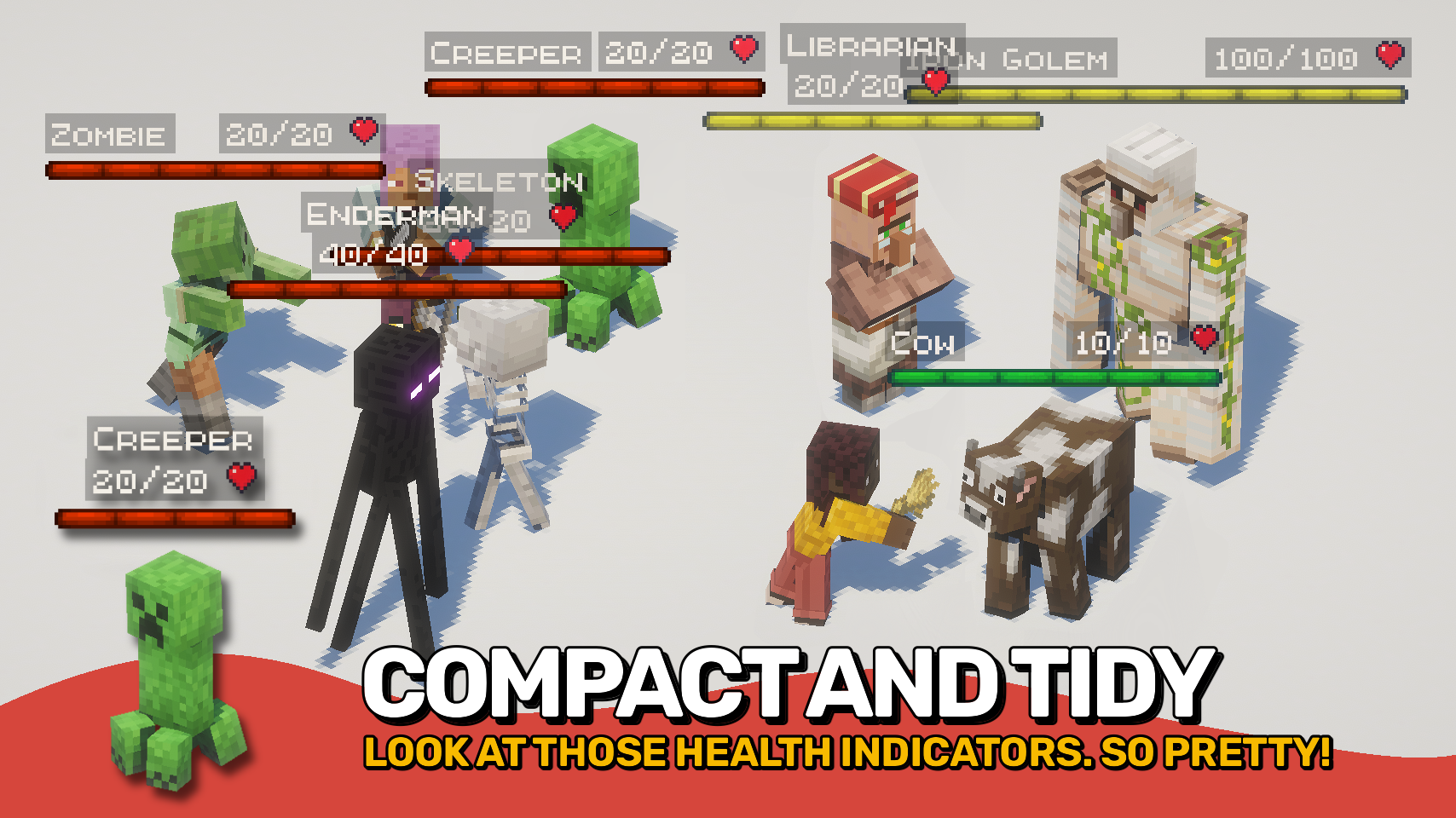
The mod also supports in-world health bars that appear directly above entities, providing quick visual feedback. From passive animals to powerful bosses, important information is always easy to read at a glance. 👁️
With extensive customization options, flexible display modes, and support for all kinds of mobs, this mod can be tailored to fit almost any UI style or gameplay experience. ⚙️

- ❤️ HUD Health Bars: See mob name, health, armor, and damage values in a compact on-screen display.
- 👁️ In-World Bars: Show health bars directly above entities while exploring and fighting.
- 💥 Damage Numbers: Watch damage and healing values appear in real time.
- 🐺 Flexible Entity Support: Choose exactly which entities should display health bars.
- 🎨 Beautiful & Clear: Smooth animations and colorful visuals make information easy to read at a glance.
- 🌈 Custom Colors: Assign unique colors to monsters, animals, bosses, aquatic mobs, and more.
- 🪄 Distance Scaling: Scale bars based on proximity or mob health for better readability.
- ⚙️ Highly Configurable: Customize appearance, positioning, scaling, colors, and behavior to fit your preferred UI.
- ⌨️ Quick Toggle Keybind: Enable or disable all bars at any time with a configurable keybind.


⏩ INSTALLATION REQUIRED ON CLIENT
⏩ REQUIRES PUZZLES LIB TO BE INSTALLED (FABRIC & NEOFORGE)
⏩ REQUIRES FABRIC API TO BE INSTALLED (FABRIC)
⏩ REQUIRES FORGE CONFIG API PORT TO BE INSTALLED (FABRIC)

If available for a mod, configuration is possible directly from in-game using the mod menu (requires Mod Menu by Prospector to be installed on Fabric).
For manual configuration using an external text editor all files are found at .minecraft/config, named as MOD_ID-client.toml, MOD_ID-common.toml, or MOD_ID-server.toml, depending on the type of config. Not all types might exist for a mod, if any at all.

🌟 Big thanks to ToroCraft for their timeless ToroHealth Damage Indicators mod, which served as the main inspiration for this project. As a solid foundation, it made it possible for this mod to grow far beyond with exciting new features.
🌟 Several configuration options and customization ideas were inspired by Vazkii's excellent Neat mod.

Available Versions
How to Install Health Bars on Your Server
Order Server
Order a Minecraft Java server with at least 3 GB RAM (4 GB recommended).
Set fabric Loader
In the panel under "Egg", select the fabric loader and matching Minecraft version (26.1.2).
Install Mod
Open the mod browser in the dashboard and search for "Health Bars". Click "Install" – done! Alternatively, upload the .jar via SFTP to the /mods folder.
Compatibility
Mod Loaders
Minecraft Versions
26.1.2, 26.1.1, 26.1 (+7 more)
Server-side
✗ UnsupportedRecommended RAM
4 GB(min. 3 GB)Frequently Asked Questions
Health Bars server crashes on startup – what to do?
Most common cause: wrong fabric version or insufficient RAM. Check the server log (latest.log) for "OutOfMemoryError" or "Mixin" errors. With Mado Hosting: ensure at least 3 GB RAM is allocated and the loader matches the mod version (26.1.2). You can switch loaders with one click in the panel.
Is Health Bars compatible with fabric and neoforge?
Health Bars officially supports fabric, neoforge for Minecraft 26.1.2, 26.1.1, 26.1. The Mado dashboard automatically detects incompatible loader combinations.
Server lagging with Health Bars – how to optimize performance?
Recommended RAM: 4 GB (per 8 players). Use /spark profiler to check if Health Bars consumes the most tick time. Common fixes: reduce server view-distance to 8-10, install "performant" or "starlight" as supplementary mods on Forge. With Mado Hosting, your server runs on NVMe SSDs with dedicated CPU cores for minimal latency.
Similar Mods
![[EMF] Entity Model Features](https://cdn.modrinth.com/data/4I1XuqiY/6e5bbd0d06b1741bfdab6c0cfab6de8fdaf0064c_96.webp)


Rent Modded Server
Install Health Bars with just one click on your server.