
NickName Changer
Ever wanted to see your own nametag? Now you can. Instant nicknames, effortless skin swapping, and 1.21.4 optimized rendering—all in one lightweight package.
Screenshots
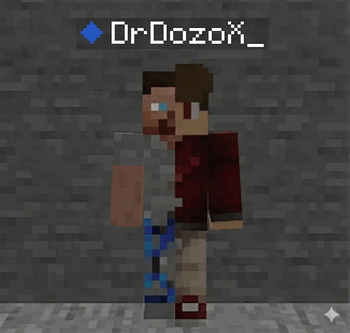
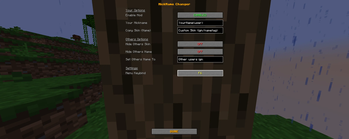
About this Mod
🎭 NickName Changer: Unmatched Identity Control
Tired of being a ghost in F5? NickName Changer is the only tool you need to take total control over how you—and everyone else—look on your screen. No more invisible nametags. No more boring skins.
⚡ The "Main" Features:
- 🏷️ Force-Render Nametags: Bypasses hardcoded vanilla logic. Finally see your own custom name floating above your head in third-person (F5) mode.
- 👕 Instant Identity Theft: Copy any online player's skin textures instantly. Just type the name, hit save, and you're wearing it.
- 🕵️ Global Stealth: Hide everyone else's skins or rename every player on the server to a custom name (like "Player") to clean up your view and boost FPS.
- ⌨️ Total Customization: A sleek, centered UI with a fully rebindable shortcut. Don't like F6? Set it to whatever fits your playstyle.
🚀 Built for the SMP Grind
Optimized specifically for high-population servers like DonutSMP. While other mods choke and freeze your PC trying to load player data, NickName Changer uses a lightweight scan-and-cache system.
- Zero Lag.
- Zero Connection Resets.
- Pure Performance.
🛠️ Universal Support
Why download multiple mods for different updates? One single JAR file provides a "No-Fail" experience across every version from 1.21 to 1.21.11. Whether you're on the legacy 1.21.1 or the modern 1.21.4 rendering engine, it just works.
How to use:
- Open the menu (Default: F6).
- Set your alias and target skin.
- Hit DONE and flex in F5.
(Requires Fabric API)
Available Versions
How to Install NickName Changer on Your Server
Order Server
Order a Minecraft Java server with at least 3 GB RAM (4 GB recommended).
Set fabric Loader
In the panel under "Egg", select the fabric loader and matching Minecraft version (1.21.11).
Install Mod
Open the mod browser in the dashboard and search for "NickName Changer". Click "Install" – done! Alternatively, upload the .jar via SFTP to the /mods folder.
Compatibility
Mod Loaders
Minecraft Versions
1.21.11, 1.21.10, 1.21.9 (+9 more)
Server-side
✗ UnsupportedRecommended RAM
4 GB(min. 3 GB)Frequently Asked Questions
NickName Changer server crashes on startup – what to do?
Most common cause: wrong fabric version or insufficient RAM. Check the server log (latest.log) for "OutOfMemoryError" or "Mixin" errors. With Mado Hosting: ensure at least 3 GB RAM is allocated and the loader matches the mod version (1.21.11). You can switch loaders with one click in the panel.
Is NickName Changer compatible with fabric?
NickName Changer officially supports fabric for Minecraft 1.21.11, 1.21.10, 1.21.9. The Mado dashboard automatically detects incompatible loader combinations.
Server lagging with NickName Changer – how to optimize performance?
Recommended RAM: 4 GB (per 8 players). Use /spark profiler to check if NickName Changer consumes the most tick time. Common fixes: reduce server view-distance to 8-10, install "performant" or "starlight" as supplementary mods on Forge. With Mado Hosting, your server runs on NVMe SSDs with dedicated CPU cores for minimal latency.
Similar Mods

![[ETF] Entity Texture Features](https://cdn.modrinth.com/data/BVzZfTc1/af683d206d50b05258d865b0d6e4aa2f2cee12f2_96.webp)
![[EMF] Entity Model Features](https://cdn.modrinth.com/data/4I1XuqiY/6e5bbd0d06b1741bfdab6c0cfab6de8fdaf0064c_96.webp)



Rent Modded Server
Install NickName Changer with just one click on your server.