
Nightosphere
Light changes to the nether generation with level design in mind
Screenshots
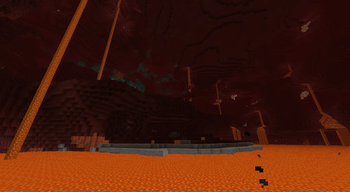
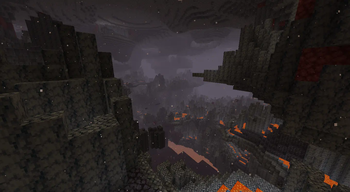
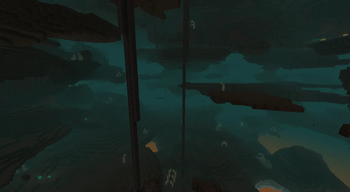
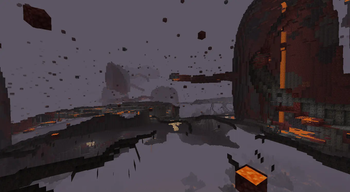
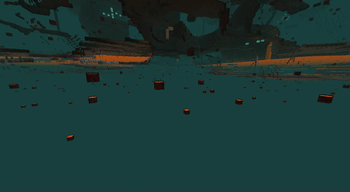
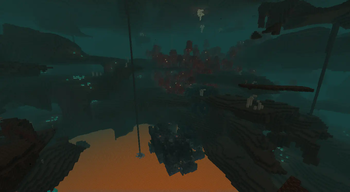
About this Mod
It does a variety of changes to the nether, biome distribution remains the same.
Changes:
Higher nether generation up to 224
The top 32 layers are netherrack with small caves, so is more like 192, and is not everywhere but when it happens it will be more open
Why this?
256 height takes away from the lava ocean which is a key part
of the nether level design but I do want the nether taller
The carvers don't go down bellow the lava ocean
Why this?
Simply because an impossible to cross lava barrier is neither
fun or adds depth, is just a stop sign
Higher amount of quartz
Why this?
The demand for quartz can be high for building and quartz is a
common source of experience for players
Ancient debris generates more scattered
Spawns mostly in single blocks but is more common to stumble to
Why this?
Reduces the chances of rng playing with you, by having higher
odds of hitting netherite even if smaller amounts it makes the
progress towards getting the netherite be less aimless
New cave rivers at the lava sea level
Why this?
It helps when traveling with a strider
Crimson and warped giant fungi now checks the terrain in order to place
This is mostly a technical thing
Why this?
It stops them from generating in the small crevices where they looked buggy and got cut so much
Unhardcoded the basalt delta columns
This is mostly a technical thing, but I just recreated the columns in a way which isn't as harcoded as vanilla does it
Why this?
It is more structure friendly.

Available Versions
How to Install Nightosphere on Your Server
Order Server
Order a Minecraft Java server with at least 4 GB RAM (6 GB recommended).
Set datapack Loader
In the panel under "Egg", select the datapack loader and matching Minecraft version (26.1).
Install Mod
Open the mod browser in the dashboard and search for "Nightosphere". Click "Install" – done! Alternatively, upload the .jar via SFTP to the /mods folder.
Compatibility
Mod Loaders
Minecraft Versions
26.1, 1.21.11, 1.21.10 (+81 more)
Server-side
✓ RequiredRecommended RAM
6 GB(min. 4 GB)Frequently Asked Questions
Nightosphere server crashes on startup – what to do?
Most common cause: wrong datapack version or insufficient RAM. Check the server log (latest.log) for "OutOfMemoryError" or "Mixin" errors. With Mado Hosting: ensure at least 4 GB RAM is allocated and the loader matches the mod version (26.1). You can switch loaders with one click in the panel.
Is Nightosphere compatible with datapack and fabric and forge and neoforge and quilt?
Nightosphere officially supports datapack, fabric, forge, neoforge, quilt for Minecraft 26.1, 1.21.11, 1.21.10. Note: Forge and Fabric mods are NOT cross-compatible – pick one loader and stick with it. The Mado dashboard automatically detects incompatible loader combinations.
Server lagging with Nightosphere – how to optimize performance?
Recommended RAM: 6 GB (per 5 players). Use /spark profiler to check if Nightosphere consumes the most tick time. Common fixes: reduce server view-distance to 8-10, install "performant" or "starlight" as supplementary mods on Forge. With Mado Hosting, your server runs on NVMe SSDs with dedicated CPU cores for minimal latency.
Similar Mods



Rent Modded Server
Install Nightosphere with just one click on your server.
Details
- License
- Creative Commons Attribution Non Commercial Share Alike 4.0 International
- Server-side
- Required