
Nimbu's: Pocket Dimensions
A mod that adds simple, customizable pocket dimensions that can be accessed from anywhere.
Screenshots


About this Mod

(Compatible with Sinytra Connector!)
Welcome to Nimbu's: Pocket Dimensions - a mod intended to add vanilla friendly customizable pocket dimensions that can be accessed from any location, and used for anything.
Required Dependencies:
Guide (Short):
Gateway Wand:
These pocket dimensions can be accessed from any location using a Gateway Wand.
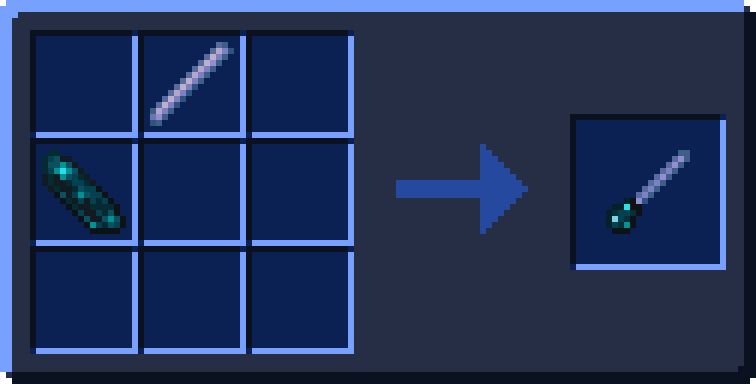
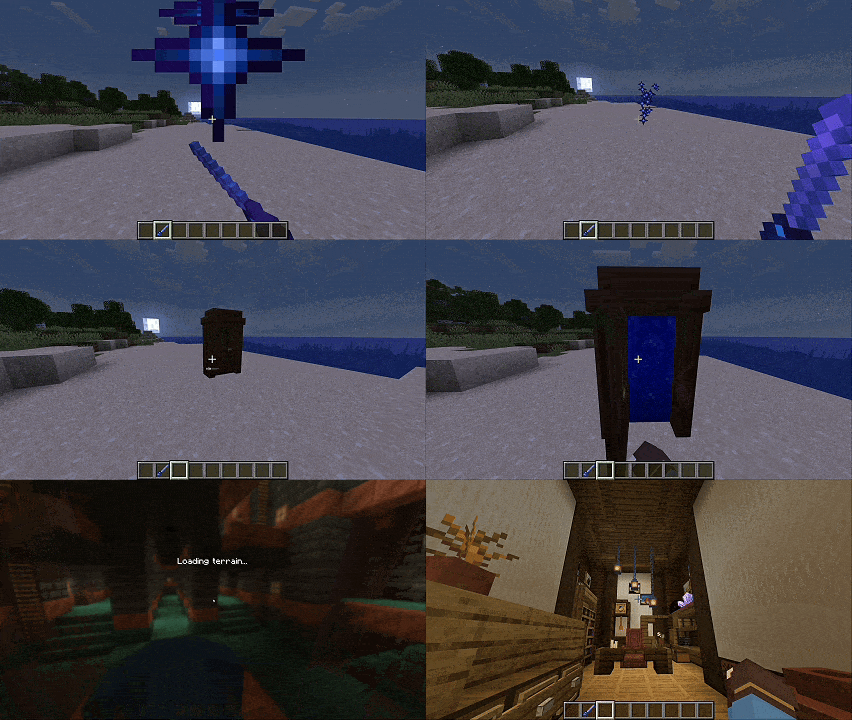
The wand can be crafted with an echo shard and breeze rod as shown, and create a Gateway when right clicked.
Using the Gateway Wand on a created Gateway will destroy it.
Expansion Gem:
Pocket Dimensions are limited in size however - at least until Expansion Gems are crafted and used to open up an additional area of space.
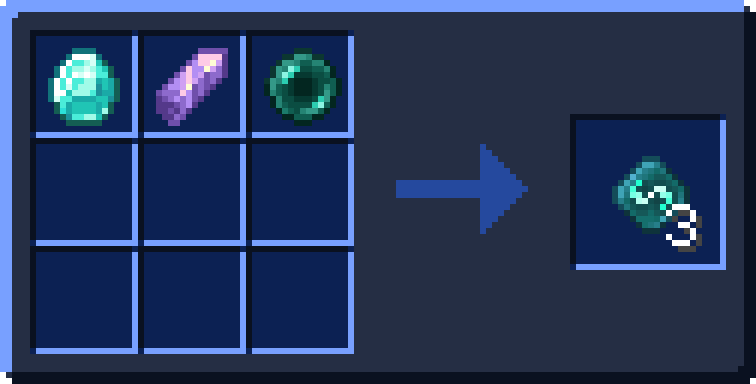
Expansion Gems are crafted with a diamond, amethyst shard and ender pearl.
Holding the gem in the pocket dimension will make the borders fully visible, and can be right clicked on to be expanded.
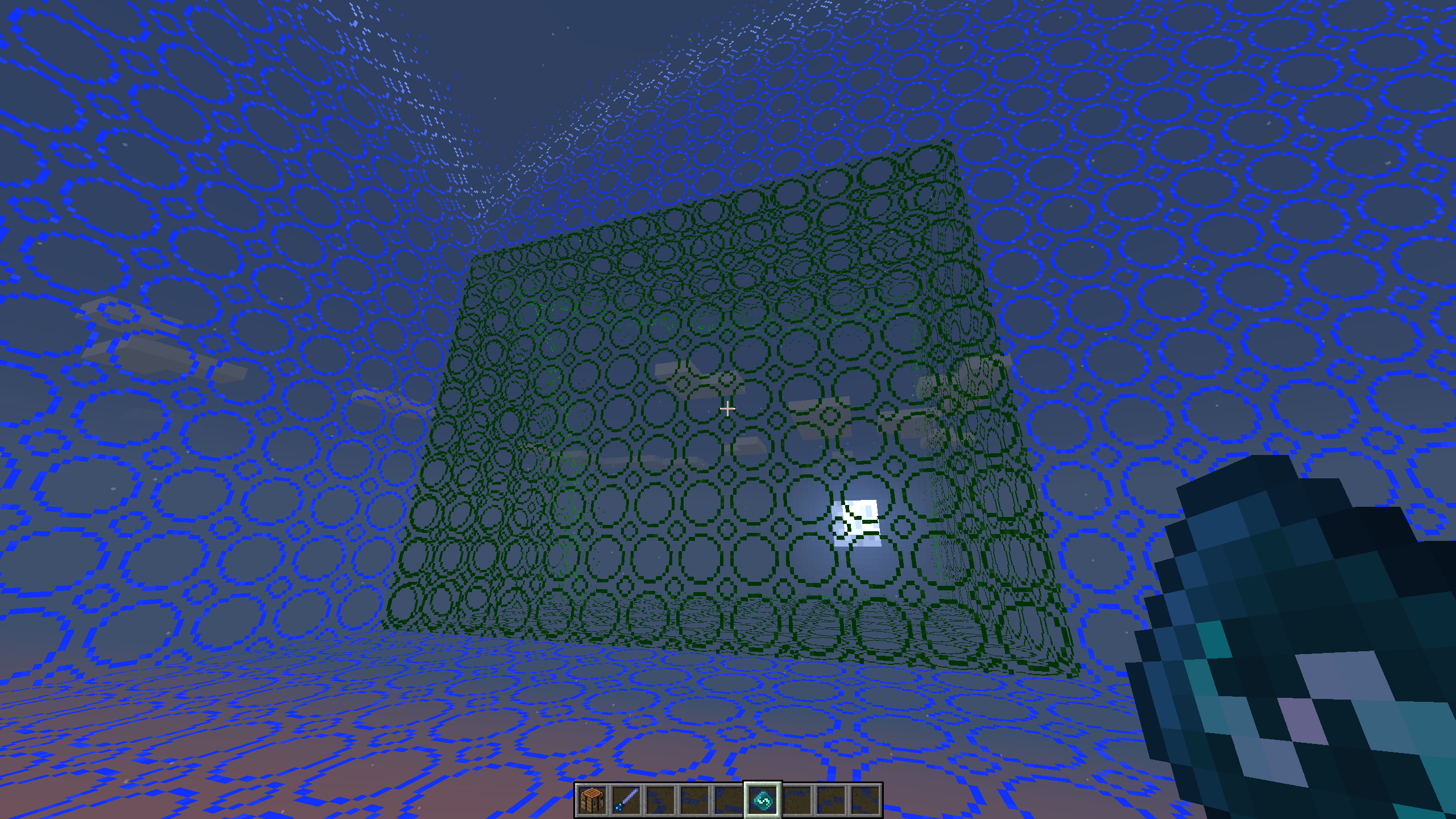
[Note: Borders are not visible if shaders are on]
Dimension Customizer:
Lastly, the biome colours (colour of grass, leaves, water and sky) can be modified with the Dimension Customiser, as well as the material the Gateway itself is made out of (see the gallery for example uses).
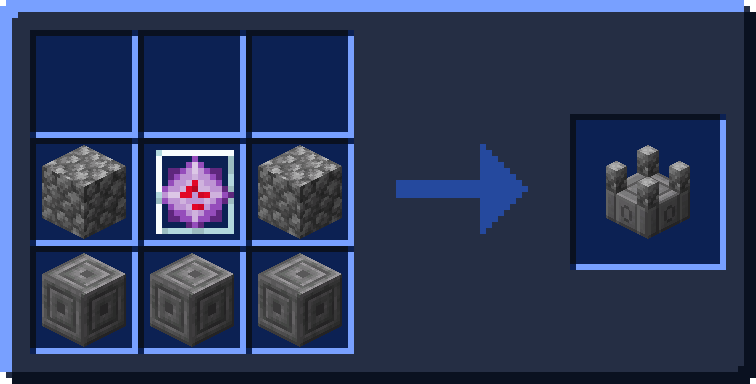
This can be interacted with to freely modify the pocket dimension as the user pleases, and is made with 3 chiseled stone bricks, 2 cobblestone and an end crystal.
Available Versions
How to Install Nimbu's: Pocket Dimensions on Your Server
Order Server
Order a Minecraft Java server with at least 3 GB RAM (4 GB recommended).
Set fabric Loader
In the panel under "Egg", select the fabric loader and matching Minecraft version (1.21.1).
Install Mod
Open the mod browser in the dashboard and search for "Nimbu's: Pocket Dimensions". Click "Install" – done! Alternatively, upload the .jar via SFTP to the /mods folder.
Compatibility
Mod Loaders
Minecraft Versions
1.21.1, 1.21
Server-side
✓ RequiredRecommended RAM
4 GB(min. 3 GB)Frequently Asked Questions
Nimbu's: Pocket Dimensions server crashes on startup – what to do?
Most common cause: wrong fabric version or insufficient RAM. Check the server log (latest.log) for "OutOfMemoryError" or "Mixin" errors. With Mado Hosting: ensure at least 3 GB RAM is allocated and the loader matches the mod version (1.21.1). You can switch loaders with one click in the panel.
Is Nimbu's: Pocket Dimensions compatible with fabric?
Nimbu's: Pocket Dimensions officially supports fabric for Minecraft 1.21.1, 1.21. The Mado dashboard automatically detects incompatible loader combinations.
Server lagging with Nimbu's: Pocket Dimensions – how to optimize performance?
Recommended RAM: 4 GB (per 8 players). Use /spark profiler to check if Nimbu's: Pocket Dimensions consumes the most tick time. Common fixes: reduce server view-distance to 8-10, install "performant" or "starlight" as supplementary mods on Forge. With Mado Hosting, your server runs on NVMe SSDs with dedicated CPU cores for minimal latency.
Similar Mods

![[ETF] Entity Texture Features](https://cdn.modrinth.com/data/BVzZfTc1/af683d206d50b05258d865b0d6e4aa2f2cee12f2_96.webp)
![[EMF] Entity Model Features](https://cdn.modrinth.com/data/4I1XuqiY/6e5bbd0d06b1741bfdab6c0cfab6de8fdaf0064c_96.webp)



Rent Modded Server
Install Nimbu's: Pocket Dimensions with just one click on your server.