
No Creative Menu
A lightweight client-side mod that optimizes performance by allowing you to hide the vanilla creative inventory.
Screenshots
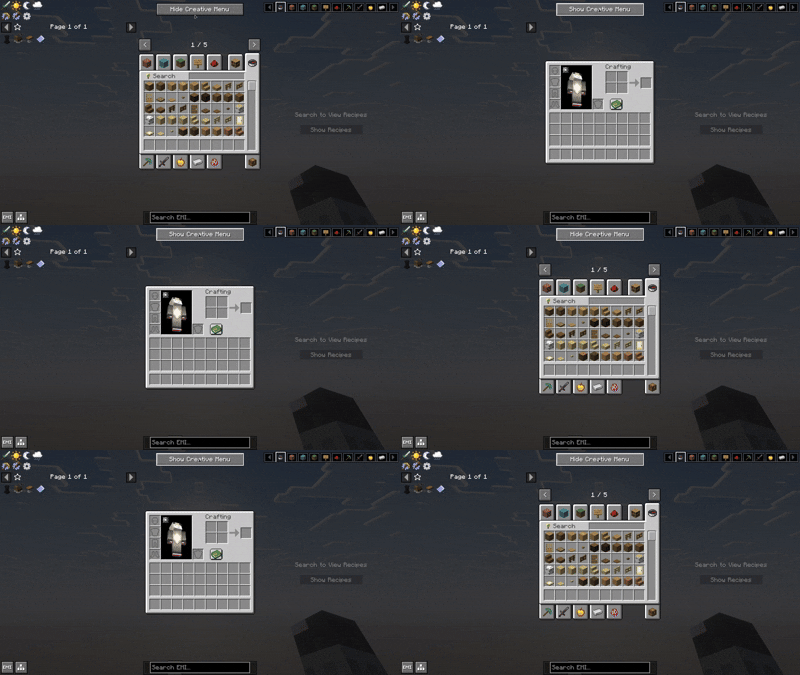

About this Mod
❌ NoCreativeMenu
NoCreativeMenu is a lightweight, high-performance client-side utility for Minecraft that allows you to disable the vanilla creative inventory. Perfect for those who rely on external item browsers like JEI, REI, or EMI. For both Fabric and Neoforge
🚀 Why NoCreativeMenu?
In large modpacks, the vanilla creative menu becomes a source of performance overhead. To display thousands of items, Minecraft must populate dozens of tabs and build complex search trees every time you open the screen, leading to noticeable "lag spikes".
If you are already using JEI, REI, or EMI, the vanilla creative inventory is redundant. NoCreativeMenu stops that unnecessary rendering, saving CPU and RAM cycles for what truly matters: your gameplay.
✨ Features
- Toggle on the Fly: A clean button integrated into your inventory to switch between the full creative screen and the optimized survival-style inventory.
- Configurable Placement: Choose between 8 different corner presets for the toggle button to avoid overlapping with other mod interfaces.
- Performance Metrics: For power users, the mod logs the exact initialization time (in ms) of each screen to the console, allowing you to see your performance gains.
- For both Fabric and Neoforge
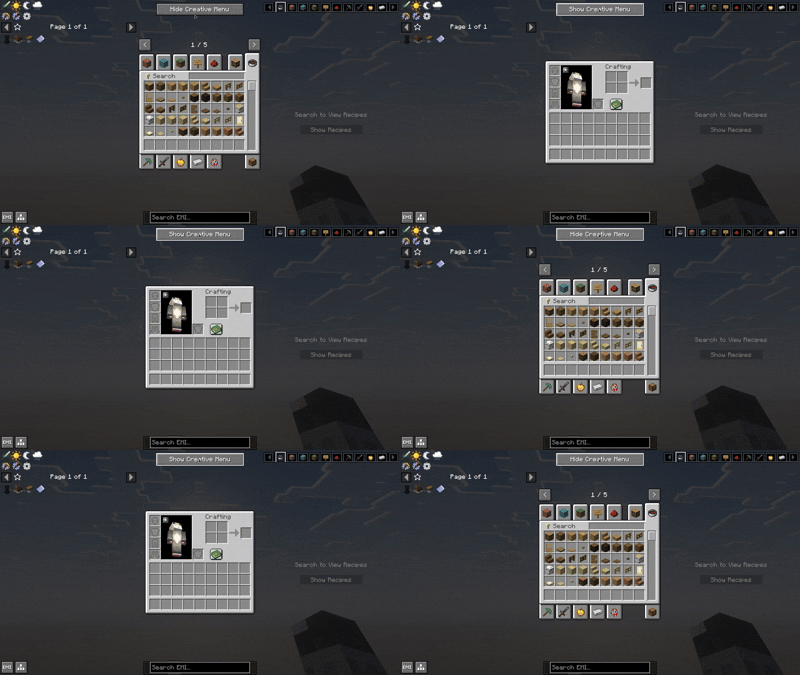
🌍 Global Support
Fully localized for a global community:
- English (US)
- Spanish (ES & LATAM)
- Portuguese (BR)
- Chinese (Simplified)
📜 License & Credits
Developed by Ixeken Studios in México.
Licensed under the MIT License. You are free to include this mod in any modpack!
Chech out my create addon
https://modrinth.com/mod/create-easier-sheets
Available Versions
How to Install No Creative Menu on Your Server
Order Server
Order a Minecraft Java server with at least 3 GB RAM (4 GB recommended).
Set fabric Loader
In the panel under "Egg", select the fabric loader and matching Minecraft version (26.1.2).
Install Mod
Open the mod browser in the dashboard and search for "No Creative Menu". Click "Install" – done! Alternatively, upload the .jar via SFTP to the /mods folder.
Compatibility
Mod Loaders
Minecraft Versions
26.1.2, 26.1.1, 26.1 (+1 more)
Server-side
✗ UnsupportedRecommended RAM
4 GB(min. 3 GB)Frequently Asked Questions
No Creative Menu server crashes on startup – what to do?
Most common cause: wrong fabric version or insufficient RAM. Check the server log (latest.log) for "OutOfMemoryError" or "Mixin" errors. With Mado Hosting: ensure at least 3 GB RAM is allocated and the loader matches the mod version (26.1.2). You can switch loaders with one click in the panel.
Is No Creative Menu compatible with fabric and neoforge?
No Creative Menu officially supports fabric, neoforge for Minecraft 26.1.2, 26.1.1, 26.1. The Mado dashboard automatically detects incompatible loader combinations.
Server lagging with No Creative Menu – how to optimize performance?
Recommended RAM: 4 GB (per 8 players). Use /spark profiler to check if No Creative Menu consumes the most tick time. Common fixes: reduce server view-distance to 8-10, install "performant" or "starlight" as supplementary mods on Forge. With Mado Hosting, your server runs on NVMe SSDs with dedicated CPU cores for minimal latency.
Similar Mods


Rent Modded Server
Install No Creative Menu with just one click on your server.