
Note Block Tuner
A simple client-side mod to quickly tune note blocks with a GUI
Screenshots
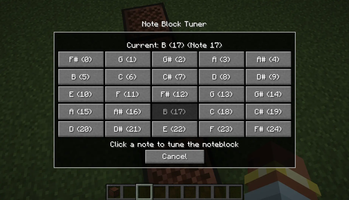
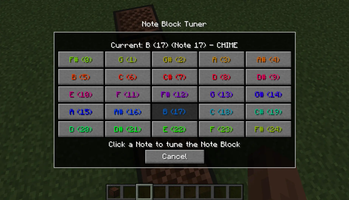
About this Mod
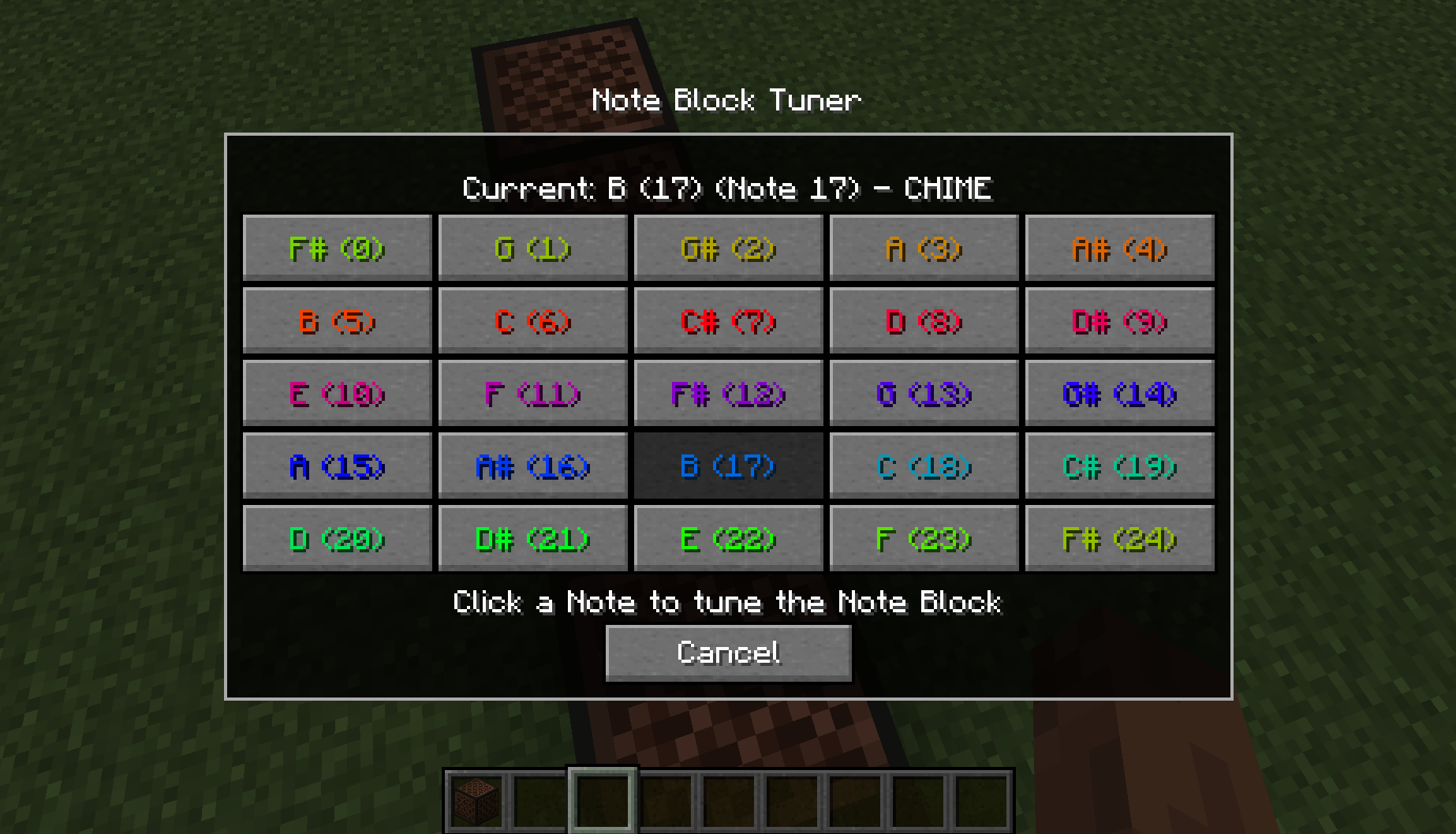
Simple Client-side mod that adds a new GUI for Note Blocks. GUI provides a clear choice of Notes which will automatically tune the block to the selected note.
Key Features
- Fully functional Client-side (works in multiplayer)
- GUI for Note selection
- Displays Current Note & Instrument
- Display all Notes as selectable buttons
How to use
The GUI can be accessed by either sneak right-clicking with an empty hand or opened when placing the Note Block (disable by default, see commands below). Once in the menu simply clicking one of the Note buttons will automatically queue and begin to the tune the Note Block to the desired Note.

By default you can queue up to 3 Note Blocks to be tuned at once. Ones after will be added to the queue and will begin processing once available. The mod will automatically adjust the delay between changing notes (this is to primarily avoid desync when on servers). You change the basic delay between cycles with the command (see below) however it won't effect the delay when in range of the target Note.
If you wish to completely stop all tuning process, active and queued for whatever reason. You can use the Stop All keybind (default \) which will completely stop all processes and clear the queue. This keybind can be changed through the in-game keybinds menu
Commands
/notedelay [1-20] - Change the delay between cycles. This is how many client-ticks to wait between each change./notequeue [1-5] - Change the concurrent tuning amount. This sets how many Note Blocks can be tuned at once./noteplace [true/false] - Change the menu to appear after placing the Note Block./notecolour [true/false] - Change the menu to display the Note colours on the Buttons.
Feel free to use this mod in modpacks but keep the download within the Modrinth Ecosystem
Do not reupload
Other Mods




Available Versions
How to Install Note Block Tuner on Your Server
Order Server
Order a Minecraft Java server with at least 3 GB RAM (4 GB recommended).
Set fabric Loader
In the panel under "Egg", select the fabric loader and matching Minecraft version (26.1.2).
Install Mod
Open the mod browser in the dashboard and search for "Note Block Tuner". Click "Install" – done! Alternatively, upload the .jar via SFTP to the /mods folder.
Compatibility
Mod Loaders
Minecraft Versions
26.1.2, 26.1.1, 26.1 (+12 more)
Server-side
✗ UnsupportedRecommended RAM
4 GB(min. 3 GB)Frequently Asked Questions
Note Block Tuner server crashes on startup – what to do?
Most common cause: wrong fabric version or insufficient RAM. Check the server log (latest.log) for "OutOfMemoryError" or "Mixin" errors. With Mado Hosting: ensure at least 3 GB RAM is allocated and the loader matches the mod version (26.1.2). You can switch loaders with one click in the panel.
Is Note Block Tuner compatible with fabric?
Note Block Tuner officially supports fabric for Minecraft 26.1.2, 26.1.1, 26.1. The Mado dashboard automatically detects incompatible loader combinations.
Server lagging with Note Block Tuner – how to optimize performance?
Recommended RAM: 4 GB (per 8 players). Use /spark profiler to check if Note Block Tuner consumes the most tick time. Common fixes: reduce server view-distance to 8-10, install "performant" or "starlight" as supplementary mods on Forge. With Mado Hosting, your server runs on NVMe SSDs with dedicated CPU cores for minimal latency.
Similar Mods




Rent Modded Server
Install Note Block Tuner with just one click on your server.