
NoxLights
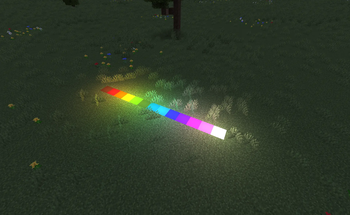
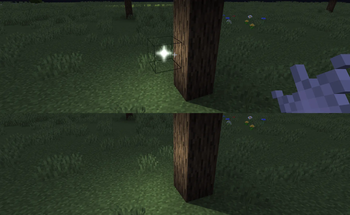
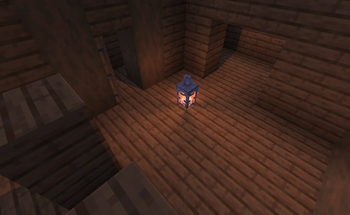
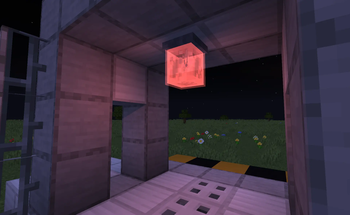
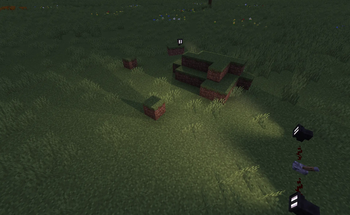
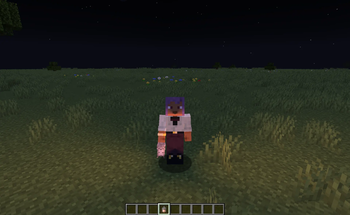
Neoforge 1.21.1 mod that adds colored lighting blocks using Veil
Screenshots
About this Mod
Nox Lights
Minecraft: Neoforge 1.21.1
This mod adds various colored light sources to the game, alongside a couple other aesthetic and utility blocks and items like fog and flashlights. It is built exclusively for Neoforge 1.21.1, depends on Veil and Lodestone to function, and is (mostly) compatible with Sable sublevels.
Links

Tips
Dyeing lights functions exactly like leather armor, making it compatible with mods like Dye Depot right out of the box and also allowing for complex color mixing.
Black dye simply makes the effects dimmer--there aren't any negative lights (yet!)
Several blocks have different functions if you place them while crouching, and have special toggles if you right-click them with themselves. Mostly this just toggles shadows, but the glitter and fog layers will change their size (1-16).
Some lights can be enabled/disabled with redstone.
The Industrial Flashlight will drain battery power as it is used. It uses FE, so any mod that can charge items will be able to charge it.
100% human-made. I have never and will never use AI in my mods, resources, icons or descriptions.
THERE ARE CURRENTLY NO RECIPES.
A note
I'm an indie mod author just starting out. I'm a novice, and there are bound to be bugs. Anything that is incompatible with Veil (some rendering mods have issues) or with Sable (which also depends on Veil) will also be incompatible with this mod.
Ideas and PRs are always welcome.
Available Versions
How to Install NoxLights on Your Server
Order Server
Order a Minecraft Java server with at least 3 GB RAM (4 GB recommended).
Set neoforge Loader
In the panel under "Egg", select the neoforge loader and matching Minecraft version (1.21.1).
Install Mod
Open the mod browser in the dashboard and search for "NoxLights". Click "Install" – done! Alternatively, upload the .jar via SFTP to the /mods folder.
Compatibility
Mod Loaders
Minecraft Versions
1.21.1
Server-side
✓ RequiredRecommended RAM
4 GB(min. 3 GB)Frequently Asked Questions
NoxLights server crashes on startup – what to do?
Most common cause: wrong neoforge version or insufficient RAM. Check the server log (latest.log) for "OutOfMemoryError" or "Mixin" errors. With Mado Hosting: ensure at least 3 GB RAM is allocated and the loader matches the mod version (1.21.1). You can switch loaders with one click in the panel.
Is NoxLights compatible with neoforge?
NoxLights officially supports neoforge for Minecraft 1.21.1. The Mado dashboard automatically detects incompatible loader combinations.
Server lagging with NoxLights – how to optimize performance?
Recommended RAM: 4 GB (per 8 players). Use /spark profiler to check if NoxLights consumes the most tick time. Common fixes: reduce server view-distance to 8-10, install "performant" or "starlight" as supplementary mods on Forge. With Mado Hosting, your server runs on NVMe SSDs with dedicated CPU cores for minimal latency.
Similar Mods

![[ETF] Entity Texture Features](https://cdn.modrinth.com/data/BVzZfTc1/af683d206d50b05258d865b0d6e4aa2f2cee12f2_96.webp)
![[EMF] Entity Model Features](https://cdn.modrinth.com/data/4I1XuqiY/6e5bbd0d06b1741bfdab6c0cfab6de8fdaf0064c_96.webp)



Rent Modded Server
Install NoxLights with just one click on your server.