
NPC Logistics
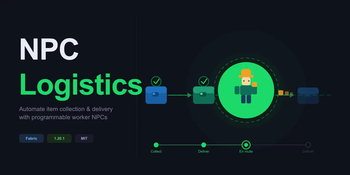
A Minecraft Fabric mod that adds Logistics Worker NPCs capable of executing item-collection and delivery routes across chests and barrels, and Crafting Tasks that direct workers to collect materials, craft items, and deposit the results.
Screenshots
About this Mod
NPC Logistics
Tired of running between chests yourself? NPC Logistics lets you hire worker NPCs and put them to work — collecting, crafting, and delivering items along programmable routes while you get on with the rest of your build.
How it works
You define a route using Location Tokens — small items you craft and place at the spots you care about. Each token marks what the worker should do there:
| Token | Colour | Action |
|---|---|---|
| Collect Token | 🔵 Blue | Pick up items from this container |
| Craft Token | 🟡 Amber | Craft a recipe at this station |
| Deposit Token | 🟢 Green | Drop off items into this container |
Hand a Work Order Scroll to a worker NPC, configure the route in their GUI, and they'll walk the loop autonomously — collecting, processing, and depositing without any further input from you.
Features
- Programmable delivery routes — chain any combination of Collect → Craft → Deposit stops
- Worker NPC entities — hire them, equip them, and assign multiple orders per worker
- Work Order Scroll — the single item that defines and stores a route
- Three-tab worker GUI — manage Equipment, Orders, and active Tasks from one screen
- Stackable orders — one worker can carry multiple work orders and cycle through them
- No pipes, no power — logistics run on NPC labour; fits vanilla-adjacent modpacks
Getting started
- Craft a Work Order Scroll — this becomes the worker's instruction sheet
- Craft Location Tokens for each stop on the route (Collect, Craft, or Deposit)
- Place the tokens at each chest, crafting station, or storage block
- Right-click a Worker NPC to open their GUI
- Add the Scroll in the Orders tab and link your tokens in order
- Close the GUI — the worker starts their route immediately
Workers are persistent, survive server restarts, and resume their last active order on load.
Worker GUI
| Tab | What you do here |
|---|---|
| Equipment | Armour and tool slots — keep your worker safe and efficient |
| Orders | Add, remove, and reorder Work Order Scrolls |
| Tasks | Live view of the worker's current step and inventory |
Admin commands
| Command | Effect |
|---|---|
/npclogistics list |
List all active workers and their current order |
/npclogistics stop <id> |
Pause a specific worker |
/npclogistics reset <id> |
Clear a worker's active task |
/npclogistics reload |
Reload config without restarting |
Requirements
- Minecraft 1.20.1
- Fabric Loader ≥ 0.15.0
- Fabric API
- Java 17+
Compatibility
NPC Logistics is storage-agnostic — workers interact with any block that exposes a standard inventory. It works alongside storage mods (Tom's Simple Storage, Refined Storage, AE2) without conflict.
Roadmap
- Fluid transport support
- Multi-worker route sharing
- Route visualiser (in-world overlay)
- Configurable worker speed and carry capacity
- GUI improvements
MIT licensed · Source on GitHub · Report issues on the issue tracker
Available Versions
How to Install NPC Logistics on Your Server
Order Server
Order a Minecraft Java server with at least 3 GB RAM (4 GB recommended).
Set fabric Loader
In the panel under "Egg", select the fabric loader and matching Minecraft version (1.20.6).
Install Mod
Open the mod browser in the dashboard and search for "NPC Logistics". Click "Install" – done! Alternatively, upload the .jar via SFTP to the /mods folder.
Compatibility
Mod Loaders
Minecraft Versions
1.20.6, 1.20.5, 1.20.4 (+3 more)
Server-side
✓ RequiredRecommended RAM
4 GB(min. 3 GB)Frequently Asked Questions
NPC Logistics server crashes on startup – what to do?
Most common cause: wrong fabric version or insufficient RAM. Check the server log (latest.log) for "OutOfMemoryError" or "Mixin" errors. With Mado Hosting: ensure at least 3 GB RAM is allocated and the loader matches the mod version (1.20.6). You can switch loaders with one click in the panel.
Is NPC Logistics compatible with fabric?
NPC Logistics officially supports fabric for Minecraft 1.20.6, 1.20.5, 1.20.4. The Mado dashboard automatically detects incompatible loader combinations.
Server lagging with NPC Logistics – how to optimize performance?
Recommended RAM: 4 GB (per 8 players). Use /spark profiler to check if NPC Logistics consumes the most tick time. Common fixes: reduce server view-distance to 8-10, install "performant" or "starlight" as supplementary mods on Forge. With Mado Hosting, your server runs on NVMe SSDs with dedicated CPU cores for minimal latency.
Similar Mods




Rent Modded Server
Install NPC Logistics with just one click on your server.