
NightVisuals NoFireOverlay
Removes the annoying fire overlay from your screen when burning.
Screenshots
About this Mod
REQUIREMENTS
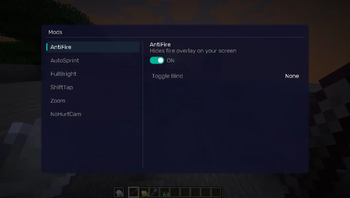
NightVisuals GUI
EN:
NightVisuals NoFireOverlay is a visual utility modification that completely removes the screen-blocking fire overlay when your player is burning, restoring full visibility during combat or dimension exploration.
Core Features
- Remove Fire Overlay: Disables the vanilla first-person burning animation that clutters the screen.
- Toggle On/Off: Easily enable or disable the clean view through the NightVisuals in-game GUI menu.
- Purely Visual: Modifies only the client-side rendering engine, keeping the modification 100% safe for any multiplayer environment.
- Zero Performance Impact: Prevents the overlay rendering pass directly, resulting in a lightweight, lag-free execution.
Before: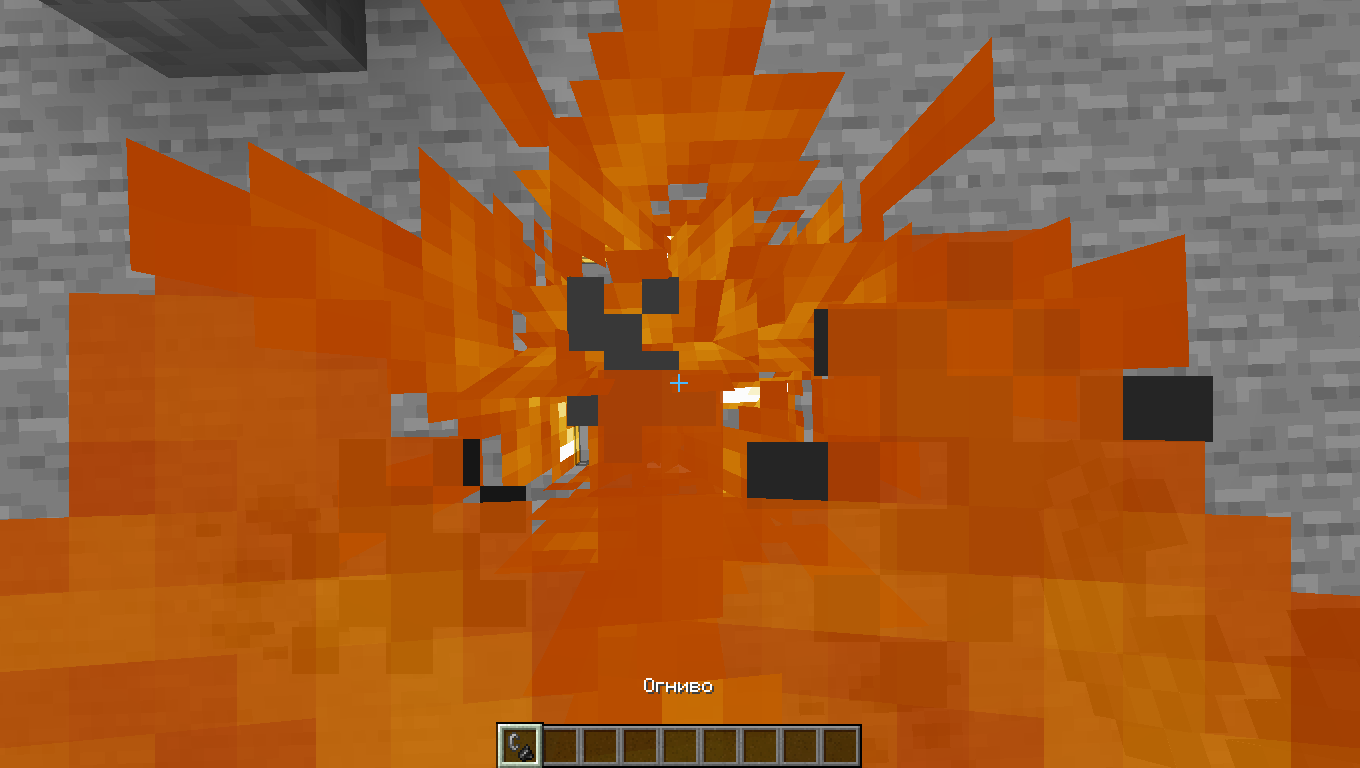
After: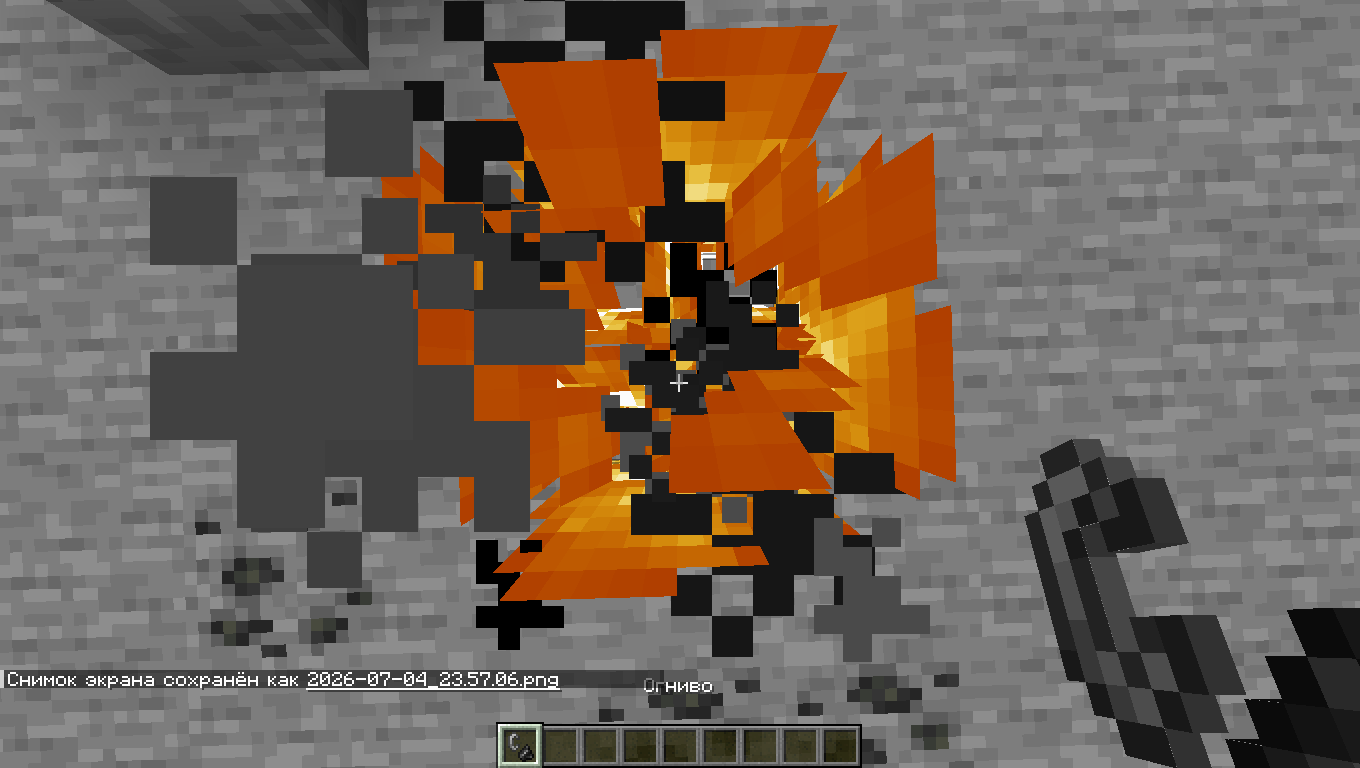
Configuration
NightVisuals NoFireOverlay toggles via the NightVisuals GUI (default key: RShift). No separate config files required.
Installation
- Install Fabric Loader and Fabric API.
- Install NightVisuals GUI (required dependency).
- Place the downloaded NightVisuals NoFireOverlay mod
.jarfile into yourmodsfolder. - Launch the game.
RU:
NightVisuals NoFireOverlay — это визуальная утилитарная модификация, которая полностью убирает перекрывающую обзор текстуру огня на экране, когда ваш персонаж горит, возвращая полную видимость в бою или при исследовании Незера.
Основной функционал
- Отключение оверлея огня: Блокирует ванильную анимацию горения от первого лица, которая мешает обзору.
- Включение/Выключение: Удобное управление отображением через внутрииговое меню NightVisuals GUI.
- Исключительно визуальный мод: Изменяет только отрисовку на стороне клиента, что делает его абсолютно безопасным для игры на любых серверах.
- Нулевое влияние на FPS: Отменяет проход рендеринга оверлея напрямую, не создавая лишней нагрузки на систему.
До:
После:
Настройка
NightVisuals NoFireOverlay переключается через NightVisuals GUI (клавиша по умолчанию: RShift). Дополнительных конфигов нет.
Установка
- Установите Fabric Loader и Fabric API.
- Установите NightVisuals GUI (обязательная зависимость).
- Поместите скачанный файл мода NightVisuals NoFireOverlay в папку
mods. - Запустите игру.
Available Versions
How to Install NightVisuals NoFireOverlay on Your Server
Order Server
Order a Minecraft Java server with at least 3 GB RAM (4 GB recommended).
Set fabric Loader
In the panel under "Egg", select the fabric loader and matching Minecraft version (1.21.4).
Install Mod
Open the mod browser in the dashboard and search for "NightVisuals NoFireOverlay". Click "Install" – done! Alternatively, upload the .jar via SFTP to the /mods folder.
Compatibility
Mod Loaders
Minecraft Versions
1.21.4
Server-side
✗ UnsupportedRecommended RAM
4 GB(min. 3 GB)Frequently Asked Questions
NightVisuals NoFireOverlay server crashes on startup – what to do?
Most common cause: wrong fabric version or insufficient RAM. Check the server log (latest.log) for "OutOfMemoryError" or "Mixin" errors. With Mado Hosting: ensure at least 3 GB RAM is allocated and the loader matches the mod version (1.21.4). You can switch loaders with one click in the panel.
Is NightVisuals NoFireOverlay compatible with fabric?
NightVisuals NoFireOverlay officially supports fabric for Minecraft 1.21.4. The Mado dashboard automatically detects incompatible loader combinations.
Server lagging with NightVisuals NoFireOverlay – how to optimize performance?
Recommended RAM: 4 GB (per 8 players). Use /spark profiler to check if NightVisuals NoFireOverlay consumes the most tick time. Common fixes: reduce server view-distance to 8-10, install "performant" or "starlight" as supplementary mods on Forge. With Mado Hosting, your server runs on NVMe SSDs with dedicated CPU cores for minimal latency.
Similar Mods




![[ETF] Entity Texture Features](https://cdn.modrinth.com/data/BVzZfTc1/af683d206d50b05258d865b0d6e4aa2f2cee12f2_96.webp)

Rent Modded Server
Install NightVisuals NoFireOverlay with just one click on your server.