
OfflineSkins
Offline Skins allows you to use custom Minecraft skins completely offline. Place a PNG file named after your username inside the config/offlineskins/ folder
Screenshots
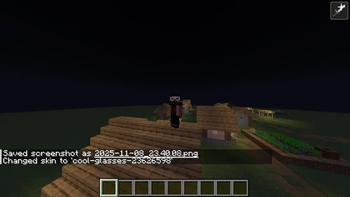
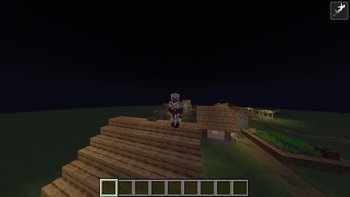
About this Mod
🧍♂️ Offline Skins
🎨 Use Custom Skins — Even Without Internet!
Offline Skins is a lightweight Fabric mod that lets you use local PNG skin files as your player skin — completely offline.
No Mojang API, no authentication — just your own skins loaded straight from your game directory.
💡 Features
✅ Offline Support: Apply custom skins without an internet connection.
🖼️ Local Skin Folder: Place PNG files inside
.minecraft/config/offlineskins/
(the same directory where your mods folder is).
Each file should be named after your username or any name you select with a command.
🧩 Command Controls:
/offlineskins list — Shows all available skin files.
/offlineskins change
/offlineskins default <alex|steve> — Reset to the default model.
⚙️ Auto Loading: Automatically loads your selected skin when you start the game or join a world.
💾 Persistent Settings: Remembers your chosen skin and model in a simple config.json.
🧠 How It Works
The mod replaces the local player’s texture source to load skins from your config/offlineskins/ folder.
OfflineSkinsClient
Initializes the mod, ensures the skin folder and config exist, and registers commands.
OfflineSkinsCommands
Provides simple commands for managing your offline skins.
SkinStorage
Loads and caches PNG skins, registers them as textures, and defaults to Steve/Alex if none are set.
ConfigManager
Saves selectedSkinName and defaultModel preferences to config.json.
AbstractClientPlayerEntitySkinMixin
Overrides the local player’s texture lookup to use offline skins safely.
📁 Folder Layout
.minecraft/
├── mods/
├── config/
│ └── offlineskins/
│ ├── steve.png
│ ├── alex.png
│ ├── yourname.png
│ └── config.json
🧱 Technical Details
Client-only Fabric mod
Entry point defined in fabric.mod.json
Uses Fabric Client Command API v2
Mixin config: mixins.offline_skins.json
No dependencies — simple drop-in functionality
🧍 Example
Want your custom skin offline?
Drop your_skin_name.png into config/offlineskins/ and run:
/offlineskins change your_skin_name
Your offline skin will instantly appear in-game — no internet required! 🎮
Available Versions
How to Install OfflineSkins on Your Server
Order Server
Order a Minecraft Java server with at least 3 GB RAM (4 GB recommended).
Set fabric Loader
In the panel under "Egg", select the fabric loader and matching Minecraft version (26.1.2).
Install Mod
Open the mod browser in the dashboard and search for "OfflineSkins". Click "Install" – done! Alternatively, upload the .jar via SFTP to the /mods folder.
Compatibility
Mod Loaders
Minecraft Versions
26.1.2, 26.1.1, 26.1 (+6 more)
Server-side
✗ UnsupportedRecommended RAM
4 GB(min. 3 GB)Frequently Asked Questions
OfflineSkins server crashes on startup – what to do?
Most common cause: wrong fabric version or insufficient RAM. Check the server log (latest.log) for "OutOfMemoryError" or "Mixin" errors. With Mado Hosting: ensure at least 3 GB RAM is allocated and the loader matches the mod version (26.1.2). You can switch loaders with one click in the panel.
Is OfflineSkins compatible with fabric?
OfflineSkins officially supports fabric for Minecraft 26.1.2, 26.1.1, 26.1. The Mado dashboard automatically detects incompatible loader combinations.
Server lagging with OfflineSkins – how to optimize performance?
Recommended RAM: 4 GB (per 8 players). Use /spark profiler to check if OfflineSkins consumes the most tick time. Common fixes: reduce server view-distance to 8-10, install "performant" or "starlight" as supplementary mods on Forge. With Mado Hosting, your server runs on NVMe SSDs with dedicated CPU cores for minimal latency.
Similar Mods

![[ETF] Entity Texture Features](https://cdn.modrinth.com/data/BVzZfTc1/af683d206d50b05258d865b0d6e4aa2f2cee12f2_96.webp)
![[EMF] Entity Model Features](https://cdn.modrinth.com/data/4I1XuqiY/6e5bbd0d06b1741bfdab6c0cfab6de8fdaf0064c_96.webp)



Rent Modded Server
Install OfflineSkins with just one click on your server.