
Oh My Minecraft Client
Make Minecraft Client Great Again!
About this Mod
Oh My Minecraft Client
Make Minecraft Client Great Again!
Description
Oh My Minecraft Client is a client-side mod, which helps you manage your hands. The mod is written for the Fabric
Loader.
NOTE: My Minecraft Client also requires the MaLiLib library mod by masady:
https://www.curseforge.com/minecraft/mc-mods/malilib
The default hotkey to open the in-game config GUI is O + C
Generic
Don't clear chat history.
Minecraft client will not to clear chat history and input history.
Highlight waypoint
Add command /highlightWaypoint to highlight waypoint.
Auto parse waypoint in chat with voxelmap's format (like [x:1, y:2, z:3],(x:1, y:2, z:3), [1, 2, 3], (1, 2, 3)).
It looks like:

Force Parse Waypoint From Chat
Force parse waypoint from chat (such it will override the clickevent of rtext).
Send Looking At Pos
A hotkey to send looking at pos.
Sort Inventory
Press hotkey to sort inventory.
Sort Inventory Support Empty ShulkerBox Stack
Support empty shulker box stack when sort inventory.
Features
Auto Switch Elytra
Auto Switch elytra and chestplate.
It looks like:
Disable Break Block
You can't break blocks in breakBlockBlackList.
Disable Break Scaffolding
You can break the scaffolding with the items in breakScaffoldingWhiteList.
Disable Move Down In Scaffolding
You can move down in scaffolding when the item of moveDownInScaffoldingWhiteList in your hand.
Forced Break Cooling
Players will have a 5GT cooldown after breaking the block instantaneously, which will prevent you from accidentally
destroying components with the Haste 2 effect.
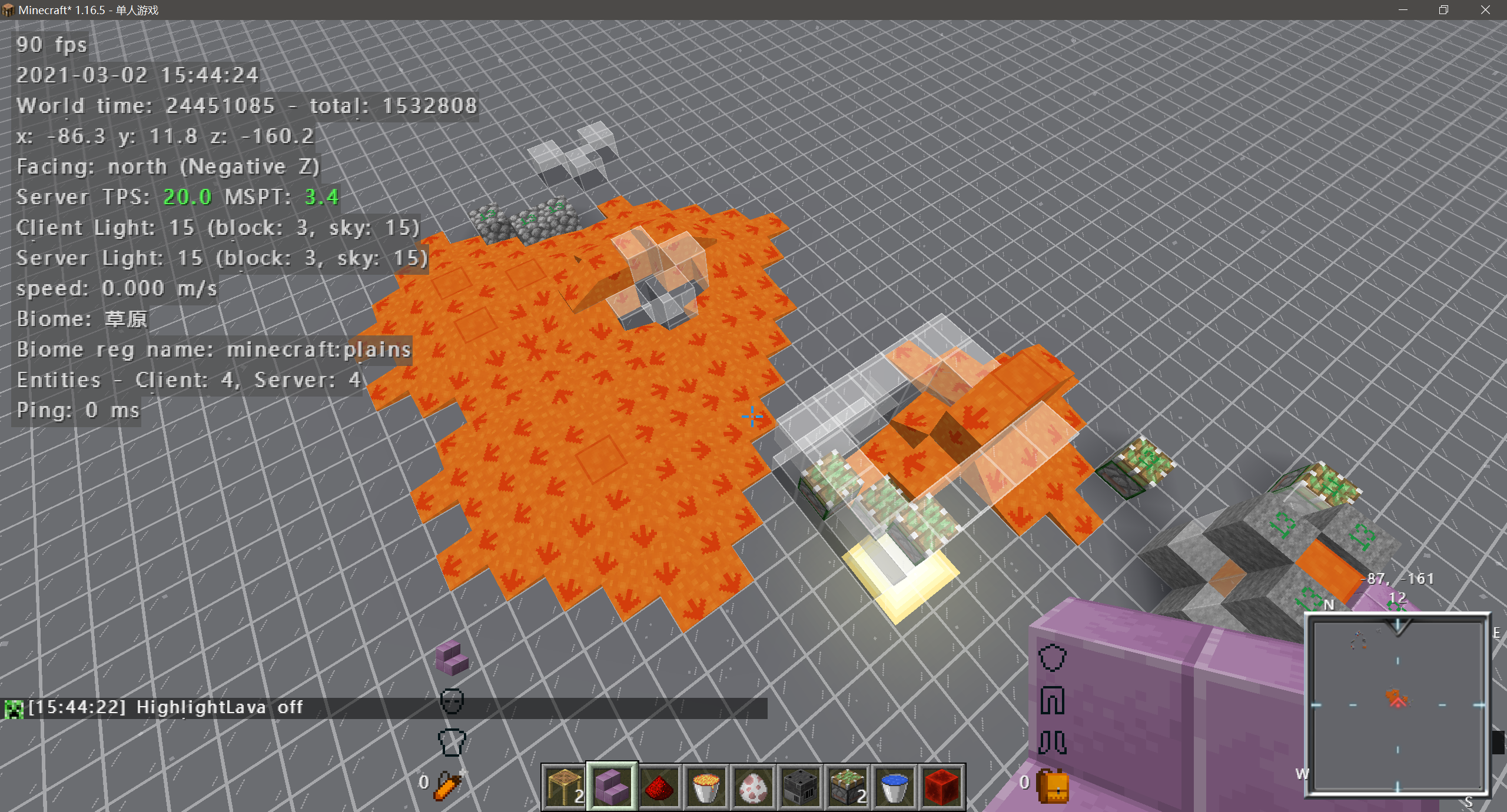
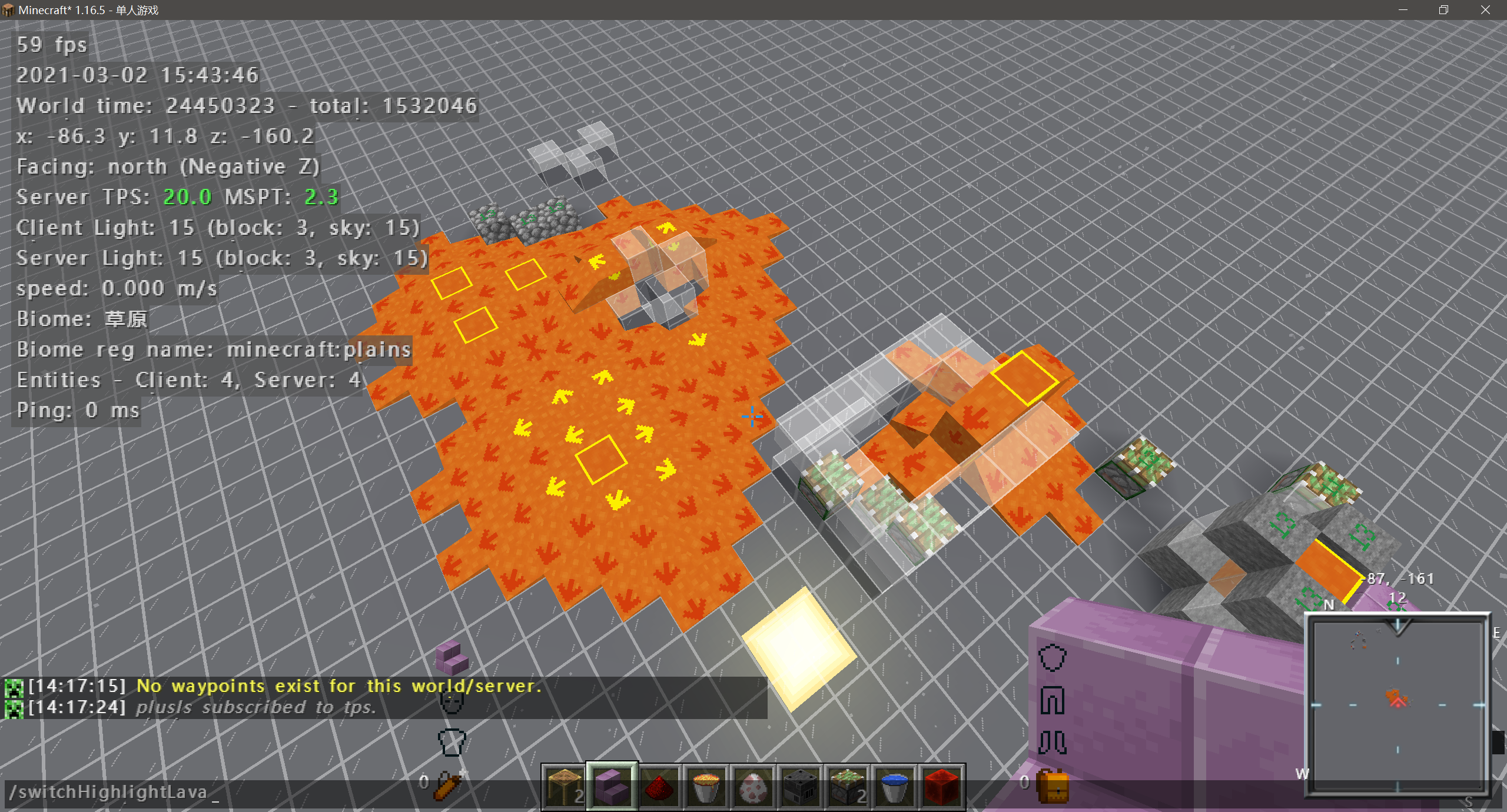
Highlight Lava Sources
Any lava source will be highlighted with a special texture.
It looks like:
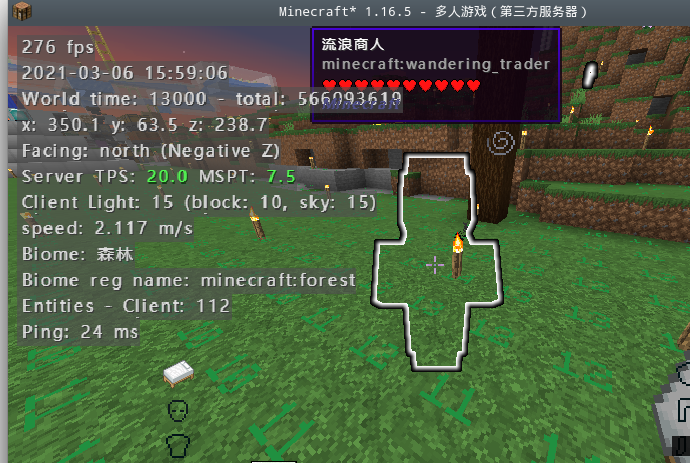
Wandering Trader Glow
The Wandering Trader will have the glowing affect, so it in Invisibility.
Prevent Intentional Game Design
Prevent Intentional Game Design (Bed and Respawn Anchor).
High Light Persistent Mob
Highlight persistent mobs (Mob have item in hand or mob have custom name).
Flat Digger
Which allowed you mine a flat road while digging stone by preventing digging of blocks under your feet while standing,sneak to dig blocks under you.
Real Sneaking
Players cannot ascend or descend when sneaking.
Remove Breaking Cooldown
Remove cooldown after break block (default is 5gt), it will not work when enable forceBreakingCooldown§r.
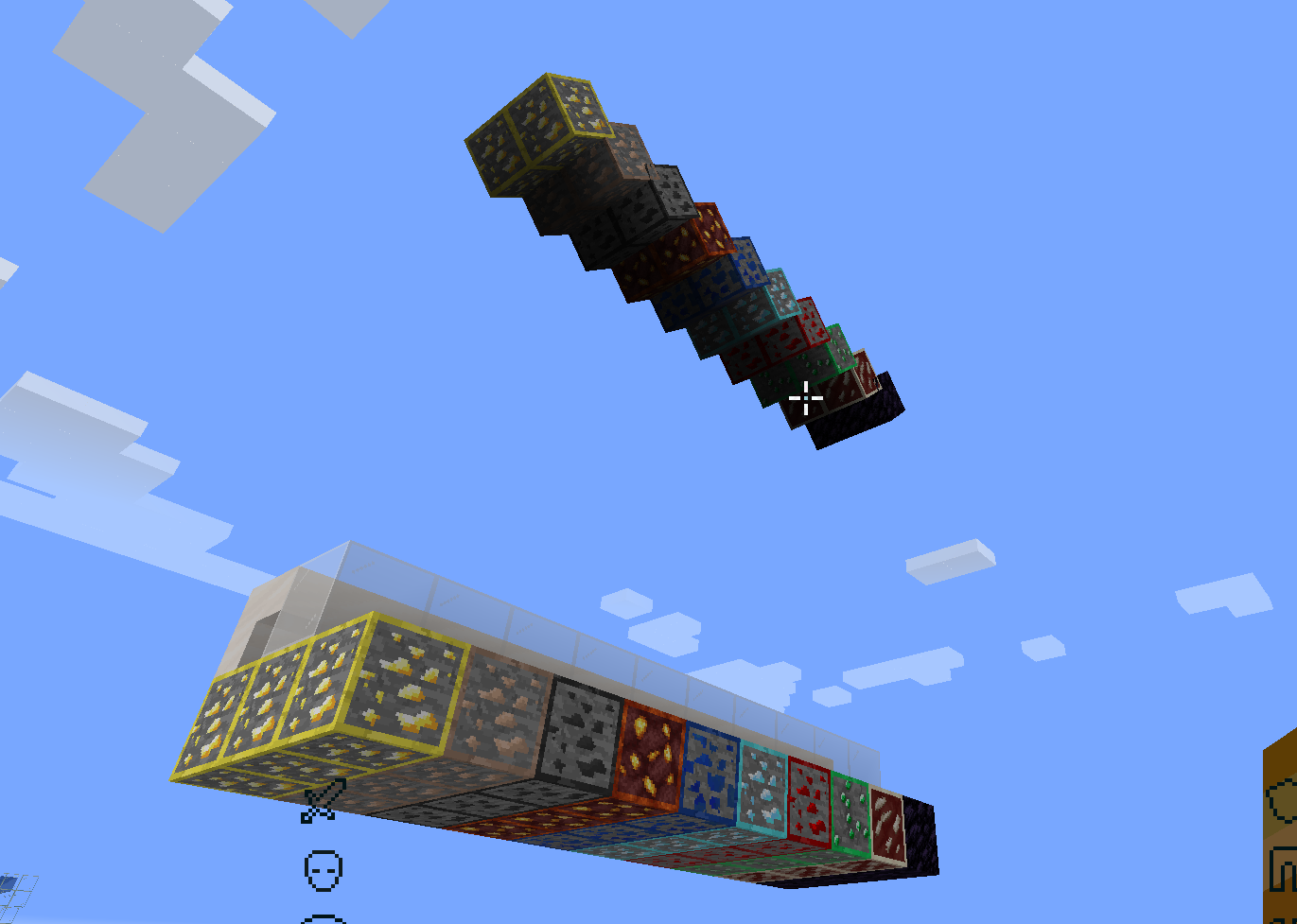
World Eater And Mine Helper
When the blocks in worldEaterMineHelperWhitelist are exposed to the air, the game will render their own mirror image
above them, which is convenient for world eater maintenance and mining.
Lists
Fallback Language List
Fallback language list.
Advanced Integrated Server
Now allow user to change some integrated server setting.
Online Mode
Integrated server use online mode.
pvp
Integrated server enable pvp.
flight
Integrated server enable flight.
port
Integrated server lan port, 0 to use default port.
Acknowledgements
- Thanks to XeKr for the lava eye protection texture.
- Thanks to NextPage for providing the English translation, lava source texture
modification and testing work. - Thanks to 水星嗷 for
providing the idea of highlighting ores and resourcepack. - Thanks to voxelmap for providing the code of highlight waypoint.
Available Versions
How to Install Oh My Minecraft Client on Your Server
Order Server
Order a Minecraft Java server with at least 3 GB RAM (4 GB recommended).
Set fabric Loader
In the panel under "Egg", select the fabric loader and matching Minecraft version (1.19).
Install Mod
Open the mod browser in the dashboard and search for "Oh My Minecraft Client". Click "Install" – done! Alternatively, upload the .jar via SFTP to the /mods folder.
Compatibility
Mod Loaders
Minecraft Versions
1.19, 1.18.2, 1.18.1 (+4 more)
Server-side
✗ UnsupportedRecommended RAM
4 GB(min. 3 GB)Frequently Asked Questions
Oh My Minecraft Client server crashes on startup – what to do?
Most common cause: wrong fabric version or insufficient RAM. Check the server log (latest.log) for "OutOfMemoryError" or "Mixin" errors. With Mado Hosting: ensure at least 3 GB RAM is allocated and the loader matches the mod version (1.19). You can switch loaders with one click in the panel.
Is Oh My Minecraft Client compatible with fabric?
Oh My Minecraft Client officially supports fabric for Minecraft 1.19, 1.18.2, 1.18.1. The Mado dashboard automatically detects incompatible loader combinations.
Server lagging with Oh My Minecraft Client – how to optimize performance?
Recommended RAM: 4 GB (per 8 players). Use /spark profiler to check if Oh My Minecraft Client consumes the most tick time. Common fixes: reduce server view-distance to 8-10, install "performant" or "starlight" as supplementary mods on Forge. With Mado Hosting, your server runs on NVMe SSDs with dedicated CPU cores for minimal latency.
Similar Mods




![[ETF] Entity Texture Features](https://cdn.modrinth.com/data/BVzZfTc1/af683d206d50b05258d865b0d6e4aa2f2cee12f2_96.webp)
![[EMF] Entity Model Features](https://cdn.modrinth.com/data/4I1XuqiY/6e5bbd0d06b1741bfdab6c0cfab6de8fdaf0064c_96.webp)
Rent Modded Server
Install Oh My Minecraft Client with just one click on your server.