
OldJavaWarning
Warns users when java is outdated.
Screenshots
About this Mod
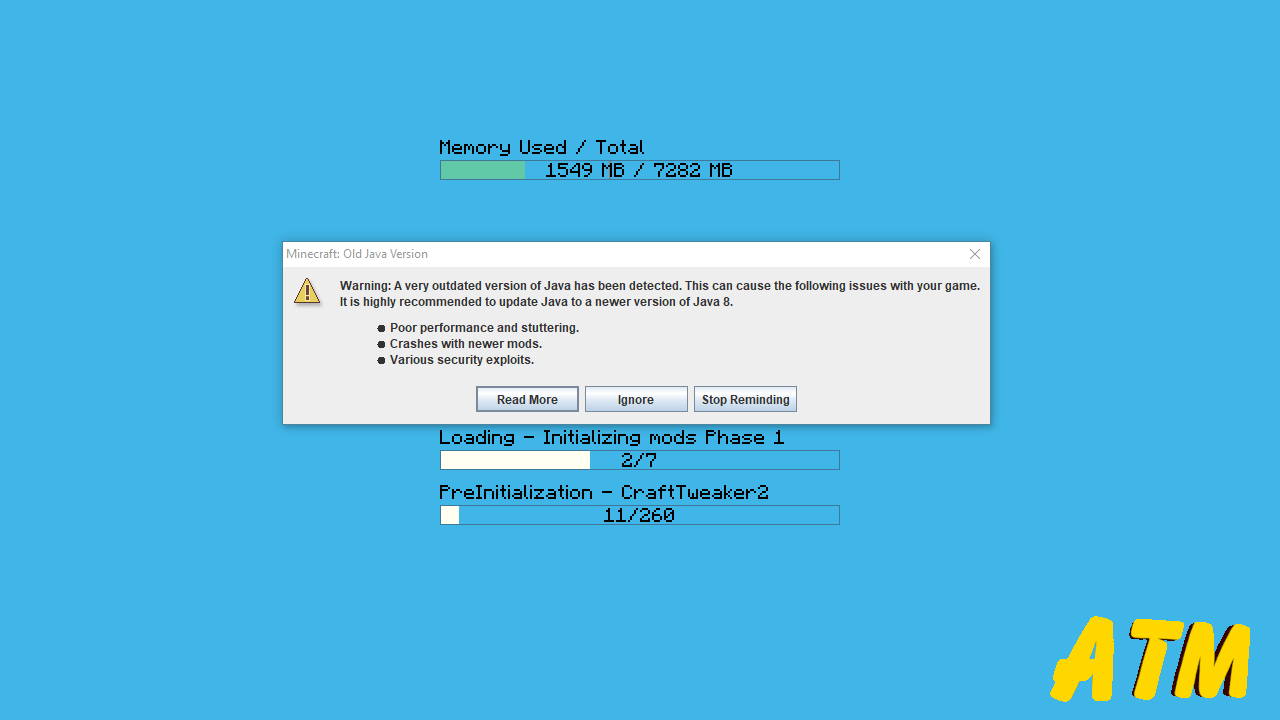
This mod is intended to be used by Mod Packs. If a user tries to launch the game with an outdated version of Java they will be given a warning. This warning will direct them on how they can update the game or allow them to ignore the warning completely. By default Twitch and Mojang will use Java version 1.8.0_51 which has various performance and security issues that can cause issues with newer mods. This mod can also warn players who have installed Java 32 bit on a Java 64 bit system, which can also cause many issues.
The warning message includes three options for players.
- Read More: Opens up a link to info on how to update.
- Ignore: Closes the warning. It will be shown again on the next launch.
- Stop Reminding: Disables the mod and it's warning.
Like the mod and want to support me?

This project is sponsored by Nodecraft. Use code DARKHAX for 30% off your first month of service!
Available Versions
How to Install OldJavaWarning on Your Server
Order Server
Order a Minecraft Java server with at least 3 GB RAM (4 GB recommended).
Set forge Loader
In the panel under "Egg", select the forge loader and matching Minecraft version (1.16.5).
Install Mod
Open the mod browser in the dashboard and search for "OldJavaWarning". Click "Install" – done! Alternatively, upload the .jar via SFTP to the /mods folder.
Compatibility
Mod Loaders
Minecraft Versions
1.16.5, 1.16.4, 1.16.3 (+5 more)
Server-side
✓ RequiredRecommended RAM
4 GB(min. 3 GB)Frequently Asked Questions
OldJavaWarning server crashes on startup – what to do?
Most common cause: wrong forge version or insufficient RAM. Check the server log (latest.log) for "OutOfMemoryError" or "Mixin" errors. With Mado Hosting: ensure at least 3 GB RAM is allocated and the loader matches the mod version (1.16.5). You can switch loaders with one click in the panel.
Is OldJavaWarning compatible with forge?
OldJavaWarning officially supports forge for Minecraft 1.16.5, 1.16.4, 1.16.3. The Mado dashboard automatically detects incompatible loader combinations.
Server lagging with OldJavaWarning – how to optimize performance?
Recommended RAM: 4 GB (per 8 players). Use /spark profiler to check if OldJavaWarning consumes the most tick time. Common fixes: reduce server view-distance to 8-10, install "performant" or "starlight" as supplementary mods on Forge. With Mado Hosting, your server runs on NVMe SSDs with dedicated CPU cores for minimal latency.
Similar Mods




![[ETF] Entity Texture Features](https://cdn.modrinth.com/data/BVzZfTc1/af683d206d50b05258d865b0d6e4aa2f2cee12f2_96.webp)
![[EMF] Entity Model Features](https://cdn.modrinth.com/data/4I1XuqiY/6e5bbd0d06b1741bfdab6c0cfab6de8fdaf0064c_96.webp)
Rent Modded Server
Install OldJavaWarning with just one click on your server.