
Ol' Foundry
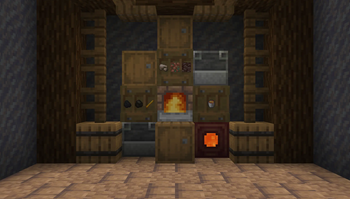
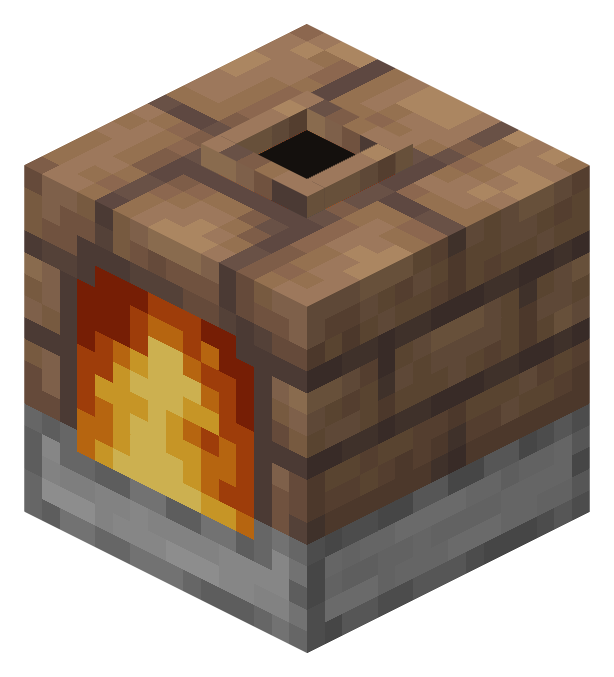
Adds a foundry block, similar to a blast furnace but can be sped up using lava or different fuel types. Produces slag as a byproduct of ore smelting.
Screenshots
About this Mod
Ol'Foundry
One block. The Foundry smelts like a furnace, but faster with additionnal stuff.
 Dripstone lava accelerator
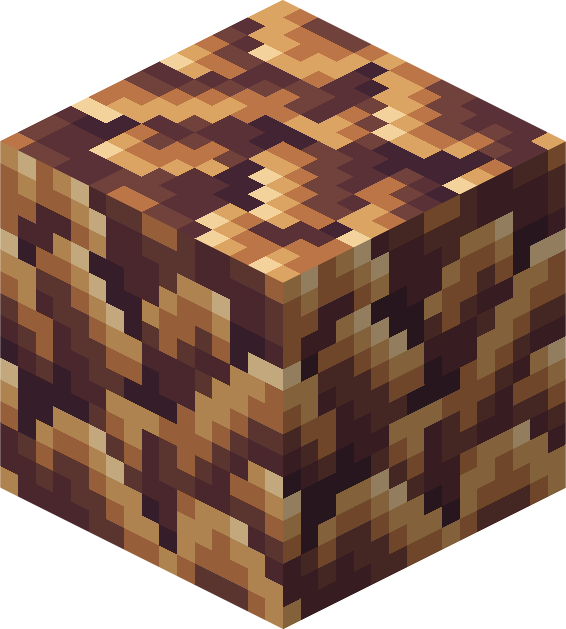
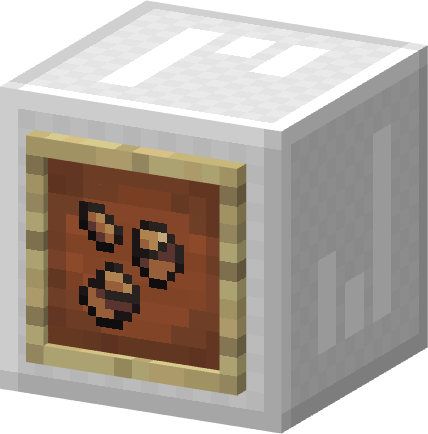
Slag bricks and dripstone: put a slag bricks block between a lava source and a hanging dripstone tip above a cauldron. Lava drips through at 3× speed.
How it works
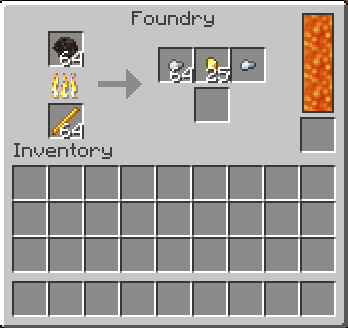
Any furnace fuel works. Speed depends on what you burn:
- Most fuels — 1×
- Coal / charcoal — 1.5×
- Magma cream — 2×
- Blaze rod — 3×
The Foundry also has a 4-bucket lava tank. Fill it and smelting doubles in speed — stacks with the fuel bonus, so a blaze rod with lava hits 6×. The tank drains while it works. Fill it by hand, via the bucket slot, or pipe lava in from the side.
Slag
Ore smelting drops slag as a byproduct. You can:
- Reprocess it for iron or gold nuggets (lava in the tank gives an extra roll)
- Craft it into slag bricks
- Burn it as fuel, or compost it
Other bits
- Experience banks until you pull the output, same as a vanilla furnace
- Hoppers work per face: top feeds input, sides take fuel and buckets, bottom pulls output and slag
- All recipes and byproduct chances are in JEI
Requirements
- Fabric Loader + Fabric API
- Minecraft 26.1.2
- JEI optional
Source: github.com/lucienmc/ol-foundry — MIT
Translations: English, Français, Deutsch, Español, Italiano, Polski, Português (Brasil), Русский, 简体中文, 日本語, 한국어 — PRs welcome.
Available Versions
How to Install Ol' Foundry on Your Server
Order Server
Order a Minecraft Java server with at least 3 GB RAM (4 GB recommended).
Set fabric Loader
In the panel under "Egg", select the fabric loader and matching Minecraft version (26.1.2).
Install Mod
Open the mod browser in the dashboard and search for "Ol' Foundry". Click "Install" – done! Alternatively, upload the .jar via SFTP to the /mods folder.
Compatibility
Mod Loaders
Minecraft Versions
26.1.2
Server-side
✓ RequiredRecommended RAM
4 GB(min. 3 GB)Frequently Asked Questions
Ol' Foundry server crashes on startup – what to do?
Most common cause: wrong fabric version or insufficient RAM. Check the server log (latest.log) for "OutOfMemoryError" or "Mixin" errors. With Mado Hosting: ensure at least 3 GB RAM is allocated and the loader matches the mod version (26.1.2). You can switch loaders with one click in the panel.
Is Ol' Foundry compatible with fabric?
Ol' Foundry officially supports fabric for Minecraft 26.1.2. The Mado dashboard automatically detects incompatible loader combinations.
Server lagging with Ol' Foundry – how to optimize performance?
Recommended RAM: 4 GB (per 8 players). Use /spark profiler to check if Ol' Foundry consumes the most tick time. Common fixes: reduce server view-distance to 8-10, install "performant" or "starlight" as supplementary mods on Forge. With Mado Hosting, your server runs on NVMe SSDs with dedicated CPU cores for minimal latency.
Similar Mods

![[ETF] Entity Texture Features](https://cdn.modrinth.com/data/BVzZfTc1/af683d206d50b05258d865b0d6e4aa2f2cee12f2_96.webp)
![[EMF] Entity Model Features](https://cdn.modrinth.com/data/4I1XuqiY/6e5bbd0d06b1741bfdab6c0cfab6de8fdaf0064c_96.webp)



Rent Modded Server
Install Ol' Foundry with just one click on your server.