OmniChest
The first-ever inter-chest network search mod in Minecraft history
Screenshots
About this Mod
Features
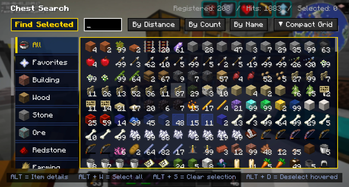
🔍 Network-Wide Storage Search
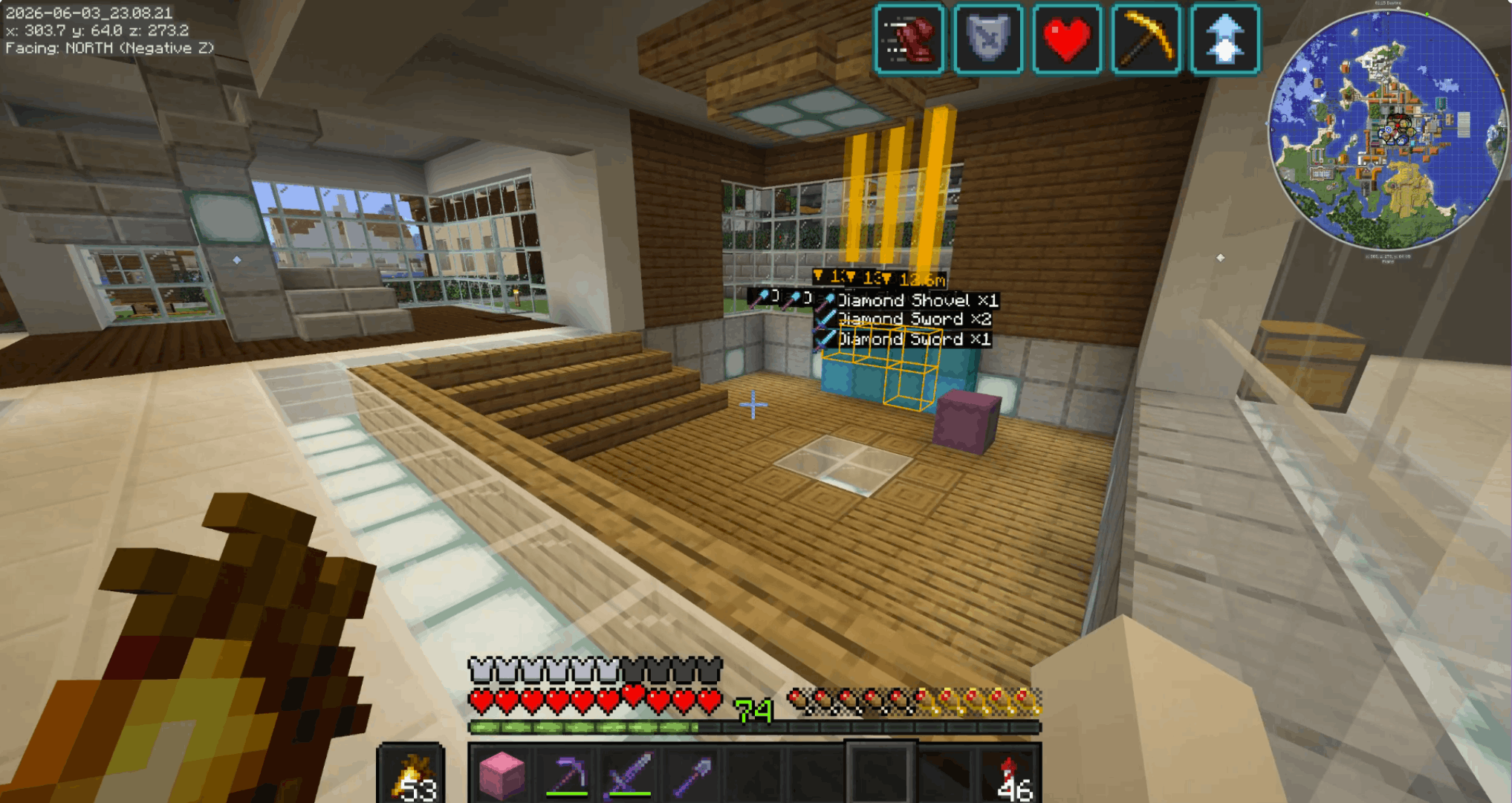
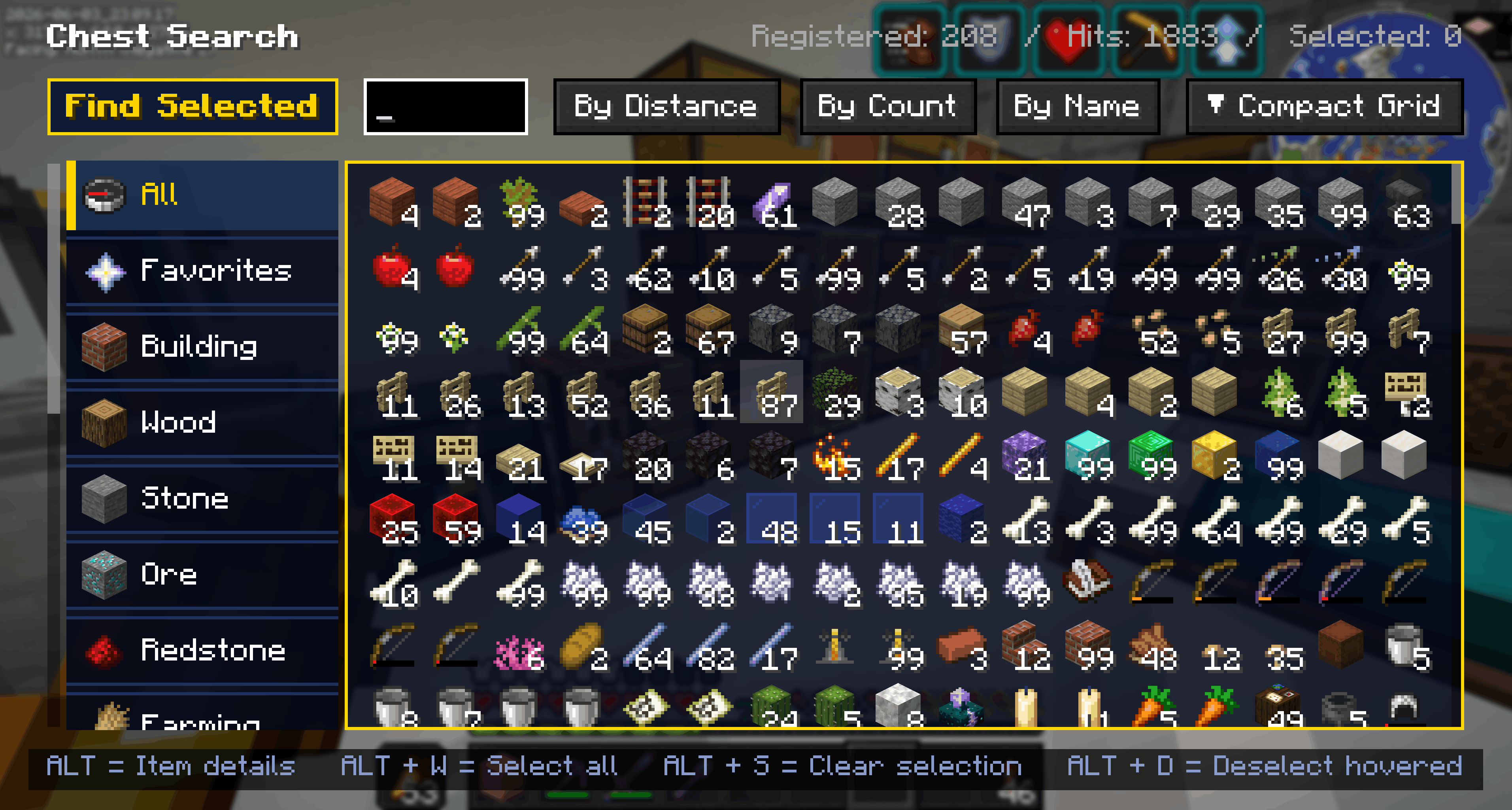
- Search for any item across every chest you've ever opened on the server.
- See exactly which chest, where, and how many — then OmniChest drops an in-world pin & beacon beam so you can spot it from a distance.
- Searches inside shulker boxes and ender chests (nested containers supported too)
- Creative-inventory-style category tabs and favorites (★)
🗂️ Category Sort
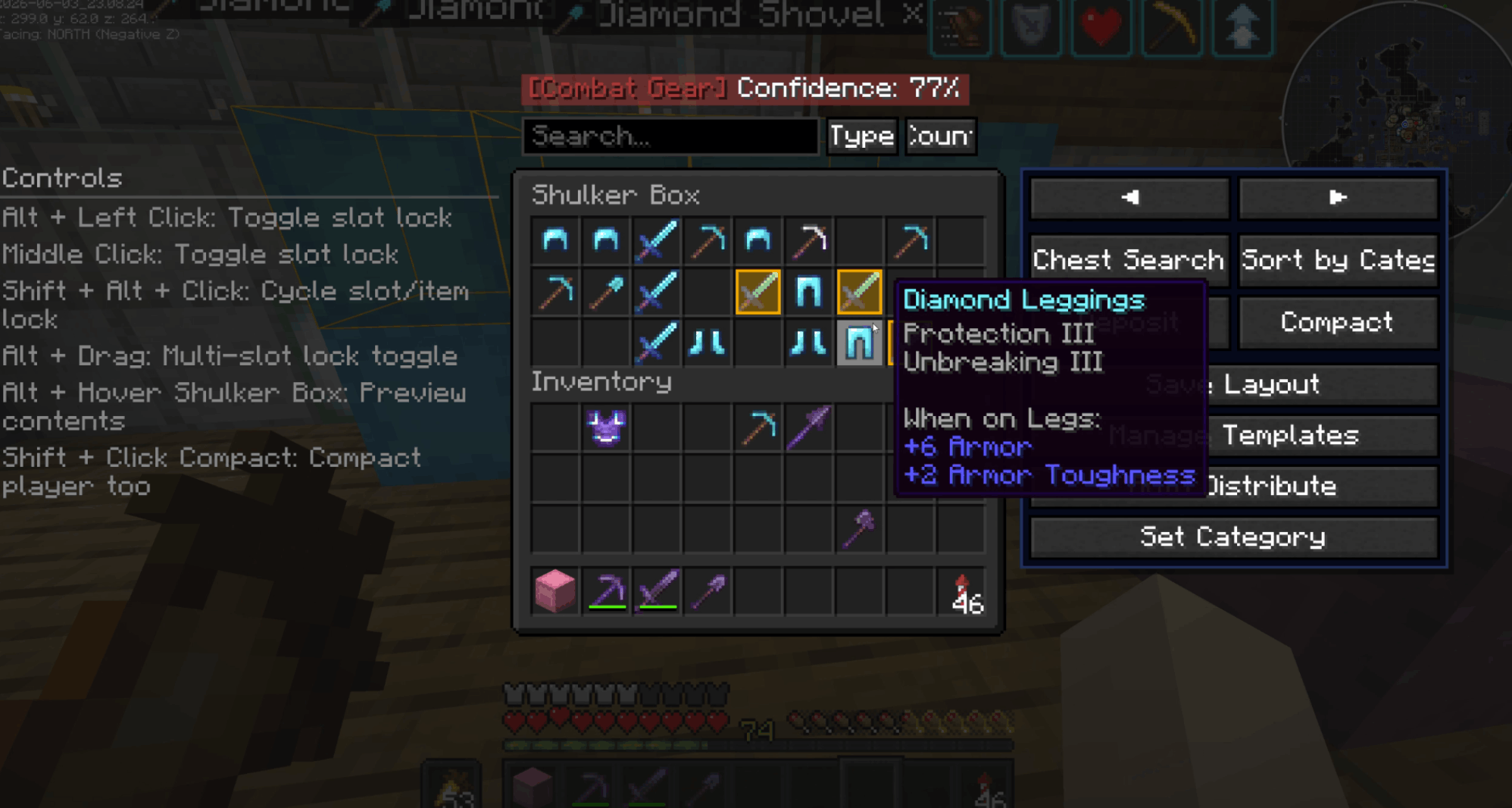
- Automatically sorts a chest's contents into meaningful categories —
building, wood, ore, food, and more. Respects item tags and Creative-tab ordering,
and merges identical items into single stacks.
📥 Smart Deposit
- Deposits items from your inventory into a chest, but only the types already stored
there. Quickly offload your hotbar without messing up an organized chest.
📦 Compact
- Merge half-stacks of the same item into one with a single click — your inventory too,
if you want.
🔒 Slot Lock
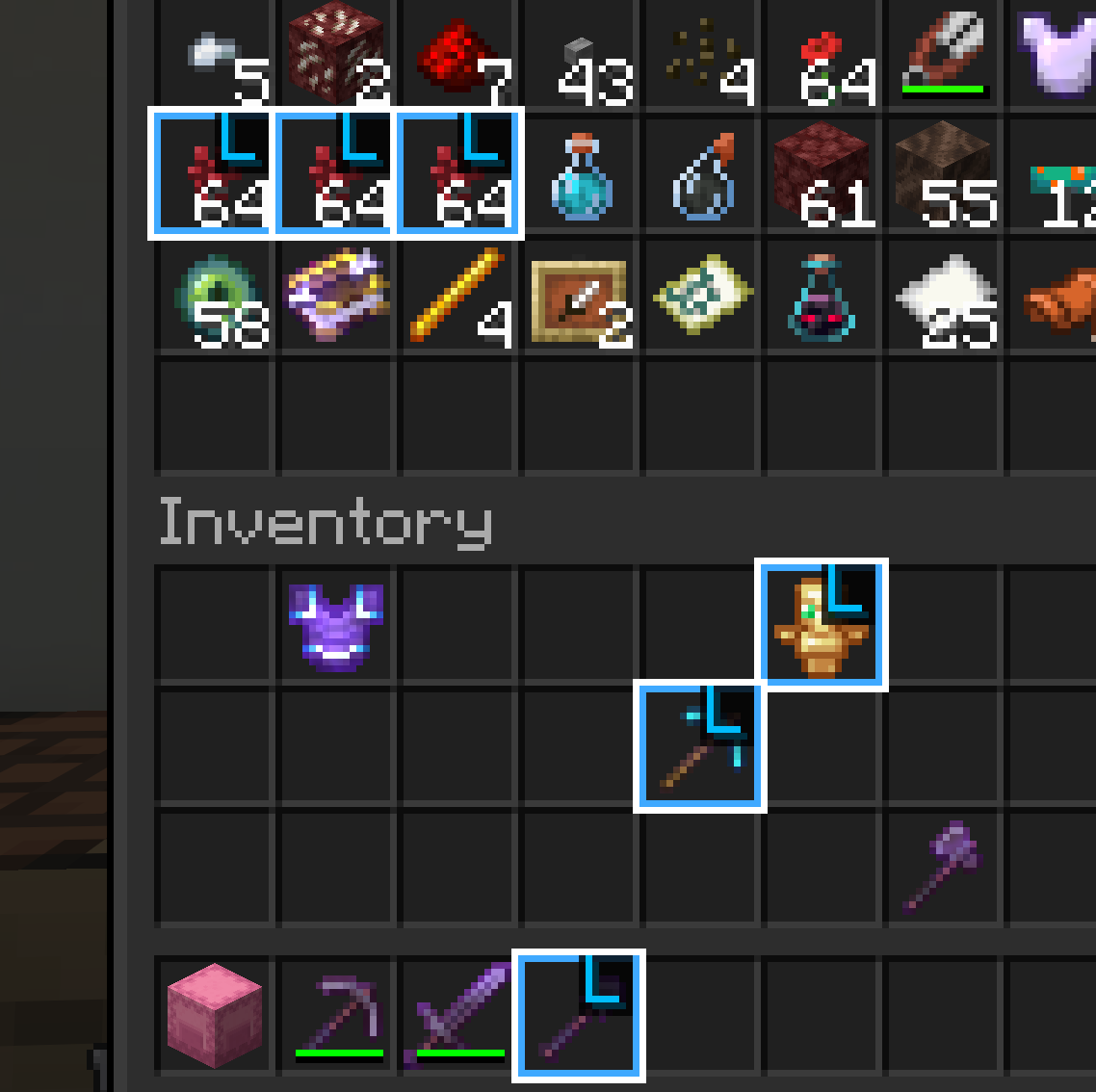
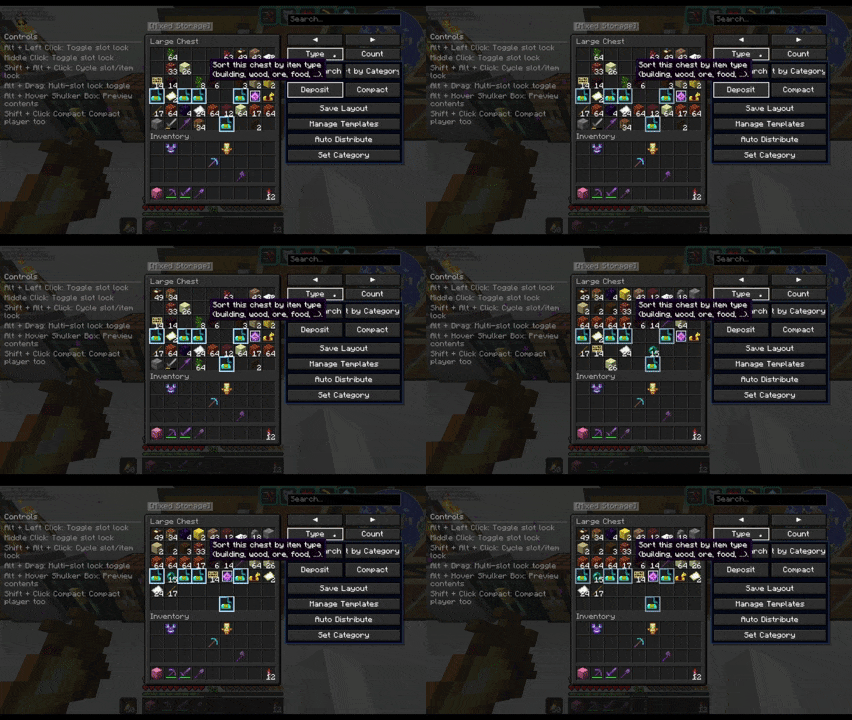
- Protect important items from sorting and deposits. Lock by slot or by item,
and optionally protect your hotbar, offhand, and armor slots by default.
📋 Chest Templates
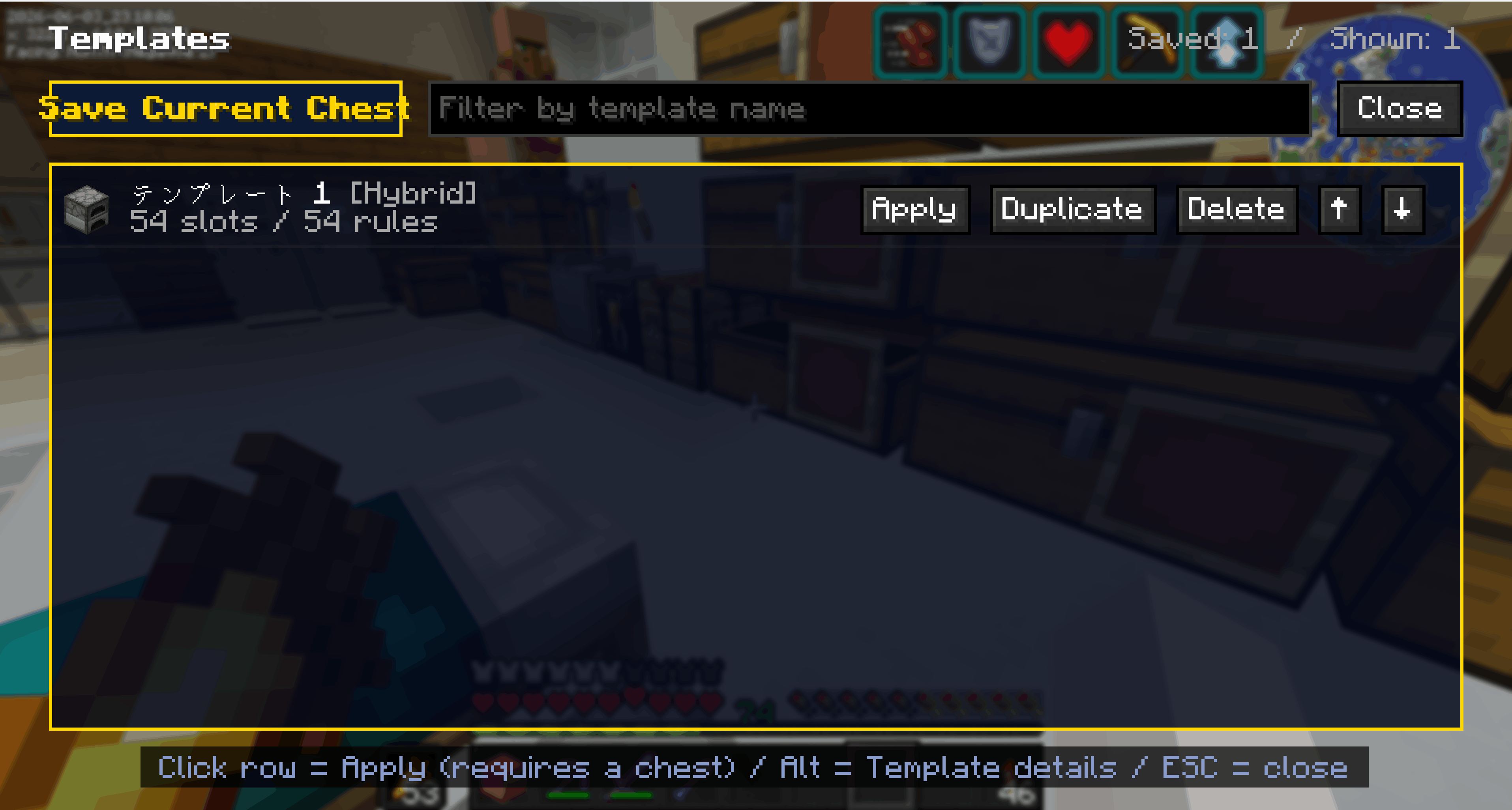
- Save a chest layout you like and reapply it to any other chest in one click.
Choose Exact / Category / Hybrid matching so material storages stay flexible.
🤖 Auto-Sort & Distribution
- Learns each chest's category from your deposit history, then automatically routes
items to the right category storage. Supports queued transfers to distant chests.
Who it's for
- Players with sprawling storage bases that are impossible to keep tidy
- Anyone who loses track of where their items ended up
- Players who want a fast, vanilla-feeling organization mod
Localization
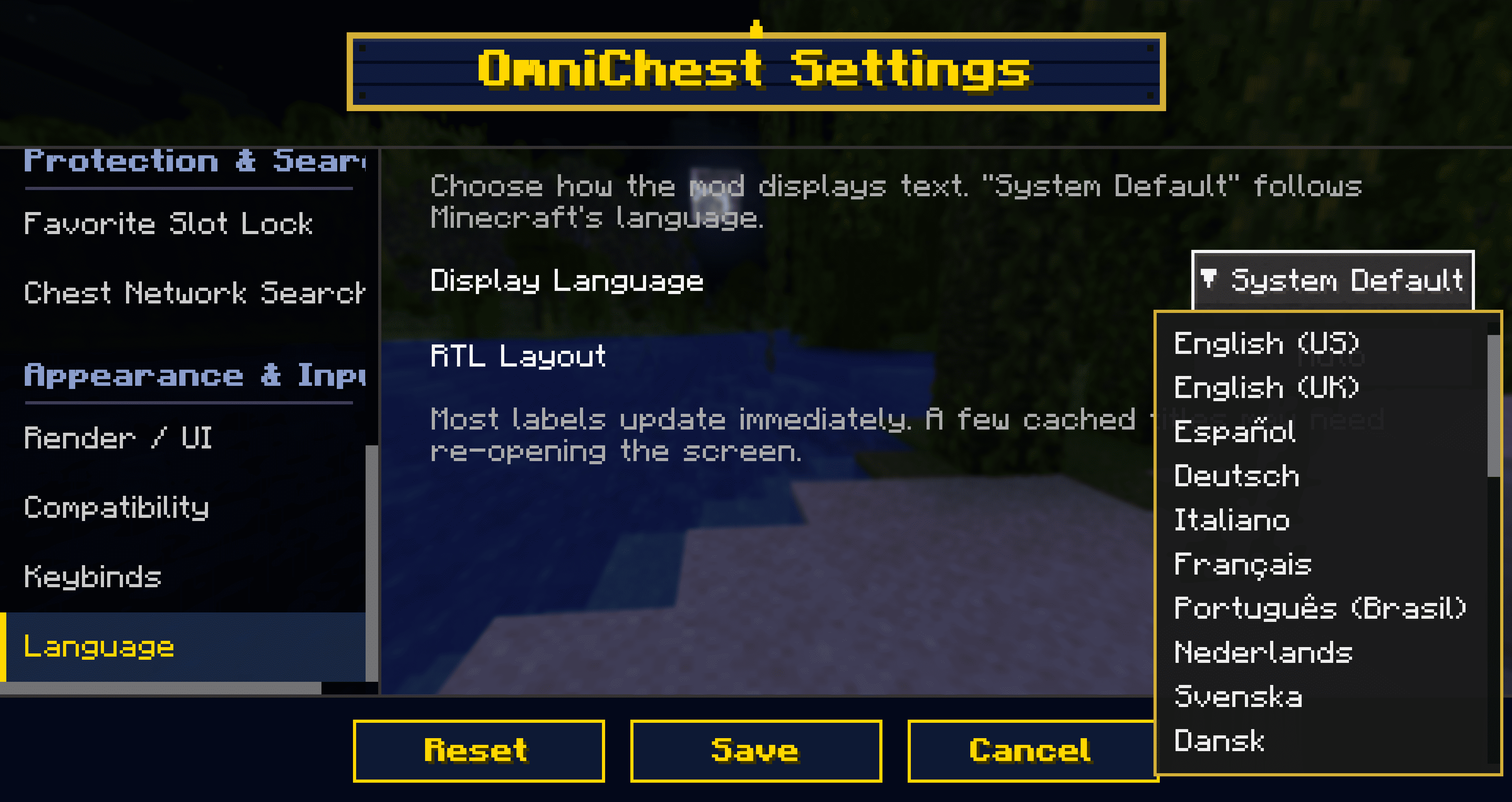
Supports 27 languages + System Default. You can even switch OmniChest's display
language independently of Minecraft (e.g. keep the game in English but read
OmniChest in your own language).
Compatibility
- Dedicated render path to avoid conflicts with Iris / Oculus (shaders)
- Integrates with REI / EMI / Inventory Profiles and similar mods
- Built-in safety layers for resource packs and Unicode/CJK fonts
Configuration
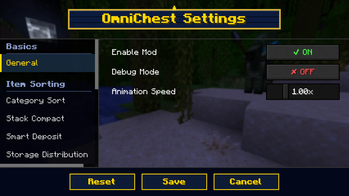
Every feature can be toggled and fine-tuned from Mod Menu (Cloth Config) —
which buttons to show, sorting speed, search radius, visual effects, and more.
Requirements
| Item | Requirement |
|---|---|
| Minecraft | 1.21.11 |
| Mod Loader | Fabric |
| Required | Fabric API |
| Recommended | Mod Menu (for the settings screen) |
| Environment | Client-side only (no server install needed) |
License: CC0-1.0
Available Versions
How to Install OmniChest on Your Server
Order Server
Order a Minecraft Java server with at least 3 GB RAM (4 GB recommended).
Set fabric Loader
In the panel under "Egg", select the fabric loader and matching Minecraft version (26.2).
Install Mod
Open the mod browser in the dashboard and search for "OmniChest". Click "Install" – done! Alternatively, upload the .jar via SFTP to the /mods folder.
Compatibility
Mod Loaders
Minecraft Versions
26.2, 26.1.2, 26.1.1 (+3 more)
Server-side
✗ UnsupportedRecommended RAM
4 GB(min. 3 GB)Frequently Asked Questions
OmniChest server crashes on startup – what to do?
Most common cause: wrong fabric version or insufficient RAM. Check the server log (latest.log) for "OutOfMemoryError" or "Mixin" errors. With Mado Hosting: ensure at least 3 GB RAM is allocated and the loader matches the mod version (26.2). You can switch loaders with one click in the panel.
Is OmniChest compatible with fabric?
OmniChest officially supports fabric for Minecraft 26.2, 26.1.2, 26.1.1. The Mado dashboard automatically detects incompatible loader combinations.
Server lagging with OmniChest – how to optimize performance?
Recommended RAM: 4 GB (per 8 players). Use /spark profiler to check if OmniChest consumes the most tick time. Common fixes: reduce server view-distance to 8-10, install "performant" or "starlight" as supplementary mods on Forge. With Mado Hosting, your server runs on NVMe SSDs with dedicated CPU cores for minimal latency.
Similar Mods




Rent Modded Server
Install OmniChest with just one click on your server.