
Omnidirectional-sound (ODS)
OmniDirectional Sound (ODS) adds HUD arrows pointing to sound sources. Fully configurable, it lets you adjust arrow behavior, scale, position, fade time, and ignored sounds. Choose static or dynamic arrows for better awareness.
About this Mod
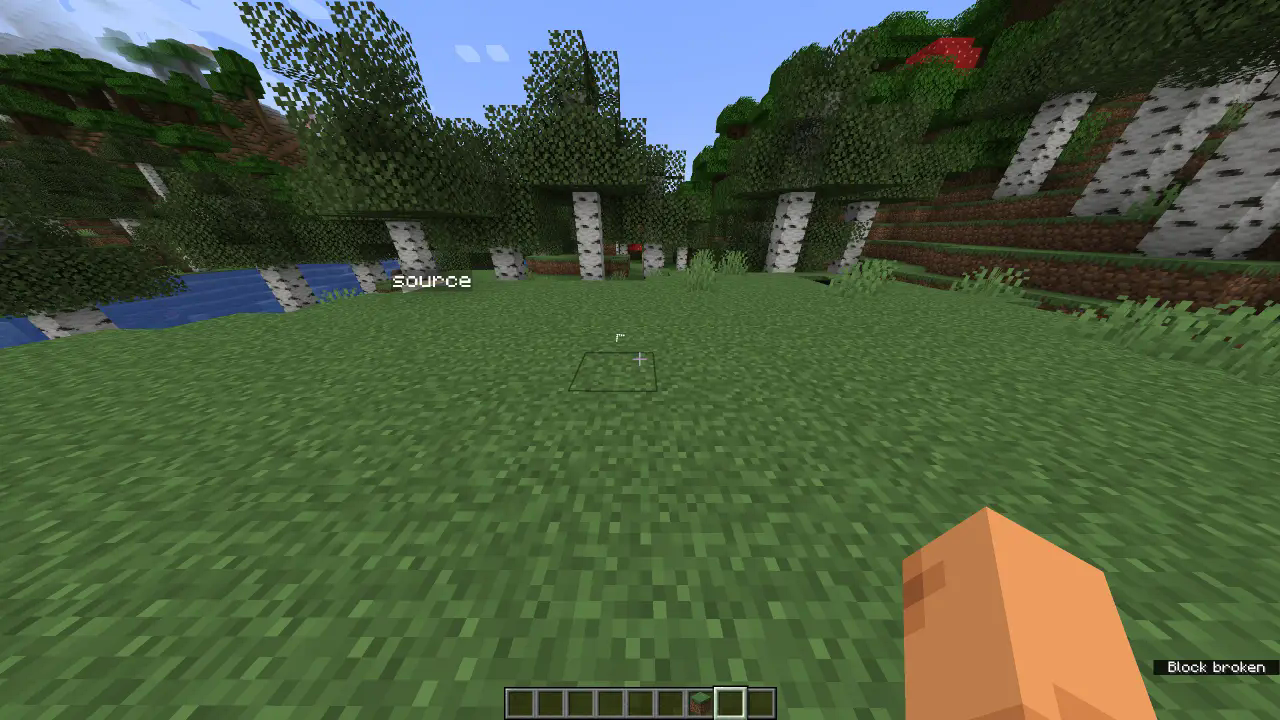
OmniDirectional Sound (ODS) enhances Minecraft’s audio awareness by adding a directional sound visualization HUD. This mod displays arrows around the crosshair, pointing toward the source of in-game sounds, making it easier to locate enemies, mobs, or environmental noises.
Key Features:
🔊 Directional Sound Arrows – Arrows appear dynamically, helping you locate sounds in real time.
⚙️ Highly Configurable – Adjust arrow size, position, offset, fade time, and even ignored sounds.
🎯 Static & Dynamic Mode – Choose whether arrows remain fixed (top/right/left/bottom) or rotate toward sounds.
⏳ Adjustable Fade – Set how long arrows stay visible after detecting a sound.
🔇 Ignored Sounds List – Customize which sounds trigger arrows to prevent clutter.
🛠️ Edit Mode – Fine-tune arrow placement to fit your UI preferences.
Useful for if you are bad of hearing or want to be more aware of your surroundings.
Join the Discord! You can ask for help, a mod, just suggest something, hangout or request the source code of any mod I have made (if I still have the source code)
Or donate to my Kofi incase you are feeling generous!
Available Versions
How to Install Omnidirectional-sound (ODS) on Your Server
Order Server
Order a Minecraft Java server with at least 3 GB RAM (4 GB recommended).
Set fabric Loader
In the panel under "Egg", select the fabric loader and matching Minecraft version (1.21.5).
Install Mod
Open the mod browser in the dashboard and search for "Omnidirectional-sound (ODS)". Click "Install" – done! Alternatively, upload the .jar via SFTP to the /mods folder.
Compatibility
Mod Loaders
Minecraft Versions
1.21.5, 1.21.4, 1.21.3 (+10 more)
Server-side
✗ UnsupportedRecommended RAM
4 GB(min. 3 GB)Frequently Asked Questions
Omnidirectional-sound (ODS) server crashes on startup – what to do?
Most common cause: wrong fabric version or insufficient RAM. Check the server log (latest.log) for "OutOfMemoryError" or "Mixin" errors. With Mado Hosting: ensure at least 3 GB RAM is allocated and the loader matches the mod version (1.21.5). You can switch loaders with one click in the panel.
Is Omnidirectional-sound (ODS) compatible with fabric?
Omnidirectional-sound (ODS) officially supports fabric for Minecraft 1.21.5, 1.21.4, 1.21.3. The Mado dashboard automatically detects incompatible loader combinations.
Server lagging with Omnidirectional-sound (ODS) – how to optimize performance?
Recommended RAM: 4 GB (per 8 players). Use /spark profiler to check if Omnidirectional-sound (ODS) consumes the most tick time. Common fixes: reduce server view-distance to 8-10, install "performant" or "starlight" as supplementary mods on Forge. With Mado Hosting, your server runs on NVMe SSDs with dedicated CPU cores for minimal latency.
Similar Mods




Rent Modded Server
Install Omnidirectional-sound (ODS) with just one click on your server.