
OnlyKeys
Allows you to play Minecraft only using your keyboard!
Screenshots
About this Mod
OnlyKeys
OnlyKeys is a Minecraft Fabric Mod that allows you to play minecraft using only your keyboard.
The mod is still very early in development and will very likely have some bugs. If you encounter any please let me know.
It is important to note that the Fabric API is required for this mod to work.
It does so by moving the cameara via u h j k, left clicking via z and right clicking via i.
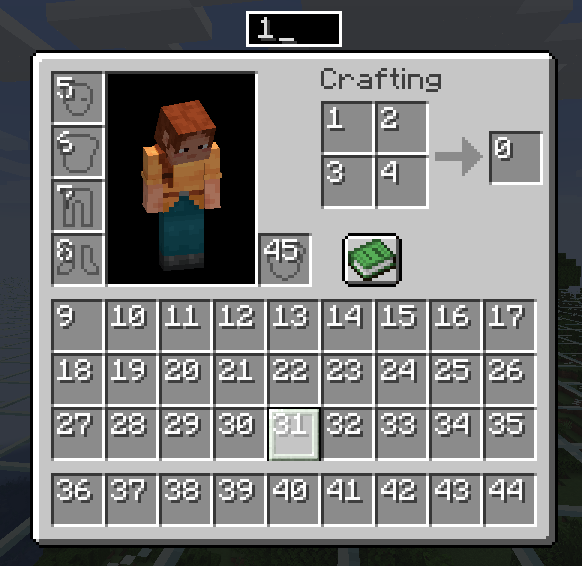
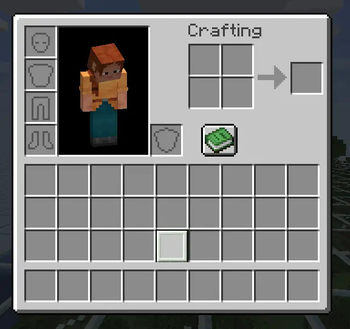
The inventory is controlled via a selected slot that is marked and can be moved with the camera key bindings.
Additionally for faster slot movement there is a quick slot selection that can be opened using l. It allows you to enter
the id of the slot and instantly select it.
Here is a short demo of the mod where you can see the game is controlled using the keyboard only. Also the goal of crafting a wodden hoe is completed successfully.
The Keyboard Visualizer used can be found here is Open Source and very basic.
Default Controlls
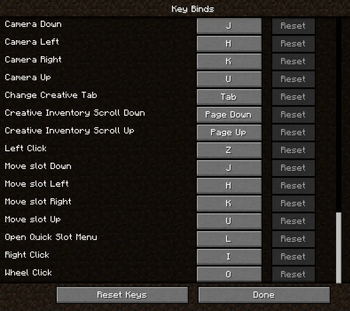
By default the following are the key bindings. Feel free to change them. You can also have Camera and Slot movement on different keys if you like.
If you want to get rid of the warning for the overlap in key bindings with no conflict I recommend this mod that allows you to turn them off.
To change the sensitivy just change the regular mouse sensitivity in the vanilla minecraft settings
F4Enable/Disable OnlyKeysuCamera Up & Slot UpjCamera Down & Slot DownhCamera Left & Slot LeftkCamera Right & Slot RightzLeft ClickiRight ClicklOpen Quick Slot SelectionTABChange Creative Inventory TabPage UpScroll Up in Creative InventoryPage DownScroll Down in Creative Inventory
Available Versions
How to Install OnlyKeys on Your Server
Order Server
Order a Minecraft Java server with at least 3 GB RAM (4 GB recommended).
Set fabric Loader
In the panel under "Egg", select the fabric loader and matching Minecraft version (1.21.6).
Install Mod
Open the mod browser in the dashboard and search for "OnlyKeys". Click "Install" – done! Alternatively, upload the .jar via SFTP to the /mods folder.
Compatibility
Mod Loaders
Minecraft Versions
1.21.6, 1.21.1, 1.21 (+7 more)
Server-side
✗ UnsupportedRecommended RAM
4 GB(min. 3 GB)Frequently Asked Questions
OnlyKeys server crashes on startup – what to do?
Most common cause: wrong fabric version or insufficient RAM. Check the server log (latest.log) for "OutOfMemoryError" or "Mixin" errors. With Mado Hosting: ensure at least 3 GB RAM is allocated and the loader matches the mod version (1.21.6). You can switch loaders with one click in the panel.
Is OnlyKeys compatible with fabric?
OnlyKeys officially supports fabric for Minecraft 1.21.6, 1.21.1, 1.21. The Mado dashboard automatically detects incompatible loader combinations.
Server lagging with OnlyKeys – how to optimize performance?
Recommended RAM: 4 GB (per 8 players). Use /spark profiler to check if OnlyKeys consumes the most tick time. Common fixes: reduce server view-distance to 8-10, install "performant" or "starlight" as supplementary mods on Forge. With Mado Hosting, your server runs on NVMe SSDs with dedicated CPU cores for minimal latency.
Similar Mods




Rent Modded Server
Install OnlyKeys with just one click on your server.