
OriginAddons
A quality-of-life mod for the Origin Realms server.
Screenshots
About this Mod
OriginAddons
A quality-of-life mod for the server Origin Realms, for Forge/Fabric/Quilt 1.19.2. Despite having multiple Origin Realms moderators working on OriginAddons, we are not officially affiliated with or endorsed by the server itself. Even though OriginAddons is not official, we do make sure that all features we add follow the Origin Realms rules on allowed modifications.
OriginAddons is not an alternative to Origin Enhanced, which is officially endorsed by the server. Rather, we recommend using both mods in conjunction for the best experience.
Features
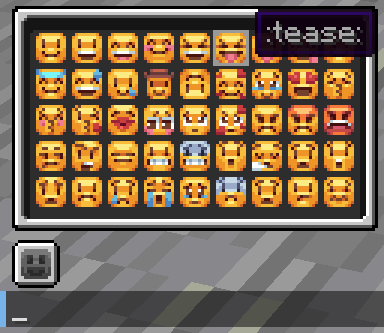
- An Emoji Picker widget which previews for every emoji you can use
- Support for middle-clicking custom Origin Realms blocks to quickly switch to them, in addition to vanilla blocks
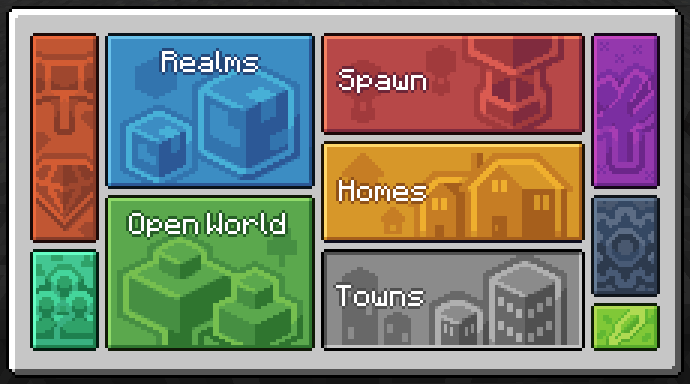
- A custom
/navigatormenu with extra buttons for the Auction House, Friends, Gestures, and more - A button next to the recipe book in your Inventory to quickly open the navigator
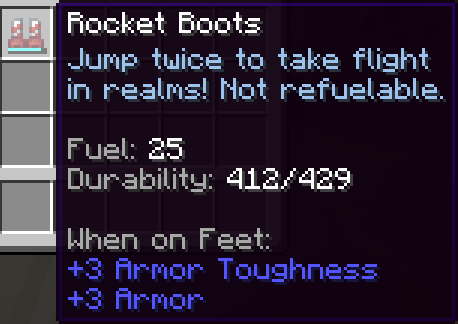
- Additional information about certain items in their tooltips (e.g. level count for Bottled Experience)
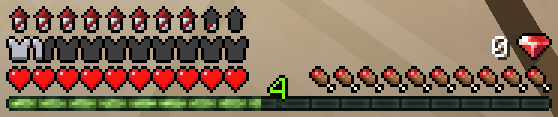
- A Rocket Boots fuel HUD above the armor HUD, which displays how much fuel you have left
- An option to replace the durability bar on Rocket Boots with a Fuel Bar
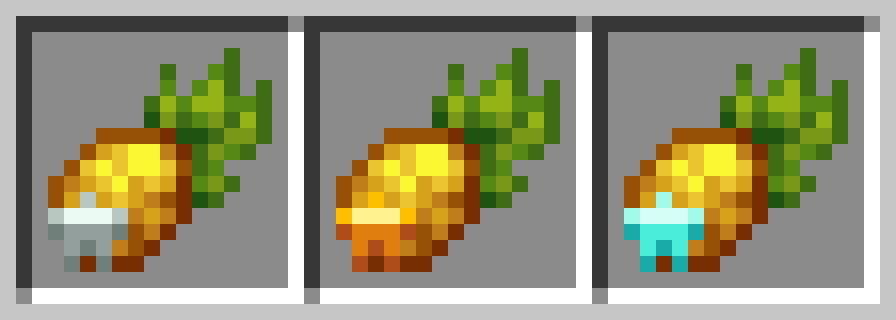
- An icon on Jacko Crops and Crop Crates/Baskets indicating their star level at a glance
- Various other small improvements and QoL features, including a built-in Server Pack Unlocker, various tooltip improvements, and a screen notifying you when OriginAddons is not up-to-date, which appears when joining Origin Realms
We intend to add more in the future as well.
Download
If you're using Forge, download the Forge version of OriginAddons. If you're using Fabric or Quilt, download the Fabric version of OriginAddons. If you're not sure, download the Universal version, which should function on all 3 loaders.
You can also join our public discord where you can get support, suggest new features for the mod, or just chat about Origin Realms.
Available Versions
How to Install OriginAddons on Your Server
Order Server
Order a Minecraft Java server with at least 3 GB RAM (4 GB recommended).
Set fabric Loader
In the panel under "Egg", select the fabric loader and matching Minecraft version (1.20.1).
Install Mod
Open the mod browser in the dashboard and search for "OriginAddons". Click "Install" – done! Alternatively, upload the .jar via SFTP to the /mods folder.
Compatibility
Mod Loaders
Minecraft Versions
1.20.1, 1.19.2
Server-side
✗ UnsupportedRecommended RAM
4 GB(min. 3 GB)Frequently Asked Questions
OriginAddons server crashes on startup – what to do?
Most common cause: wrong fabric version or insufficient RAM. Check the server log (latest.log) for "OutOfMemoryError" or "Mixin" errors. With Mado Hosting: ensure at least 3 GB RAM is allocated and the loader matches the mod version (1.20.1). You can switch loaders with one click in the panel.
Is OriginAddons compatible with fabric and forge and quilt?
OriginAddons officially supports fabric, forge, quilt for Minecraft 1.20.1, 1.19.2. Note: Forge and Fabric mods are NOT cross-compatible – pick one loader and stick with it. The Mado dashboard automatically detects incompatible loader combinations.
Server lagging with OriginAddons – how to optimize performance?
Recommended RAM: 4 GB (per 8 players). Use /spark profiler to check if OriginAddons consumes the most tick time. Common fixes: reduce server view-distance to 8-10, install "performant" or "starlight" as supplementary mods on Forge. With Mado Hosting, your server runs on NVMe SSDs with dedicated CPU cores for minimal latency.
Similar Mods




![[ETF] Entity Texture Features](https://cdn.modrinth.com/data/BVzZfTc1/af683d206d50b05258d865b0d6e4aa2f2cee12f2_96.webp)
![[EMF] Entity Model Features](https://cdn.modrinth.com/data/4I1XuqiY/6e5bbd0d06b1741bfdab6c0cfab6de8fdaf0064c_96.webp)
Rent Modded Server
Install OriginAddons with just one click on your server.