
orpheusInMinecraft
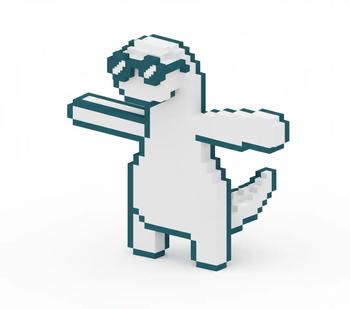
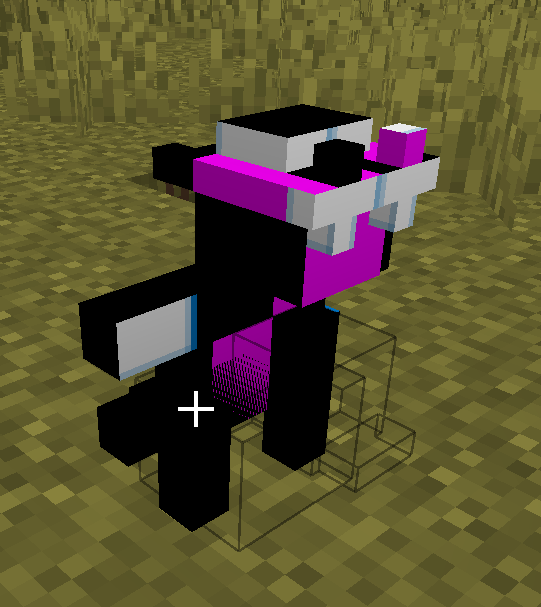
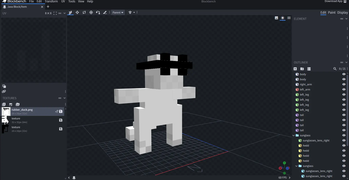
I made a Orpheus in MineCraft You can see your cute Orpheus anytime in Minecraft
Screenshots
About this Mod
Orpheus in Minecraft
Project Overview
Orpheus in Minecraft is a mod that brings "Orpheus," the beloved mascot character of the Hack Club (a community for student engineers), into the world of Minecraft. The project was born from the simple idea: "Wouldn't it be fun to have Orpheus in Minecraft?"
Implemented Features
This mod introduces the Orpheus rubber duck as an item with the following functionalities:
Head Equipment Feature
- Curios API-based Equipment System: Can be worn on the player's head.
- Includes a dedicated equipping sound effect.
Block Placement Feature
- Can be placed as a decorative block.
- Features a custom model and texture.
Monster Spawn Feature
- Zombies and skeletons have a chance to spawn wearing the rubber duck.
- This feature can be enabled or disabled in the settings.
- Various parameters can be adjusted via the config file.
Drop System
- Has a low chance of being added to all chest loot.
- Drops from monsters that spawn wearing the rubber duck.
Redstone Feature
- Functions as a pressure plate.
- Emits a Redstone signal for 20 ticks when an entity is on top of it.
- Can be integrated into circuit systems.
Available Versions
How to Install orpheusInMinecraft on Your Server
Order Server
Order a Minecraft Java server with at least 3 GB RAM (4 GB recommended).
Set forge Loader
In the panel under "Egg", select the forge loader and matching Minecraft version (1.20.6).
Install Mod
Open the mod browser in the dashboard and search for "orpheusInMinecraft". Click "Install" – done! Alternatively, upload the .jar via SFTP to the /mods folder.
Compatibility
Mod Loaders
Minecraft Versions
1.20.6, 1.20.5, 1.20.4 (+3 more)
Server-side
✓ RequiredRecommended RAM
4 GB(min. 3 GB)Frequently Asked Questions
orpheusInMinecraft server crashes on startup – what to do?
Most common cause: wrong forge version or insufficient RAM. Check the server log (latest.log) for "OutOfMemoryError" or "Mixin" errors. With Mado Hosting: ensure at least 3 GB RAM is allocated and the loader matches the mod version (1.20.6). You can switch loaders with one click in the panel.
Is orpheusInMinecraft compatible with forge?
orpheusInMinecraft officially supports forge for Minecraft 1.20.6, 1.20.5, 1.20.4. The Mado dashboard automatically detects incompatible loader combinations.
Server lagging with orpheusInMinecraft – how to optimize performance?
Recommended RAM: 4 GB (per 8 players). Use /spark profiler to check if orpheusInMinecraft consumes the most tick time. Common fixes: reduce server view-distance to 8-10, install "performant" or "starlight" as supplementary mods on Forge. With Mado Hosting, your server runs on NVMe SSDs with dedicated CPU cores for minimal latency.
Similar Mods

![[ETF] Entity Texture Features](https://cdn.modrinth.com/data/BVzZfTc1/af683d206d50b05258d865b0d6e4aa2f2cee12f2_96.webp)
![[EMF] Entity Model Features](https://cdn.modrinth.com/data/4I1XuqiY/6e5bbd0d06b1741bfdab6c0cfab6de8fdaf0064c_96.webp)



Rent Modded Server
Install orpheusInMinecraft with just one click on your server.