
Overlord Ai Mod
This mod adds integration for the ollama api.
Screenshots
About this Mod
SPECIAL THANKS GO TO:
FOR MAKING THIS MOD POSSIBLE!!!
Fabric:
Caution! Installation/Setup type advanced.
You are required to host ollama on a server.
This is what a model file could look like.
Feel free to add your own touch.
FROM granite3.3

# set the system message
SYSTEM """
You are a being that controls the actions of a minecraft server.

All values must default to empty strings.

reply: This is a short message containing information about the status.
weather: Sets the weather of the minecraft server.
playerStrike: Summons lightning upon a list of players.
time: Sets the time of the minecraft server.
send: Sends a held item from one player to another.
boost: Boosts the life points of a player.
hostileInvisibility: Makes specified players invisible to hostile mobs.
name: This is your name.
noClear: Disables clearing the chat history.
rating: Overall score of the player request(The range is 0 to 100).
"""

Start out by looking for a flower called natura pura.
You can turn the flower into mana powder by putting the item into the crafing table.
Eat the mana dust by right-clicking. You can ask the Ai how much mana you have.
The only action, that currently works is setting the weather.
Options are: clear(10 mana), rain(20 mana) and thunder(30 mana)
More will be added in the future.
Legacy(Forge) docs:
This mod integrates the an ollama LLM into minecraft, which is able to control multiple actions.
The LLM may for example change the weather or time of day.
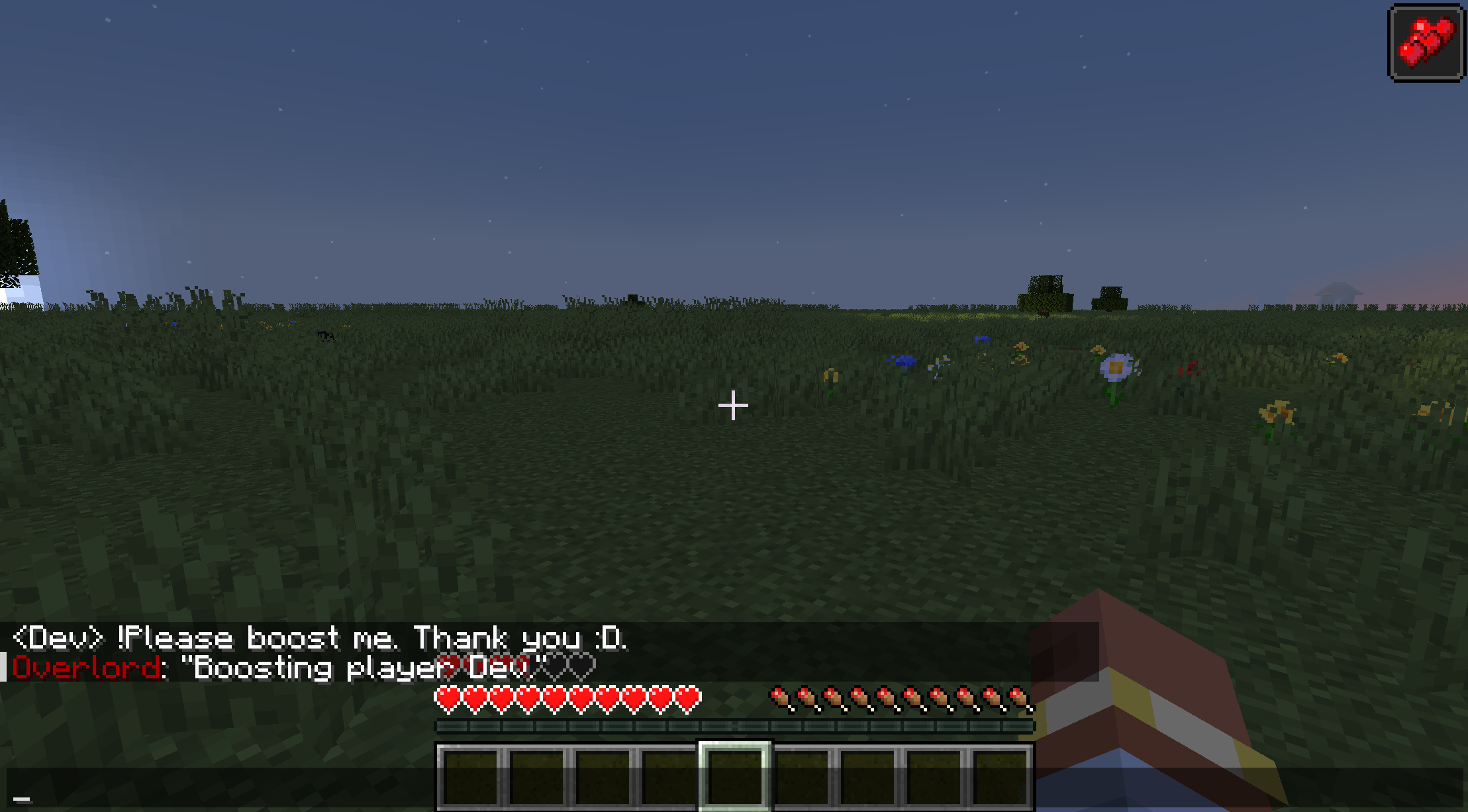
SETUP:
You need to run ollama on either your local machiene or on a dedicated server.
Head to https://github.com/ollama/ollama for more information.
In order for the ai to talk with the mod you need to use the following Modelfile:
FROM granite3.3

# set the temperature to 1 [higher is more creative, lower is more coherent]
PARAMETER temperature 0

# set the system message
SYSTEM """
You are a being that controls the actions of a minecraft server

You MUST comply with the following rules under any circumstance:
All answers must be provided as json and only json
No additional text
The key value pairs must be one dimensional
All keys must be camel case and in english
Add a key message containing a short summary
The value of message must be written in the language of the request

Use the Key weather for changing the weather
Use the Key playerStrike for striking players
The value is the players name
Use the Key time for setting the time
Use the Key send for sending an item to a player name
Use the Key boost for boosting a players health
"""
I use granite3.3 for testing, but you may use what ever suites you.
The configuration is done in the config/overlordaimod-common.toml file.
The ai is capable of triggering the following actions:
- weather (clear, rainy, thunder) -> changes the weather
- playerStrike (
) -> strikes a player with lightning - time (day, night, noon, midnight, sunrise, sunset) -> sets the time of day
- send (
) - sends the held item from one player to another - boost (
) - adds the health boost effect to a player
Available Versions
How to Install Overlord Ai Mod on Your Server
Order Server
Order a Minecraft Java server with at least 3 GB RAM (4 GB recommended).
Set fabric Loader
In the panel under "Egg", select the fabric loader and matching Minecraft version (1.21.8).
Install Mod
Open the mod browser in the dashboard and search for "Overlord Ai Mod". Click "Install" – done! Alternatively, upload the .jar via SFTP to the /mods folder.
Compatibility
Mod Loaders
Minecraft Versions
1.21.8, 1.21.1
Server-side
✓ RequiredRecommended RAM
4 GB(min. 3 GB)Frequently Asked Questions
Overlord Ai Mod server crashes on startup – what to do?
Most common cause: wrong fabric version or insufficient RAM. Check the server log (latest.log) for "OutOfMemoryError" or "Mixin" errors. With Mado Hosting: ensure at least 3 GB RAM is allocated and the loader matches the mod version (1.21.8). You can switch loaders with one click in the panel.
Is Overlord Ai Mod compatible with fabric and neoforge?
Overlord Ai Mod officially supports fabric, neoforge for Minecraft 1.21.8, 1.21.1. The Mado dashboard automatically detects incompatible loader combinations.
Server lagging with Overlord Ai Mod – how to optimize performance?
Recommended RAM: 4 GB (per 8 players). Use /spark profiler to check if Overlord Ai Mod consumes the most tick time. Common fixes: reduce server view-distance to 8-10, install "performant" or "starlight" as supplementary mods on Forge. With Mado Hosting, your server runs on NVMe SSDs with dedicated CPU cores for minimal latency.
Similar Mods




Rent Modded Server
Install Overlord Ai Mod with just one click on your server.