
Particle Shapes
Creates geometric shapes from particles and allows them to be manipulated.
Screenshots
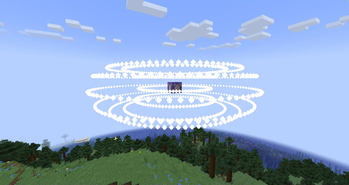
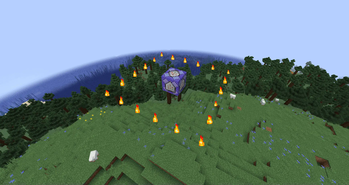
About this Mod
Description
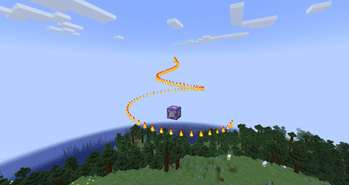
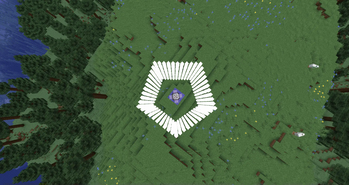
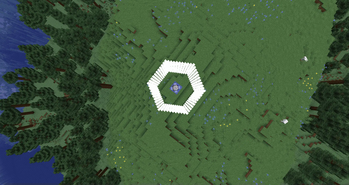
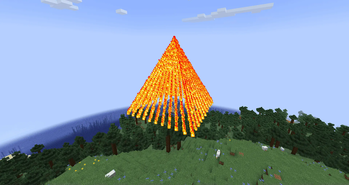
Particle Shapes is a server mod for Minecraft 1.21.1 on Fabric, which allows you to create various geometric shapes from particles in the game. With a simple command, you can create circles, squares, spheres, cubes, pyramids, cones, and vortexes from particles such as flames, smoke, hearts, or notes. The mod supports the animation of rotating shapes and the option to force particle visibility for all players, regardless of distance.
This mod is perfect for creating visual effects on servers, decorations, or showing something unusual to your friends. It only works on the server, so clients don't need to install it — it's enough to have the Fabric API.
Using
The mod adds the /particles command, which allows you to create shapes from particles. Only players with operator rights (op) or through the server console can execute the command.
Command syntax:
/particles
— particle type: flame, smoke, heart, note, soul flame, dragon breath and end rod. — coordinates of the center of the shape (for example, ~ ~ ~ for the player's current position or 100 64 100). — shape: circle, square, sphere, cube, pyramid, cone, vortex,pentagon, tor and hexagon. is the size of the shape (from 0.1 to 50.0): - For circle, sphere, and vortex, it is the radius.
- For square, cube is the length of the side.
- For pyramid, cone is the height.
- [rotate] — rotation (optional, true or false, default is false):
- If true, the shape will rotate around the Y-axis.
- [force] — forced visibility (optional, true or false, default is false):
If true, the particles are visible to all players regardless of the distance.
Features
Server mod: Works only on the server, the client does not need the mod itself.
Force mode: With force true, the particles are visible to all players, even at a great distance, but this can increase the load on the network.
Particle density: The number of particles depends on the size of the shape. Larger shapes (for example, sphere 10) can create more particles and load the server slightly.
Available Versions
How to Install Particle Shapes on Your Server
Order Server
Order a Minecraft Java server with at least 3 GB RAM (4 GB recommended).
Set fabric Loader
In the panel under "Egg", select the fabric loader and matching Minecraft version (1.21.1).
Install Mod
Open the mod browser in the dashboard and search for "Particle Shapes". Click "Install" – done! Alternatively, upload the .jar via SFTP to the /mods folder.
Compatibility
Mod Loaders
Minecraft Versions
1.21.1
Server-side
~ OptionalRecommended RAM
4 GB(min. 3 GB)Frequently Asked Questions
Particle Shapes server crashes on startup – what to do?
Most common cause: wrong fabric version or insufficient RAM. Check the server log (latest.log) for "OutOfMemoryError" or "Mixin" errors. With Mado Hosting: ensure at least 3 GB RAM is allocated and the loader matches the mod version (1.21.1). You can switch loaders with one click in the panel.
Is Particle Shapes compatible with fabric?
Particle Shapes officially supports fabric for Minecraft 1.21.1. The Mado dashboard automatically detects incompatible loader combinations.
Server lagging with Particle Shapes – how to optimize performance?
Recommended RAM: 4 GB (per 8 players). Use /spark profiler to check if Particle Shapes consumes the most tick time. Common fixes: reduce server view-distance to 8-10, install "performant" or "starlight" as supplementary mods on Forge. With Mado Hosting, your server runs on NVMe SSDs with dedicated CPU cores for minimal latency.
Similar Mods




Rent Modded Server
Install Particle Shapes with just one click on your server.