
ParticlePeek
Preview Minecraft particles before using them in commands.
Screenshots
About this Mod
ParticlePeek
See what a particle actually looks like — before you ever type /particle.
ParticlePeek is a lightweight, client-side utility for map makers, datapack creators, command-block users and server builders. Stop guessing particle names and running the same command over and over — browse, search and preview every particle right in-game, then copy a ready-to-use command.
✨ Features
Browse & search
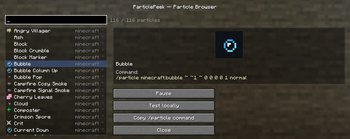
- 🔎 Particle Browser — open with
/particlepeekor a keybind. Lists every registered particle, vanilla and modded (read live from the game registry — nothing is hard-coded). - ⌨️ Search by name or namespace; the namespace is shown for every entry.
- ⭐ Favourites — star the particles you use most; they jump to the top and are remembered between sessions.
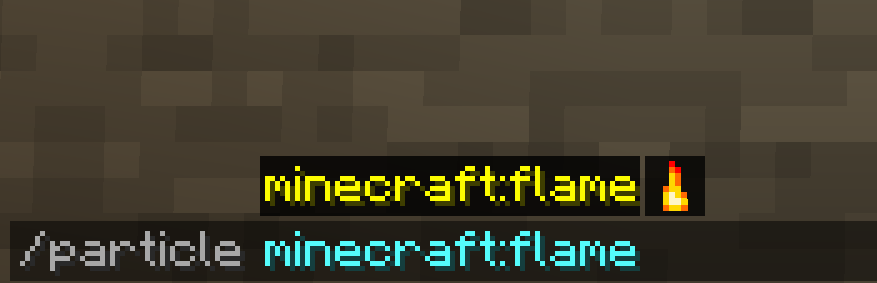
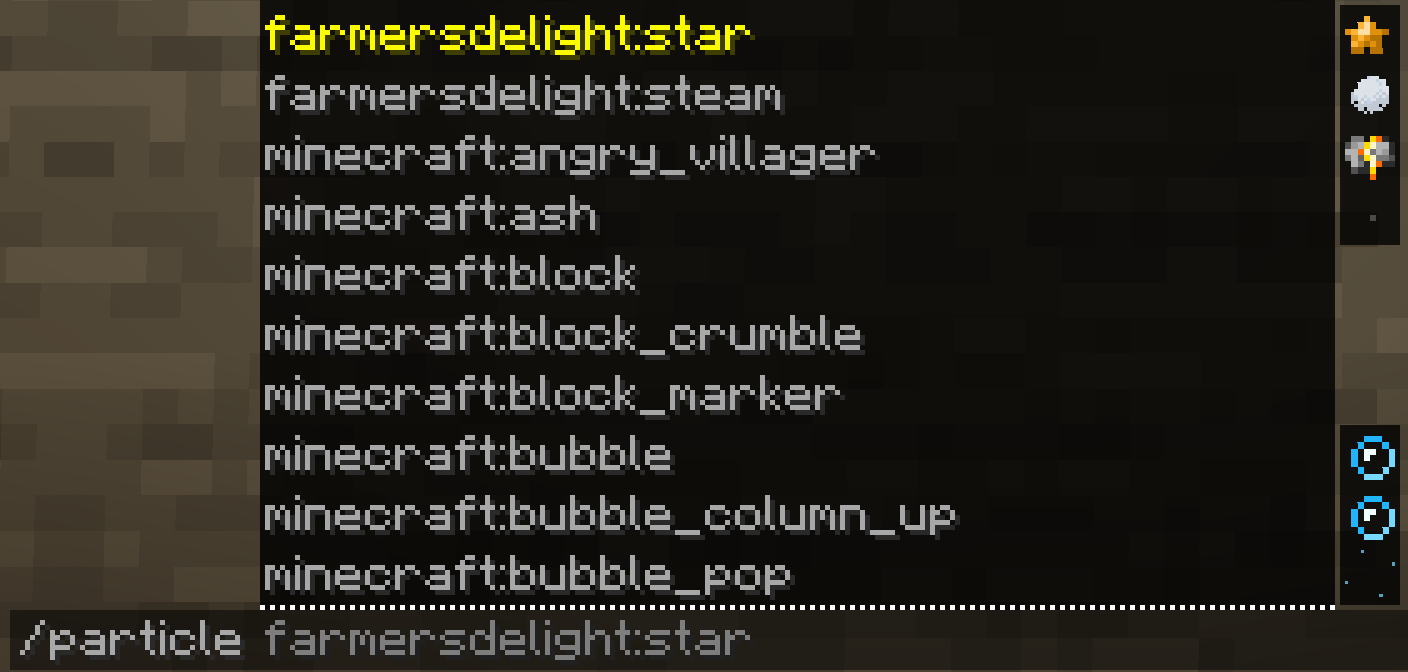
- 🖼️ Icons everywhere — a little particle sprite next to each name in the browser and next to each suggestion in the
/particleauto-complete, so you spot the right one at a glance.
Real previews
- 🎬 The particle's actual texture, in its real colour (e.g.
dripping_lavais orange — read from the particle itself, not guessed)… - 🌀 …with live motion — a real particle is ticked so the preview drifts / falls / fades like the real thing, on a loop. Play / Pause whenever you like.
Build & test
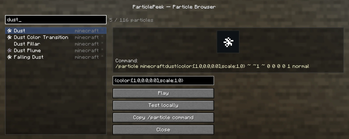
- 🛠️ Parameter editor — for particles that need extra data (
dust,block,item,dust_color_transition, …) edit the parameters right in the panel. Input is validated live (using the game's own particle parser, so it works for modded particles too) and turned into a fully-correct command. - ⚡ Test locally — spawn the particle (or your configured one) in front of you, purely client-side. No server needed.
- 📋 Copy
/particlecommand — a correct, ready-to-paste command, every time.
🧩 Client-side — no server install needed
ParticlePeek runs entirely on your client. Use it in single-player or on any multiplayer server (vanilla or modded) without installing it server-side. It never crashes on unknown or modded particles.
📦 Requirements
- Minecraft 1.21.8 — Fabric
- Fabric API
- Java 21
🎮 How to use
- Install Fabric Loader + Fabric API, then drop ParticlePeek into your
modsfolder. - In-game, run
/particlepeek— or bind a key in Options → Controls → ParticlePeek. - Search, watch the preview, tweak parameters, then Test locally or Copy command.
Available Versions
How to Install ParticlePeek on Your Server
Order Server
Order a Minecraft Java server with at least 3 GB RAM (4 GB recommended).
Set fabric Loader
In the panel under "Egg", select the fabric loader and matching Minecraft version (1.21.8).
Install Mod
Open the mod browser in the dashboard and search for "ParticlePeek". Click "Install" – done! Alternatively, upload the .jar via SFTP to the /mods folder.
Compatibility
Mod Loaders
Minecraft Versions
1.21.8
Server-side
✗ UnsupportedRecommended RAM
4 GB(min. 3 GB)Frequently Asked Questions
ParticlePeek server crashes on startup – what to do?
Most common cause: wrong fabric version or insufficient RAM. Check the server log (latest.log) for "OutOfMemoryError" or "Mixin" errors. With Mado Hosting: ensure at least 3 GB RAM is allocated and the loader matches the mod version (1.21.8). You can switch loaders with one click in the panel.
Is ParticlePeek compatible with fabric?
ParticlePeek officially supports fabric for Minecraft 1.21.8. The Mado dashboard automatically detects incompatible loader combinations.
Server lagging with ParticlePeek – how to optimize performance?
Recommended RAM: 4 GB (per 8 players). Use /spark profiler to check if ParticlePeek consumes the most tick time. Common fixes: reduce server view-distance to 8-10, install "performant" or "starlight" as supplementary mods on Forge. With Mado Hosting, your server runs on NVMe SSDs with dedicated CPU cores for minimal latency.
Similar Mods

![[ETF] Entity Texture Features](https://cdn.modrinth.com/data/BVzZfTc1/af683d206d50b05258d865b0d6e4aa2f2cee12f2_96.webp)
![[EMF] Entity Model Features](https://cdn.modrinth.com/data/4I1XuqiY/6e5bbd0d06b1741bfdab6c0cfab6de8fdaf0064c_96.webp)



Rent Modded Server
Install ParticlePeek with just one click on your server.