
Pathmind
A visual sandbox for designing automation workflows in Minecraft
Screenshots

About this Mod



A visual sandbox for designing automation workflows in Minecraft
🇺🇸 English · 🇩🇪 Deutsch · 🇪🇸 Español · 🇫🇷 Français · 🇵🇱 Polski · 🇧🇷 Português (BR) · 🇷🇺 Русский
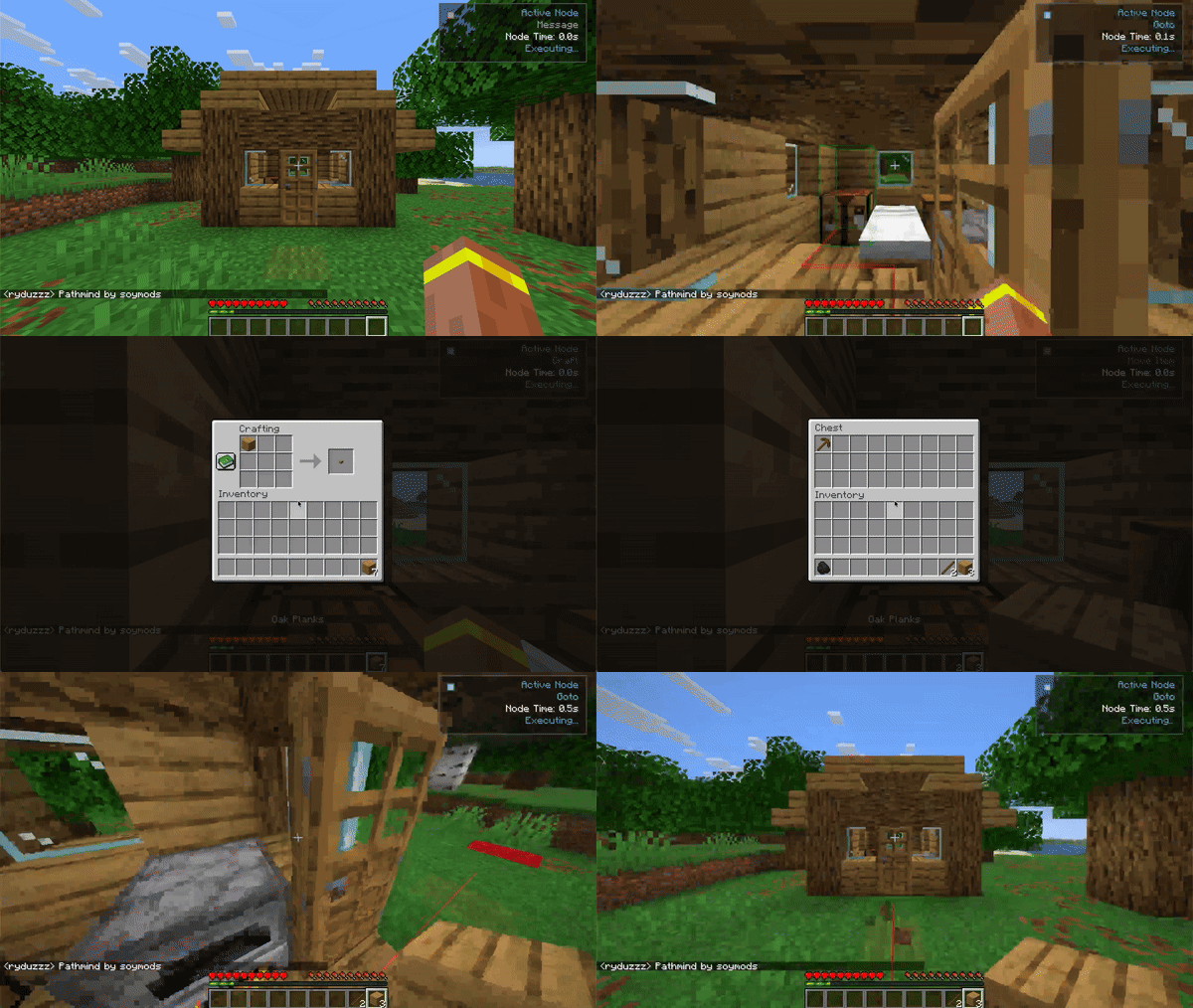
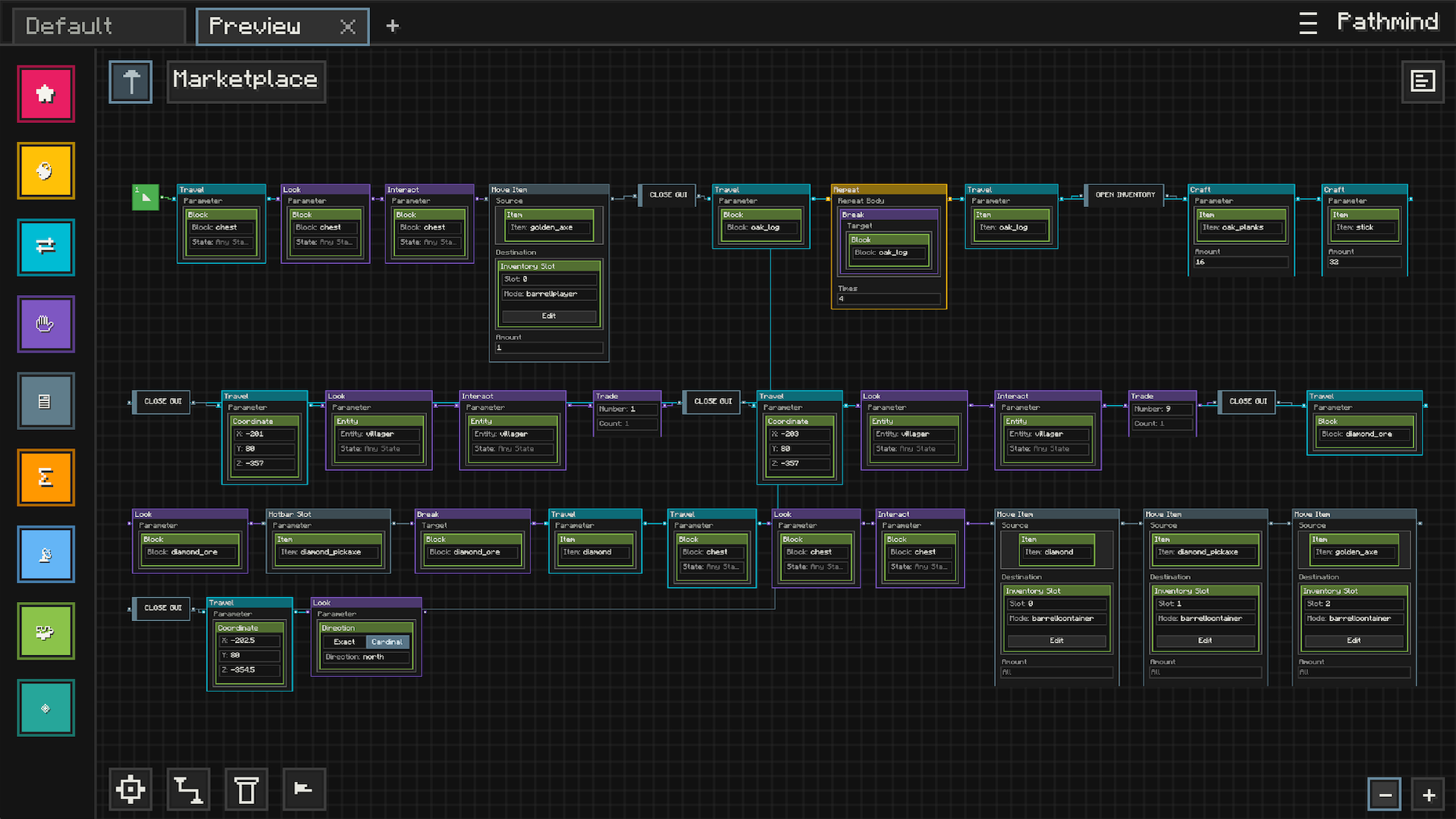
Features
Visual Automation
- Node-Based Editor: Build automation visually with nodes, connections, and editable parameters instead of commands or scripts
- Readable Workflows: Lay out your logic in a way that is easy to follow, revisit, and expand over time
- Creative Sandbox: Experiment with behaviors, interactions, and systems inside a dedicated in-game workspace
Workspace And Presets
- Saved Graphs: Keep your automation setups as reusable presets you can come back to later
- Organized Editing: Work across multiple presets and continue refining them as your ideas grow
- Import And Share: Bring in community-made setups or use your own presets as building blocks for larger systems
In-Game Execution
- Live Workflow Runtime: Run graphs directly in Minecraft and watch them respond while you play
- Visual Feedback: See execution state, runtime feedback, and validation cues while building and testing
- Flexible Logic: Combine actions, conditions, reusable logic, and event-driven behavior into larger workflows
Navigation And Interaction
- Movement Automation: Build workflows around movement, navigation, and world interaction
- Expanded Integrations: Optional integrations can extend what Pathmind can do in supported setups
- Built For Play: Designed to feel like a Minecraft tool, not an external scripting environment
Community Marketplace
- Browse Presets In-Game: Discover automation setups made by other players without leaving Minecraft
- Publish Your Own Work: Share your presets with the community through the built-in marketplace
- Start From Examples: Import existing presets and adapt them to your own world, style, or ideas
Video Showcase
Quick Start
Prerequisites
- Minecraft: 1.21 through 1.21.11
- Fabric Loader: 0.17.3 or higher
- Fabric API: version matching your Minecraft version
- Java: 21 or higher
Installation
- Install Fabric Loader
- Download and install Fabric Loader for your Minecraft version
- Download from FabricMC
- Install Fabric API
- Download the matching Fabric API release for your Minecraft version
- Download from Modrinth
- Install Pathmind
- Download the Pathmind jar for your Minecraft version
- Place it in your
modsfolder
- Launch and Enjoy
- Start Minecraft with Fabric
- Use your configured keybind to open the visual editor
Opening the Editor
- Use your configured keybind to open Pathmind
- The visual editor opens in fullscreen mode
Creating Workflows
- Add Nodes: Drag nodes from the sidebar onto the workspace
- Connect Logic: Link nodes together to shape how the workflow behaves
- Configure Parameters: Edit node values to match the behavior you want
- Organize Your Graph: Move nodes around to keep your setup readable
- Run And Refine: Test your workflow in-game and keep improving it
Disclaimer
Pathmind is designed for automation and workflow visualization in single-player or in multiplayer environments where such tools are explicitly permitted.
You are solely responsible for ensuring that your use of this mod does not violate any server rules, terms of service, or community guidelines.
Do not use Pathmind in ways that provide unfair advantages, disrupt gameplay for others, or break the terms set by server administrators or Minecraft service providers.
Available Versions
How to Install Pathmind on Your Server
Order Server
Order a Minecraft Java server with at least 3 GB RAM (4 GB recommended).
Set fabric Loader
In the panel under "Egg", select the fabric loader and matching Minecraft version (1.21.11).
Install Mod
Open the mod browser in the dashboard and search for "Pathmind". Click "Install" – done! Alternatively, upload the .jar via SFTP to the /mods folder.
Compatibility
Mod Loaders
Minecraft Versions
1.21.11, 1.21.10, 1.21.9 (+9 more)
Server-side
✗ UnsupportedRecommended RAM
4 GB(min. 3 GB)Frequently Asked Questions
Pathmind server crashes on startup – what to do?
Most common cause: wrong fabric version or insufficient RAM. Check the server log (latest.log) for "OutOfMemoryError" or "Mixin" errors. With Mado Hosting: ensure at least 3 GB RAM is allocated and the loader matches the mod version (1.21.11). You can switch loaders with one click in the panel.
Is Pathmind compatible with fabric?
Pathmind officially supports fabric for Minecraft 1.21.11, 1.21.10, 1.21.9. The Mado dashboard automatically detects incompatible loader combinations.
Server lagging with Pathmind – how to optimize performance?
Recommended RAM: 4 GB (per 8 players). Use /spark profiler to check if Pathmind consumes the most tick time. Common fixes: reduce server view-distance to 8-10, install "performant" or "starlight" as supplementary mods on Forge. With Mado Hosting, your server runs on NVMe SSDs with dedicated CPU cores for minimal latency.
Similar Mods


Rent Modded Server
Install Pathmind with just one click on your server.