
PE Controls For Java
A minecraft mod to add minecraft pe style controls to troll your friends and use for other useful cases.
Screenshots
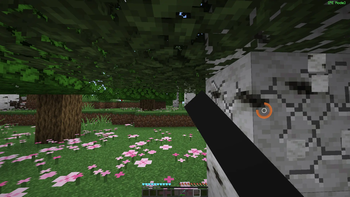
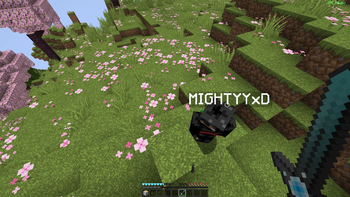
About this Mod
PE Controls is a client-side Fabric mod that makes Java Edition controls feel closer to classic Minecraft PE/Bedrock touch-style aiming.
Instead of always targeting the center crosshair, PE Controls lets you use a free cursor to point at blocks and entities anywhere on the screen. It is designed for players who prefer cursor-based block interaction while keeping normal Java movement.
Features
Free PE-style cursor while the mod is enabled
Off-center block breaking and interaction
Survival block breaking with left-click hold
Single right-click to place blocks, open chests, and interact
Hold right-click and drag to rotate the camera
PE-style cursor dot and block-breaking progress ring
One simple keybind to toggle the mod on and off
Client-side only
Controls
P: Toggle PE Controls on/off
Left click: Break the block under the cursor
Hold left click: Continue breaking blocks in survival
Right click: Use, place, or interact with the target under the cursor
Hold right click and drag: Move the view
WASD, jump, sneak, scroll wheel: unchanged from vanilla
Requirements
Minecraft 1.20.1
Fabric Loader 0.15.7 or newer
Fabric API
Notes
This mod changes client-side camera and hit-target behavior. It is intended for normal gameplay, building, and PE-style control preference. Server-side installation is not required.
Available Versions
How to Install PE Controls For Java on Your Server
Order Server
Order a Minecraft Java server with at least 3 GB RAM (4 GB recommended).
Set fabric Loader
In the panel under "Egg", select the fabric loader and matching Minecraft version (1.20.6).
Install Mod
Open the mod browser in the dashboard and search for "PE Controls For Java". Click "Install" – done! Alternatively, upload the .jar via SFTP to the /mods folder.
Compatibility
Mod Loaders
Minecraft Versions
1.20.6, 1.20.5, 1.20.4 (+3 more)
Server-side
✗ UnsupportedRecommended RAM
4 GB(min. 3 GB)Frequently Asked Questions
PE Controls For Java server crashes on startup – what to do?
Most common cause: wrong fabric version or insufficient RAM. Check the server log (latest.log) for "OutOfMemoryError" or "Mixin" errors. With Mado Hosting: ensure at least 3 GB RAM is allocated and the loader matches the mod version (1.20.6). You can switch loaders with one click in the panel.
Is PE Controls For Java compatible with fabric?
PE Controls For Java officially supports fabric for Minecraft 1.20.6, 1.20.5, 1.20.4. The Mado dashboard automatically detects incompatible loader combinations.
Server lagging with PE Controls For Java – how to optimize performance?
Recommended RAM: 4 GB (per 8 players). Use /spark profiler to check if PE Controls For Java consumes the most tick time. Common fixes: reduce server view-distance to 8-10, install "performant" or "starlight" as supplementary mods on Forge. With Mado Hosting, your server runs on NVMe SSDs with dedicated CPU cores for minimal latency.
Similar Mods




Rent Modded Server
Install PE Controls For Java with just one click on your server.