
Permanent ChatLogs
Save the chat logs to the disk, permanently.
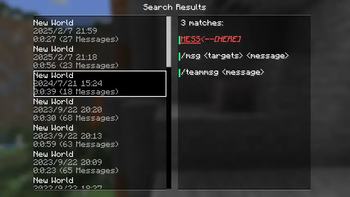
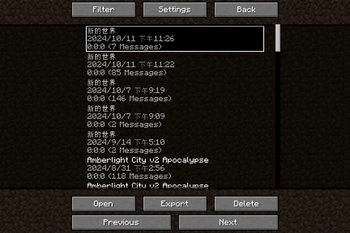
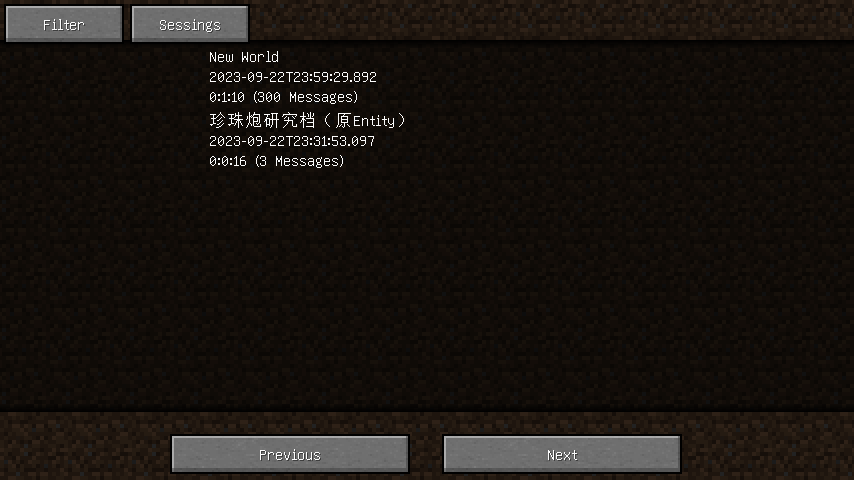
Screenshots
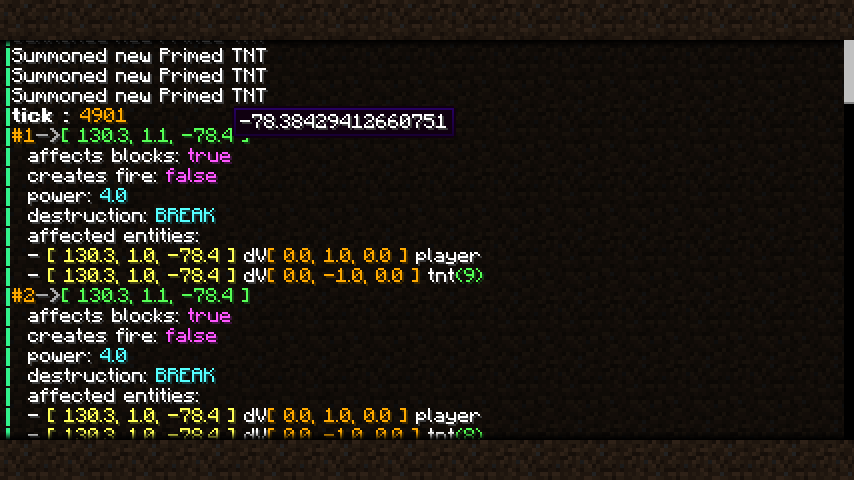
About this Mod
Introduction
This Mod saves chat logs to the disk to prevent them from being lost when exiting.
Compared with the plain log file (i.e. logs in the "logs" folder), the saved logs here support additional styles including colors, fonts, and even hovering texts. Besides, the time information when messages are received, which is absent in the vanilla game, is available here.
Following features are available or planned now:
- Recording chat logs.
- Exporting chat logs as TXT or HTML.
- Enhance of vanilla chat HUD (like long chat history).
- Deleting existing sessions.
- Spliting existing sessions.
- Mark for events in sessions.
- Searching for sessions.
- Searching for message in all sessions (WIP).
- Mergeing a set of sessions, especally those recorded in the same place (WIP).
Filtering sessions
Also, searching for sessions or messages in the history is supported, you may filter sessions by:
- The save or server associated with the session.
- The day, month, or year in which the session started.
- Examples: 20240306, 202403, 2024
- The number of messages in the session.
- The format of integer ranges in entity selectors is used here.
- For example, ..20 stands for 0 to 20, while 20.. stands for 20 and above.
- The length of the session.
- The format of integer ranges in entity selectors is used here.
- Whether or not the session is recorded in a multiplayer server.
Settings
visibleLineCount: Overrides the maximum number of messages in the chatting HUD.autoSaveIntervalInMs: The interval of the auto-saving of chat logs, in milliseconds.
Tooltips
If a text in the chat logs has a click event or hover event, a hovering tooltip is displayed, with the argument of the event on it. When both click event and hover event are present in the same text, only the argument of the hover event is displayed initially, to get the argument of the click event, press the Alt key.
The texts on the tooltips can be copied by clicking the text with Ctrl down.
Available Versions
How to Install Permanent ChatLogs on Your Server
Order Server
Order a Minecraft Java server with at least 3 GB RAM (4 GB recommended).
Set fabric Loader
In the panel under "Egg", select the fabric loader and matching Minecraft version (1.21.11).
Install Mod
Open the mod browser in the dashboard and search for "Permanent ChatLogs". Click "Install" – done! Alternatively, upload the .jar via SFTP to the /mods folder.
Compatibility
Mod Loaders
Minecraft Versions
1.21.11, 1.21.10, 1.21.8 (+24 more)
Server-side
✗ UnsupportedRecommended RAM
4 GB(min. 3 GB)Frequently Asked Questions
Permanent ChatLogs server crashes on startup – what to do?
Most common cause: wrong fabric version or insufficient RAM. Check the server log (latest.log) for "OutOfMemoryError" or "Mixin" errors. With Mado Hosting: ensure at least 3 GB RAM is allocated and the loader matches the mod version (1.21.11). You can switch loaders with one click in the panel.
Is Permanent ChatLogs compatible with fabric?
Permanent ChatLogs officially supports fabric for Minecraft 1.21.11, 1.21.10, 1.21.8. The Mado dashboard automatically detects incompatible loader combinations.
Server lagging with Permanent ChatLogs – how to optimize performance?
Recommended RAM: 4 GB (per 8 players). Use /spark profiler to check if Permanent ChatLogs consumes the most tick time. Common fixes: reduce server view-distance to 8-10, install "performant" or "starlight" as supplementary mods on Forge. With Mado Hosting, your server runs on NVMe SSDs with dedicated CPU cores for minimal latency.
Similar Mods




![[ETF] Entity Texture Features](https://cdn.modrinth.com/data/BVzZfTc1/af683d206d50b05258d865b0d6e4aa2f2cee12f2_96.webp)
![[EMF] Entity Model Features](https://cdn.modrinth.com/data/4I1XuqiY/6e5bbd0d06b1741bfdab6c0cfab6de8fdaf0064c_96.webp)
Rent Modded Server
Install Permanent ChatLogs with just one click on your server.