
Personal Space
Adds personal customizable dimensions with superflat-style presets.
Screenshots
About this Mod
Personal Space
A Minecraft 1.7.10 mod which adds personal customizable dimensions, primarily
designed for use in the Gregtech New Horizons modpack.
There are no recipes for the portal block, they're up to the pack maker to decide - as each portal block can make a new dimension which could lead to server lag if misused.

Features
Customizable personal utility world:
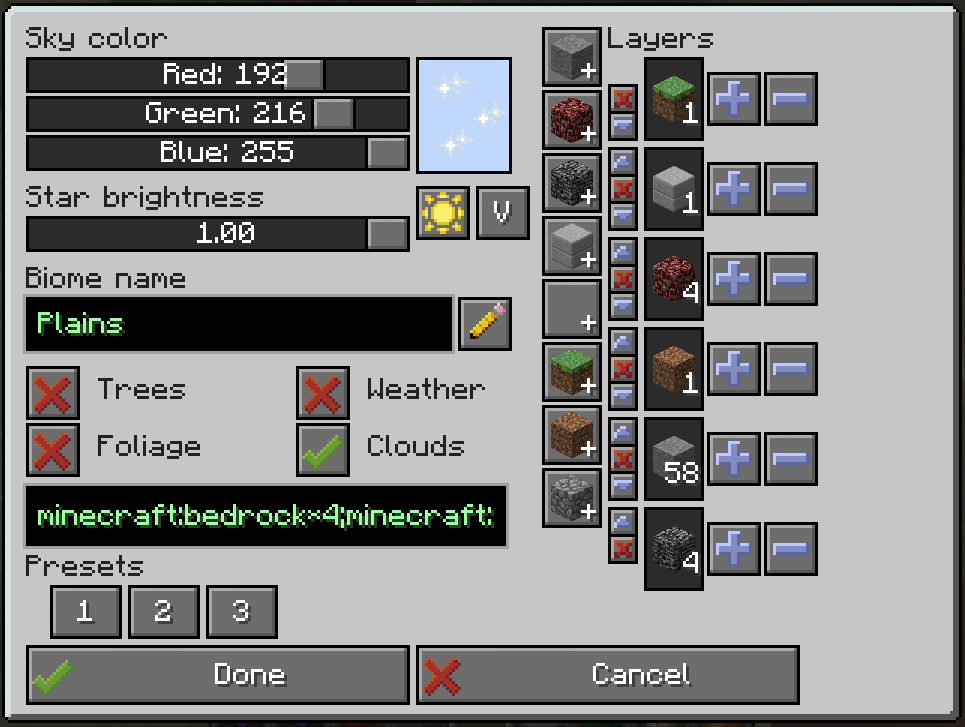
- Set custom sky color, star brightness - these can be customized after you create your world too if you're not happy with the original settings!
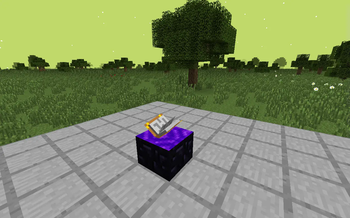
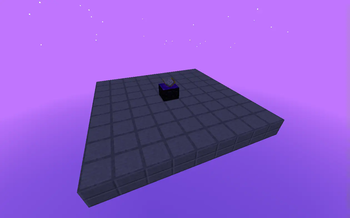
- Custom generation! Choose from a void, short or tall superflat world preset, or make your own! A list of allowed blocks is in the config, so that players can't just create diamond block worlds on your server.
- Pick whether you want foliage and trees to spawn or not. (Some modded trees may require extra compatibility code)
- Migration from UtilityWorlds saves - retaining world generation settings and the look and feel! Feel free to customize the visuals or generation after the fact. Customizing generation requires running the
/pspace allow-worldgen-change DIMcommand by a server administrator.
Mined portals retain their link and can be placed back
Worldgen settings are locked after first use, but can be unlocked for 1 change with
/pspace allow-worldgen-change DIM-IDOther commands:
/pspace give-portal player DIM [X Y Z]- gives a preconfigured portal to a given dimension and X/Y/Z coordinates, or dimension spawn point if the coordinates are not specified/pspace tpx player DIM [X Y Z]- teleports the player to a given dimension's spawnpoint, or X/Y/Z coordinates/pspace ls- list all dimension IDs to the console/pspace where player- prints out which dimension ID the player is in/pspace allow-worldgen-change DIM- temporarily unlocks editing worldgen settings for the specified dimension
Visual (and worldgen if unlocked) settings can be changed on active portals, by right clicking on them while sneaking.
Available Versions
How to Install Personal Space on Your Server
Order Server
Order a Minecraft Java server with at least 4 GB RAM (6 GB recommended).
Set forge Loader
In the panel under "Egg", select the forge loader and matching Minecraft version (1.7.10).
Install Mod
Open the mod browser in the dashboard and search for "Personal Space". Click "Install" – done! Alternatively, upload the .jar via SFTP to the /mods folder.
Compatibility
Mod Loaders
Minecraft Versions
1.7.10
Server-side
✓ RequiredRecommended RAM
6 GB(min. 4 GB)Frequently Asked Questions
Personal Space server crashes on startup – what to do?
Most common cause: wrong forge version or insufficient RAM. Check the server log (latest.log) for "OutOfMemoryError" or "Mixin" errors. With Mado Hosting: ensure at least 4 GB RAM is allocated and the loader matches the mod version (1.7.10). You can switch loaders with one click in the panel.
Is Personal Space compatible with forge?
Personal Space officially supports forge for Minecraft 1.7.10. The Mado dashboard automatically detects incompatible loader combinations.
Server lagging with Personal Space – how to optimize performance?
Recommended RAM: 6 GB (per 5 players). Use /spark profiler to check if Personal Space consumes the most tick time. Common fixes: reduce server view-distance to 8-10, install "performant" or "starlight" as supplementary mods on Forge. With Mado Hosting, your server runs on NVMe SSDs with dedicated CPU cores for minimal latency.
Similar Mods




![[ETF] Entity Texture Features](https://cdn.modrinth.com/data/BVzZfTc1/af683d206d50b05258d865b0d6e4aa2f2cee12f2_96.webp)
![[EMF] Entity Model Features](https://cdn.modrinth.com/data/4I1XuqiY/6e5bbd0d06b1741bfdab6c0cfab6de8fdaf0064c_96.webp)
Rent Modded Server
Install Personal Space with just one click on your server.