
Phoenix's Chromatic Codes
This is a mod to add custom color codes for use in signs, lang keys, etc.
Screenshots
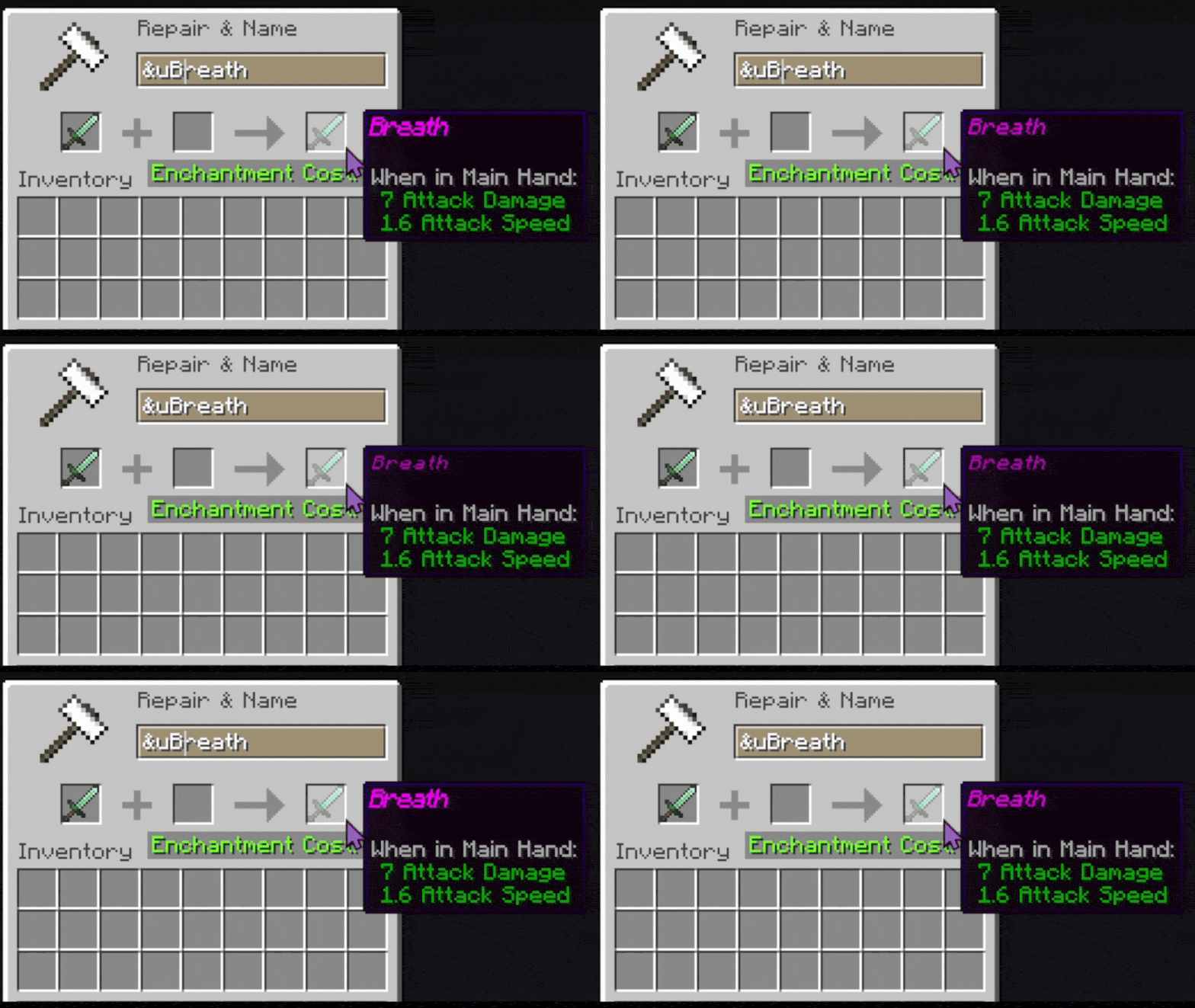
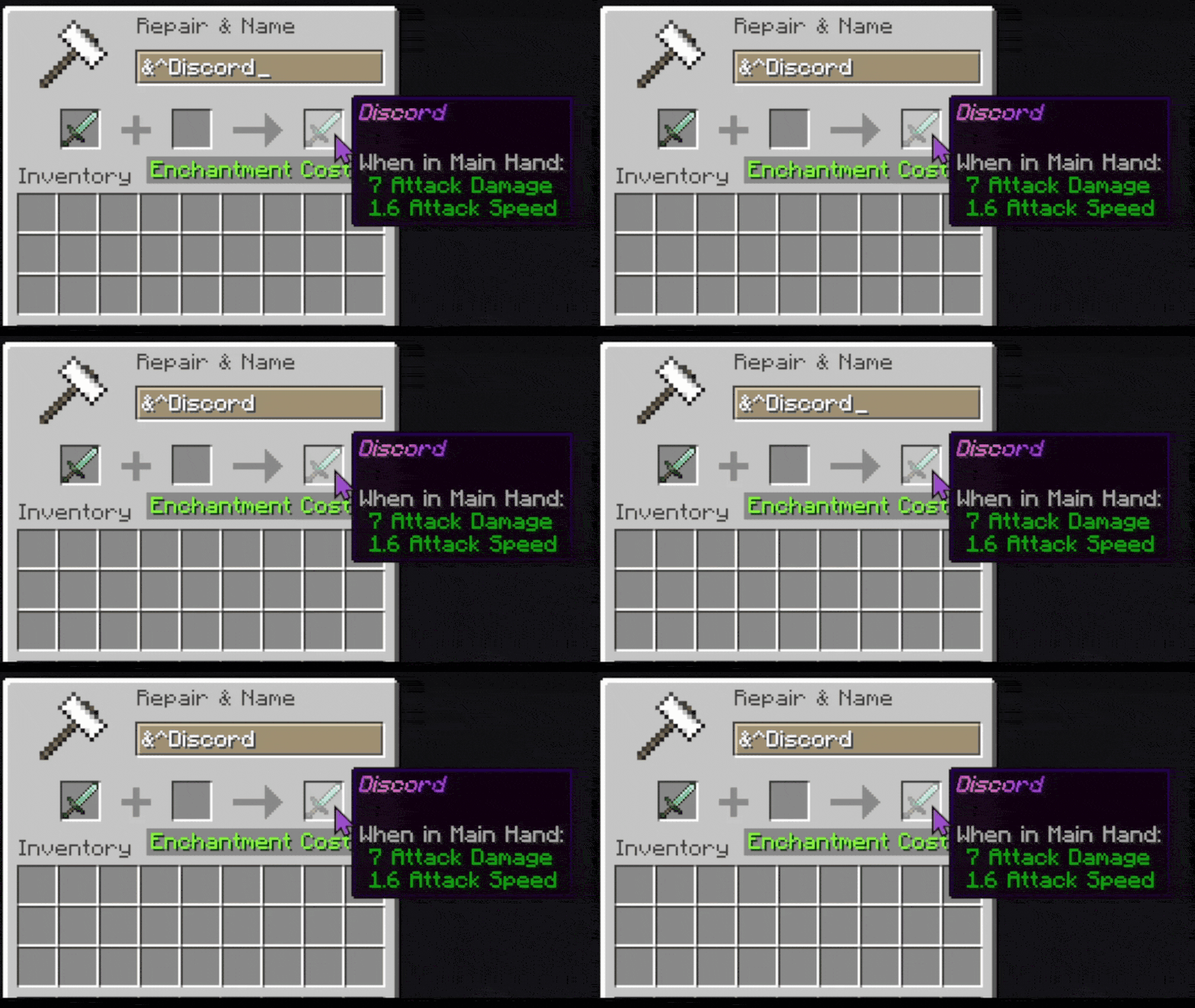
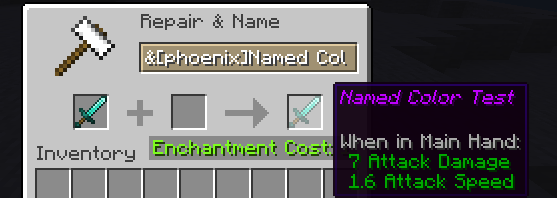
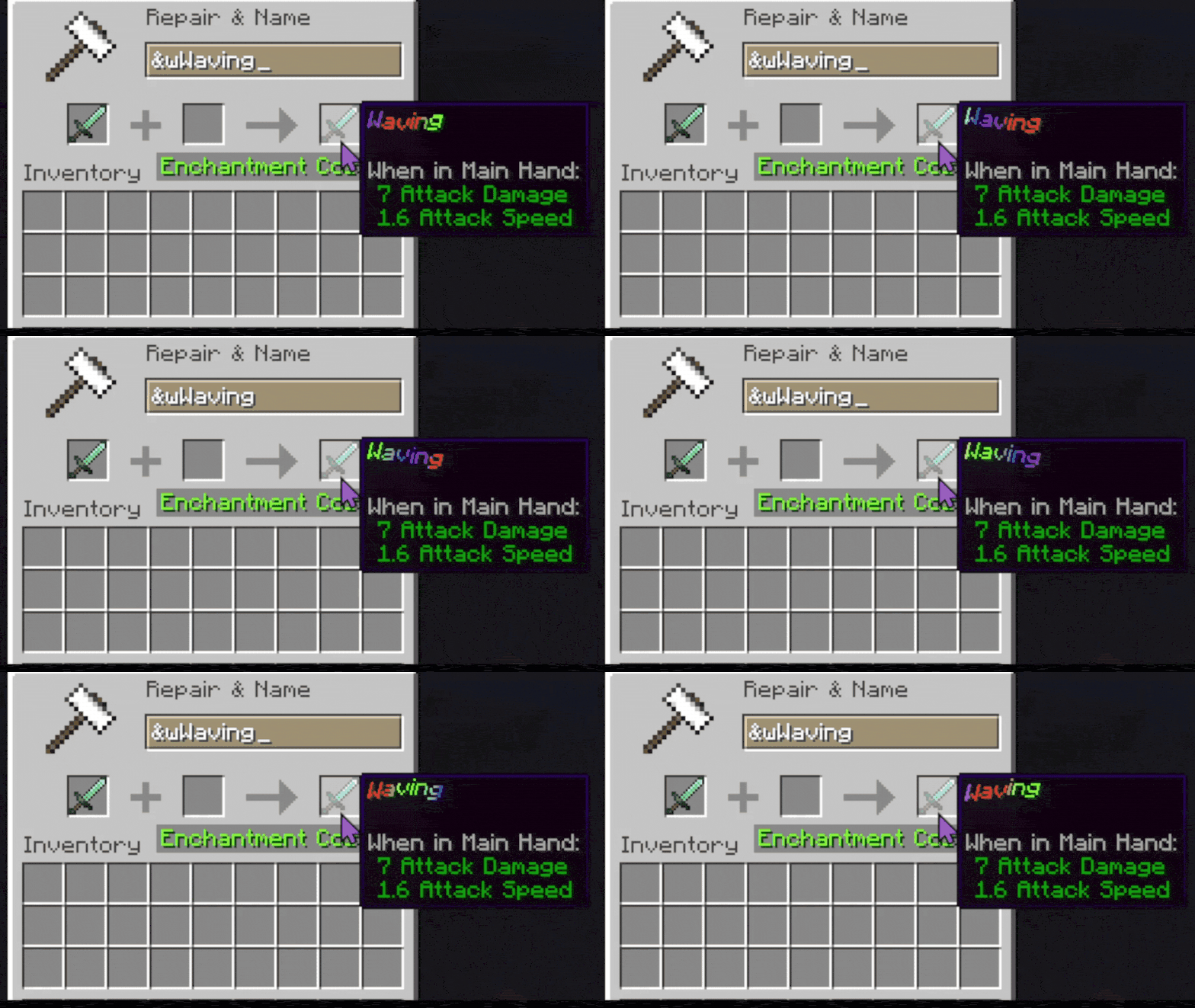
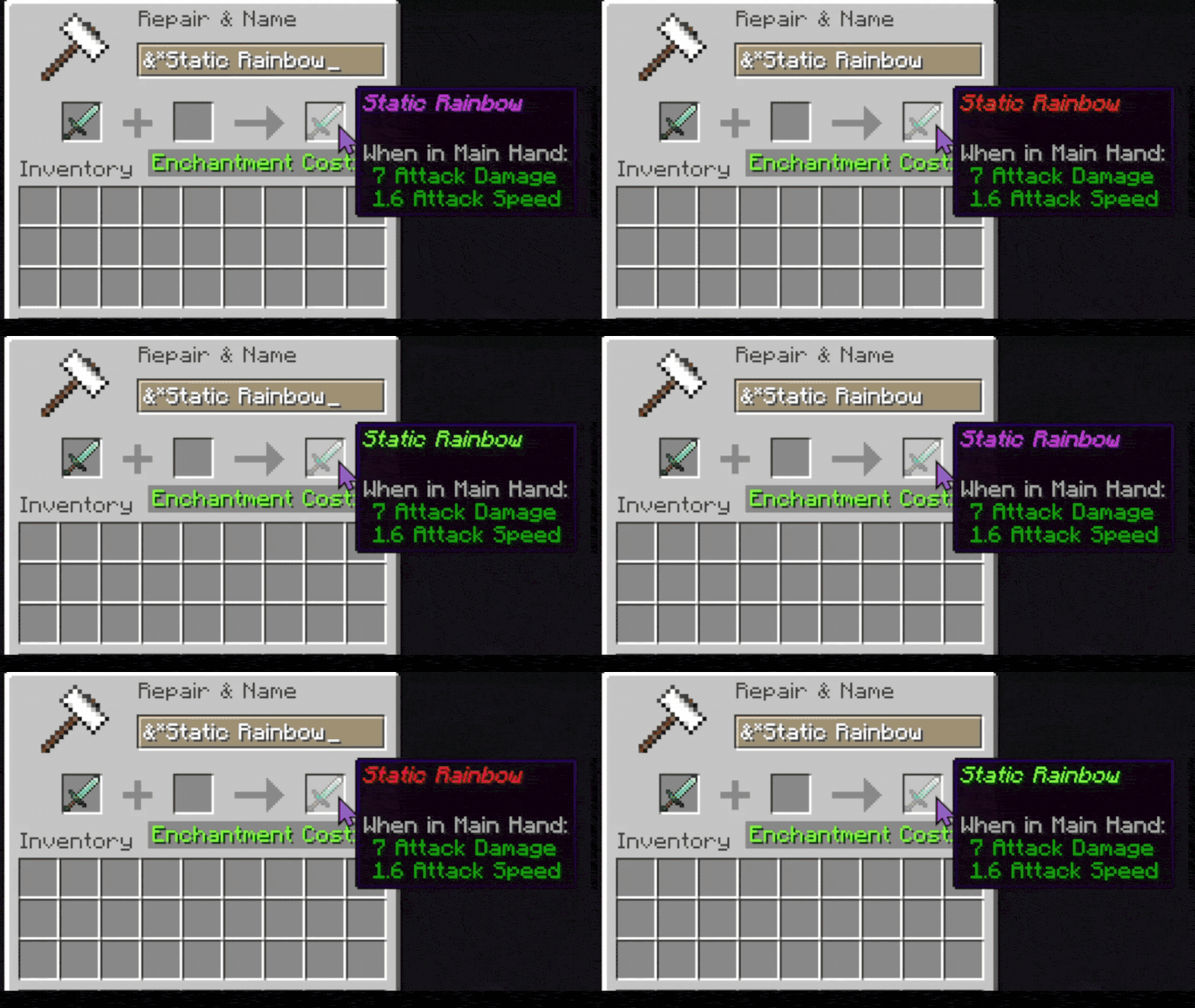
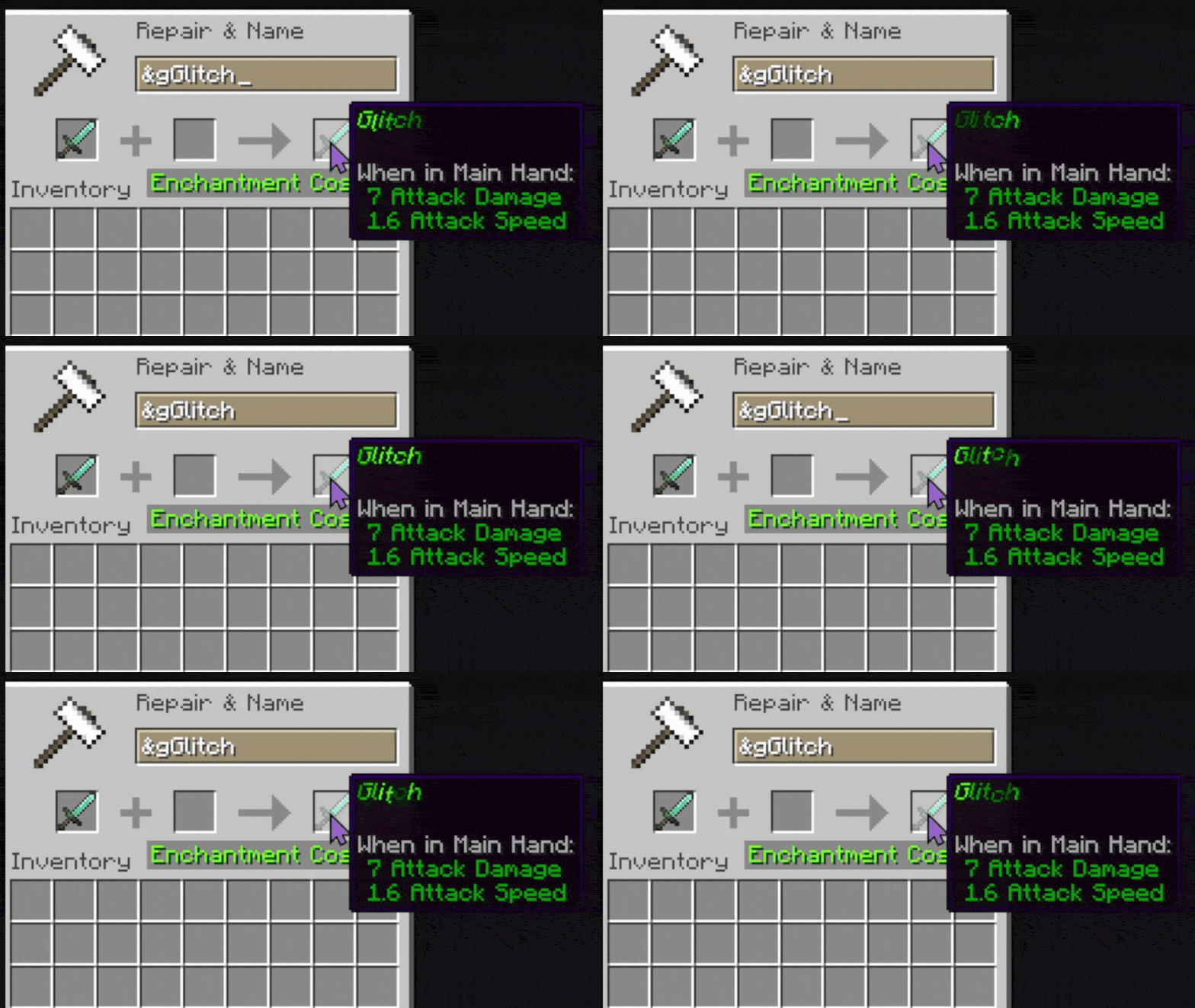
About this Mod
Phoenix Chromatic Colors
Phoenix Chromatic Colors is a mod that adds advanced text coloring and animated text effects using simple color codes.
It allows signs, books, chat messages, item names, fluid names, and anything that supports Minecraft lang text formatting to use:
- Custom hex colors
- Animated gradients
- Wave effects
- Pulse effects
- Glitch effects
- Shake effects
- Rainbow text
And more
The mod uses the & symbol to activate color/effect codes in-game and the § symbol to use them in lang.
Basic Usage
Using a Color Code
To use a custom color:
&zHello World
If z is mapped to electric violet, the text becomes violet.
Default Included Codes
| Code | Description |
|---|---|
&z |
Electric Violet |
&s |
Chili Red |
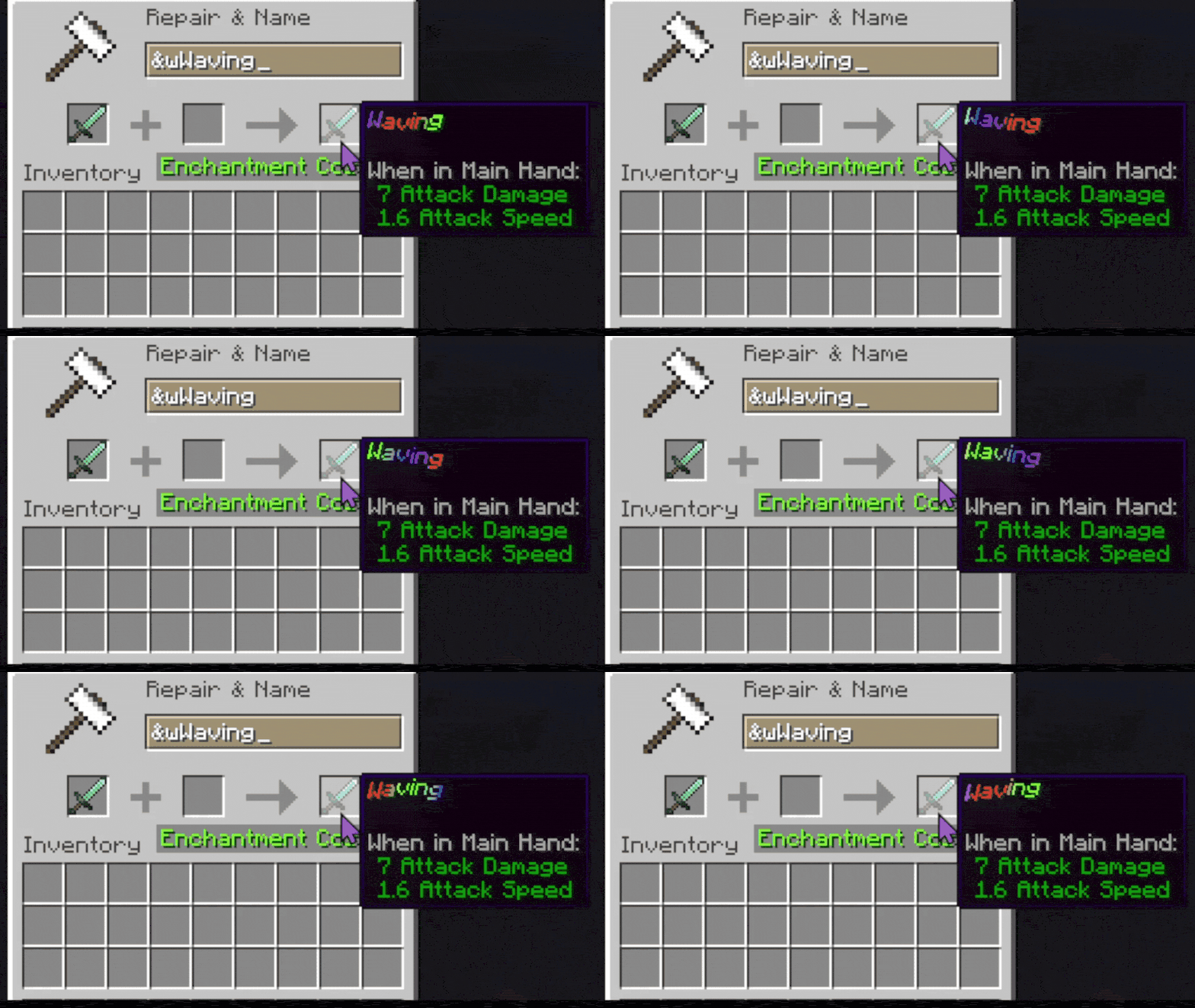
&w |
Animated wave effect |
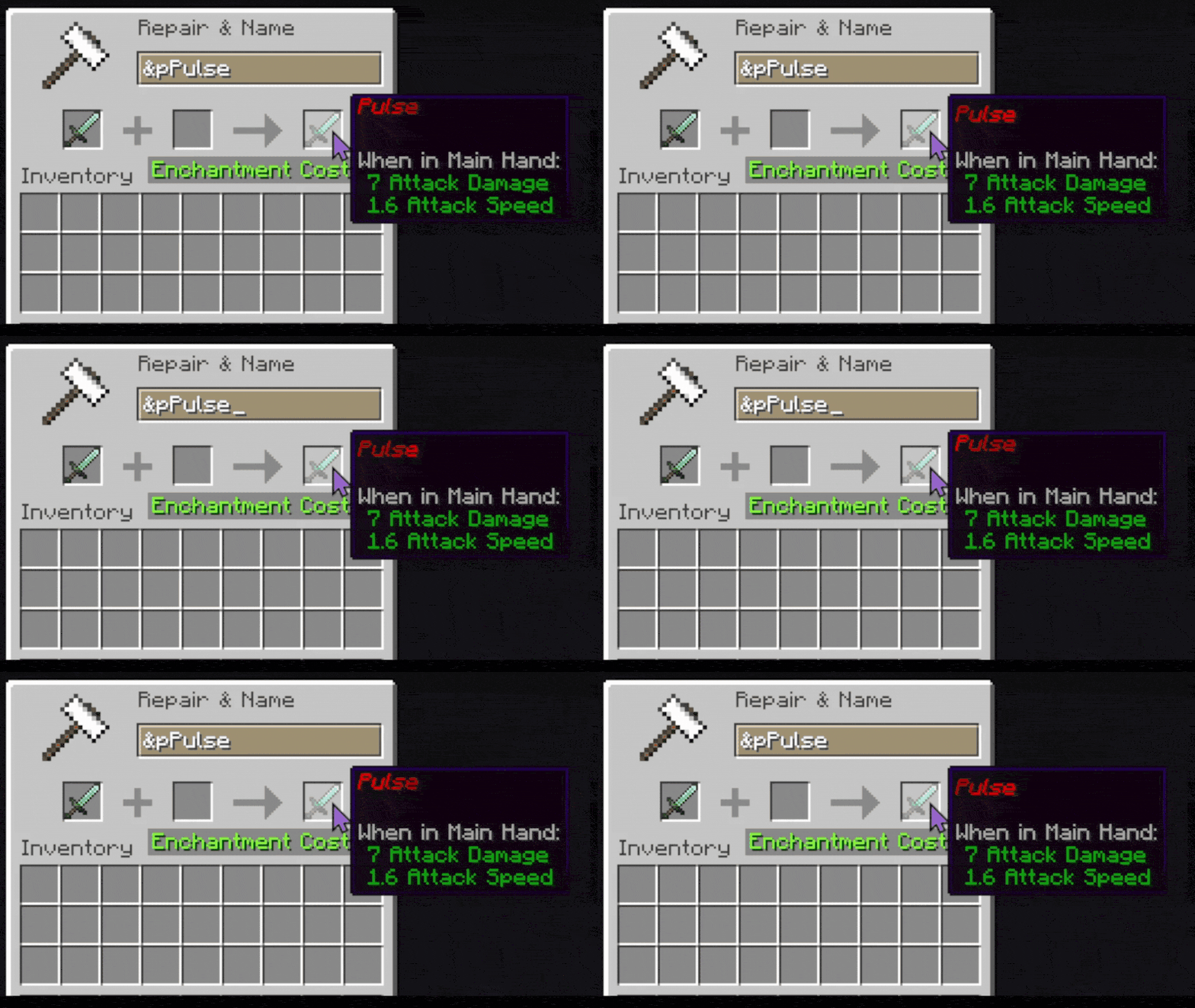
&p |
Pulsing color |
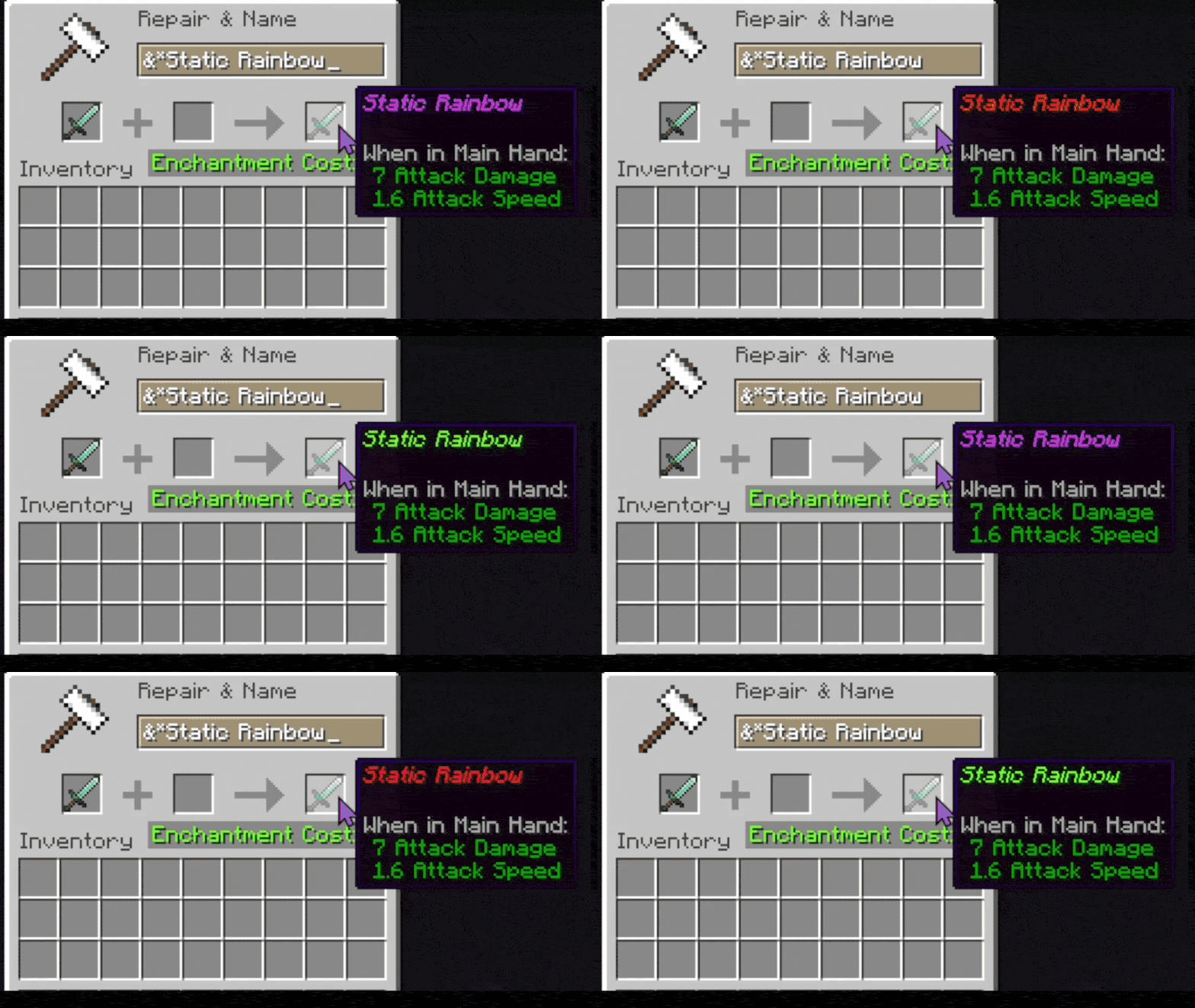
&* |
Static rainbow |
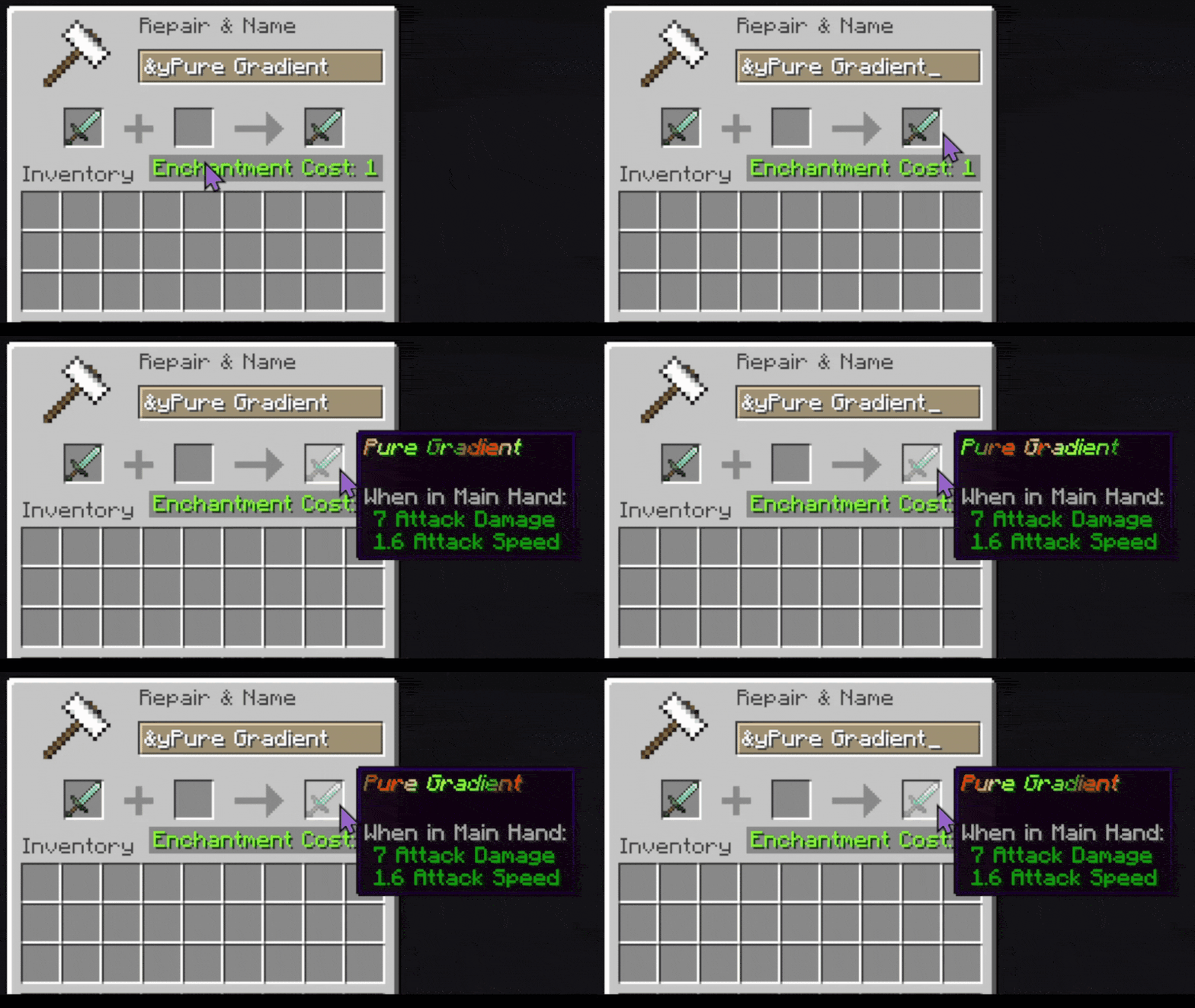
&y |
Smooth gradient |
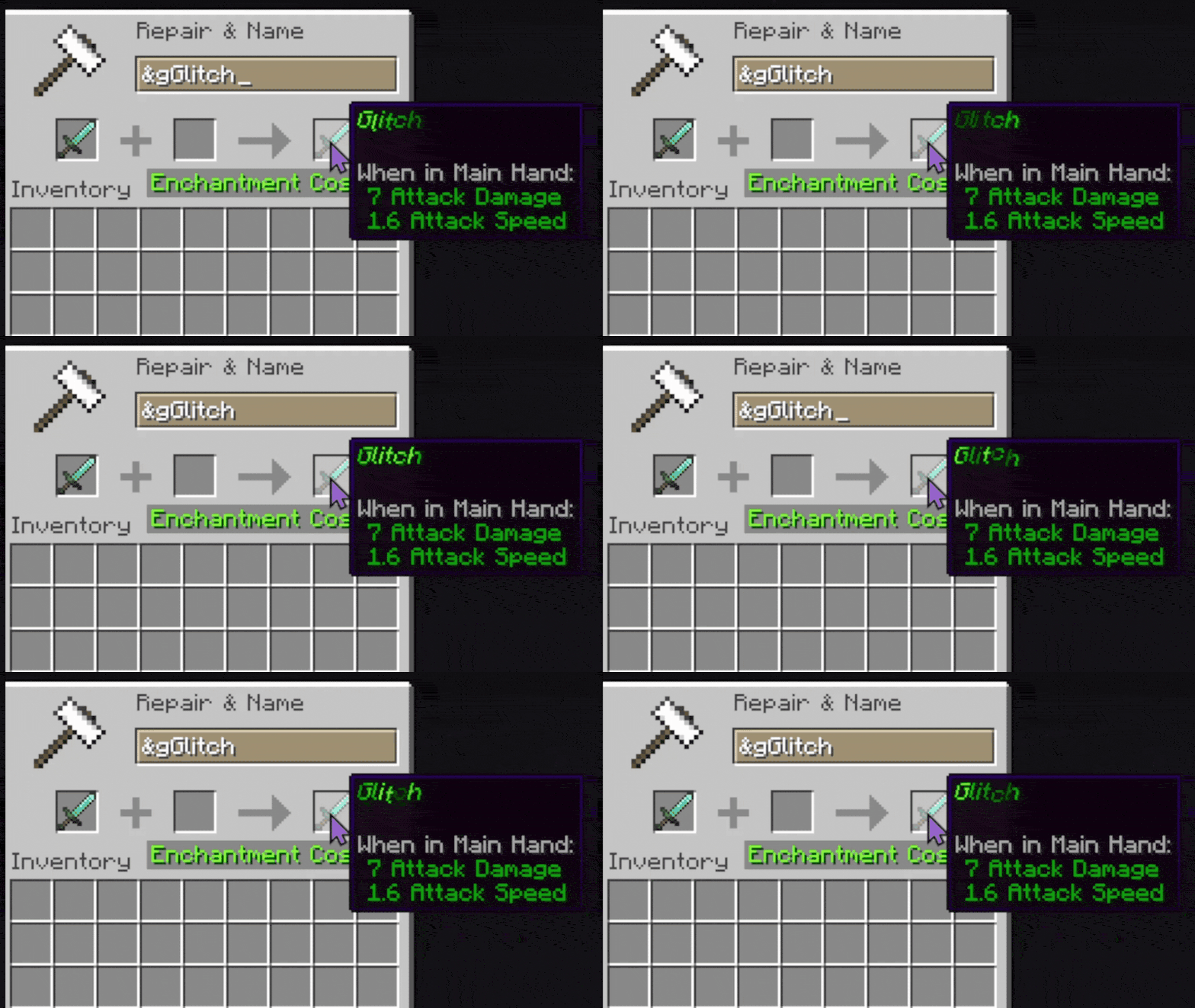
&g |
Glitching text |
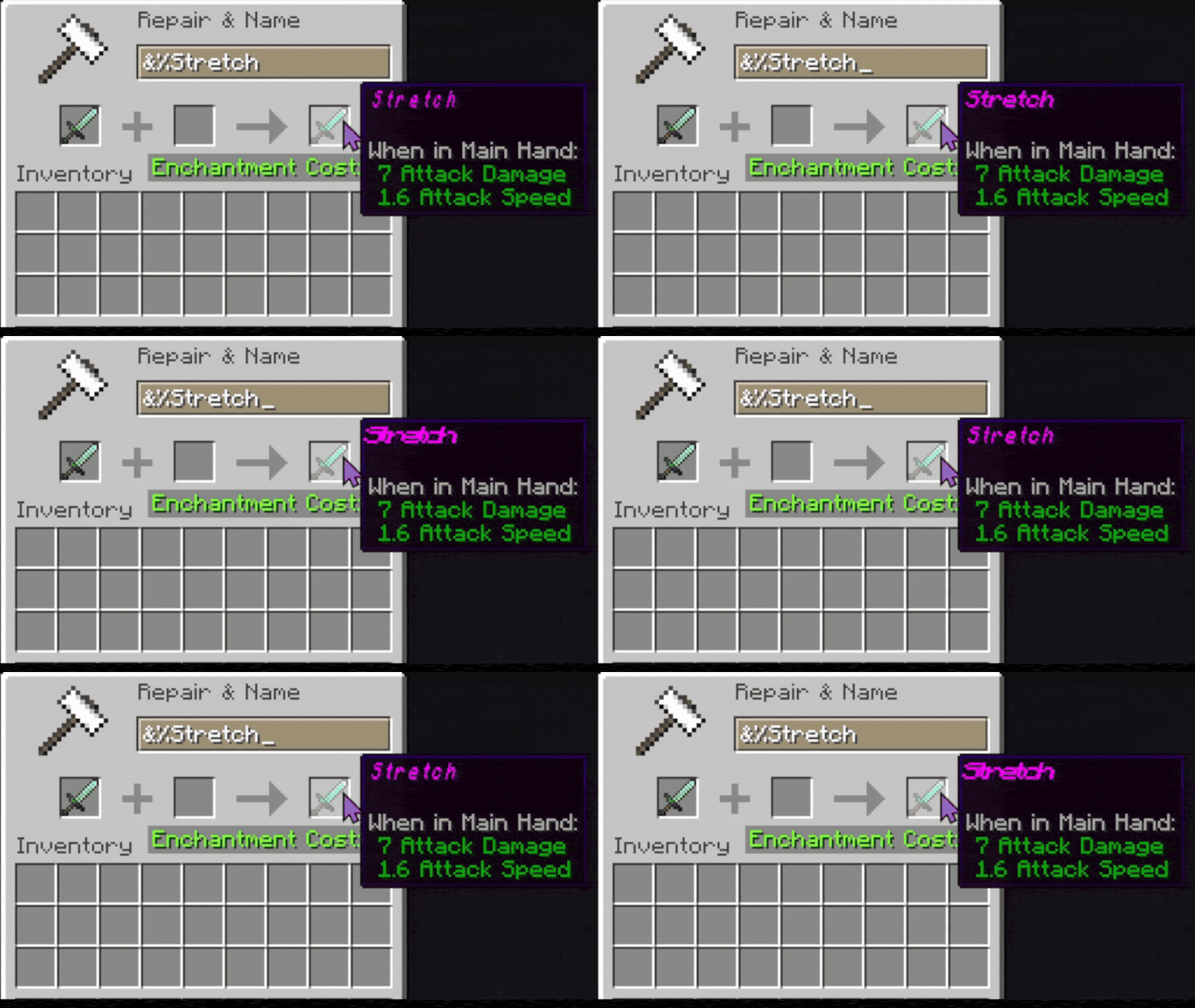
&$ |
Stretching text |
&- |
Breathing text |
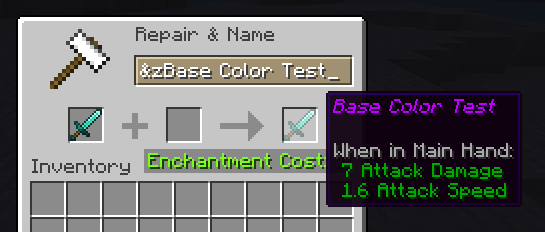
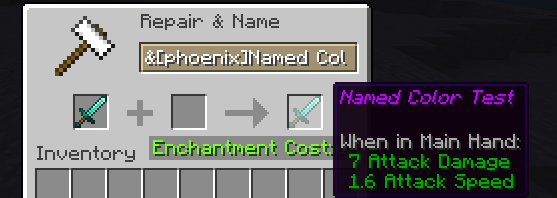
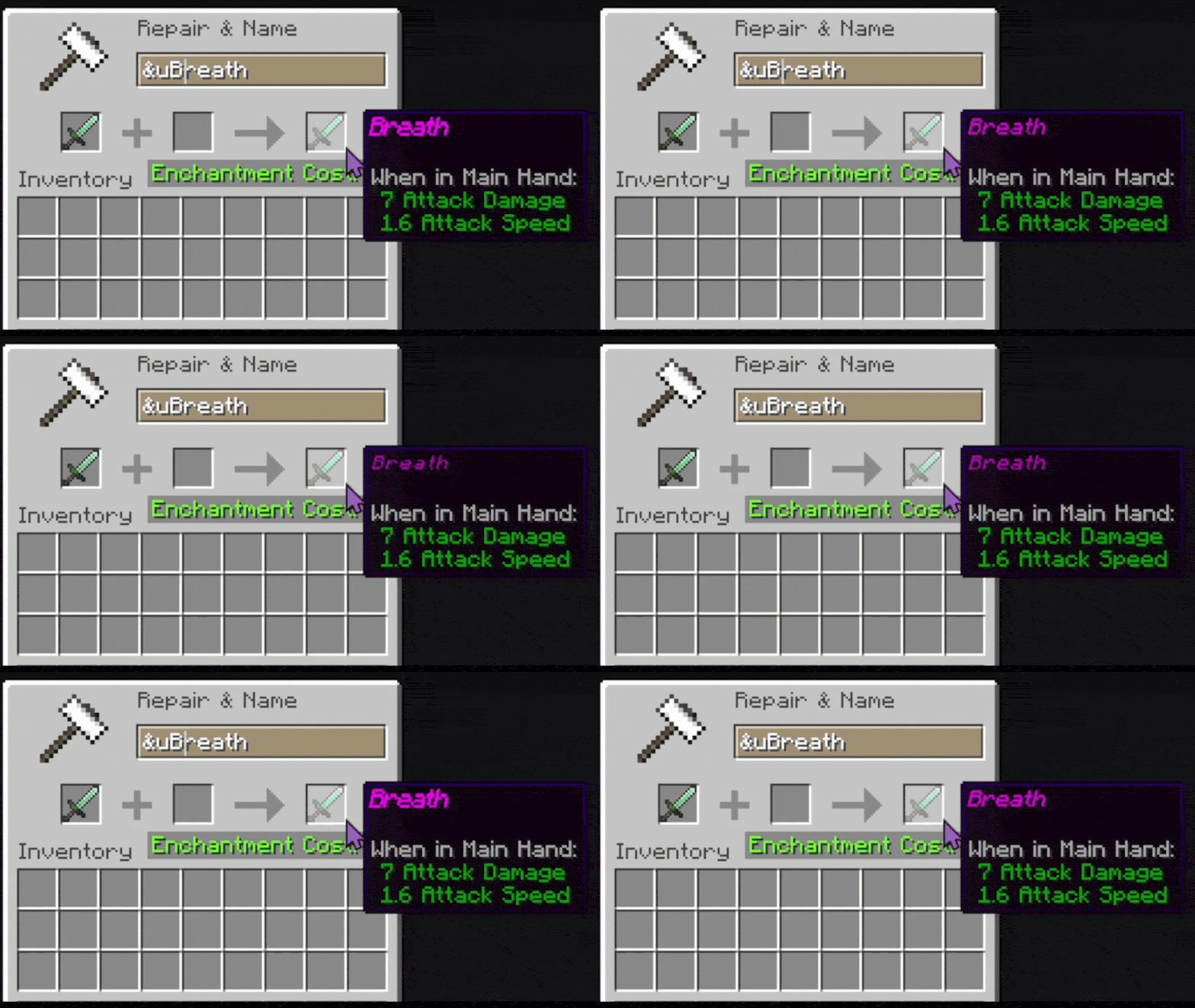
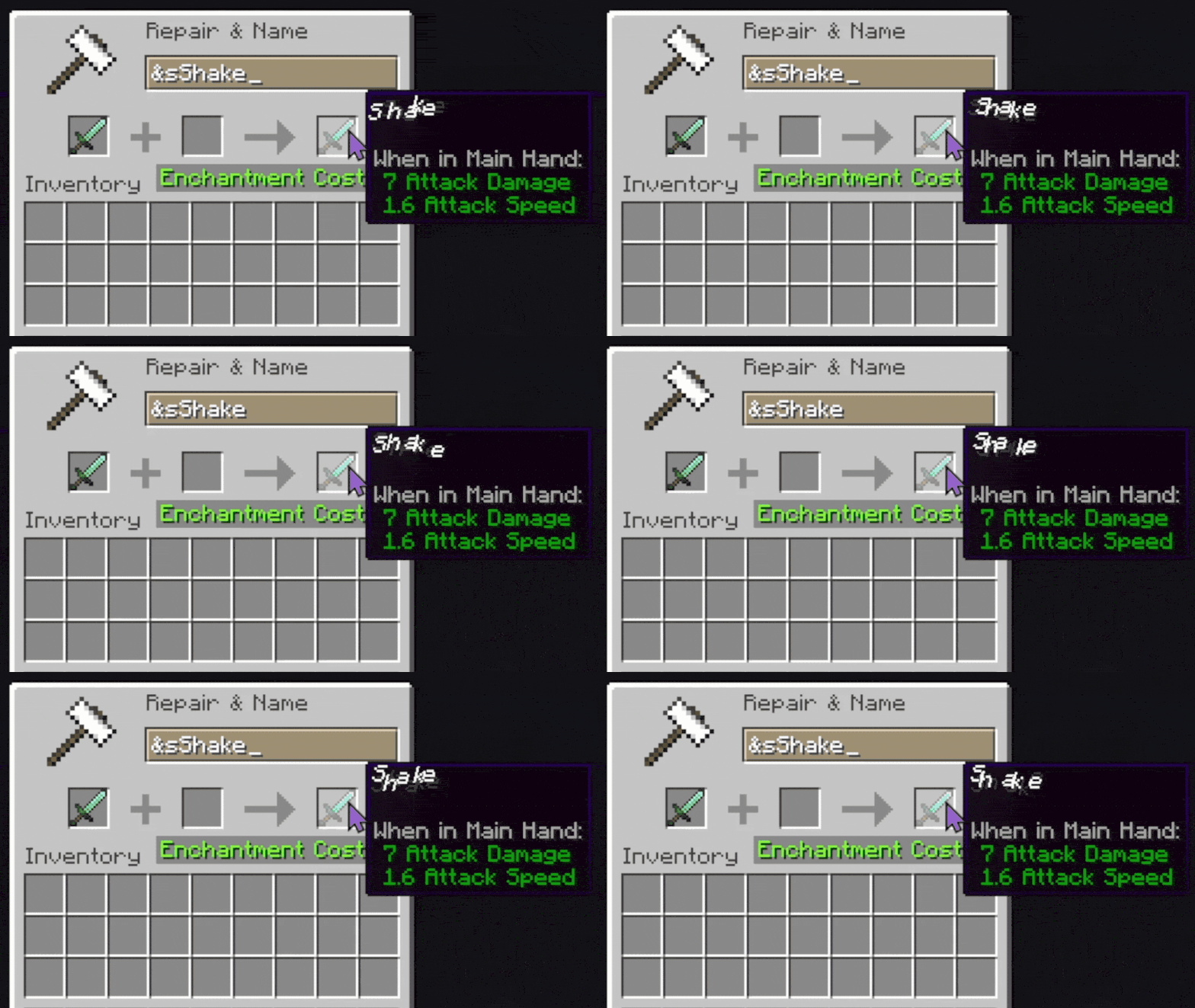
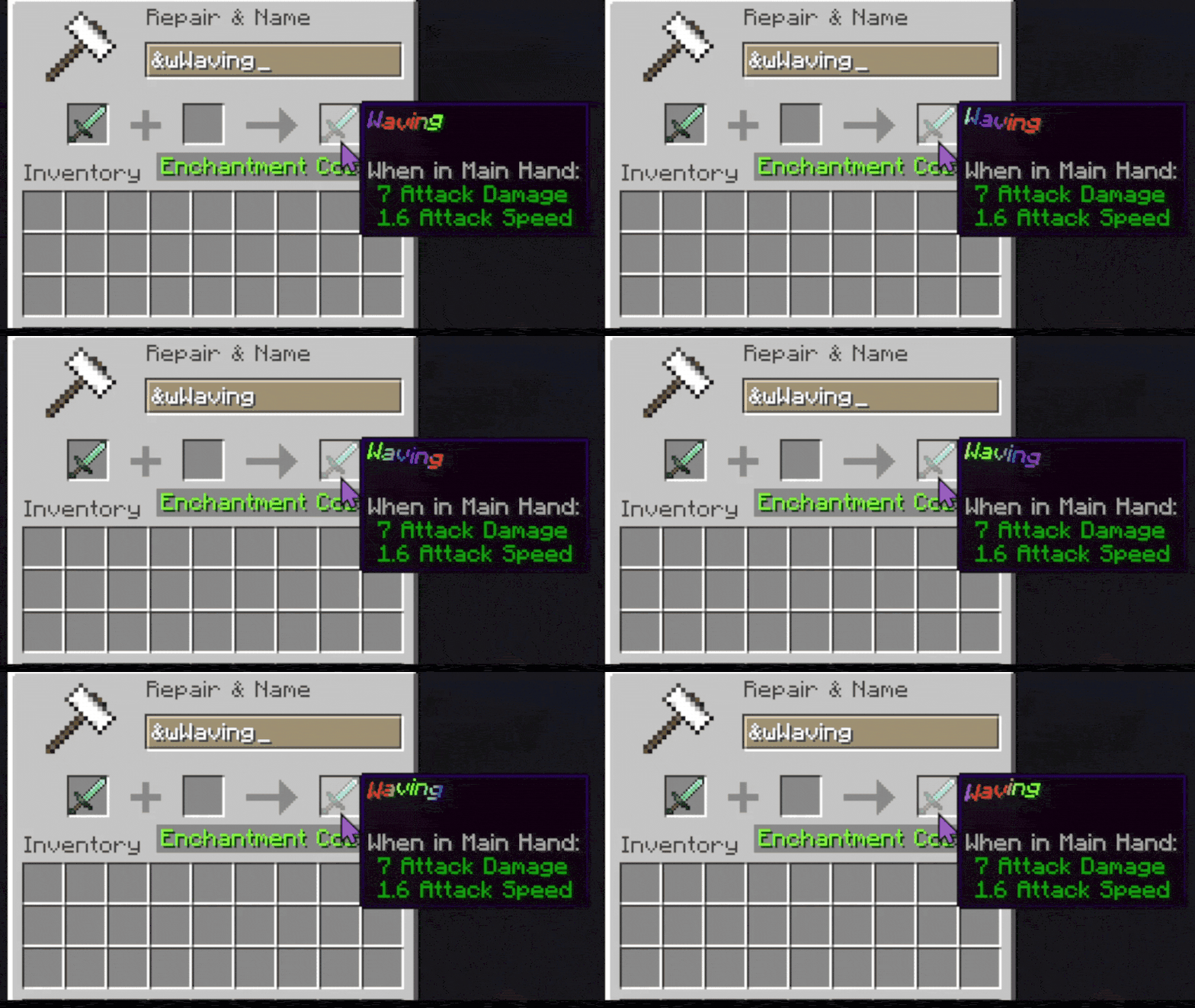
Unicode Support
Any Unicode character can be used as a code symbol.
Examples:
&★Hello
&☀Gold Text
&❤Love
This means you are not limited to normal letters.
Config File
All custom codes are stored in:
phoenix_chromatic_colors_codes.yaml
You can freely add your own colors and effects.
Creating Simple Color Codes
Syntax
symbol:hexcode
Example
p:ff2100
This creates:
&pHello
Which displays text using the color:
#ff2100
Hex Code Notes
Hex codes should NOT include the #.
Correct:
ff2100
Incorrect:
#ff2100
Creating Effect Codes
Effects allow animated or moving text.
Syntax
symbol:colorSpeed,movementSpeed,movementID,hexCode,hexCode...
Effect Parameters
| Parameter | Description |
|---|---|
symbol |
The code used in-game |
colorSpeed |
Speed of color changing |
movementSpeed |
Speed of animation movement |
movementID |
Type of effect |
hexCode... |
One or more colors |
Available Built-In Effects
| Effect ID | Description |
|---|---|
wave |
Wavy moving gradient |
pulse |
Pulsing colors |
shake |
Random shaking movement |
glitch |
Distorted glitch animation |
none |
Pure gradient only |
breath |
Breathing text |
stretching |
Stretching |
rainbow |
Static rainbow cycling |
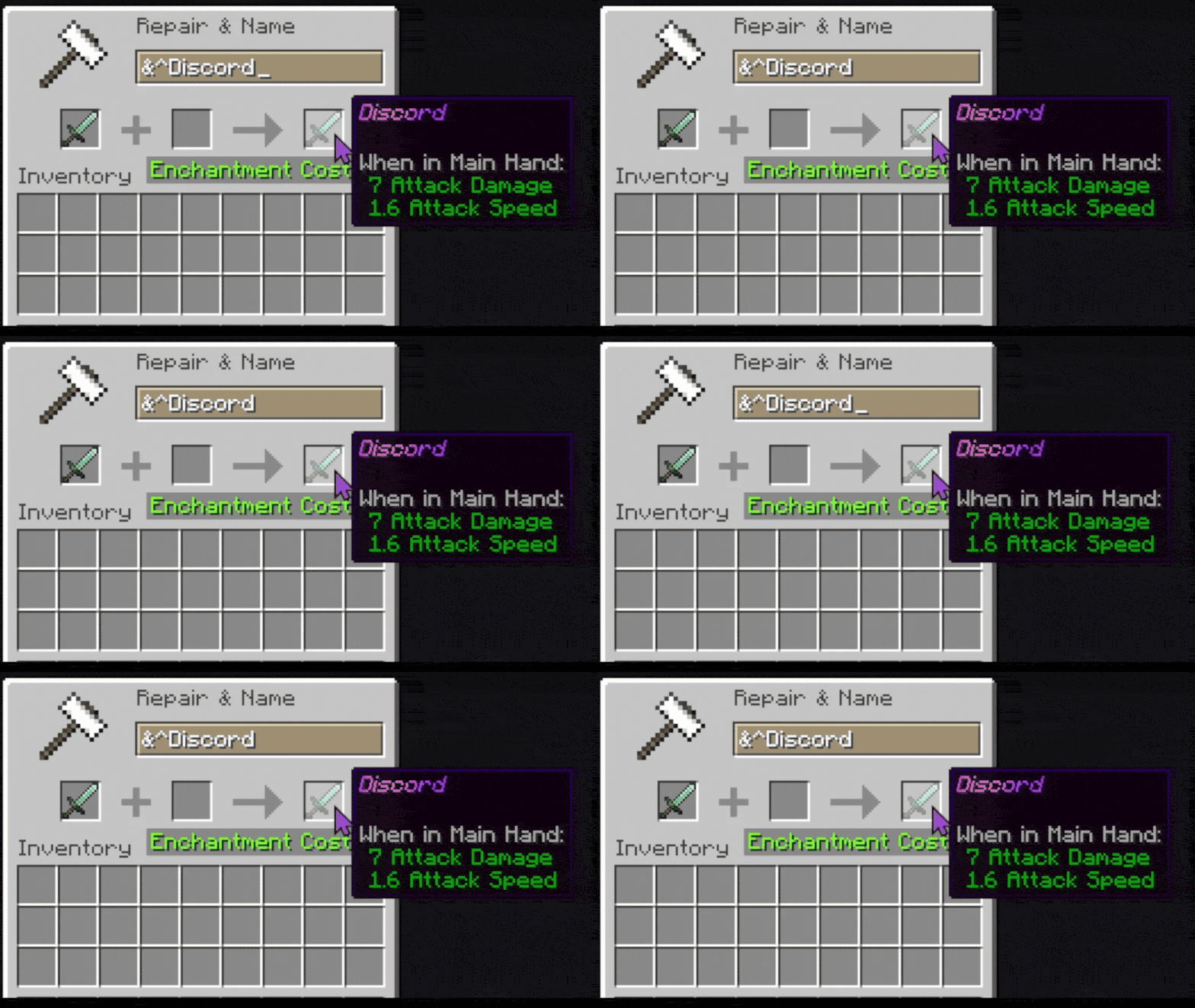
discord |
Discord boost style gradient |
Example: Wave Effect
w:1.0,1.0,wave,ff2100,f2c300
Usage:
&wHello
This creates an animated orange/yellow wave gradient.
Example: Pulse Effect
u:0.8,0.5,pulse,ff0000,ffffff
This pulses between red and white.
Example: Pure Gradient
g:0.0,0.0,none,ff0000,00ff00,0000ff
Creates a smooth static RGB gradient.
Rainbow Support
You can use the keyword:
rainbow
Instead of a hex code.
Example:
r:1.0,1.0,wave,rainbow
Multiple Gradient Colors
Effects support multiple colors.
Example:
m:1.0,0.8,wave,ff0000,00ff00,0000ff,ff00ff
This creates a 4-color animated gradient.
In-Game Examples
Signs
&wWelcome!
Books
&pChapter One
Item Names
&gLegendary Sword
Modded Lang Support
The mod is especially useful for mods that only support lang text formatting.
Examples include:
Items
Fluids
Tooltips
GUI labels
Modded names
Descriptions
Discord Effect
The discord effect recreates the boosted Discord server gradient style.
Example:
d:1.0,1.0,discord,5865f2,eb459e
ChromaticAPI Support
Other mods can add their own custom effects using:
ChromaticAPI
This allows developers to register entirely new movement/effect types.
More information is available on the GitHub page.
Tips
Good Gradient Practice
Using 2–4 colors usually looks best.
Too many colors can become difficult to read.
Performance
Very fast movement speeds may appear chaotic in chat or signs.
Recommended values:
0.5 - 2.0
Troubleshooting
Colors Not Working
Make sure:
You used & or §
The code exists in the config
The hex code is valid
No # is included
Effect Not Working
Make sure:
The movement ID exists
At least one color is provided
The syntax uses commas correctly
Example Full Config
# Simple Colors
z:9400ff
p:ff2100

# Wave Gradient
w:1.0,1.0,wave,ff2100,f2c300

# Pulse
u:0.8,0.5,pulse,ff0000,ffffff

# Static Gradient
g:0.0,0.0,none,ff0000,00ff00,0000ff

# Rainbow
r:1.0,1.0,wave,rainbow

# Discord Style
d:1.0,1.0,discord,5865f2,eb459e
Final Notes
Phoenix Chromatic Colors is designed to make Minecraft text styling far more expressive while remaining lightweight and easy to configure.
Experiment with gradients, unicode symbols, and animation combinations to create unique styles for your world or modpack.
Named Codes
Phoenix Chromatic Colors also supports named color/effect codes.
Named codes work exactly like normal symbol codes, but instead of using a single character, you use a readable name inside brackets.
This makes configs easier to organize and remember.
By default named codes are case sensitive.
Using Named Codes In-Game
Syntax
&[name]Text Here
Example
If your config contains:
electric_violet:9400ff
You can use:
&[electric_violet]Hello
Instead of:
&zHello
Why Use Named Codes?
Named codes are useful when:
- You have many custom colors
- You want readable configs
- Multiple people edit the config
- You forget what symbols mean
- You want organized theme names
Named Color Codes
Syntax
name:hexcode
Example
electric_violet:9400ff
chili_red:ff2100
golden_sun:f2c300
Usage:
&[electric_violet]Magic
&[golden_sun]Legendary
Named Effect Codes
Named effects work the same way as normal effects.
Syntax
name:colorSpeed,movementSpeed,movementID,hexCode,hexCode...
Example: Named Wave
sunset_wave:1.0,1.0,wave,ff5500,ffcc00
Usage:
&[sunset_wave]Animated Text
Example: Named Pulse
danger_pulse:0.7,0.5,pulse,ff0000,ffffff
Usage:
&[danger_pulse]WARNING
Example: Named Gradient
ocean_gradient:0.0,0.0,none,0044ff,00ffee
Usage:
&[ocean_gradient]Ocean Text
Mixing Named and Symbol Codes
You can freely combine both systems.
Example config:
# Symbol Codes
z:9400ff
p:ff2100

# Named Codes
electric_violet:9400ff
sunset_wave:1.0,1.0,wave,ff5500,ffcc00
Both will work:
&zHello
&[electric_violet]Hello
&[sunset_wave]Animated
Naming Tips
Good naming examples:
electric_violet
deep_ocean
gold_pulse
discord_boost
toxic_glitch
Avoid:
a
thing
cool
test123
Readable names make large configs much easier to maintain.
Recommended Naming Style
Snake case is recommended:
my_gradient_name
This improves readability and avoids formatting issues.
Example Full Config With Named Codes
# Basic Colors
electric_violet:9400ff
chili_red:ff2100

# Effects
sunset_wave:1.0,1.0,wave,ff5500,ffcc00
danger_pulse:0.7,0.5,pulse,ff0000,ffffff
ocean_gradient:0.0,0.0,none,0044ff,00ffee

# Discord Style
discord_boost:1.0,1.0,discord,5865f2,eb459e
Usage:
&[electric_violet]Magic
&[sunset_wave]Animated
&[discord_boost]Boosted
Final Notes
Named codes are fully optional, but highly recommended for large modpacks, servers, or heavily customized configs.
Named codes are by default case sensitive.
They provide a cleaner and more scalable way to organize your colors and effects.
Available Versions
How to Install Phoenix's Chromatic Codes on Your Server
Order Server
Order a Minecraft Java server with at least 3 GB RAM (4 GB recommended).
Set forge Loader
In the panel under "Egg", select the forge loader and matching Minecraft version (26.1.1).
Install Mod
Open the mod browser in the dashboard and search for "Phoenix's Chromatic Codes". Click "Install" – done! Alternatively, upload the .jar via SFTP to the /mods folder.
Compatibility
Mod Loaders
Minecraft Versions
26.1.1, 26.1, 1.21.11 (+17 more)
Server-side
✓ RequiredRecommended RAM
4 GB(min. 3 GB)Frequently Asked Questions
Phoenix's Chromatic Codes server crashes on startup – what to do?
Most common cause: wrong forge version or insufficient RAM. Check the server log (latest.log) for "OutOfMemoryError" or "Mixin" errors. With Mado Hosting: ensure at least 3 GB RAM is allocated and the loader matches the mod version (26.1.1). You can switch loaders with one click in the panel.
Is Phoenix's Chromatic Codes compatible with forge?
Phoenix's Chromatic Codes officially supports forge for Minecraft 26.1.1, 26.1, 1.21.11. The Mado dashboard automatically detects incompatible loader combinations.
Server lagging with Phoenix's Chromatic Codes – how to optimize performance?
Recommended RAM: 4 GB (per 8 players). Use /spark profiler to check if Phoenix's Chromatic Codes consumes the most tick time. Common fixes: reduce server view-distance to 8-10, install "performant" or "starlight" as supplementary mods on Forge. With Mado Hosting, your server runs on NVMe SSDs with dedicated CPU cores for minimal latency.
Similar Mods

![[ETF] Entity Texture Features](https://cdn.modrinth.com/data/BVzZfTc1/af683d206d50b05258d865b0d6e4aa2f2cee12f2_96.webp)
![[EMF] Entity Model Features](https://cdn.modrinth.com/data/4I1XuqiY/6e5bbd0d06b1741bfdab6c0cfab6de8fdaf0064c_96.webp)



Rent Modded Server
Install Phoenix's Chromatic Codes with just one click on your server.