
Photocraft
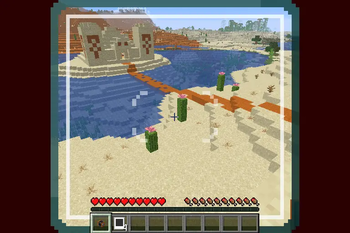
A functional "instant" camera that generates map art of the player's viewpoint
Screenshots

About this Mod
Warning
This datapack uses experimental features!
Please make a backup before adding this pack to an existing world!
Resource Pack Required
To find the relevant resource pack, go to the page for the specific datapack version you are trying to install!
Photocraft Datapack
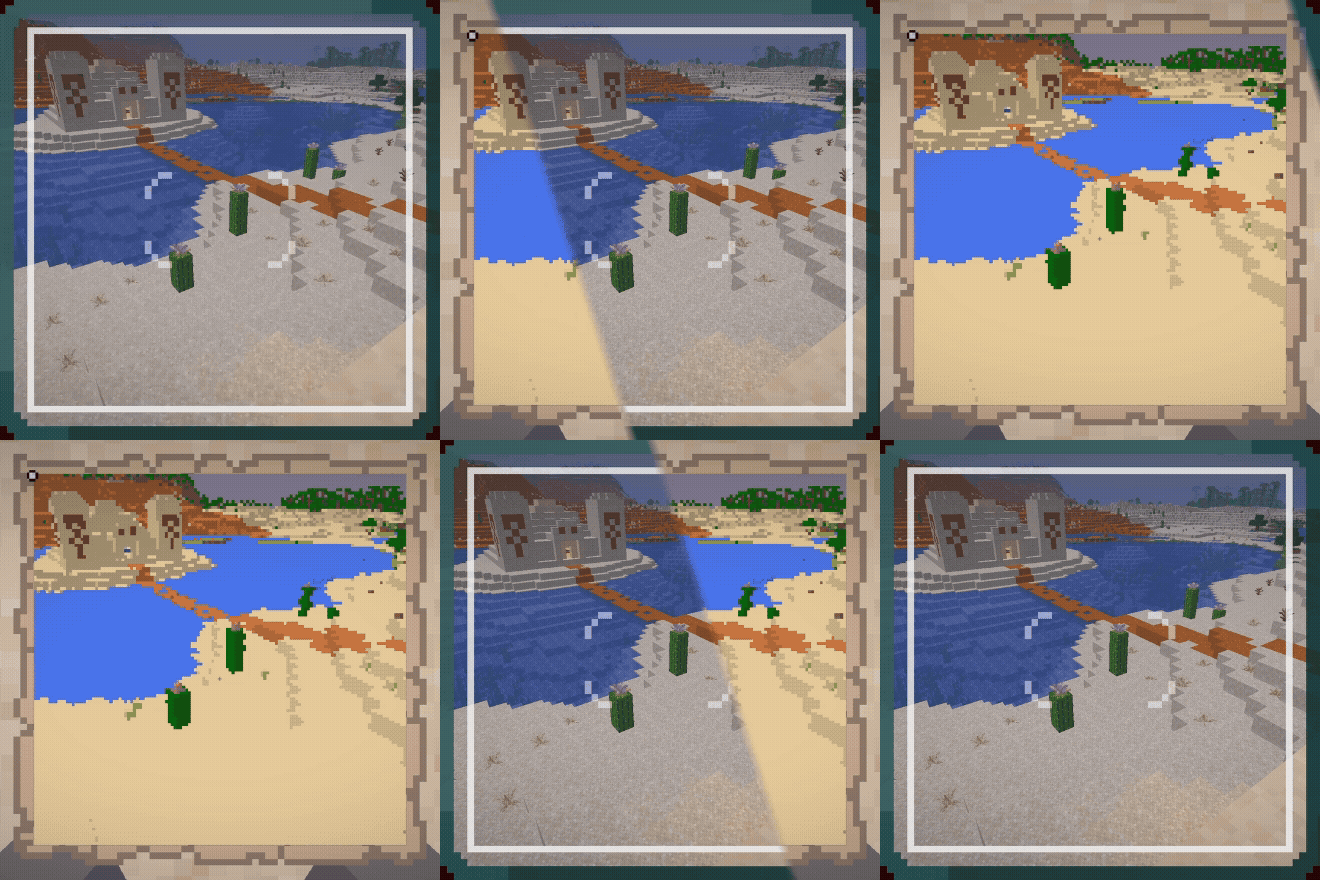
This datapack adds a camera that can be used to create map-art "photos" of the world.
There are two items and recipes added to the game - the camera itself, and photo paper.
You can craft a Camera with 3 Black Carpet, 2 Iron Ingots, 2 Redstone, 1 Spyglass, and 1 Lightning Rod: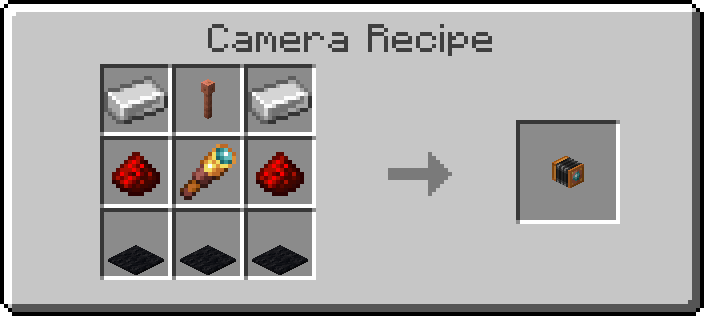
You can craft 4 pieces of Photo Paper with 3 Resin, 3 Paper, 1 Cyan Dye, 1 Yellow Dye, and 1 Magenta Dye: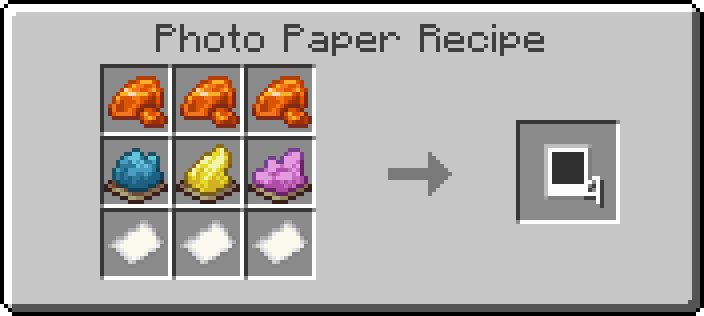
To use the camera, click and hold the use-item button. This will pull up a viewfinder that will provide a frame of what will be included in the photo. Releasing the use-item button will place the camera in the world.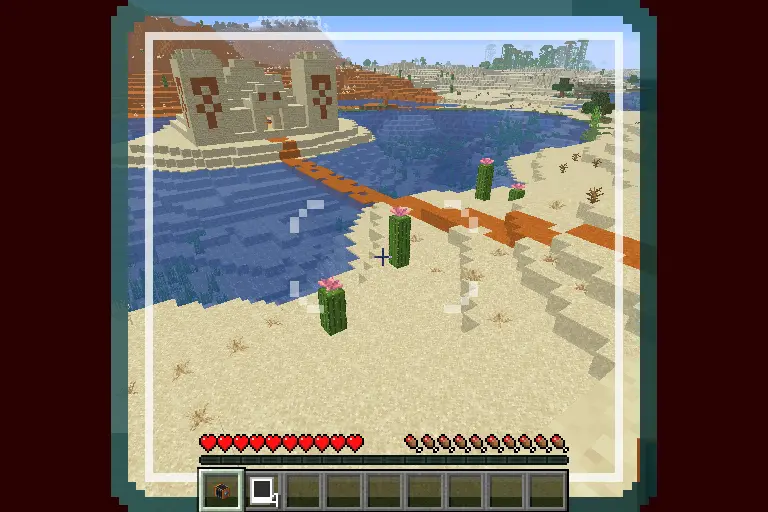
To take a photo, click the use-item button on the camera while holding a piece of photo paper. The camera will start emitting smoke particles and the lights on the back of the camera will start turning on, showing photo progress.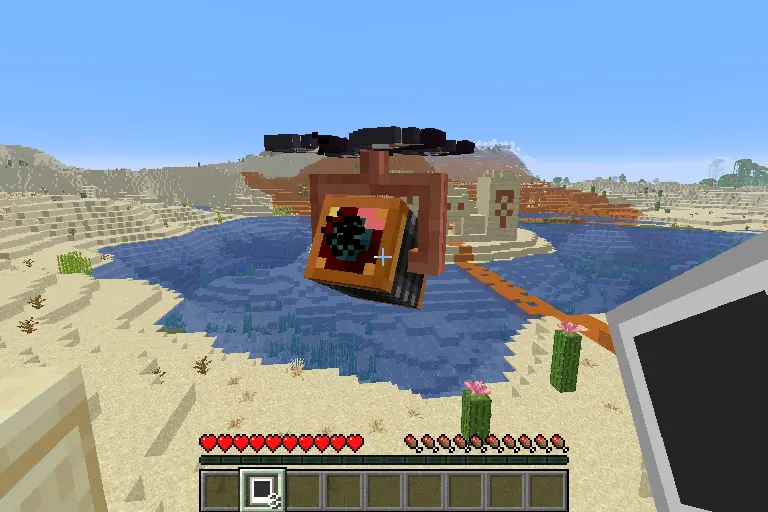
When the camera is done exposing the photo, the lights on the back will turn green and the camera will play a sound.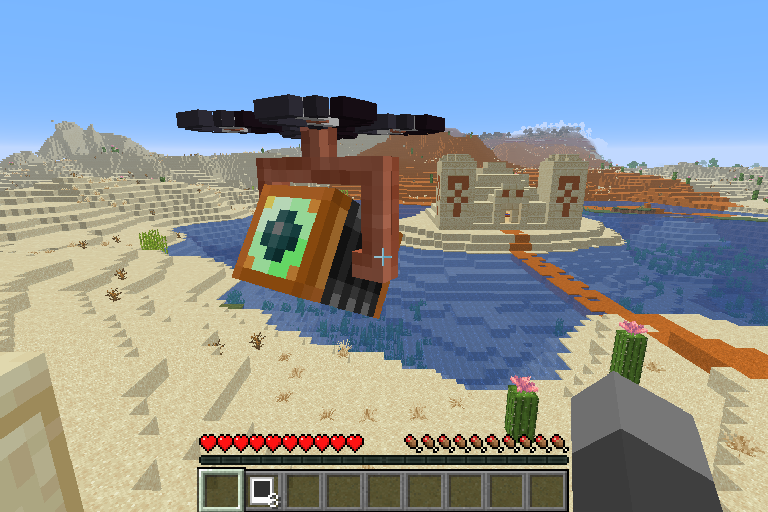
Right click the camera with an empty hand to retrieve the final photo.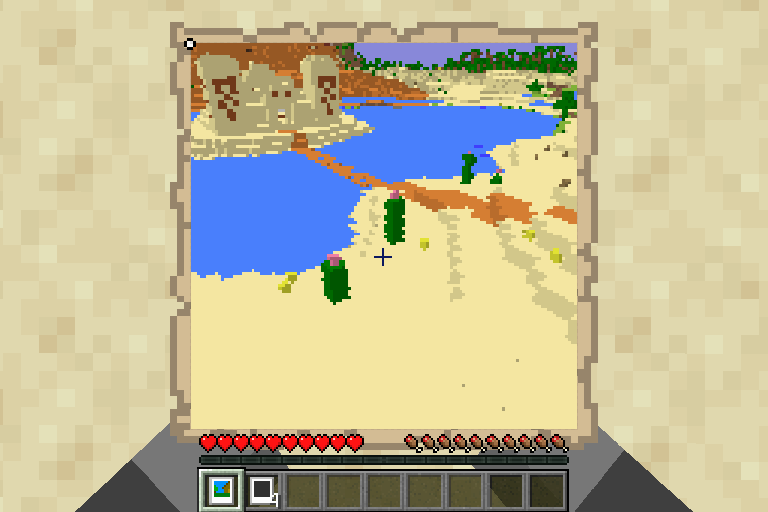
At any point, other than when retrieving a photo, left-clicking the camera will cause it to break, dropping a camera. Any photo that is stored in the camera will be lost if it is not retrieved first!
Available Versions
How to Install Photocraft on Your Server
Order Server
Order a Minecraft Java server with at least 3 GB RAM (4 GB recommended).
Set datapack Loader
In the panel under "Egg", select the datapack loader and matching Minecraft version (1.21.11).
Install Mod
Open the mod browser in the dashboard and search for "Photocraft". Click "Install" – done! Alternatively, upload the .jar via SFTP to the /mods folder.
Compatibility
Mod Loaders
Minecraft Versions
1.21.11, 1.21.10
Server-side
✓ RequiredRecommended RAM
4 GB(min. 3 GB)Frequently Asked Questions
Photocraft server crashes on startup – what to do?
Most common cause: wrong datapack version or insufficient RAM. Check the server log (latest.log) for "OutOfMemoryError" or "Mixin" errors. With Mado Hosting: ensure at least 3 GB RAM is allocated and the loader matches the mod version (1.21.11). You can switch loaders with one click in the panel.
Is Photocraft compatible with datapack and fabric and forge and neoforge and quilt?
Photocraft officially supports datapack, fabric, forge, neoforge, quilt for Minecraft 1.21.11, 1.21.10. Note: Forge and Fabric mods are NOT cross-compatible – pick one loader and stick with it. The Mado dashboard automatically detects incompatible loader combinations.
Server lagging with Photocraft – how to optimize performance?
Recommended RAM: 4 GB (per 8 players). Use /spark profiler to check if Photocraft consumes the most tick time. Common fixes: reduce server view-distance to 8-10, install "performant" or "starlight" as supplementary mods on Forge. With Mado Hosting, your server runs on NVMe SSDs with dedicated CPU cores for minimal latency.
Similar Mods




Rent Modded Server
Install Photocraft with just one click on your server.