
physics effects
completely transforms Minecraft's static world into a dynamic, highly interactive, and visually stunning playground and more.
Screenshots
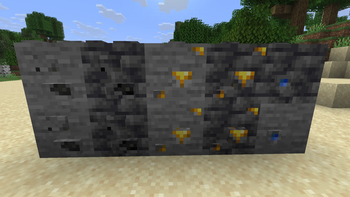
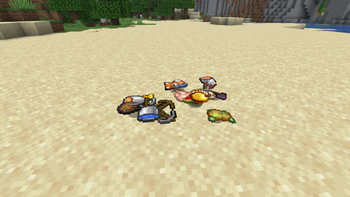
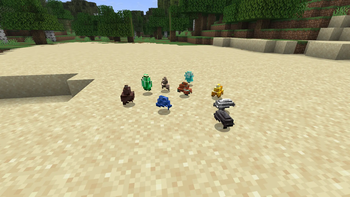
About this Mod


Core Concept & Mod Mechanics
The core concept of this mod is "to bring visual life and physics-based interactions to Minecraft's static world with minimal performance (FPS) overhead."
Instead of adding a heavy, complex rigid-body physics engine (which would calculate collision geometry for every single piece of debris and destroy game performance), the mod achieves realistic results through clever visual tricks and lightweight mathematical simulations.
The Mod Concept
The Concept: Adds realistic visual physics to Minecraft (falling trees, block debris, grass bending, item flinging, and water ripples) while keeping your performance (FPS) completely smooth.
How it Works:
No Heavy Engines: It does not use a resource-heavy physics engine that lags your game.
Visual Illusion: When a block breaks, it is replaced instantly by lightweight 3D displays (BlockDisplay) that fall, bounce, tumble, and fade away.
Smart Grass Swaying: Plants bend smoothly when you touch them by transforming their model vertices directly inside the graphics card.
Visual-Only: All debris and bending effects are purely cosmetic; they won't block your movement or trap you.
Available Versions
How to Install physics effects on Your Server
Order Server
Order a Minecraft Java server with at least 3 GB RAM (4 GB recommended).
Set fabric Loader
In the panel under "Egg", select the fabric loader and matching Minecraft version (26.1.2).
Install Mod
Open the mod browser in the dashboard and search for "physics effects". Click "Install" – done! Alternatively, upload the .jar via SFTP to the /mods folder.
Compatibility
Mod Loaders
Minecraft Versions
26.1.2, 26.1.1, 26.1
Server-side
✓ RequiredRecommended RAM
4 GB(min. 3 GB)Frequently Asked Questions
physics effects server crashes on startup – what to do?
Most common cause: wrong fabric version or insufficient RAM. Check the server log (latest.log) for "OutOfMemoryError" or "Mixin" errors. With Mado Hosting: ensure at least 3 GB RAM is allocated and the loader matches the mod version (26.1.2). You can switch loaders with one click in the panel.
Is physics effects compatible with fabric and forge and neoforge?
physics effects officially supports fabric, forge, neoforge for Minecraft 26.1.2, 26.1.1, 26.1. Note: Forge and Fabric mods are NOT cross-compatible – pick one loader and stick with it. The Mado dashboard automatically detects incompatible loader combinations.
Server lagging with physics effects – how to optimize performance?
Recommended RAM: 4 GB (per 8 players). Use /spark profiler to check if physics effects consumes the most tick time. Common fixes: reduce server view-distance to 8-10, install "performant" or "starlight" as supplementary mods on Forge. With Mado Hosting, your server runs on NVMe SSDs with dedicated CPU cores for minimal latency.
Similar Mods




Rent Modded Server
Install physics effects with just one click on your server.